Let anyone report problems — no training required
Verbal reports get lost. Tenants can't log into your CMMS. You need a zero-friction way for anyone — staff, tenants, guests — to flag maintenance issues without accounts or training.
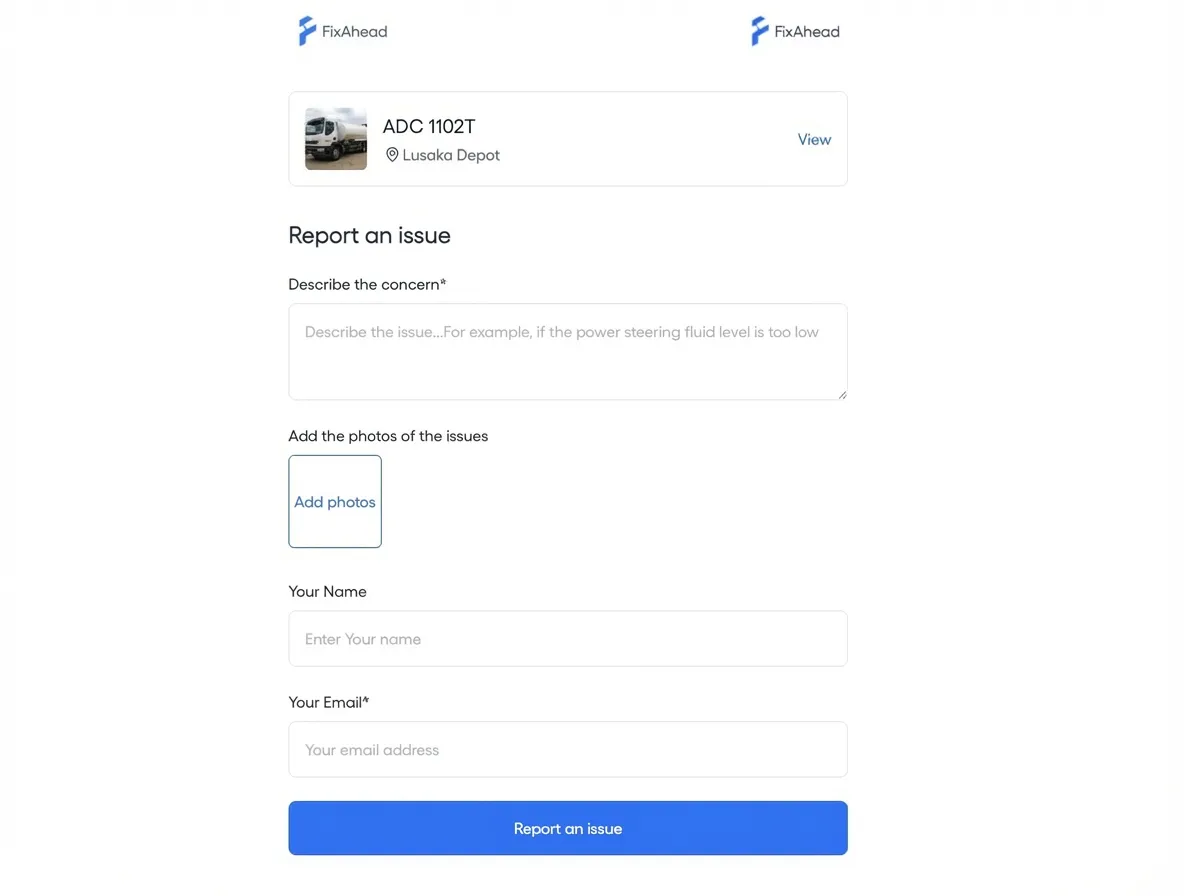
Public QR code reporting — zero friction
Print QR codes and place them on equipment, rooms, or common areas. Anyone scans to report an issue — no account, no app download, no training. The report lands directly in your CMMS with location and asset context.
- No account or app required for reporters
- QR codes auto-link to the correct asset and location
- Photo upload and description for clear issue context
Kanban board for triage and prioritization
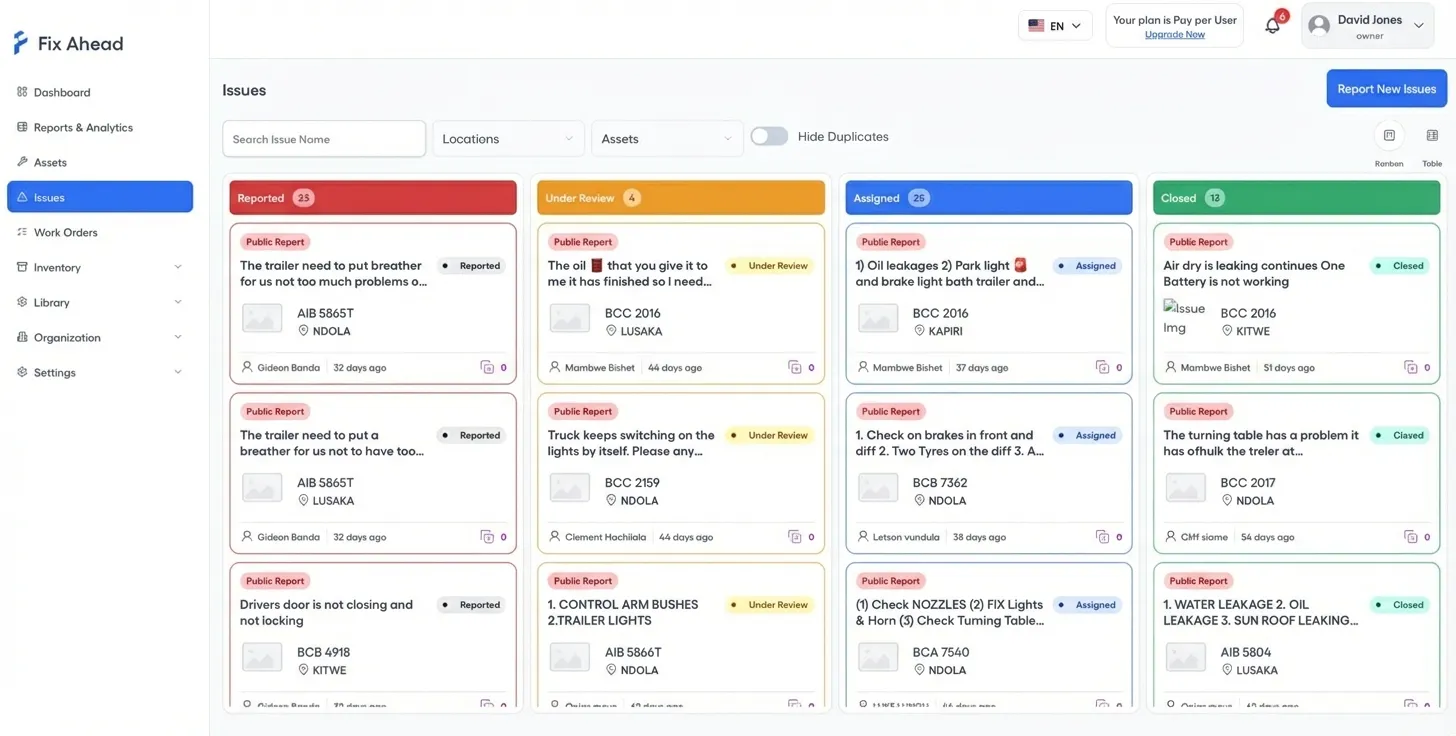
See all reported issues on a visual Kanban board. Drag cards between columns to triage. Prioritize, assign, and track resolution — all from one view.
- Visual drag-and-drop Kanban columns
- Priority tags for quick triage
- Filter by location, status, or reporter
Duplicate management and work order conversion
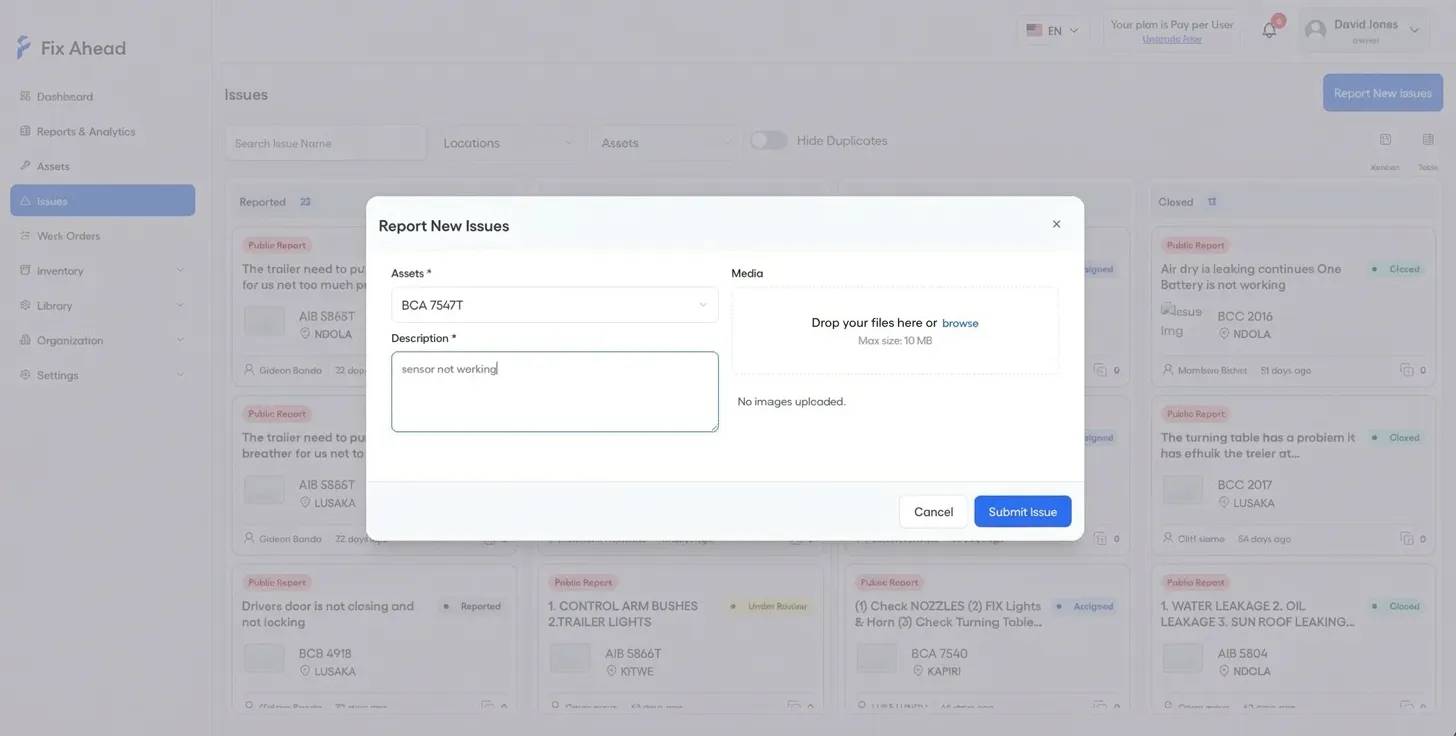
Mark duplicate reports to reduce noise. When an issue needs action, convert it to a full work order with one click — all context carries over automatically.
- One-click conversion from issue to work order
- Duplicate detection and merging
- Full context preserved: photos, description, reporter info
Configurable reporting controls
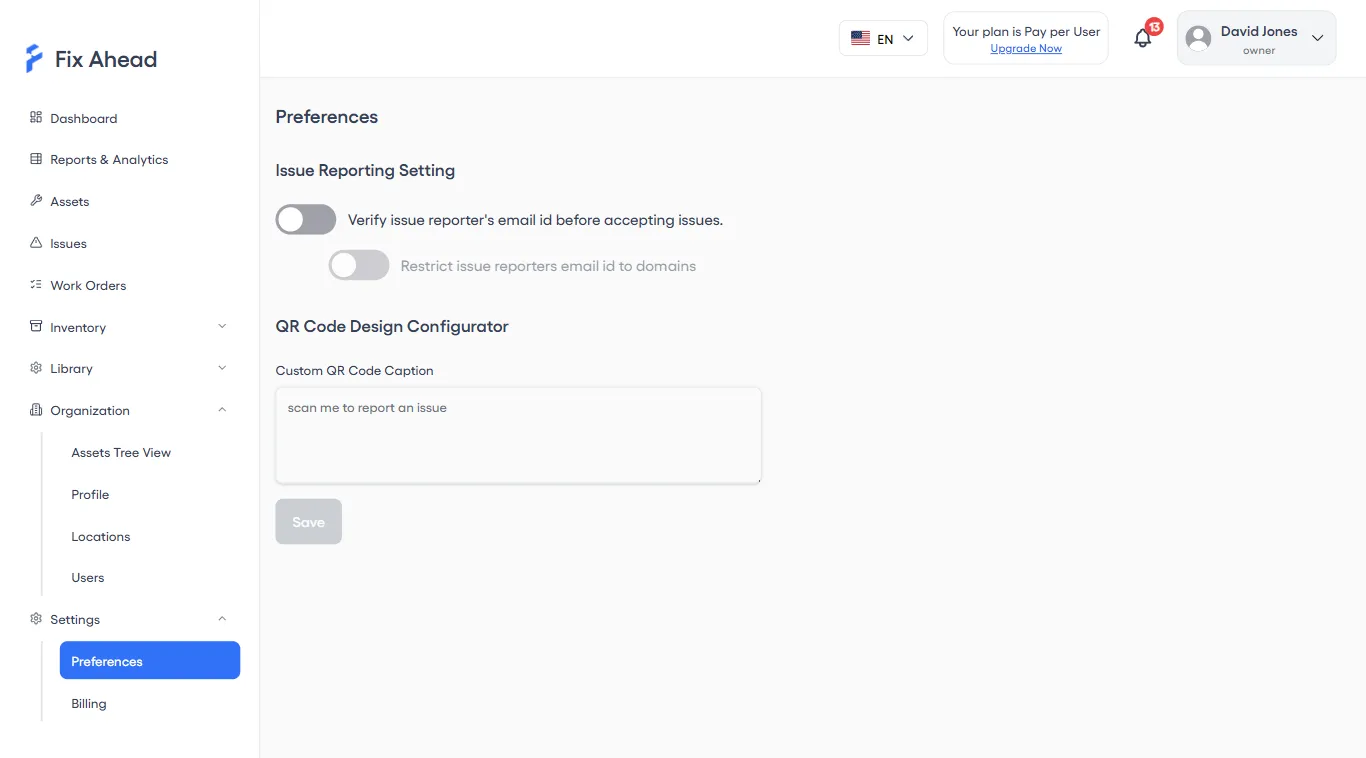
Control who can report and how. Enable email verification, restrict to specific domains, and customize QR code captions for your organization.
- Email verification toggle for reporter identity
- Domain restriction to limit reporting to your organization
- Custom QR code captions and branding
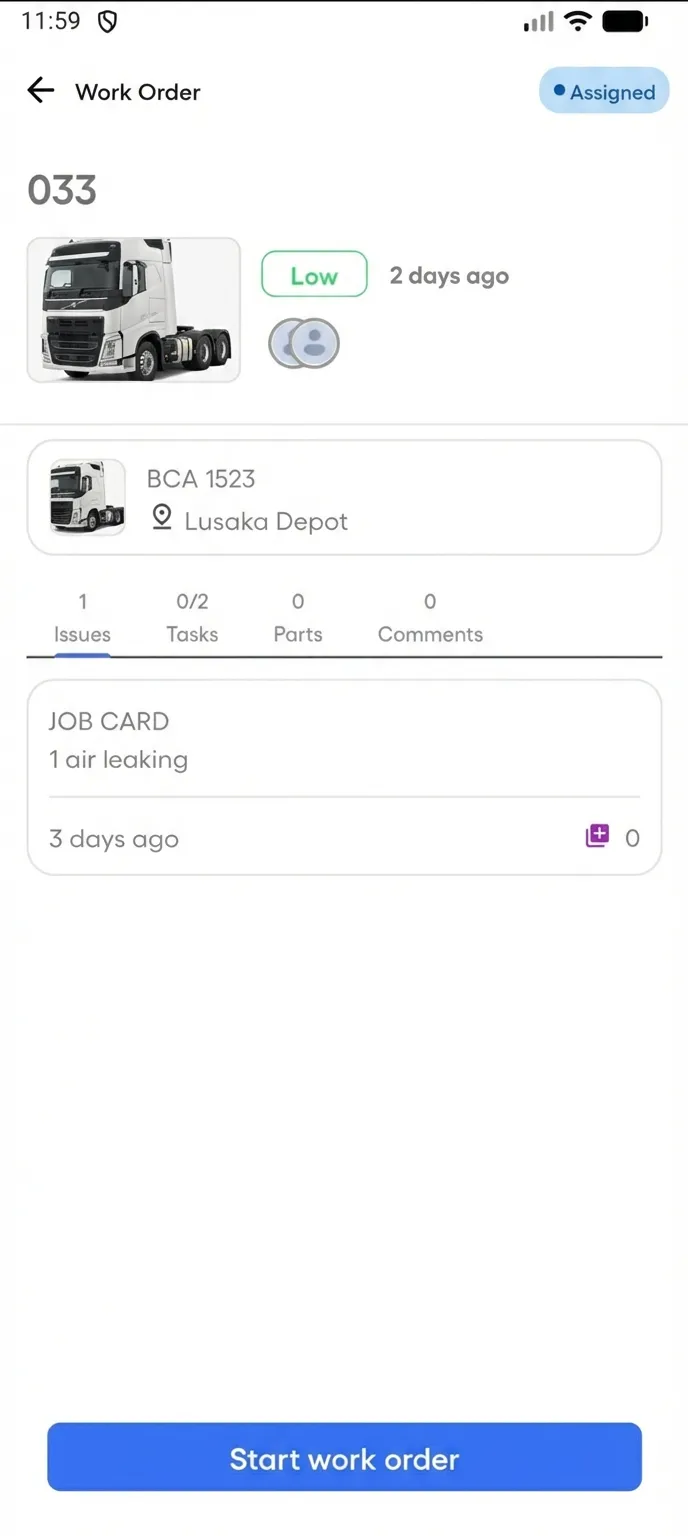
See linked issues from the field
Technicians view issues linked to their work orders directly on the mobile app. Full context — description, photos, reporter info — available on-site before they start work.
- Issues tab on every work order shows linked reports
- Reporter details and photos visible on mobile
- Duplicate flags prevent redundant work