Stop reacting to breakdowns
FixAhead automates preventive maintenance, tracks every asset, and keeps your team accountable — replacing spreadsheets with real-time control.
No credit card required
The maintenance problems you know too well
Sound familiar? You're not alone.
Unplanned downtime
Equipment breaks down. Production stops. Nobody knows what PM was missed.
Lost work orders
Work orders get lost between paper forms and email threads.
Hidden costs
You have no idea what maintenance is actually costing you.
The real cost of doing nothing
Every missed inspection is a breakdown waiting to happen. Every breakdown is production lost, overtime paid, and customers waiting.
Your best technician just quit — and their maintenance knowledge walked out with them. Nothing was documented.
What if every preventive task was scheduled, assigned, and tracked — automatically?
FixAhead replaces the chaos with a system your team will actually use
One platform for every asset, every work order, every technician.
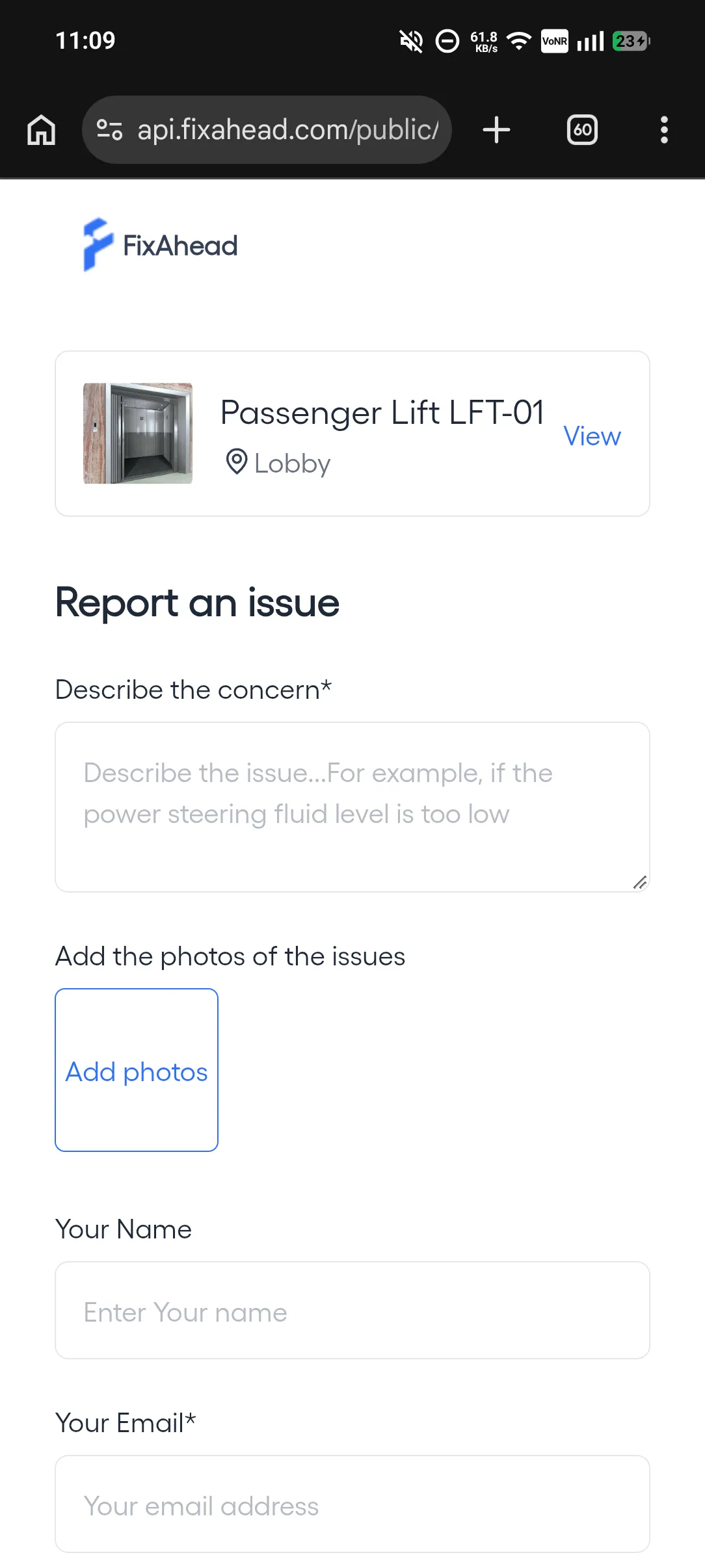
Let anyone report problems
QR code scanning lets tenants, guests, and floor workers report maintenance issues instantly — no account required.
- Public issue reporting via QR code
- Limit reports to listed email domains, once email verification is on
- Create a work order from an issue's menu, in two steps
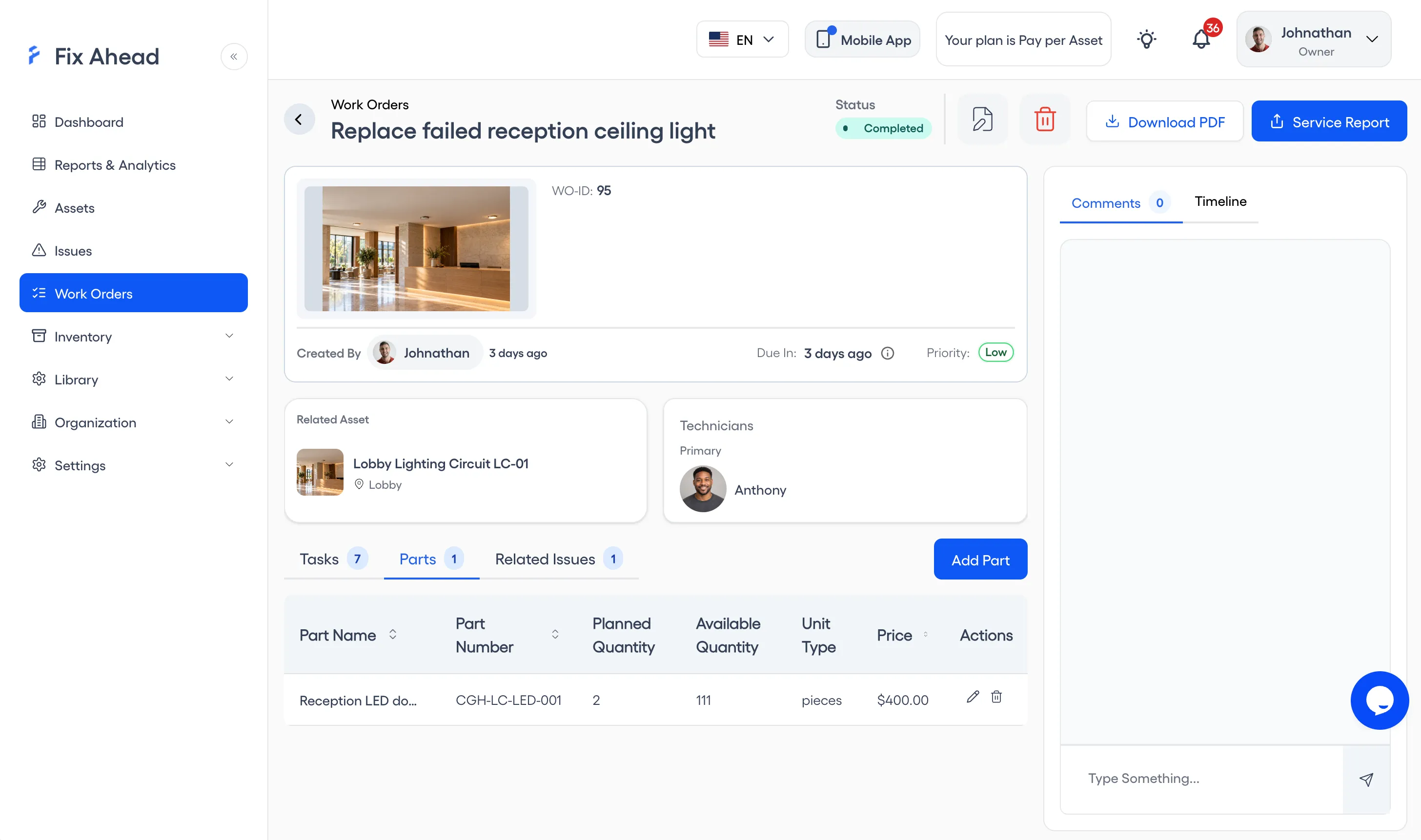
From request to resolution — nothing gets lost
Create work orders in seconds with a guided wizard. Attach procedure checklists (Pro), track parts (Pro) and costs, and follow every step with a full timeline.
- Guided creation wizard with smart defaults
- Procedure checklists with photo evidence
- Parts tracking with cost per work order
- Full timeline with status history and notifications
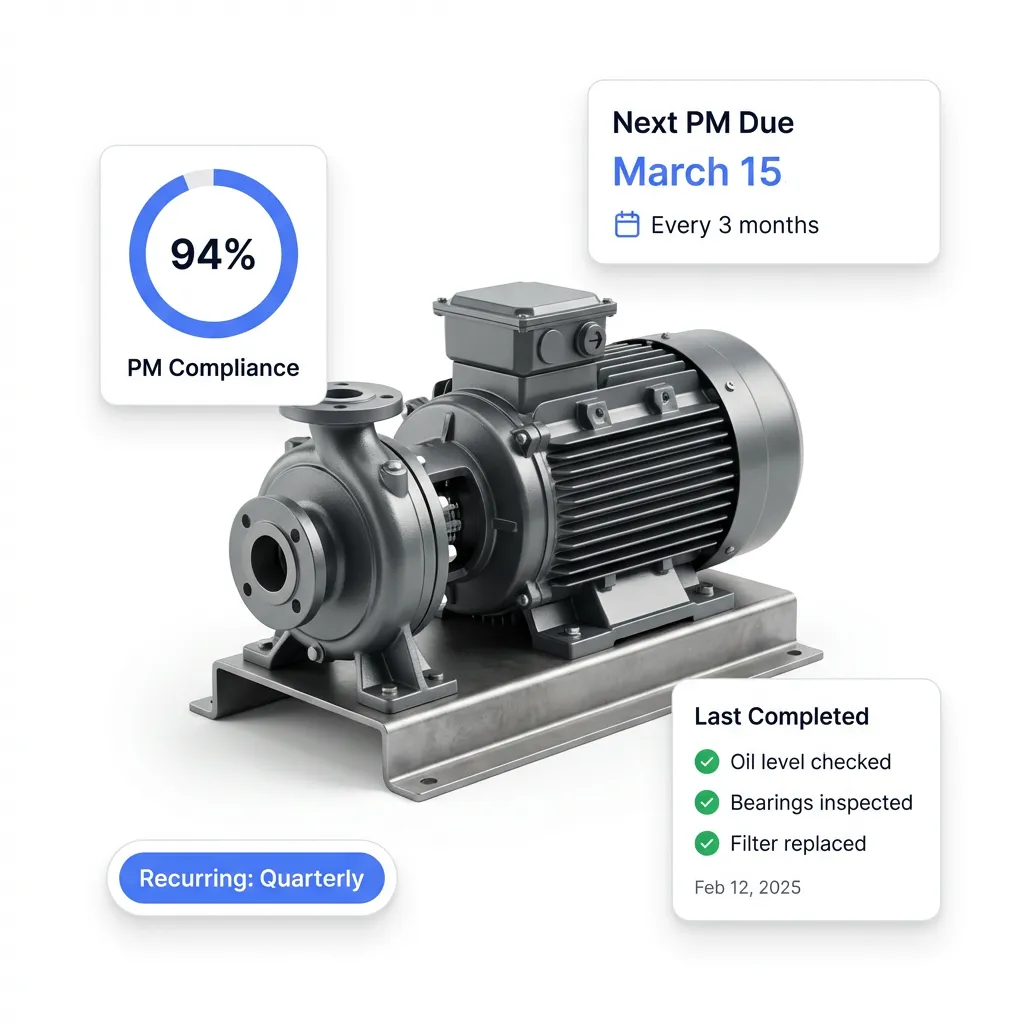
Get ahead of breakdowns
Work orders are generated before each PM falls due. Procedure checklists with photo evidence are attached, and compliance is tracked per asset.
- Recurring daily, weekly, monthly, or yearly schedules
- Auto-assign by skill or availability (Pro)
- Track PM compliance rates across your operation
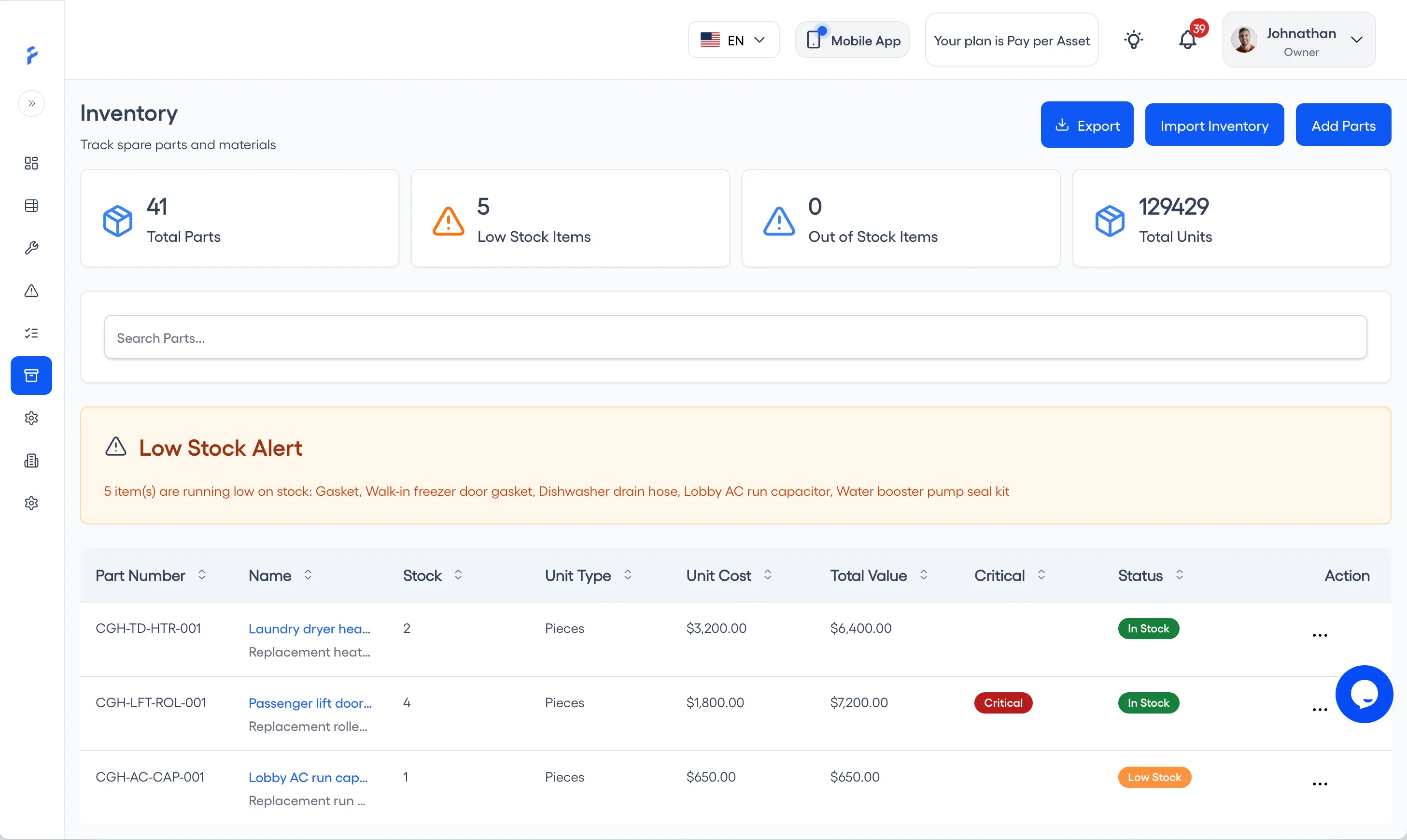
Never run out of critical spares (Pro)
Track spare parts with precise stock levels, reorder alerts, and full transaction history. Link parts to suppliers and work orders so you always know what went where.
- 25 unit types for precise stock tracking
- Reorder alerts when stock hits minimum levels
- Suppliers linked, with contact details
- Full transaction history with 7 transaction types
Your maintenance command center
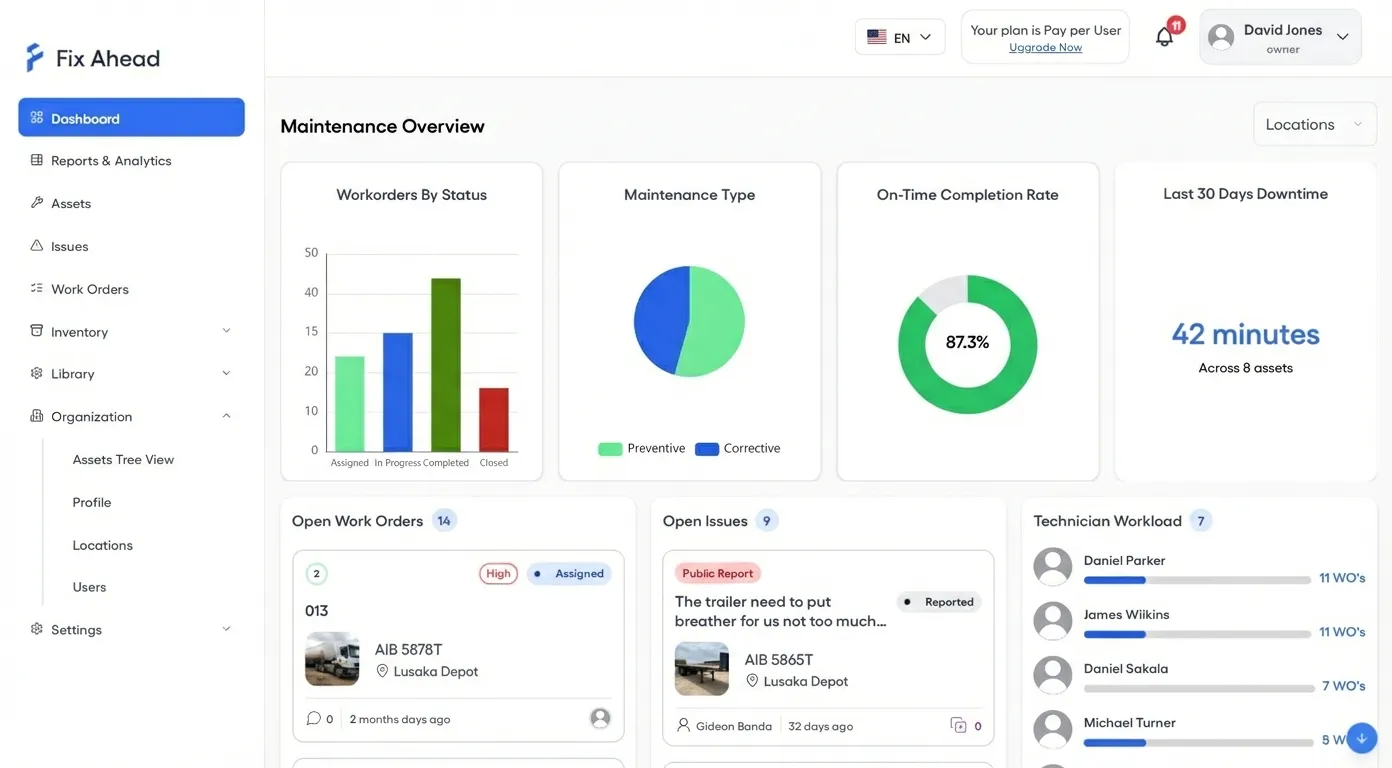
Dashboard shows work order status, on-time completion rate, technician workload, and open issues — all filterable by location.
- See every KPI at a glance
- Track technician workload
- Filter by location across sites
See what's really happening
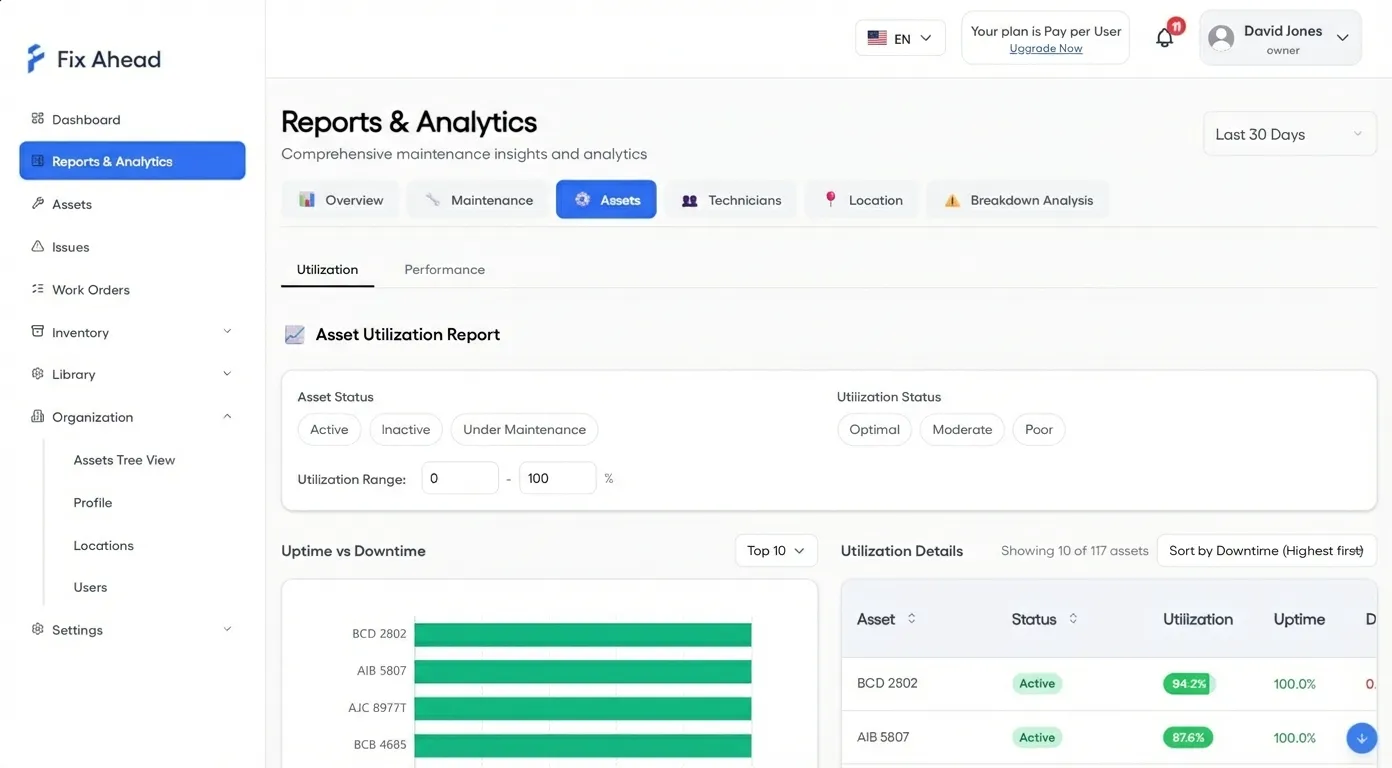
11 report types (Pro) give you the data you need to make decisions — not guesses. MTBF, MTTR, PM compliance, breakdown analysis, and cost reports.
- Charts you can drill into
- Export to PDF, Excel, or CSV (Pro)
- Filter by location, asset, technician, or date range
Your technicians' pocket command center
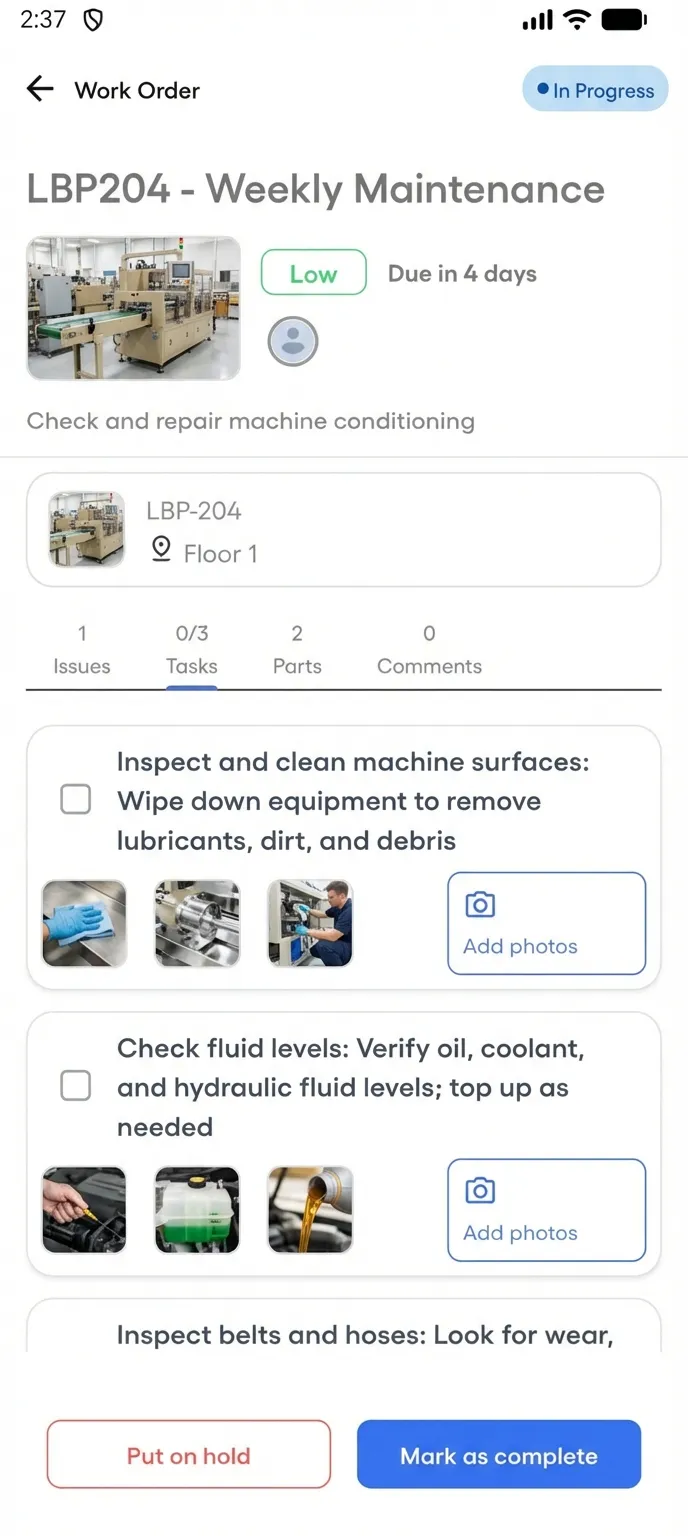
The Android app puts assigned work orders, checklists, and photo capture in your technicians' hands — no laptop required. It works offline for assigned work orders, and the work syncs when the connection returns. iOS is coming soon.
- See assigned work orders in four status tabs
- Follow guided checklists with photo evidence
- Complete jobs with notes and images from the field
Close the loop — every job confirmed
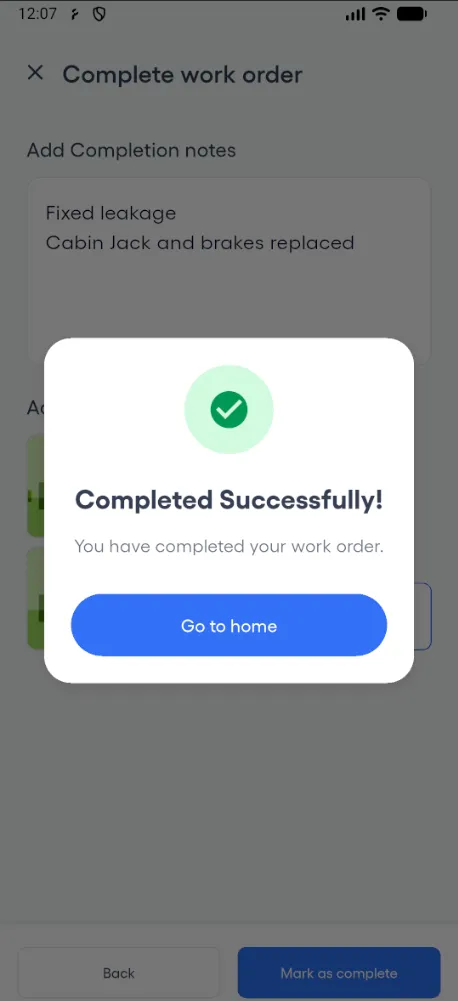
When a technician marks a work order complete, its status is set to Completed at once.
- Mark complete with notes and a photo, once required tasks are done
- Work order status updated at once
- Timestamped timeline for every work order
Built for teams that manage real assets
FixAhead adapts to your industry's maintenance workflows.
Manufacturing
Minimize production line downtime with preventive maintenance and reliability analytics.
Healthcare
Maintain regulatory compliance with documented maintenance history.
Facilities Management
Manage multiple buildings with reports by location and public issue reporting.
Hospitality
Resolve guest-impacting issues instantly with real-time notifications.
What our users say
Maintenance teams trust FixAhead to keep operations running.
"We reduced unplanned downtime by 40% in the first three months. The PM scheduling alone paid for itself."
"The QR code reporting feature transformed how our tenants communicate issues. Response time dropped from days to hours."
"Finally, a CMMS our technicians actually use. Setup took less than an hour and the team was productive on day one."