From request to resolution — nothing gets lost
Paper work orders disappear. Email threads bury critical updates. You need a workflow that tracks every step, every part, every dollar — from the moment a request comes in until the job is verified complete.
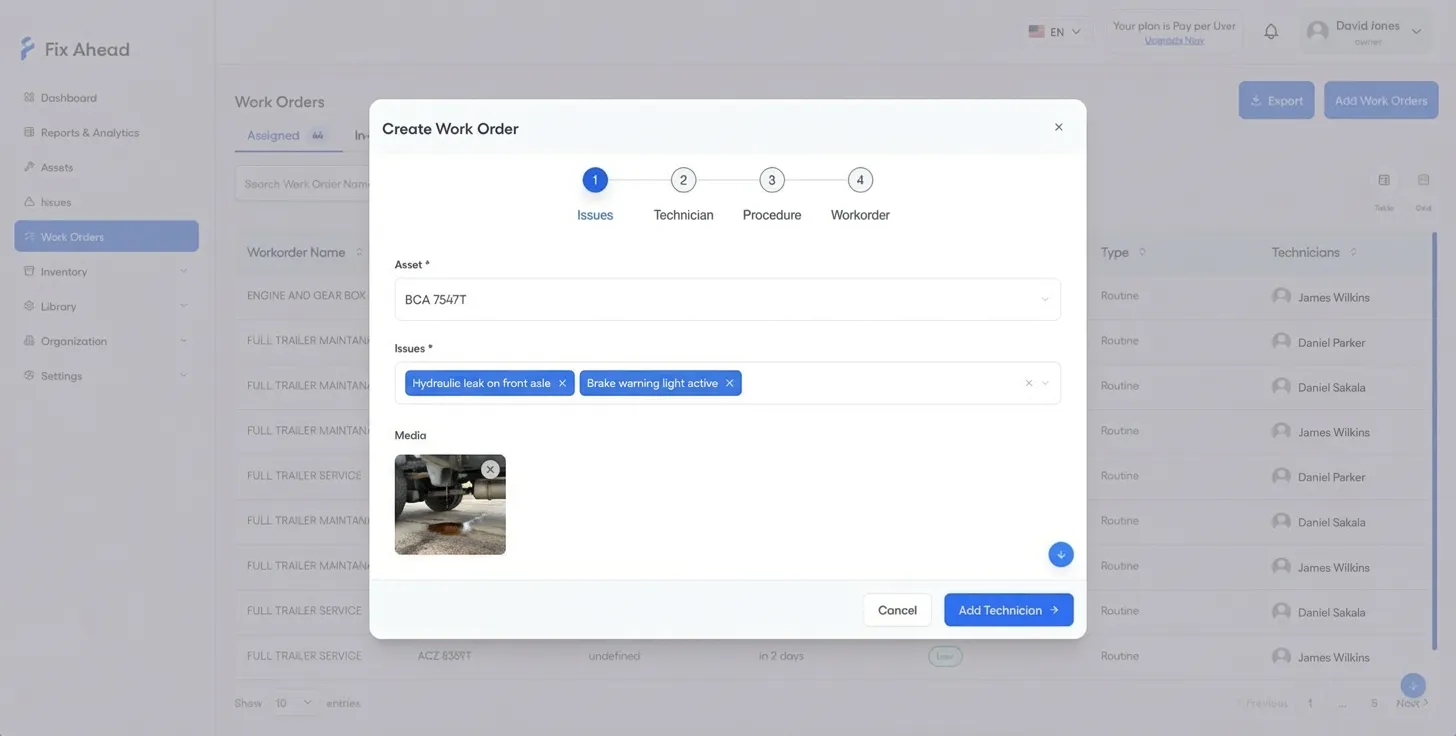
4-step creation wizard with smart defaults
Create work orders in under a minute. The wizard guides you through asset selection, priority, assignment, and procedure linking — with smart defaults that speed up repetitive tasks.
- Select asset, priority, and due date in a guided flow
- Auto-suggest technicians based on skills and availability
- Link procedures and parts lists before assignment
Details, assignment, and scheduling in one flow
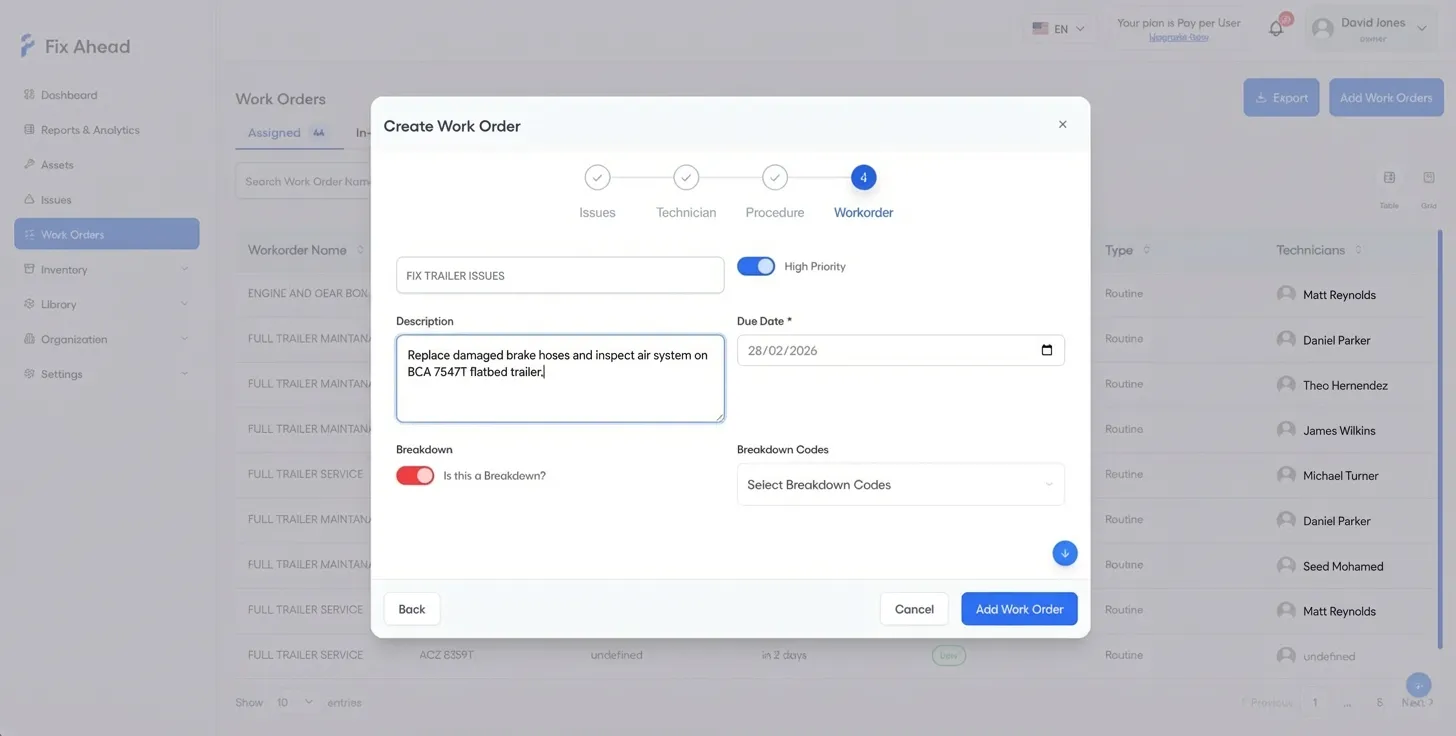
Step through priority, due dates, technician assignment, and procedure linking — all within the same guided wizard. No switching between screens to configure a work order.
- Assign primary technician and additional team members
- Set priority level and due date
- Link maintenance procedures and pre-loaded parts lists
Clear status workflow with full timeline
Every work order follows a defined path: Assigned, In Progress, On Hold, Completed, Closed. The timeline captures every status change, note, and photo — so nothing is lost.
- 5 statuses with clear transitions and rules
- Full audit trail with timestamps and user attribution
- Priority levels for triage: Low, Medium, High, Critical
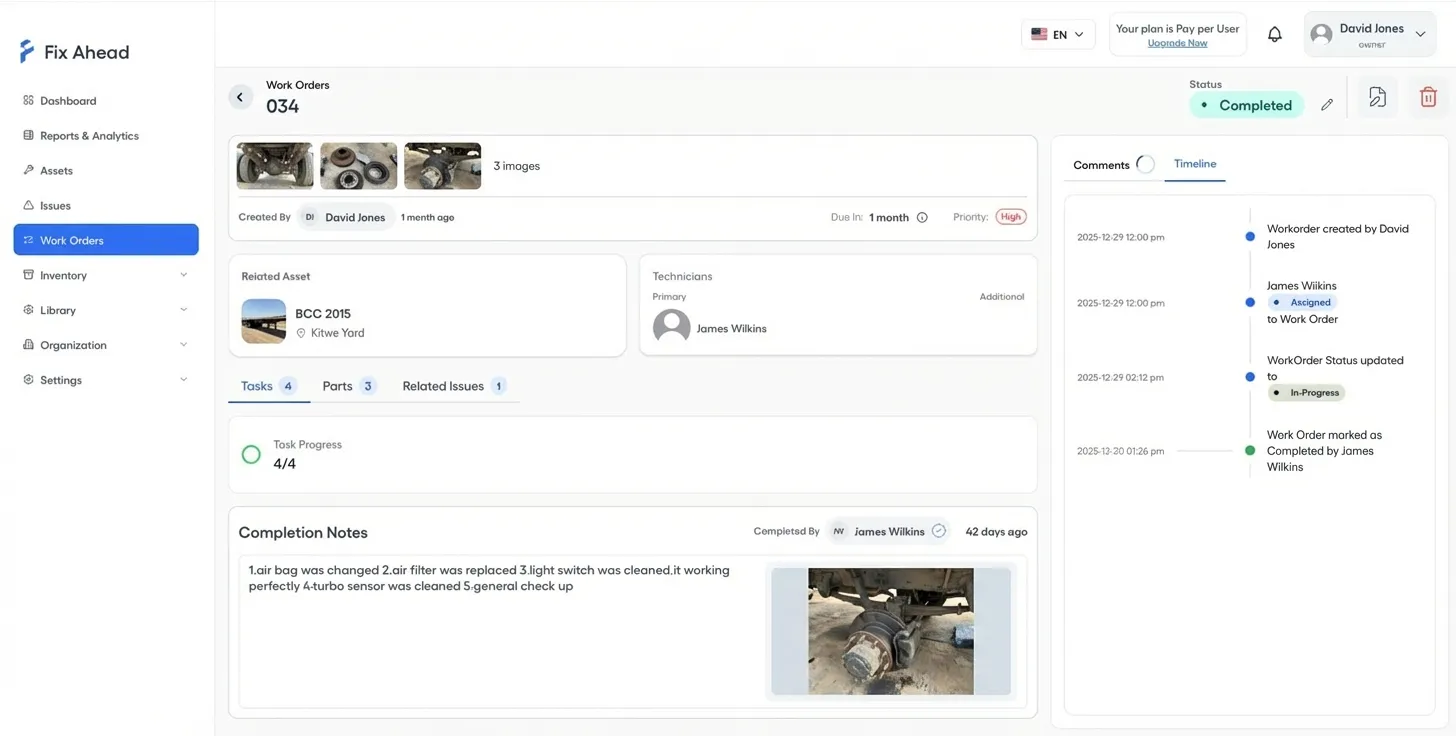
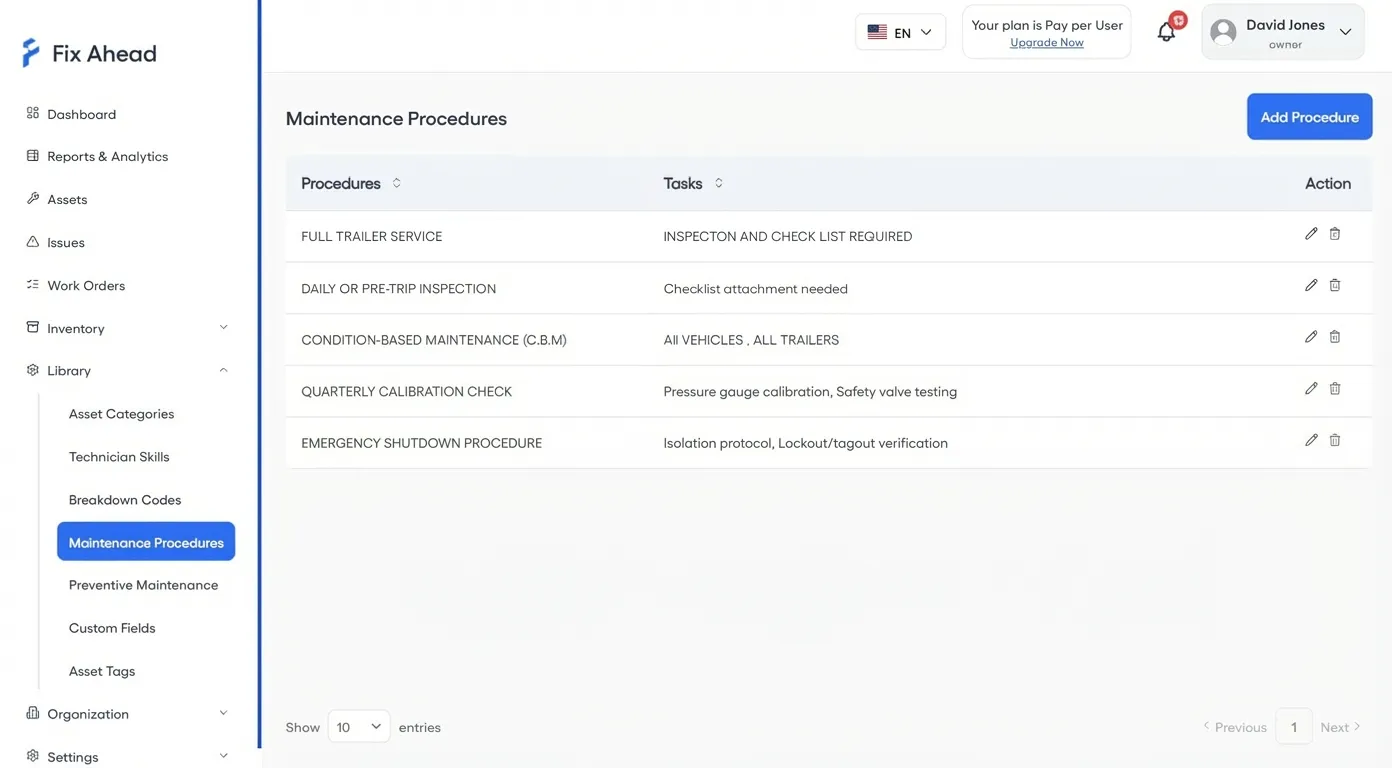
Procedure checklists with photo evidence
Attach standardized maintenance procedures to work orders. Technicians follow step-by-step checklists and capture photo evidence of completed work — ensuring quality and compliance.
- Reusable procedure templates with task steps
- Photo evidence capture per checklist item
- Completion tracking with percentage progress
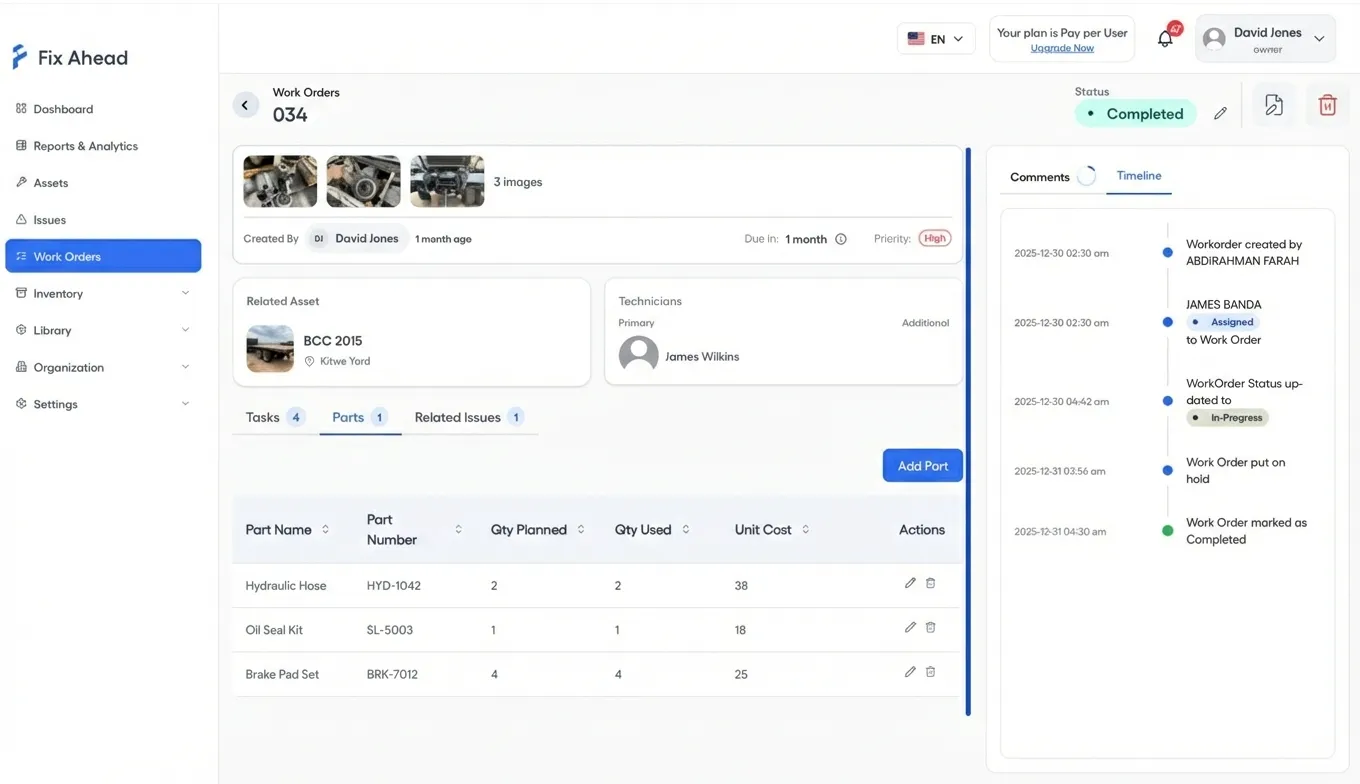
Parts tracking with cost per work order
Plan, reserve, use, and return parts for each work order. Know exactly which parts went where and what they cost. Never run out of critical spares because of poor tracking.
- Add planned and actual parts used per work order
- Automatic cost calculation from inventory prices
- Parts reservation to prevent stockouts during repairs
Execute from your phone
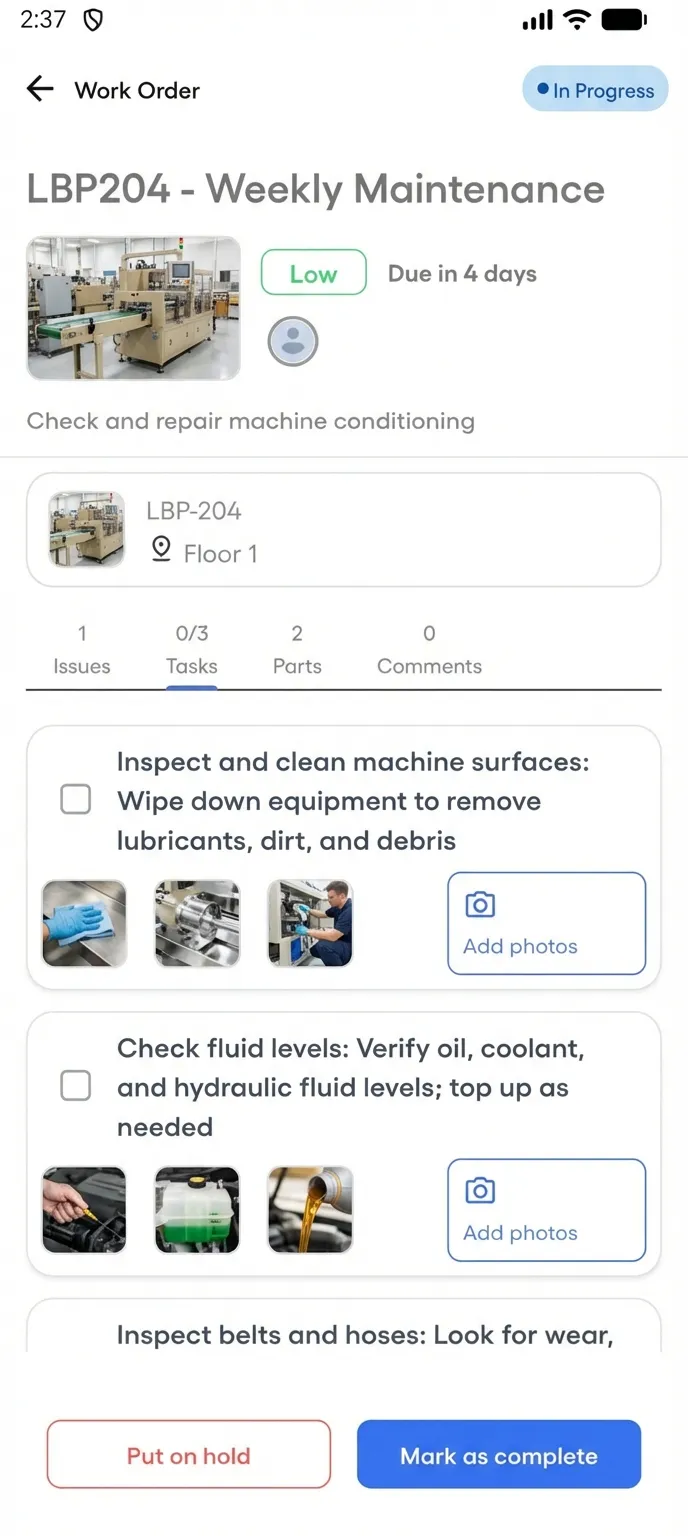
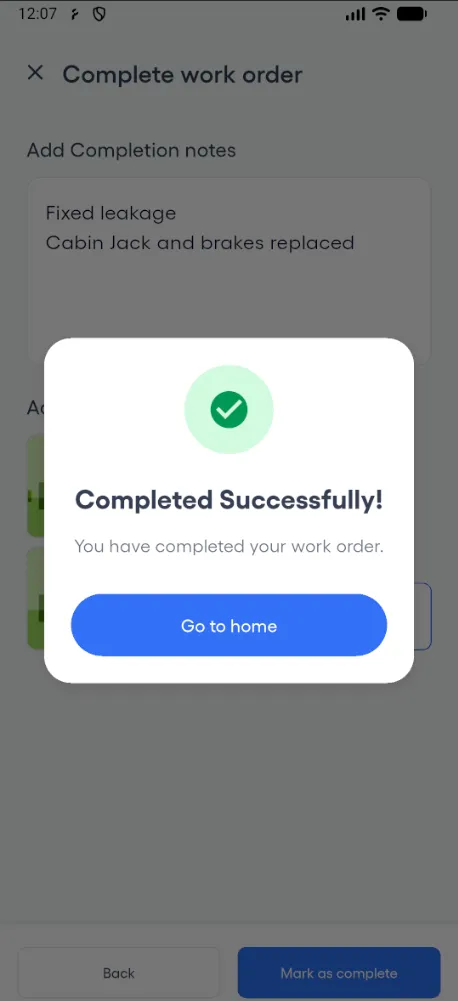
Your technicians manage work orders from the native Android app. Start jobs, follow checklists, capture photo evidence, and mark complete without returning to the office.
- View assigned work orders filtered by status
- Follow procedure checklists step by step on-site
- Capture photo evidence directly from the camera
- Complete work orders with notes and images from the field