CMMS for Healthcare
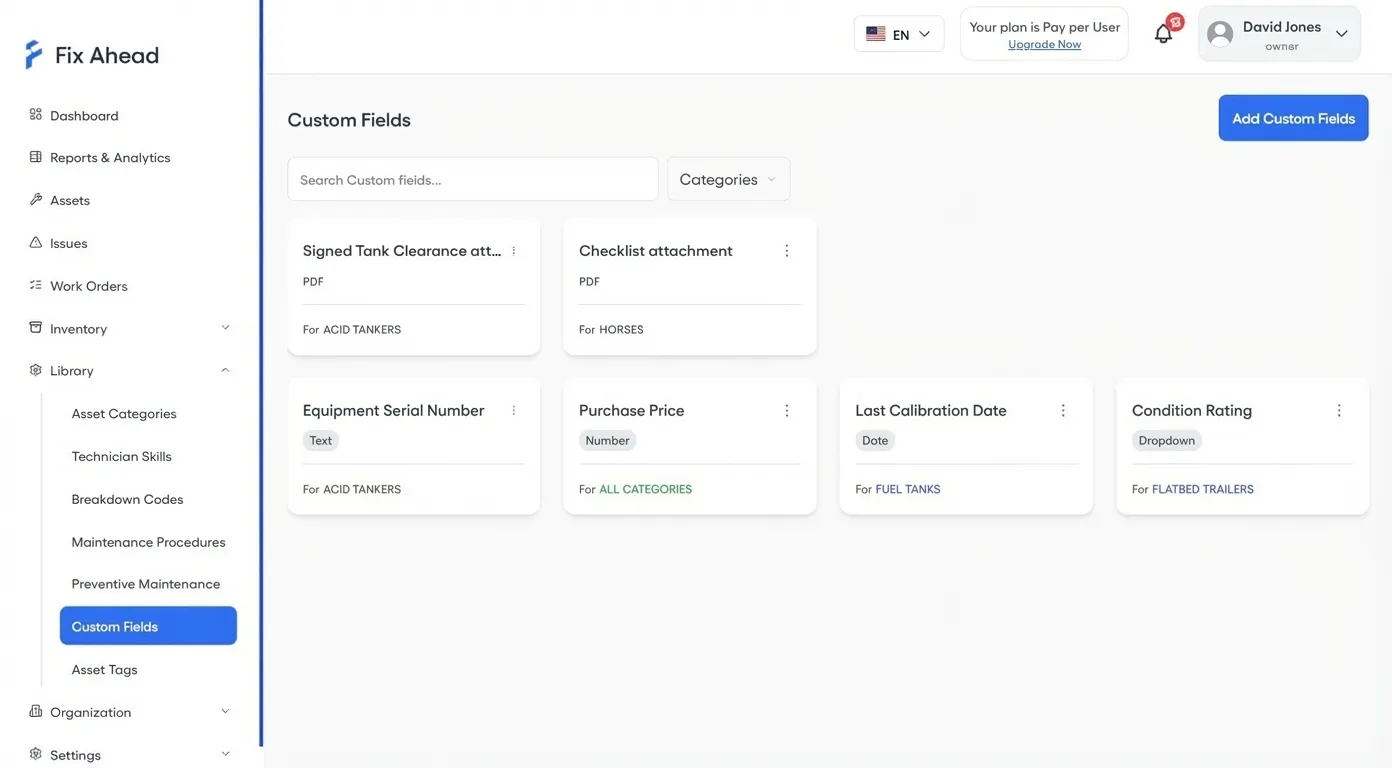
Device-specific data for every asset category
Add FDA classification, calibration date, next inspection due, and compliance standard as custom fields — scoped per asset category so forms stay relevant.
- 9 custom field types including PDF uploads for certificates
- Scoped per category — medical devices get different fields than HVAC
- Store warranties, licenses, and calibration certificates per asset
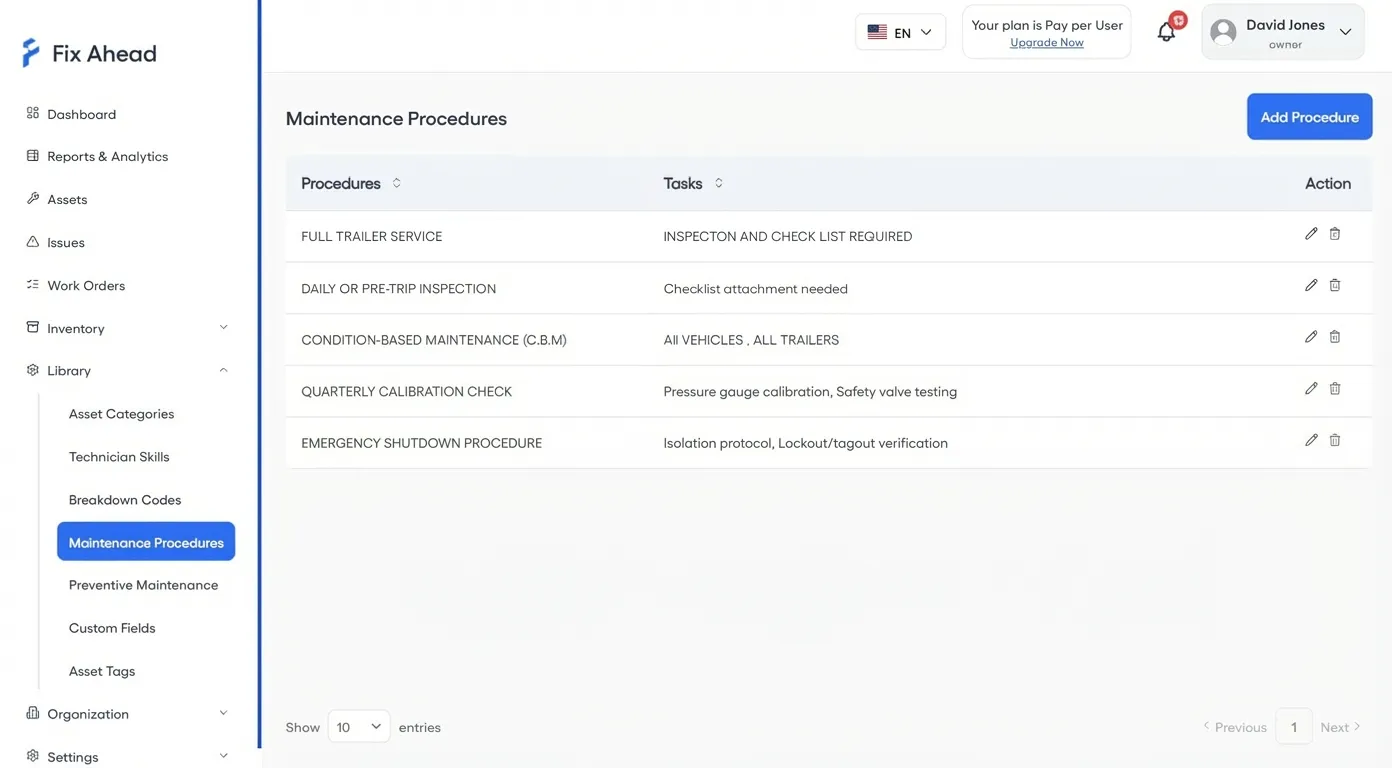
Standardized maintenance procedures with evidence
Define step-by-step procedures for every maintenance task. Technicians follow checklists and capture photo evidence — creating an audit trail that satisfies regulators.
- Reusable procedure templates with required tasks
- Photo-required steps for compliance documentation
- Complete audit trail per device for inspectors
Organize assets by department and location
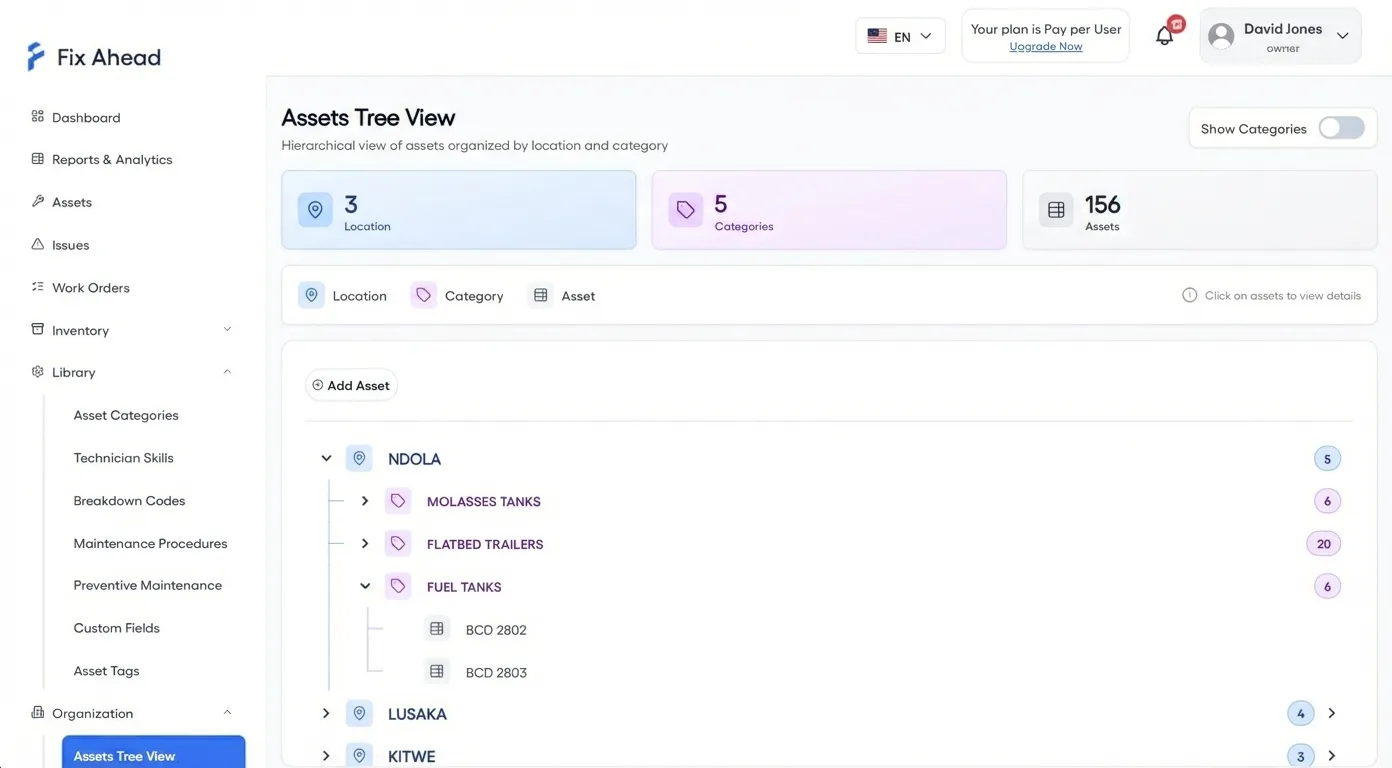
Model your hospital structure: Building > Department > Floor > Room. Every asset belongs to a location, and every report can filter by it — making department-level audits simple.
- Unlimited location depth for complex hospital structures
- Asset tree view organized by department
- Filter reports and dashboards by location for targeted audits
Document compliance from the point of care
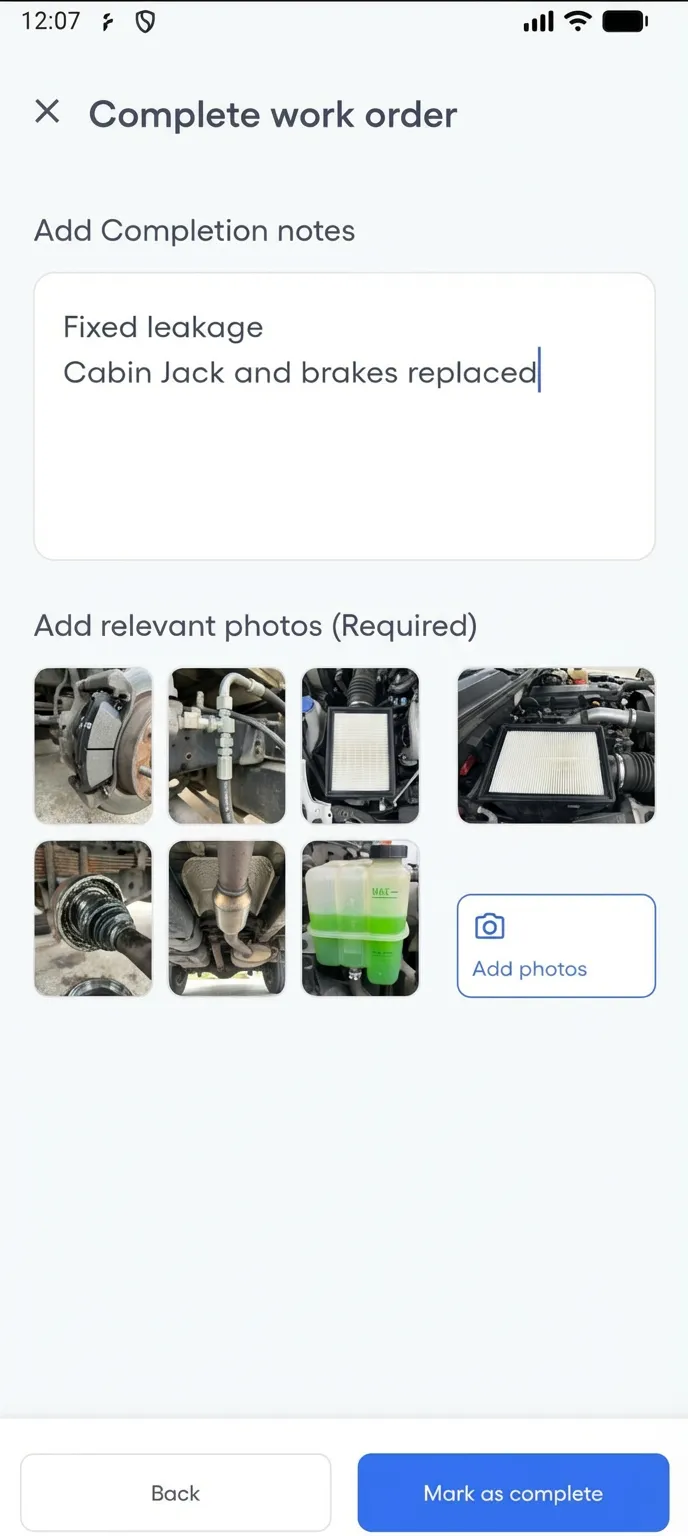
Biomedical technicians complete maintenance procedures on their phones — following guided checklists and capturing photo evidence of calibration, sterilization, and inspection work. Every action is timestamped for audit trails.
- Photo evidence attached to every completed procedure step
- Completion notes document exactly what was done
- Timestamped records satisfy regulatory auditors
Technicians see only their assigned devices
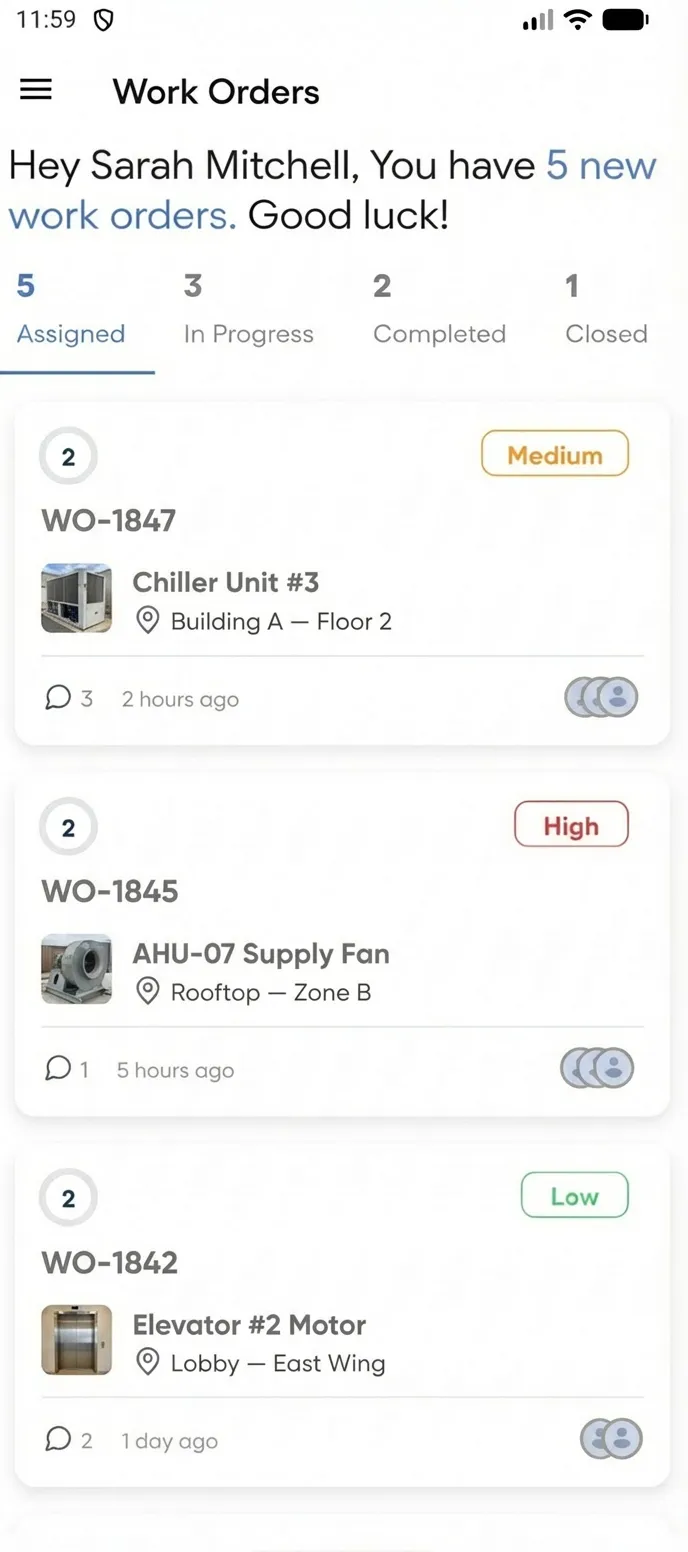
Each technician's mobile app shows only their assigned work orders — filtered by department, priority, and due date. No confusion about whose job is whose, no accidental changes to other departments' equipment.
- Role-based access controls what each technician sees
- Filter by status: assigned, in progress, completed
- Push notifications for new assignments and priority changes
Scenario: Medical Equipment Compliance & Maintenance
A hospital manages 500+ medical devices across departments. Every device stores warranties, calibration certificates, and user manuals with expiration date tracking. Manufacturer-recommended maintenance intervals auto-generate work orders with procedure checklists.
- Pull complete maintenance history per device for auditors
- Every work order tracks type, cost, downtime, and assigned technician
- Role-based access: technicians see their work orders, compliance officers get read-only