Know every asset, everywhere
Spreadsheets can't tell you which assets are overdue, where they are, or what they cost to maintain. You need a single source of truth for every piece of equipment your team manages.
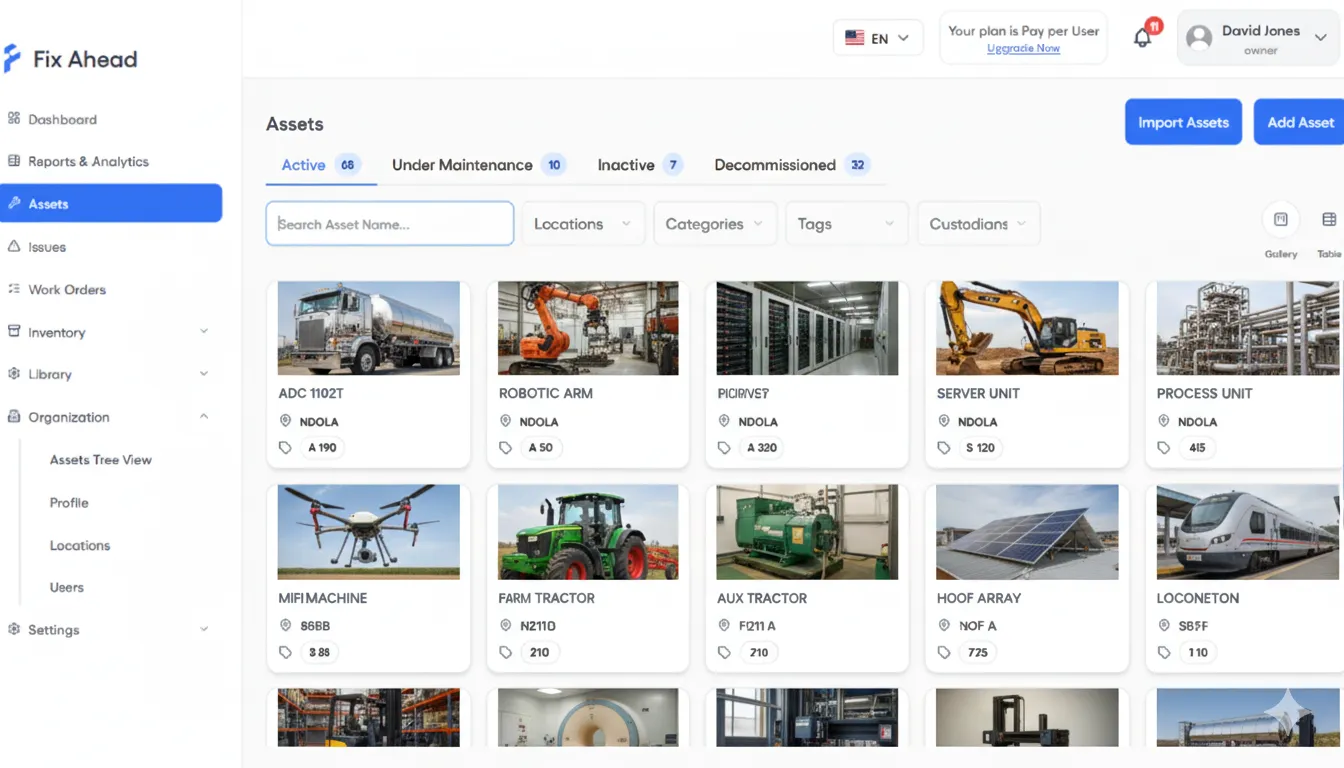
See every asset at a glance
Gallery view puts every asset on screen with visual cards — photo, status, location, and key details. Switch to table view for bulk operations and exports.
- Gallery view with asset photos and status badges
- Table view for sorting, filtering, and bulk actions
- Switch between views with one click
Complete asset registry with lifecycle tracking
Every asset has a full profile: make, model, serial number, warranty dates, purchase cost, and current status. Track assets from commissioning through active service to decommission.
- 4 lifecycle statuses: Active, Inactive, Under Repair, Decommissioned
- Gallery and table views for different workflows
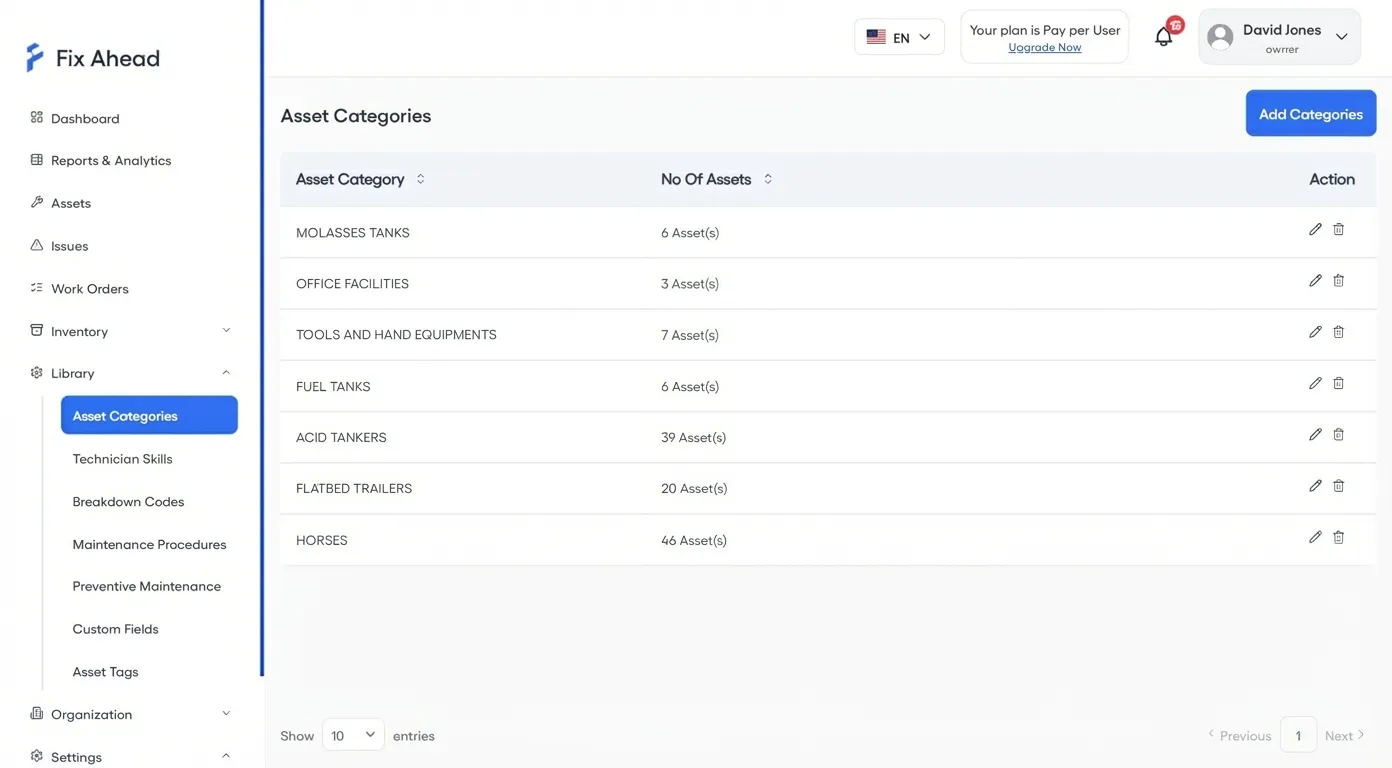
- 7 asset categories with counts at a glance
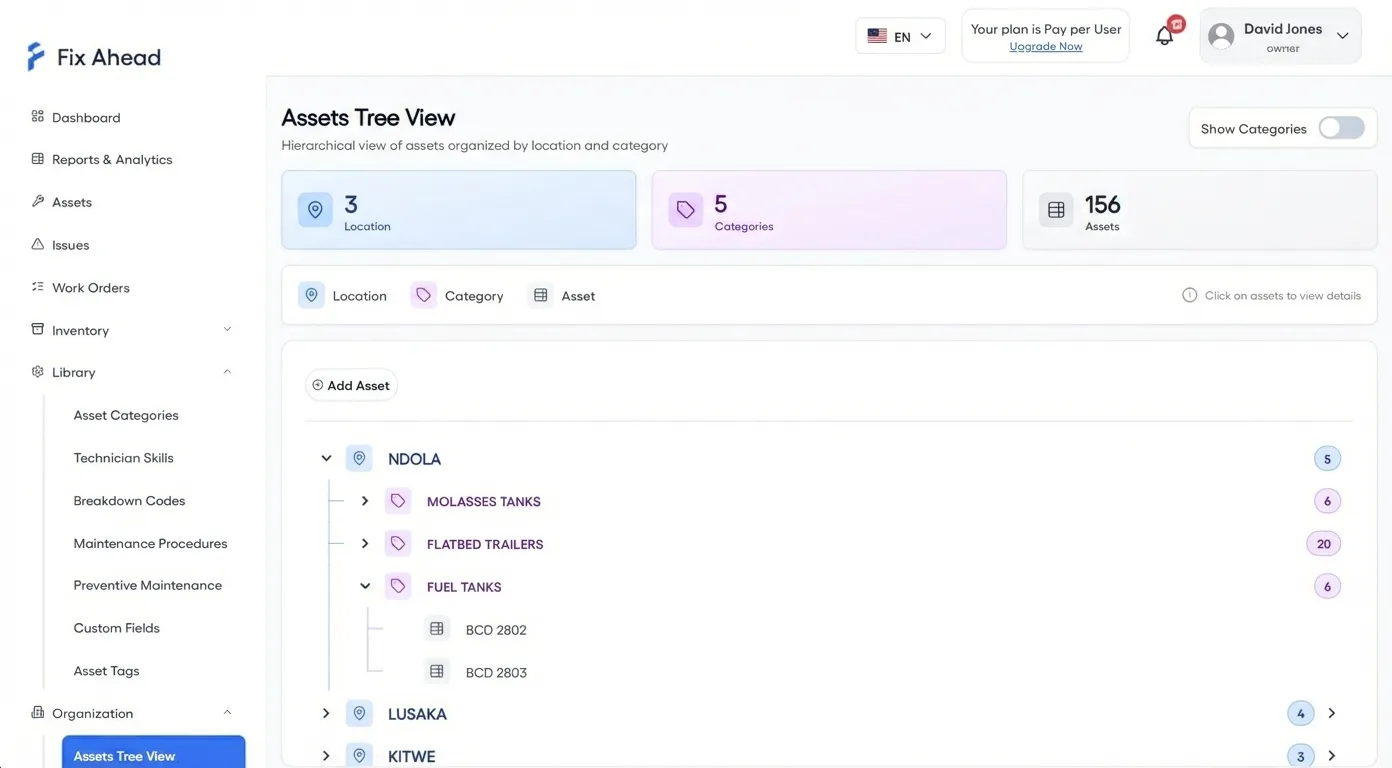
Hierarchical location tree for any facility structure
Model your facility as deeply as you need — building, floor, room, zone. Every asset belongs to a location, and every report can filter by it.
- Unlimited location depth with full-path dropdowns
- Tree view shows assets organized by location and category
- Filter work orders, reports, and dashboards by location
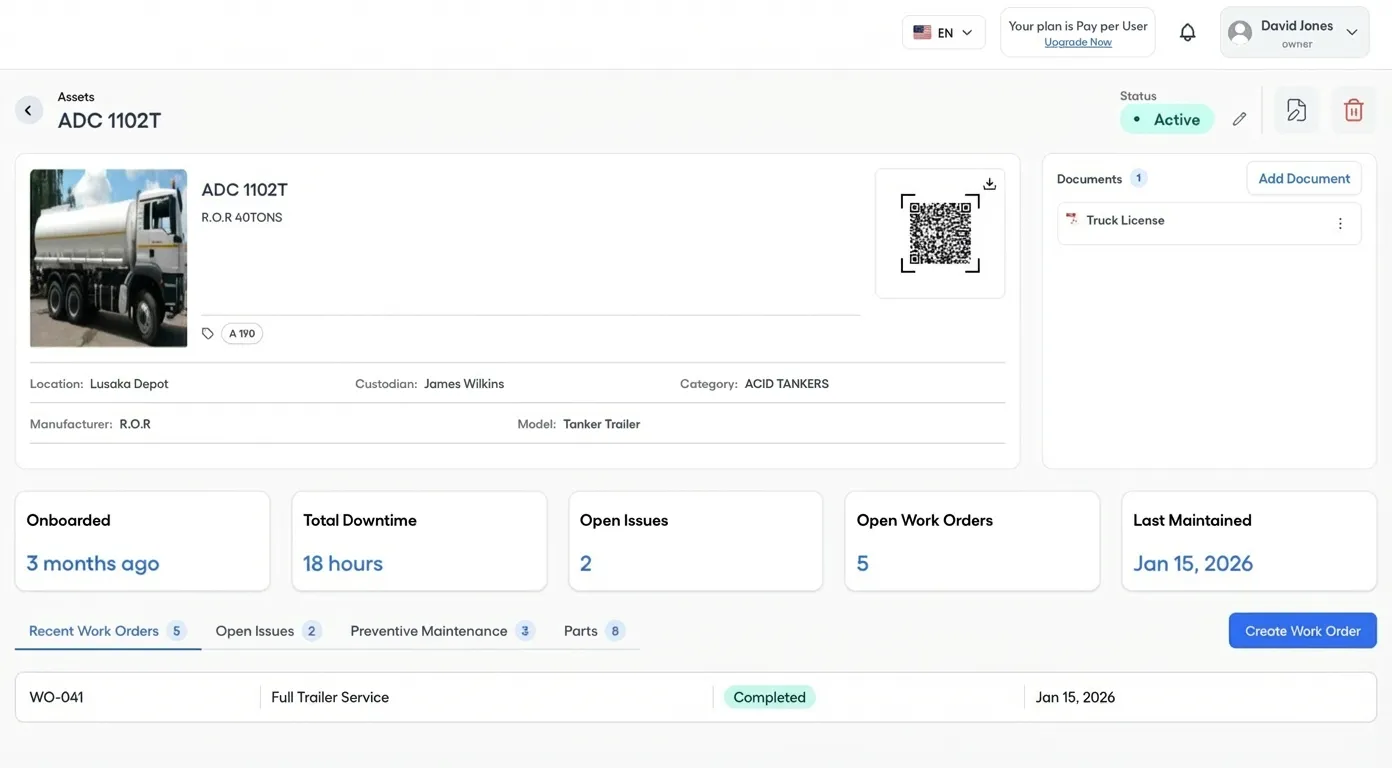
QR codes and document management
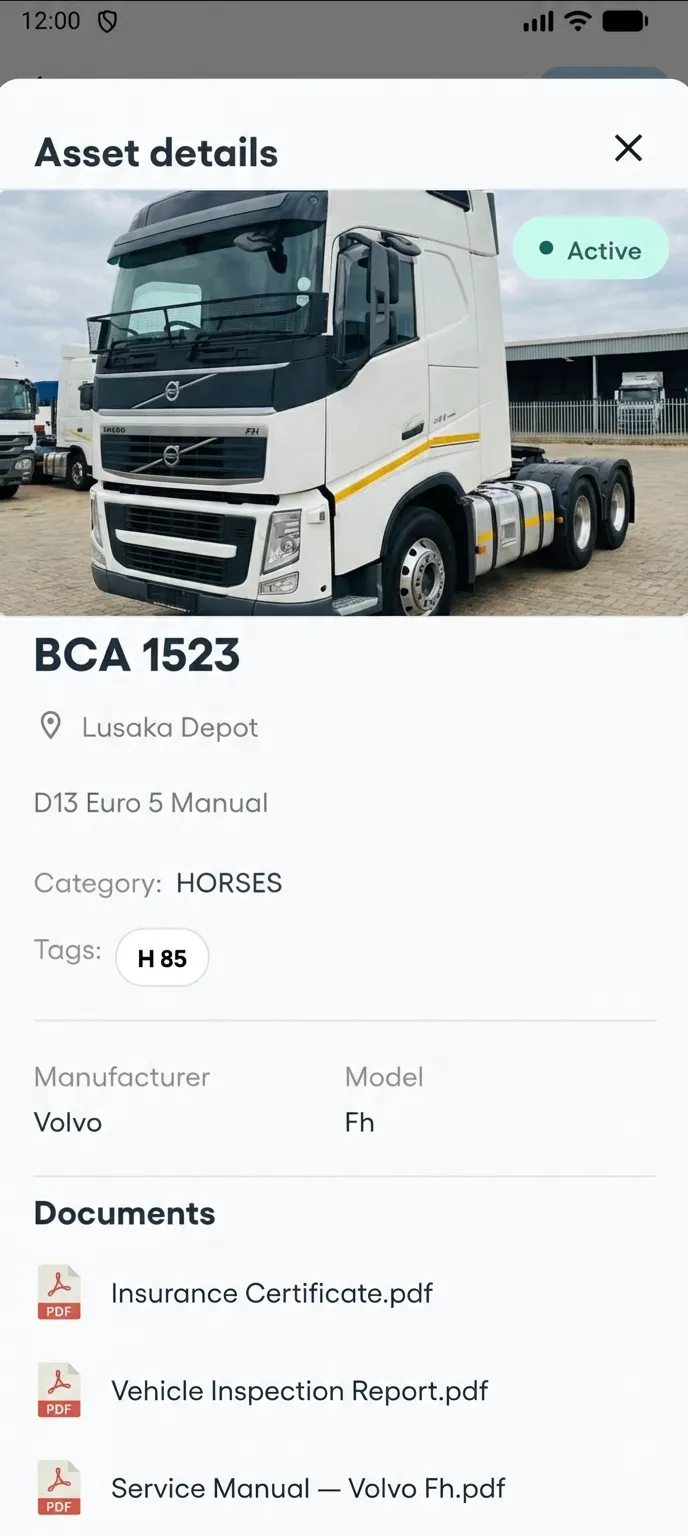
Generate QR codes for every asset. Scan to view details, report issues, or access maintenance history. Attach documents, manuals, and certificates directly to asset profiles.
- Auto-generated QR codes for every asset
- Scan to view asset details or report an issue
- Attach PDFs, images, and documents to any asset
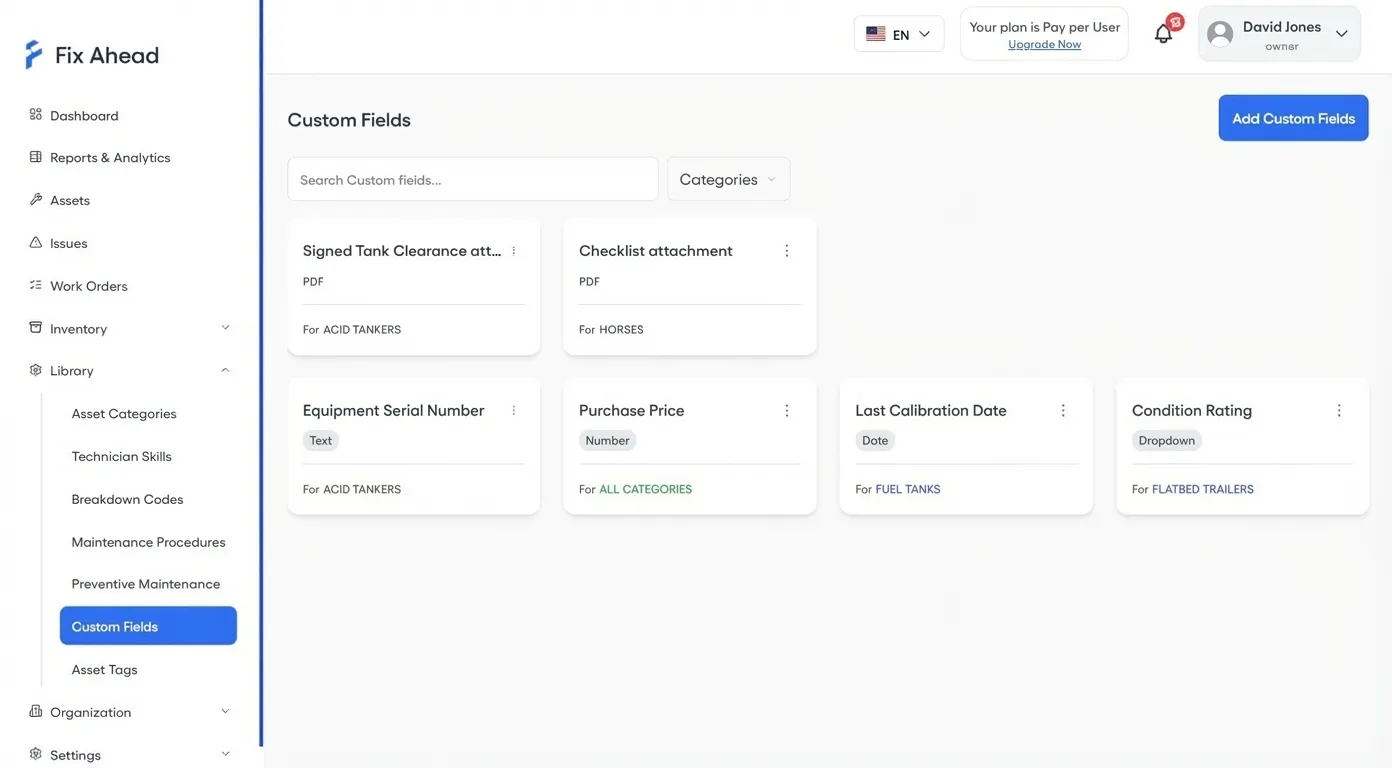
Custom fields scoped per asset category
Every asset type captures exactly the data you need. 9 field types — including image and PDF uploads — scoped per category so your forms stay clean and relevant.
- 9 types: text, number, date, select, checkbox, image, PDF, and more
- Scoped per category — only show fields relevant to that asset type
- Flexible tagging system with paginated tag management
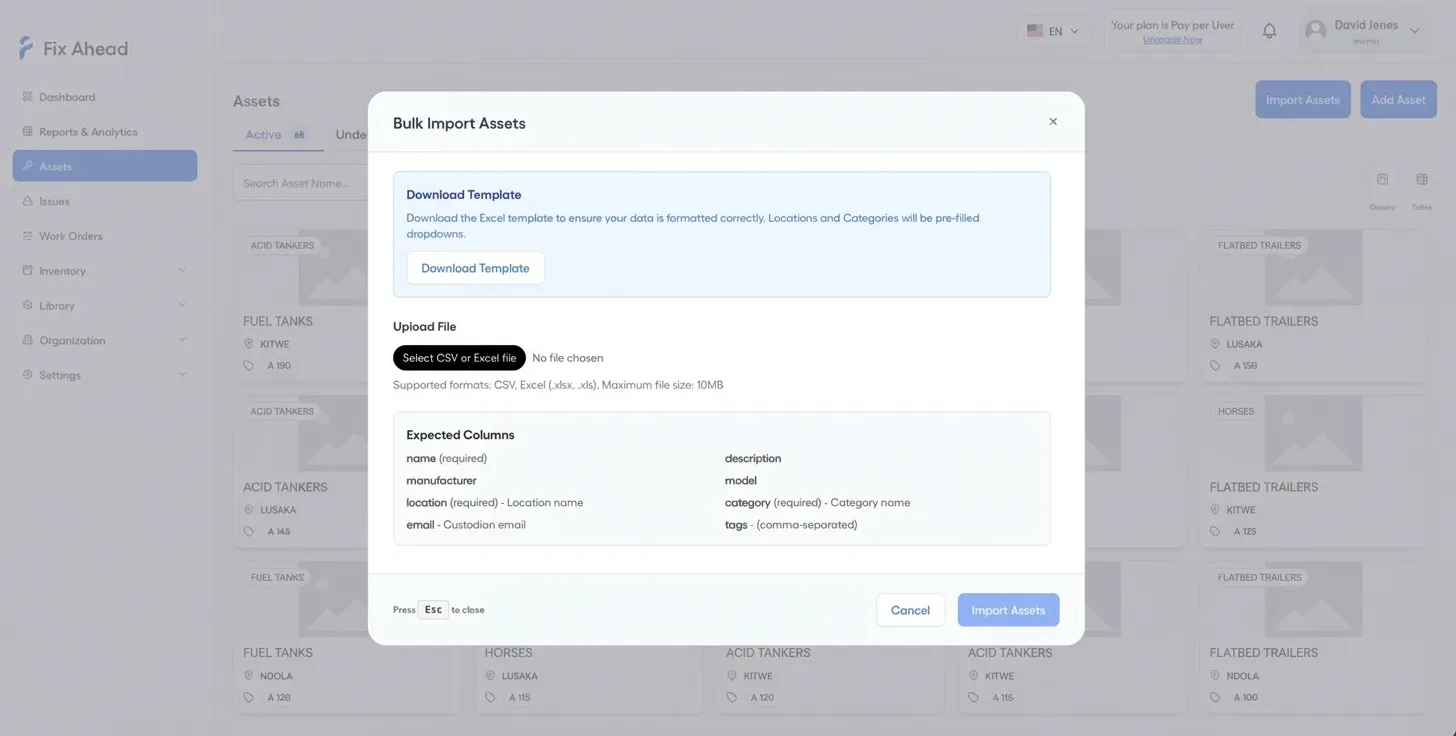
Bulk import from CSV or Excel
Import hundreds of assets in minutes. Upload your spreadsheet, preview the data, fix validation errors inline, and confirm. Template provided for clean imports.
- CSV and Excel support with column mapping
- Preview with row-by-row validation before import
- Download template for clean data preparation
Access asset details from the field
Technicians view full asset profiles on their phone — category, tags, custom fields, and maintenance history. No more calling the office to ask about equipment specs.
- Asset category, tags, and custom metadata on mobile
- Location and custodian details at a glance
- Linked work orders and maintenance history accessible on-site