FixAhead vs Enterprise CMMS
Enterprise CMMS platforms like IBM Maximo, SAP EAM, and eMaint promise everything — and charge accordingly. Six-figure contracts, months-long implementations, and IT-heavy administration. For mid-market teams, that's overkill.
Feature-by-feature comparison
FixAhead vs enterprise platforms like IBM Maximo, SAP EAM, and eMaint.
| Feature | FixAhead | Enterprise CMMS |
|---|---|---|
| Free plan to start | ||
| Setup in under 5 minutes Enterprise tools take weeks to months | ||
| No IT department required | ||
| Transparent, public pricing No "contact sales" gatekeeping | ||
| QR code public issue reporting | ||
| Zero training required | ||
| Pay per asset OR per user | ||
| Preventive maintenance scheduling | ||
| Work order management | ||
| Asset hierarchy and lifecycle | ||
| Inventory and parts tracking | ||
| Custom fields and procedures | ||
| Reporting and analytics | ||
| Mobile app included free Enterprise tools charge extra for mobile access | ||
| Deep ERP/SCADA integration FixAhead provides REST API for custom integrations | ||
| Dedicated account manager | ||
| Industry compliance packages Pre-built regulatory templates for specific verticals | ||
| Unlimited customization FixAhead covers 9 custom field types per category |
Enterprise features at a fraction of the cost
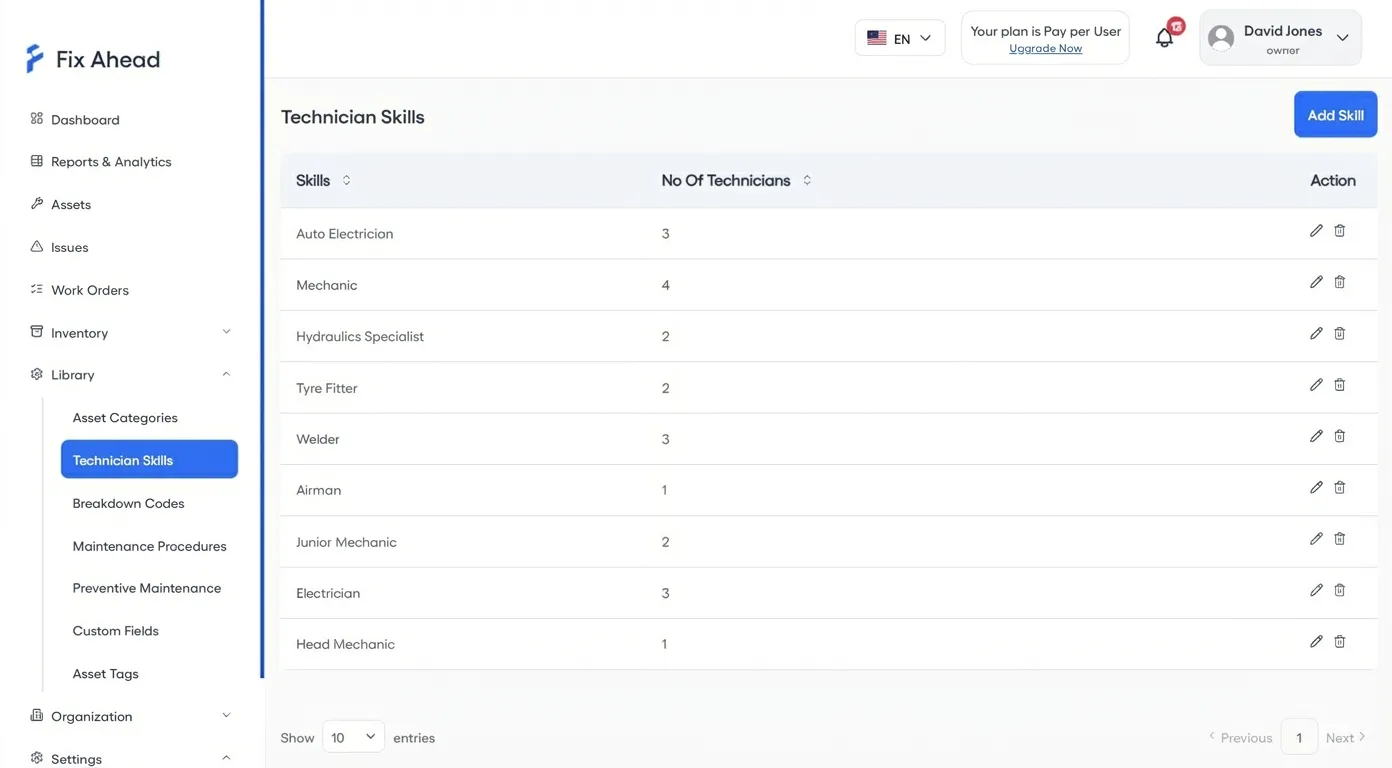
Technician skill matching, procedure checklists, PM scheduling, 11 report types, inventory tracking — all included. No per-module pricing, no add-on fees, no hidden costs.
- Technician skills registry with smart assignment
- Maintenance procedures with step-by-step checklists
- 11 built-in reports including MTBF/MTTR
- Inventory tracking with 25 unit types and reorder alerts
Work orders without the complexity
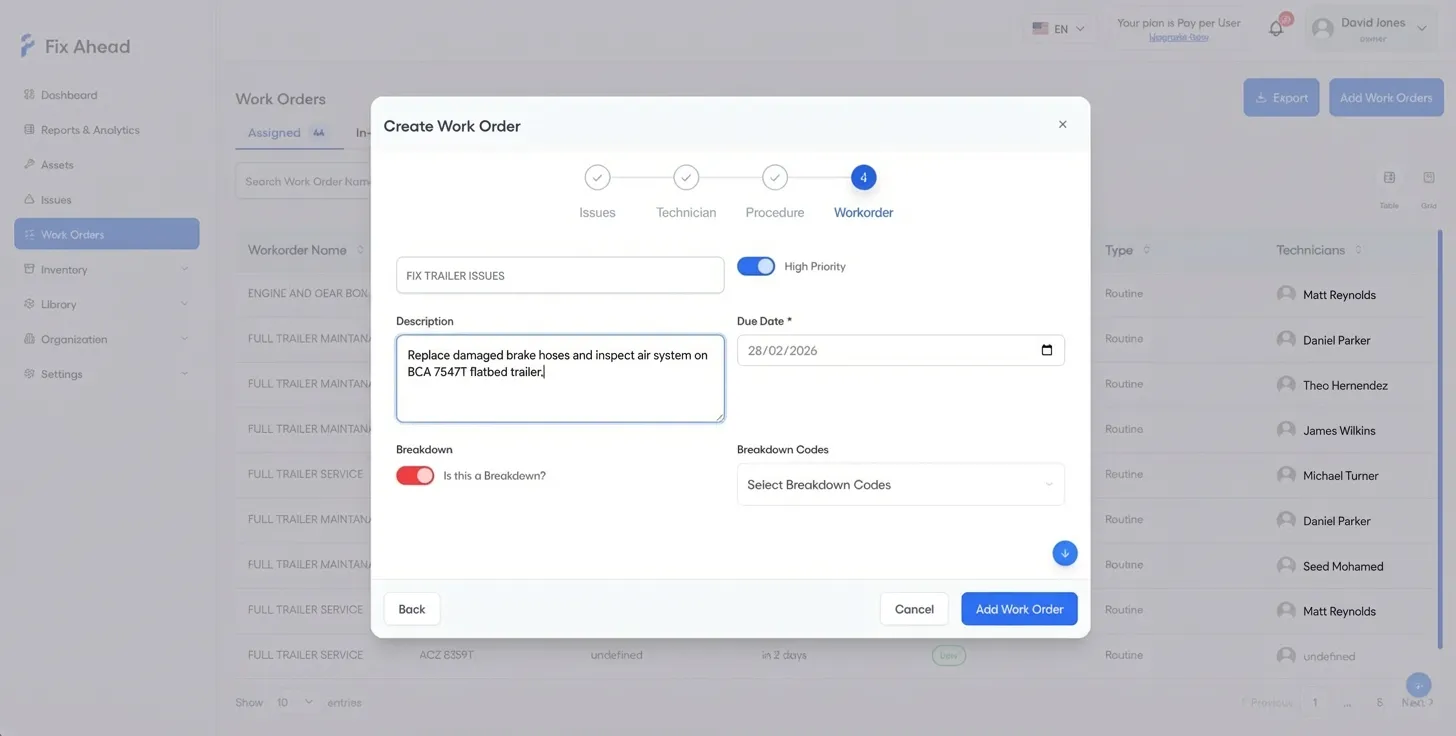
Enterprise CMMS tools bury work order creation behind 15+ required fields. FixAhead's guided wizard captures what matters — asset, issue, assignee, priority — in 4 clean steps.
- Step-by-step wizard takes under a minute to complete
- Link parts, procedures, and schedule in one flow
- Assign by skill match and technician availability
- Real-time notifications the moment a job is created
Productive on day one
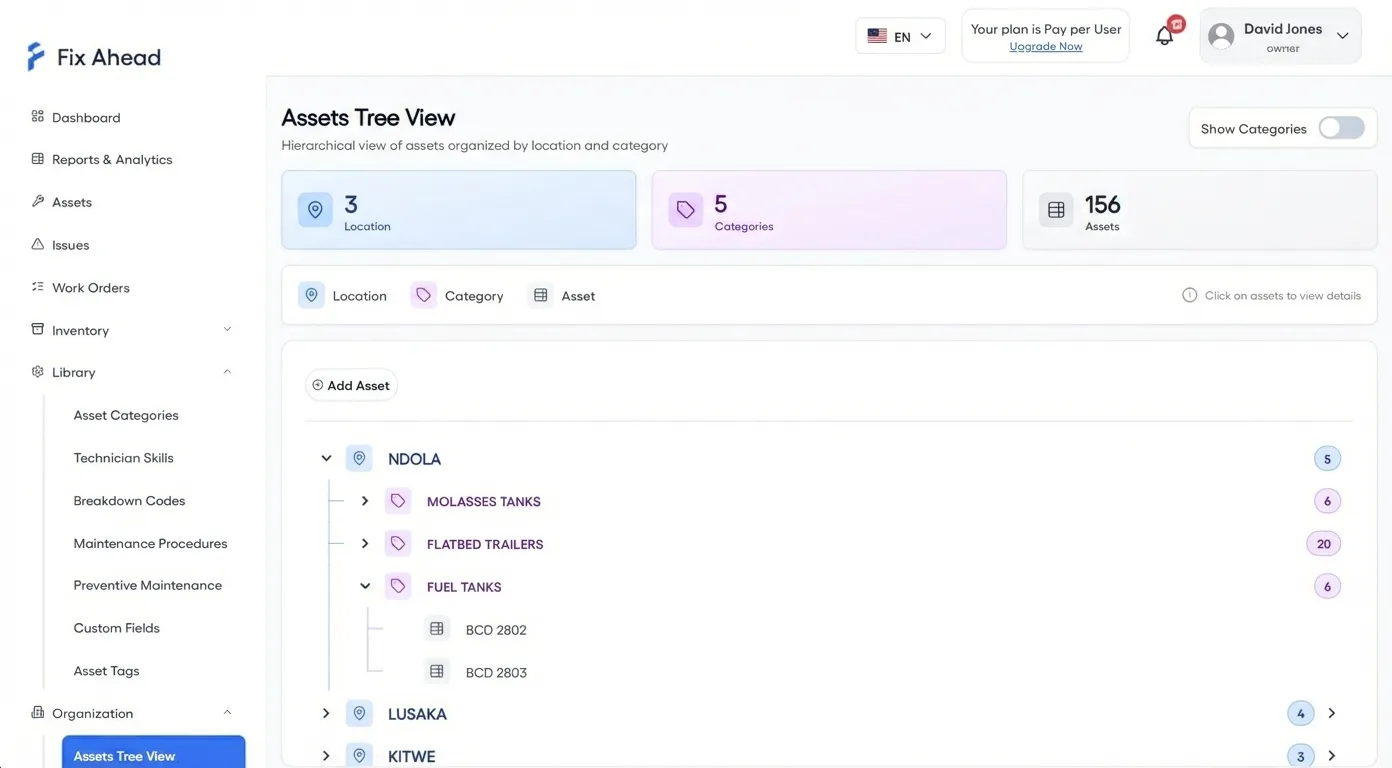
No consultants, no training sessions, no IT tickets. Create your account, import assets, set up PM schedules, and assign your first work order — all in one sitting.
- Hierarchical asset tree with drag-and-drop organization
- Bulk import from CSV/Excel with row-level validation
- 9 custom field types scoped per asset category
- Multi-language support with full Arabic RTL
11 reports included — not sold as add-ons
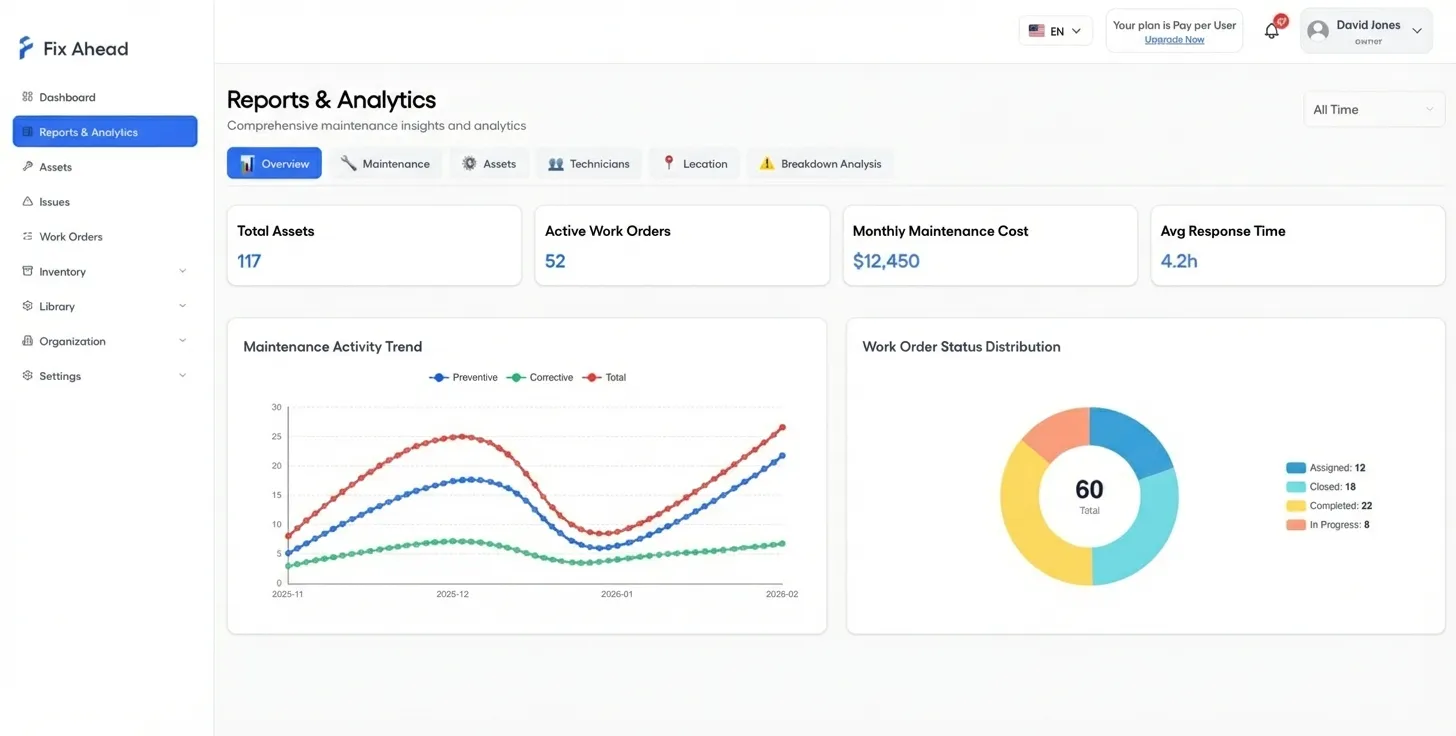
Enterprise platforms charge per report module. FixAhead includes activity trends, work order status distribution, MTBF/MTTR, PM compliance, and technician workload in every plan.
- Activity trends and work order status at a glance
- MTBF/MTTR reliability analytics per asset
- Cost analysis by asset, location, or time period
- Export everything to PDF, Excel, or CSV
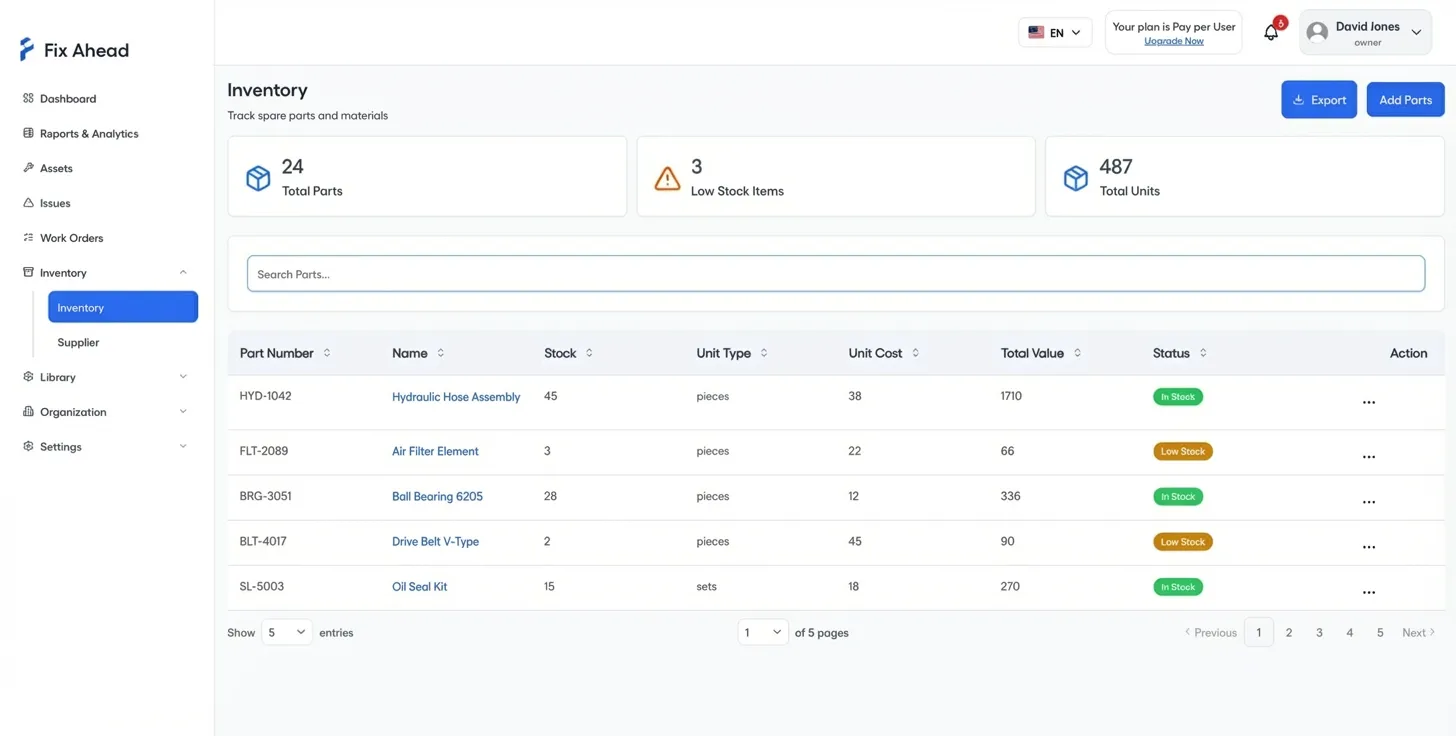
Inventory tracking without a separate module fee
Enterprise tools often charge separately for inventory management. FixAhead includes parts tracking, supplier management, low-stock alerts, and full transaction history — in every plan.
- 25 unit types for any part or consumable
- Low-stock alerts so you never run out of critical spares
- Full transaction history with 8 stock transaction types
- Parts linked directly to work orders for cost tracking
Scale without surprises
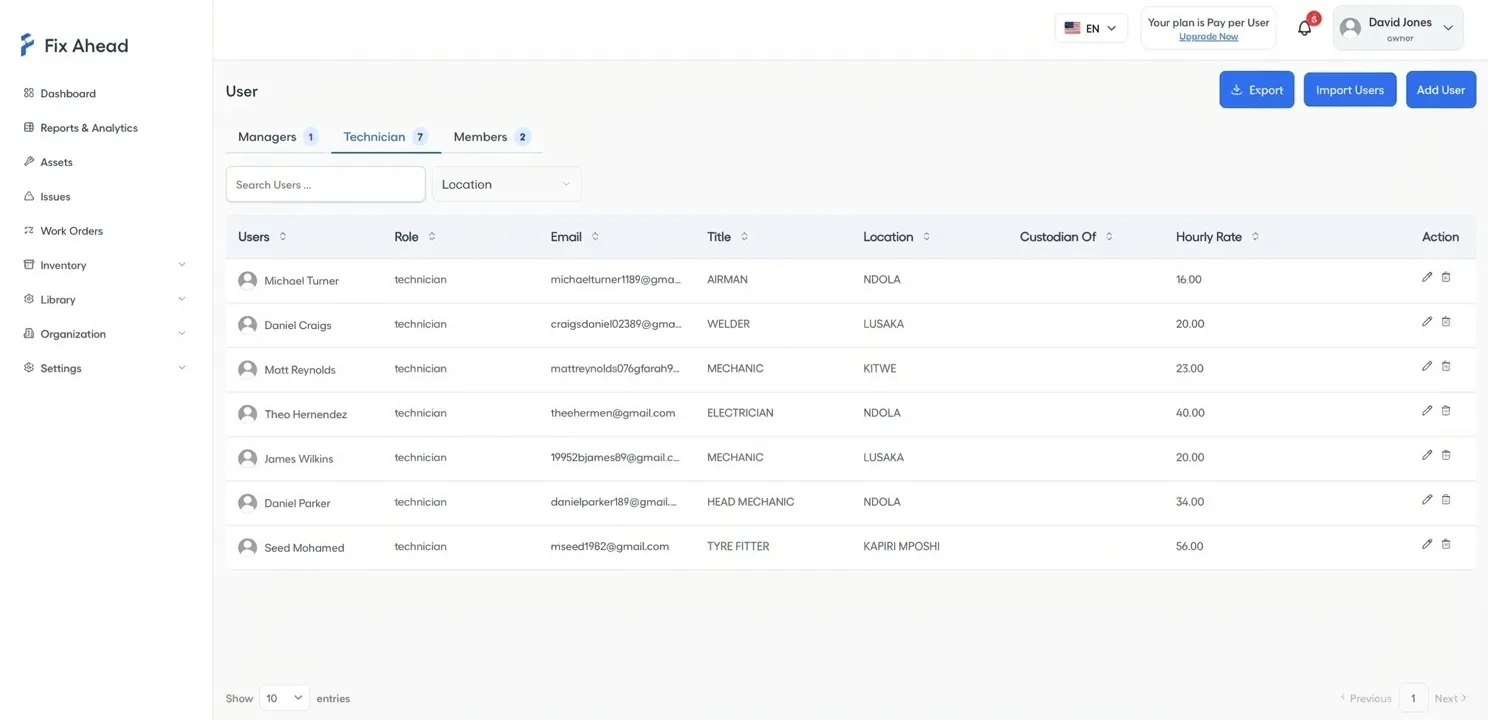
Transparent pricing with no contracts. Pay per asset or per user — your choice. Add team members or assets as you grow, with clear per-unit pricing and no sales calls required.
- 4 user roles with granular permissions
- Configurable hourly rates per technician
- Add-on pricing: $10/user or $10/10 assets per month
- No annual contract — cancel anytime
Mobile app included free — not a paid add-on
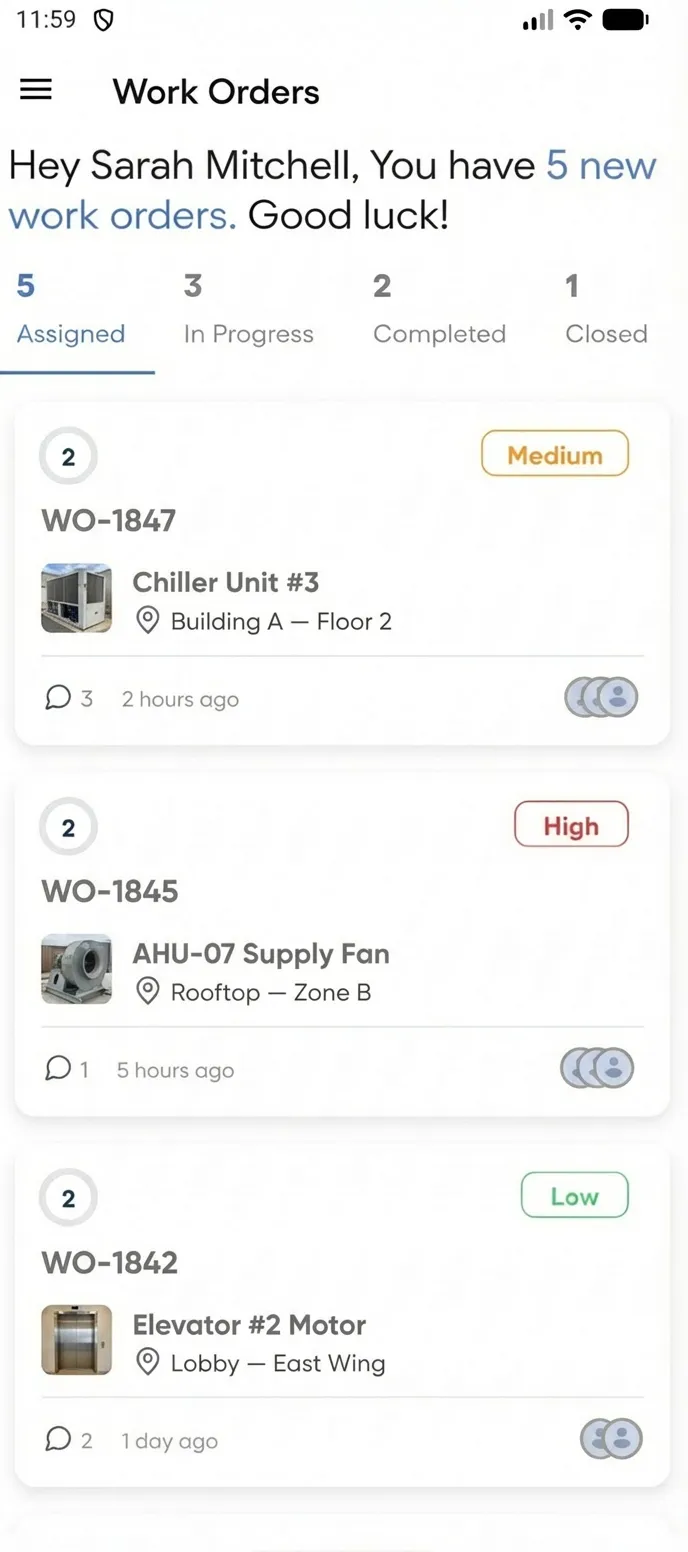
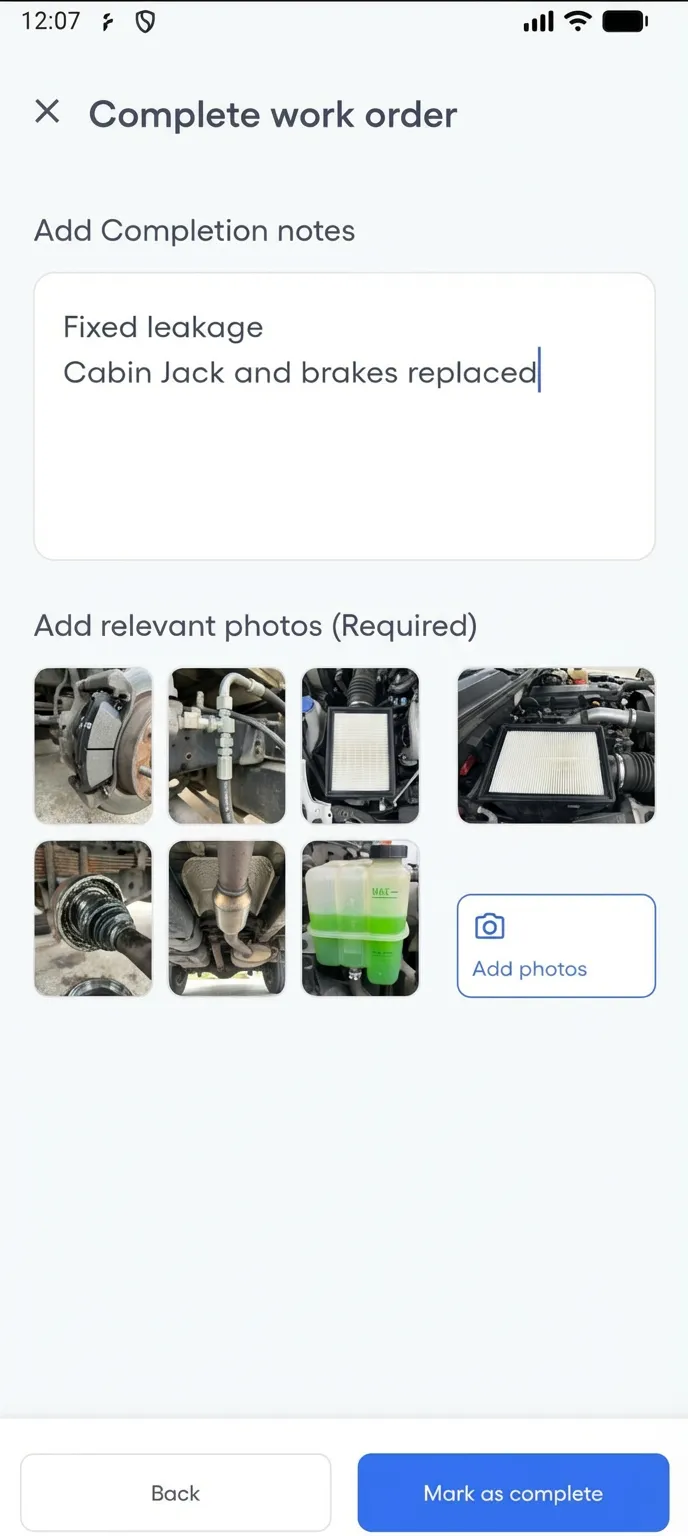
Enterprise CMMS platforms charge extra for mobile access. FixAhead includes a native Android and iOS app with every plan — so your technicians manage their full workload from the field at no additional cost.
- Complete work orders with checklists and photo evidence
- Push notifications the moment a job is assigned
- Log parts used and update status in real time
- Free on Android and iOS — no per-seat mobile fee
Frequently asked questions
Common questions from teams evaluating FixAhead vs enterprise platforms.
Can FixAhead handle 500+ assets? +
Yes. FixAhead scales to thousands of assets with hierarchical locations, category-scoped custom fields, and bulk import. The Pro plan includes unlimited assets on pay-per-user pricing.
What about regulatory compliance? +
FixAhead tracks full maintenance history with timestamps, technician records, photo evidence, and procedure completion logs. Custom fields and maintenance procedures model any compliance requirement. Every action is auditable.
How does FixAhead pricing compare to Maximo or SAP? +
Enterprise CMMS platforms like IBM Maximo and SAP EAM typically cost $50-200+ per user per month with annual contracts and implementation fees. FixAhead starts free and scales to $99/month for 10 users — with a 14-day free trial and no contract.
Is there a limit on users? +
The Free plan supports 2 active users. The Pro plan includes 10, with add-ons available at $10/user per month. For larger teams, contact us for enterprise pricing.
Can I manage multiple sites? +
Yes. FixAhead supports hierarchical locations with unlimited depth. Filter dashboards, reports, and work orders by location. Every asset, work order, and report can be scoped to specific sites.
When an enterprise platform is the right choice
If you manage 10,000+ assets across dozens of facilities, require deep ERP/SCADA integration, need a dedicated account manager with SLAs, or operate in a heavily regulated industry with vendor-specific compliance packages — platforms like IBM Maximo, SAP EAM, or eMaint may be justified. For everyone else, FixAhead delivers the features that matter at a fraction of the cost and complexity.