FixAhead vs Legacy CMMS
Keep your legacy CMMS if you depend on ERP integrations, compliance records that can't be migrated, or vendor-specific templates. If your team avoids it, switch to a CMMS they will use.
When a legacy CMMS still makes sense
If your organization has deep ERP integrations that can't be replicated, massive historical compliance records that can't be migrated, or regulatory requirements tied to specific vendor templates — the system you have may still be the right one.
Feature-by-feature comparison
FixAhead against an older, on-premise CMMS.
| Feature | FixAhead | Legacy CMMS |
|---|---|---|
| Modern, intuitive interfaceDesigned for maintenance teams, not IT departments | ||
| Setup in under 5 minutes | ||
| Cloud-hosted, nothing to install or run | ||
| Real-time notifications | ||
| QR code public issue reportingNo account needed for reporters | ||
| Works in a phone browser | ||
| Free plan available | ||
| Preventive maintenance scheduling | ||
| Work order management | ||
| Asset tracking with a location tree | ||
| Inventory and parts management | ||
| Reporting and analyticsFixAhead: 11 reports on Pro, no feature add-ons | ||
| Custom fields per category | ||
| Native mobile app (Android)Included free — checklists (Pro), photos, push notifications. iOS coming soon | ||
| Deep ERP integration | ||
| 20+ year compliance templatesIndustry-specific regulatory templates built over decades |
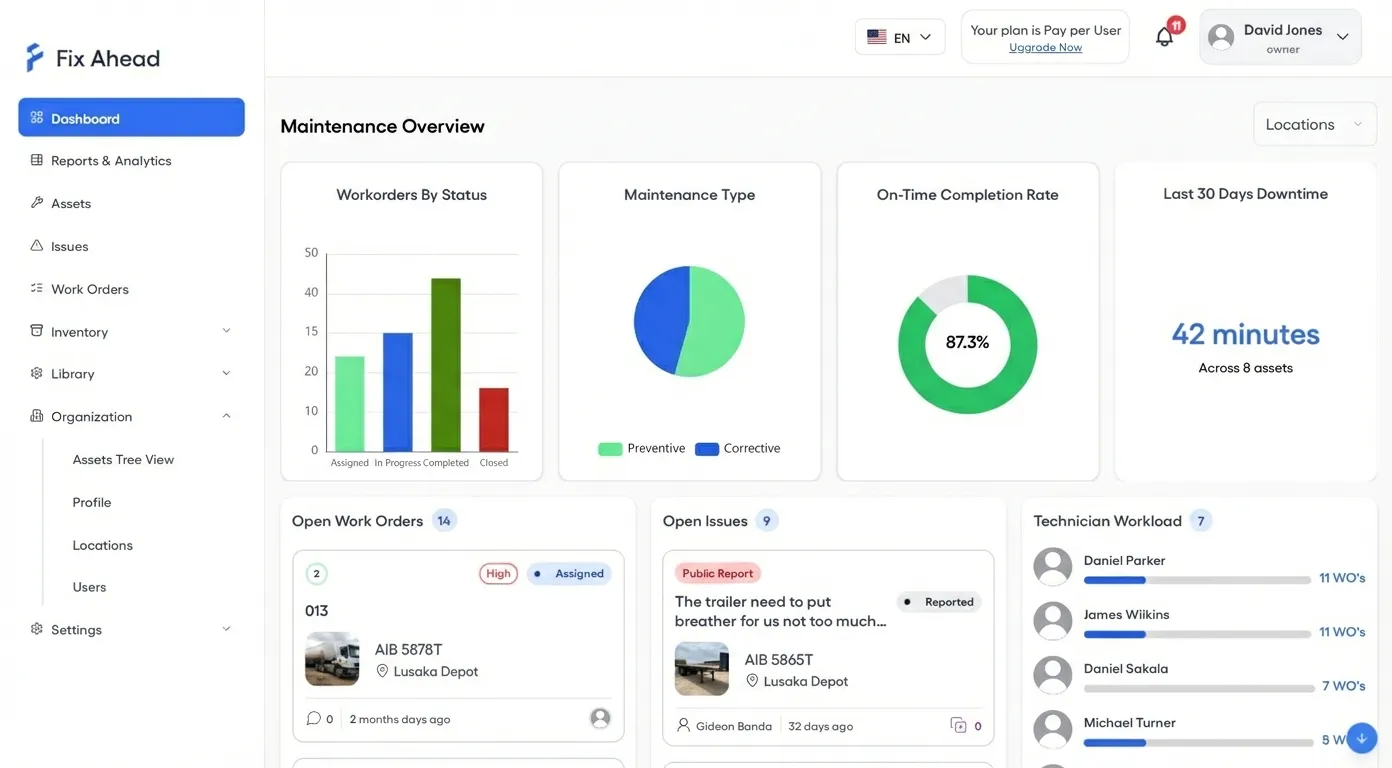
An interface designed for maintenance professionals, not IT departments
The best CMMS is one your team adopts. FixAhead's modern interface is designed for maintenance professionals — not IT departments. Work orders, PM schedules, and dashboards work the way your team thinks.
- Clean, intuitive interface
- Each role sees its own views
- Notifications appear without a page refresh
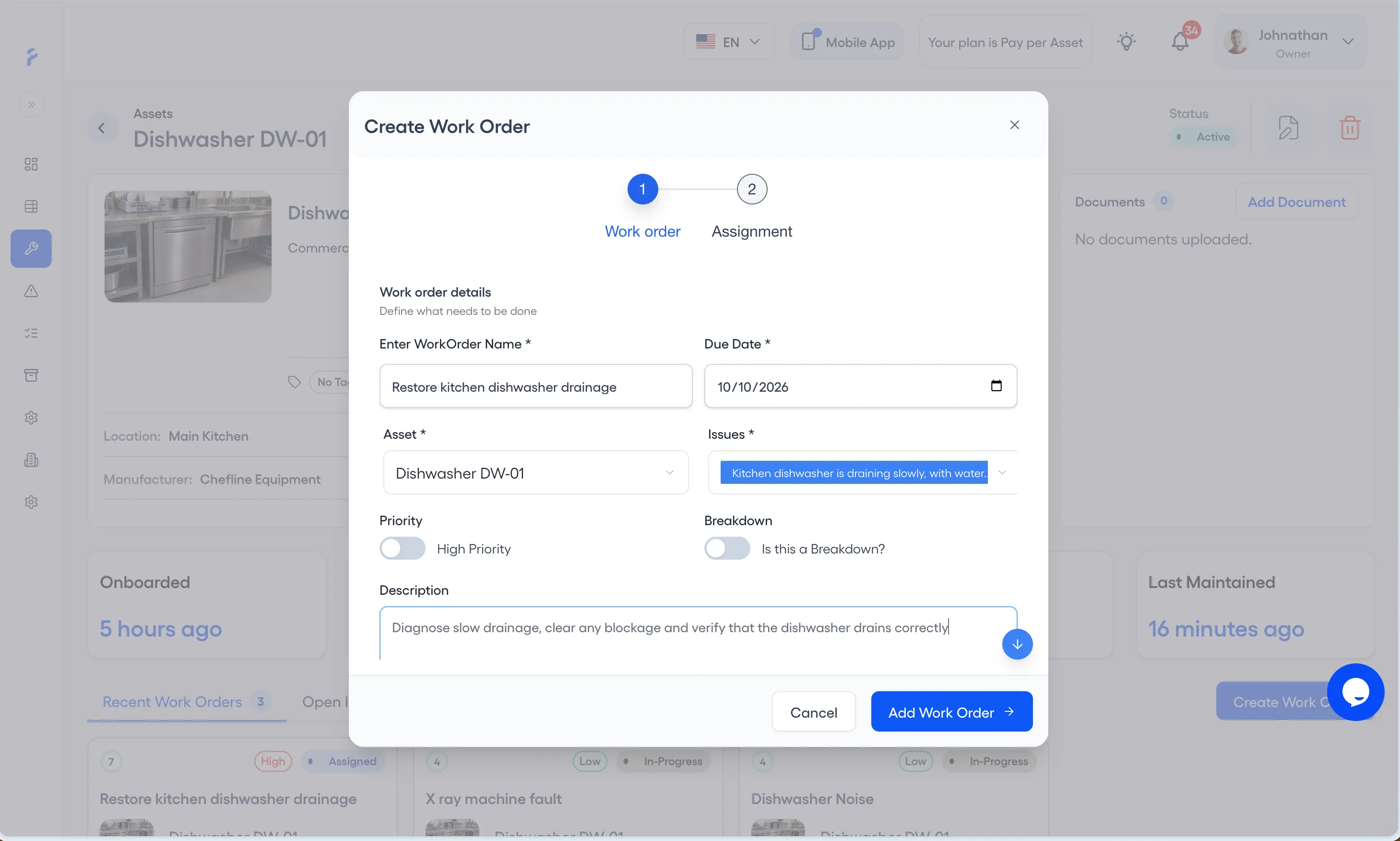
Creating a work order takes one step-by-step wizard
Where creating a work order means a multi-page form, work orders stop getting created. FixAhead's Create Work Order form takes the work's name, due date, asset and issue first, then the technician and procedure (Pro).
- Guided wizard for fast work order creation
- Link issues directly to the work order being created
- Assign by technician skill (Pro) and availability
- Attach procedures, set priority, and schedule — all in one place
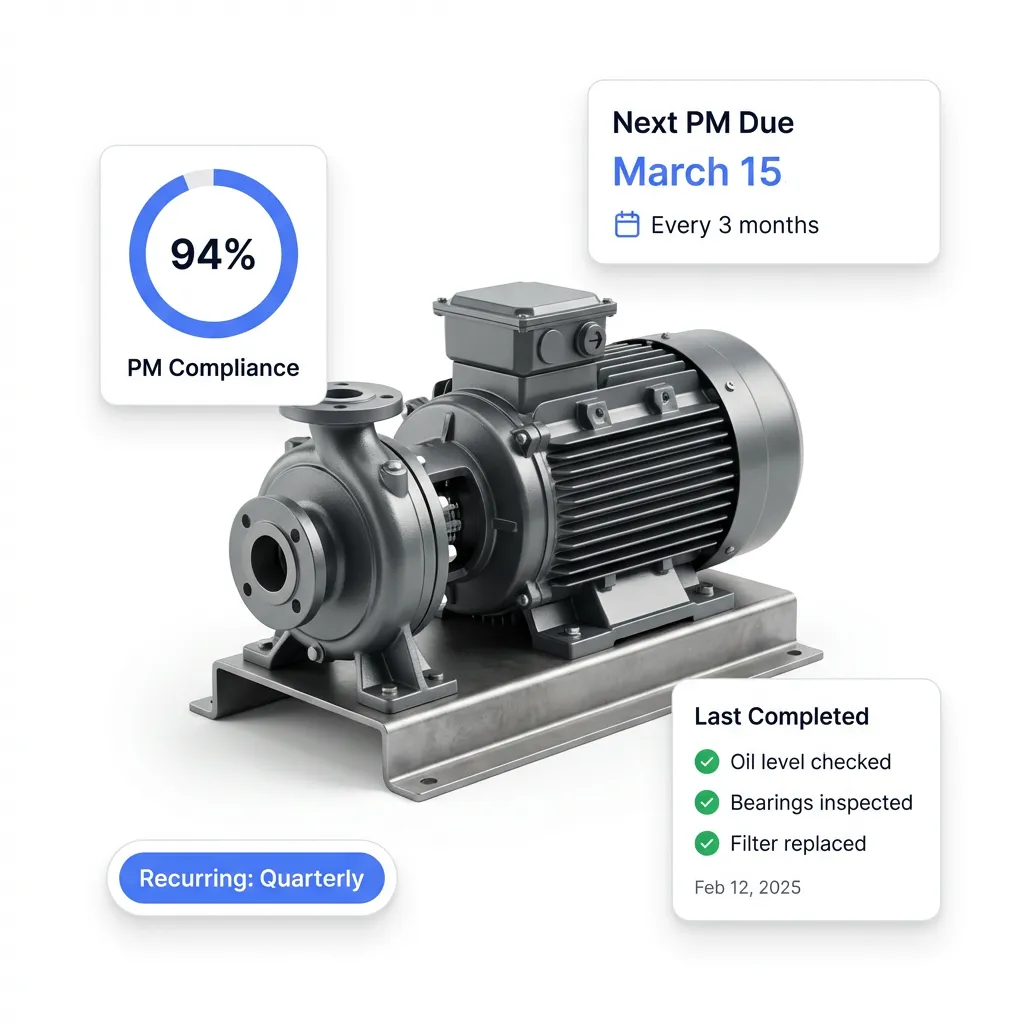
Setup needs no installation, IT tickets, or consultants
No installation. No IT tickets. No consultants. Create your account, import your assets, and start scheduling preventive maintenance — all in the same afternoon.
- Nothing to install or maintain
- Pre-built PM schedule templates
- Free plan to evaluate before committing
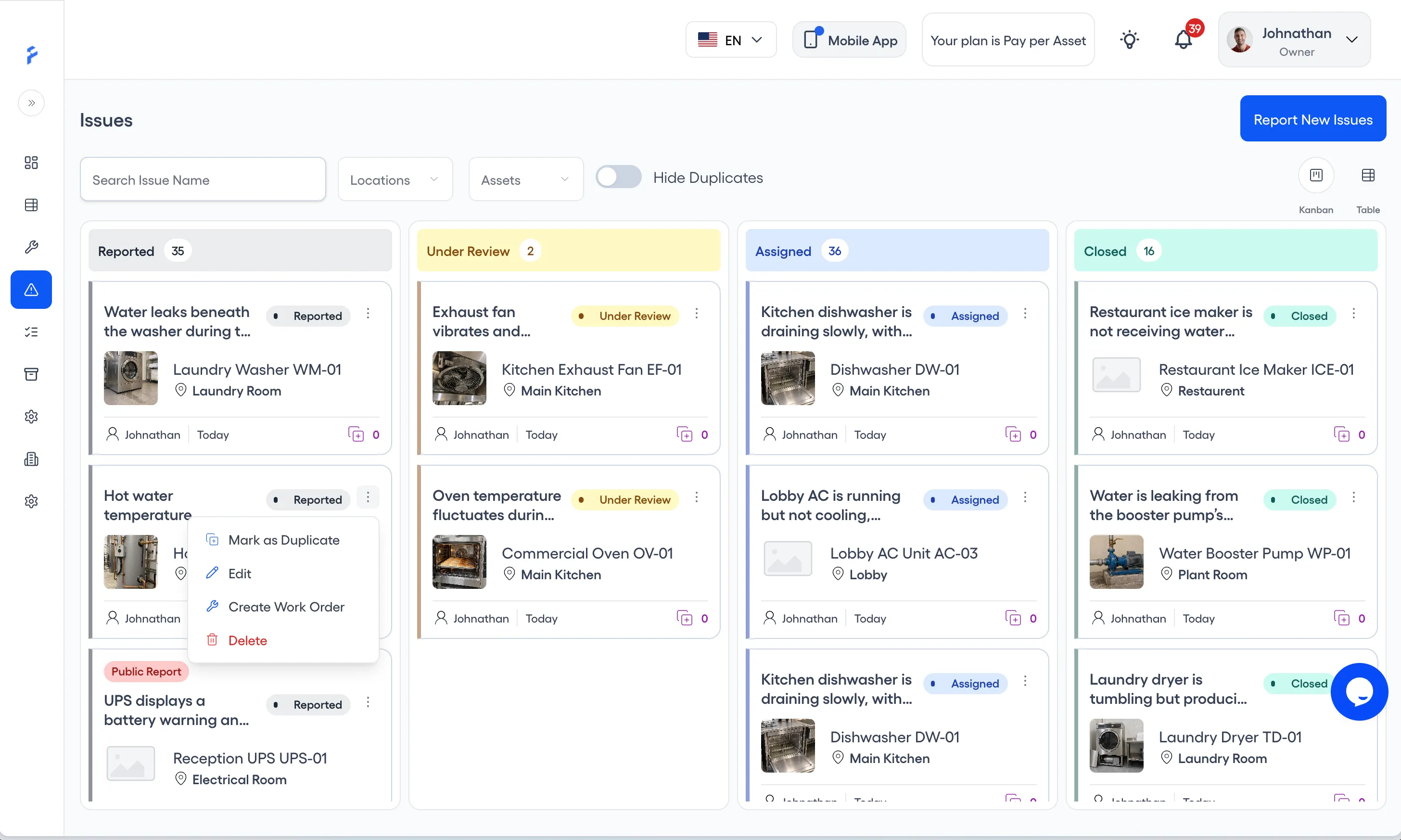
Anyone can report a problem, with no login
Where every reporter needs an account, most problems never get reported. FixAhead lets anyone — tenants, guests, floor workers — scan a QR code to submit an issue. Triage on a visual Kanban board and create work orders from each card's menu.
- Public reporting with zero login
- Kanban board for visual issue triage
- Create Work Order from the menu on an issue card
- Email verification and domain restriction for security
What an asset's detail page holds
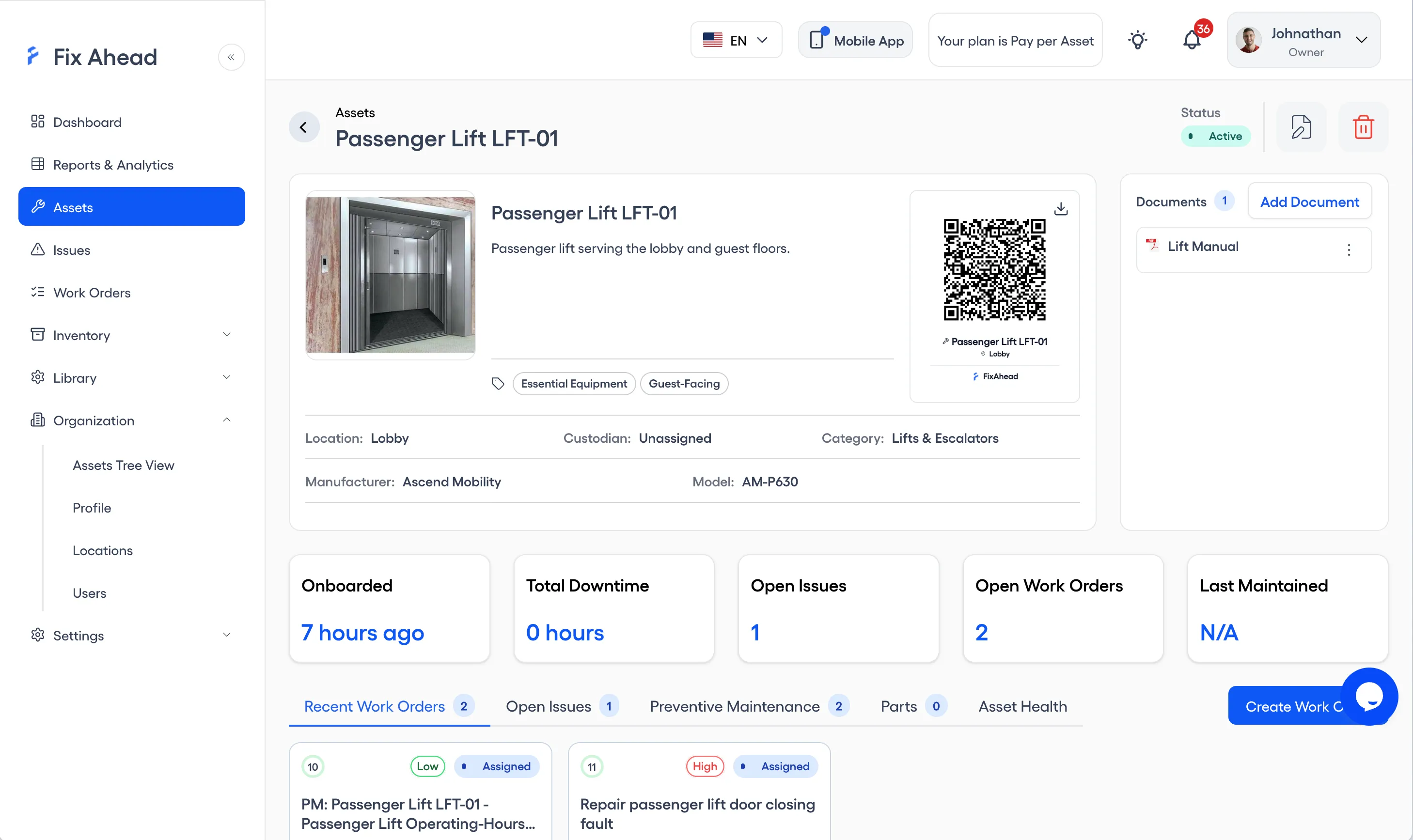
A flat asset list tells you an asset exists. FixAhead gives you a full asset detail page with QR codes, attached documents (Pro), maintenance stats, and custom fields (Pro) for each asset category — all in one view.
- A QR code for each asset
- Documents attached to the asset
- Maintenance history and stats at a glance
- Custom fields for each asset category, in 9 types
11 report types come with Pro, not as add-ons
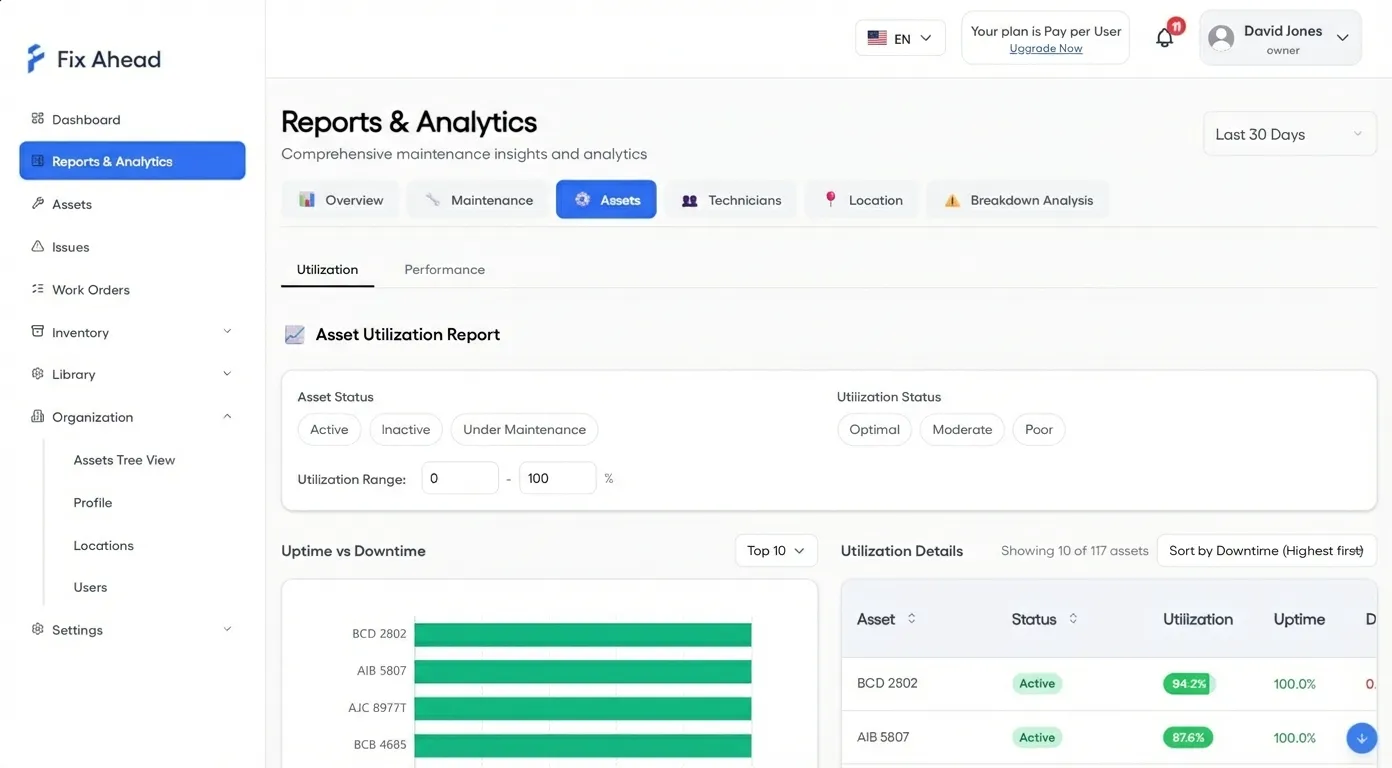
Reporting is where older systems put their add-on fees. FixAhead includes 11 report types — MTBF, MTTR, PM compliance, cost analysis, technician workload — on Pro. Export to PDF, Excel, or CSV.
- 11 built-in reports on Pro at no extra cost
- MTBF/MTTR reliability metrics per asset
- PM compliance and breakdown root cause analysis
- Export any report to PDF, Excel, or CSV
A native mobile app in every plan
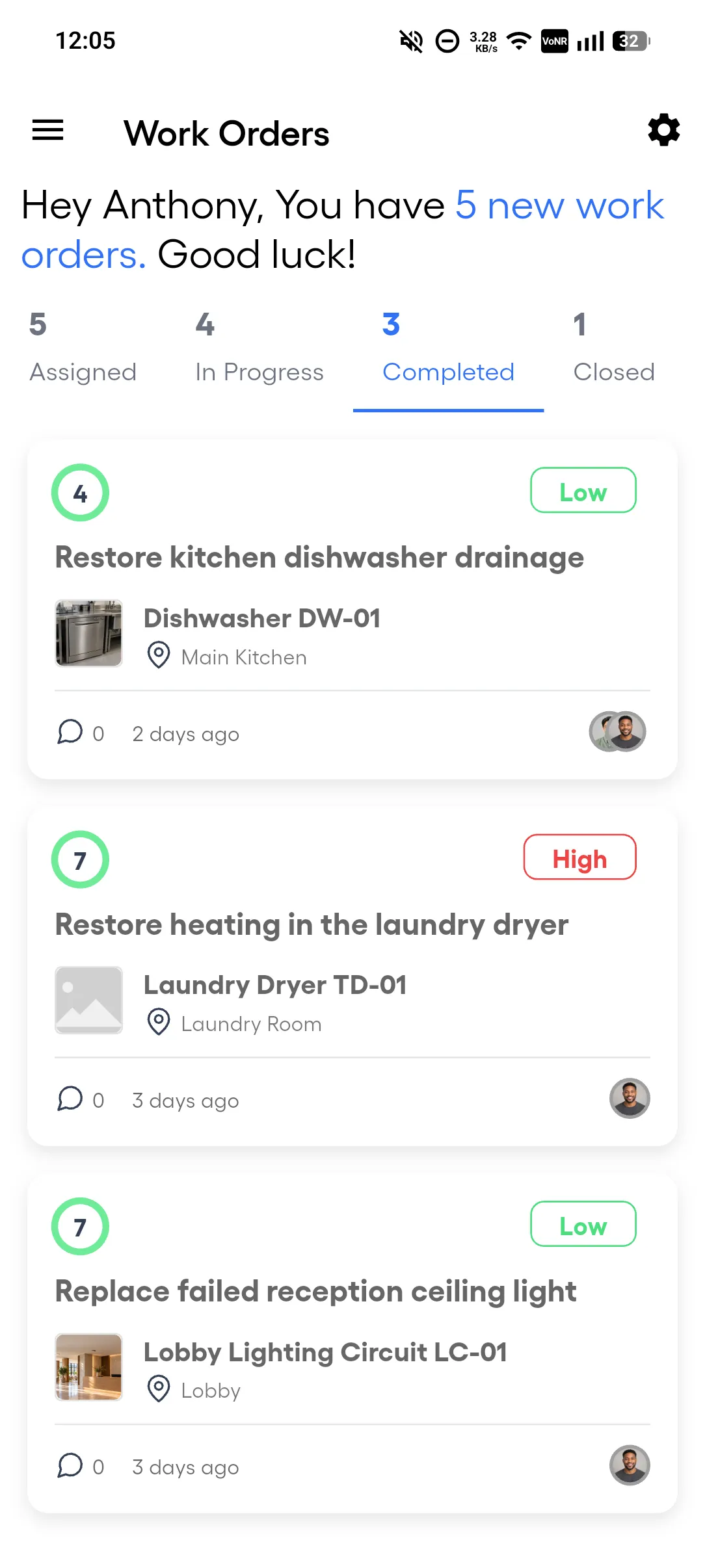
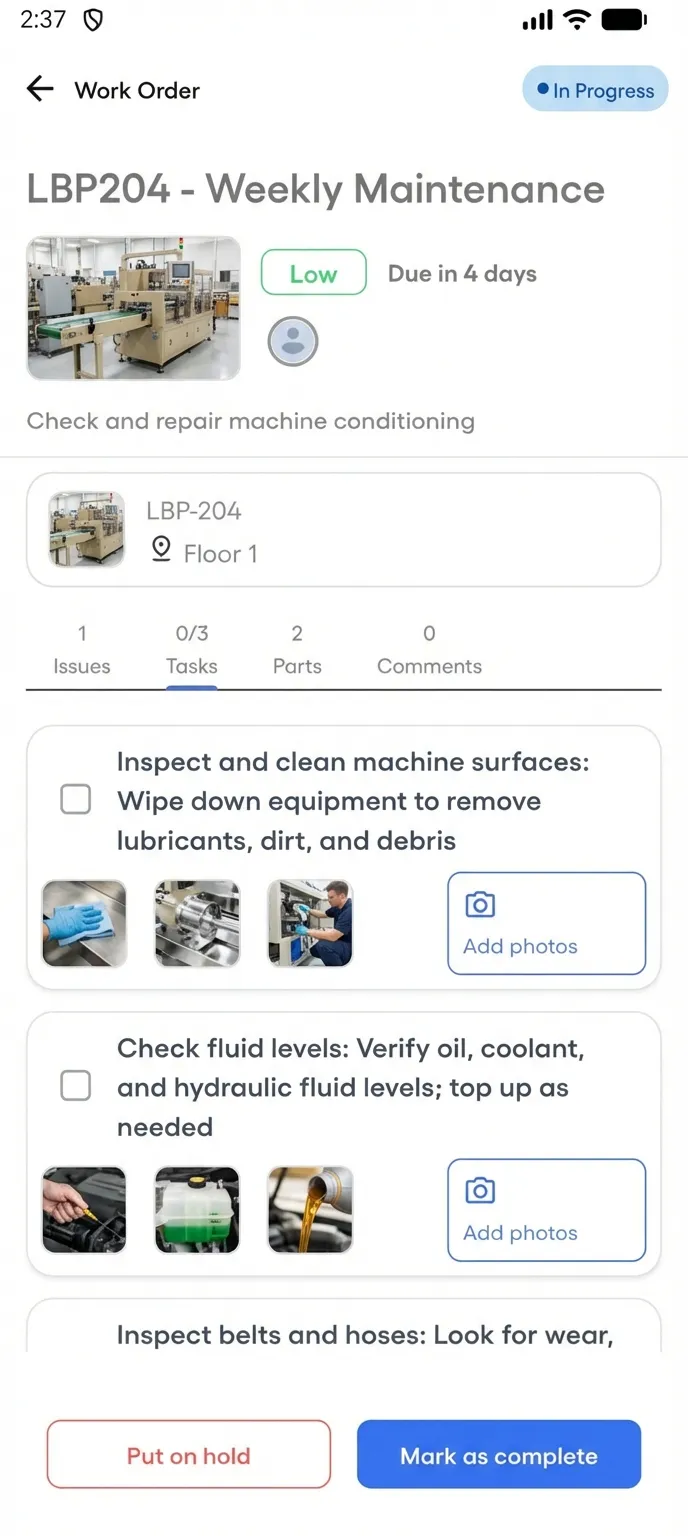
If the field team's only option is a browser on a phone, or a mobile add-on that costs extra, the work gets written down and typed in later. FixAhead includes a native Android app — free with every plan, with iOS coming soon. Technicians manage their work orders from the field.
- Push notifications the moment a job is assigned
- Procedure checklists (Pro) with photo evidence capture
- Update status, log parts (Pro), and mark jobs complete on-site
- The Android app works offline for assigned work orders, and the work syncs when the connection returns
Import your assets into FixAhead
FixAhead imports assets in bulk from CSV and Excel files and checks every row, flagging errors. Match your export to the columns of the asset register template.
1. Export your assets from your legacy CMMS
Save the assets as a CSV or Excel file, with one row for each asset. Every asset needs a name, a location and a category.
2. Match your file to the import columns
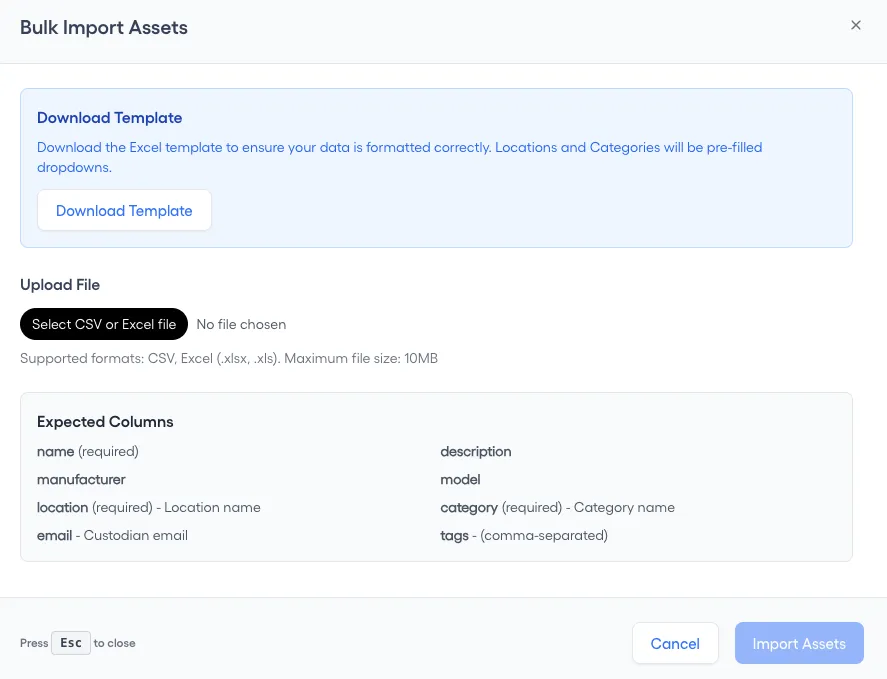
On the Assets page, press Import Assets, then match your file to Expected Columns: name, location and category are required. Download Template gives you the Excel file to fill in.
3. Create the locations your file names
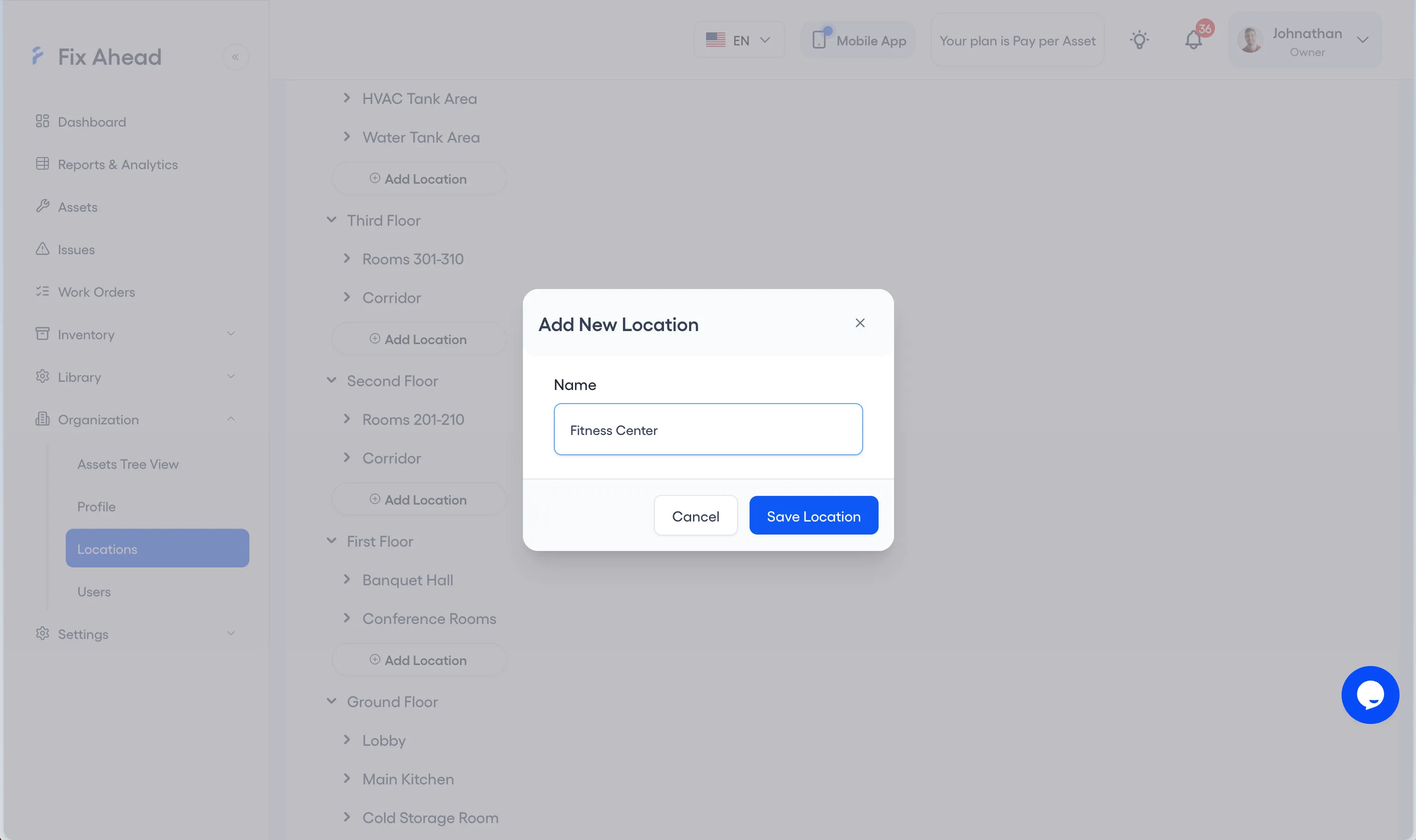
Each location in your file must exist in FixAhead first. Under Organization, Locations, press Add Location, enter the Name and press Save Location.
4. Create the categories your file names
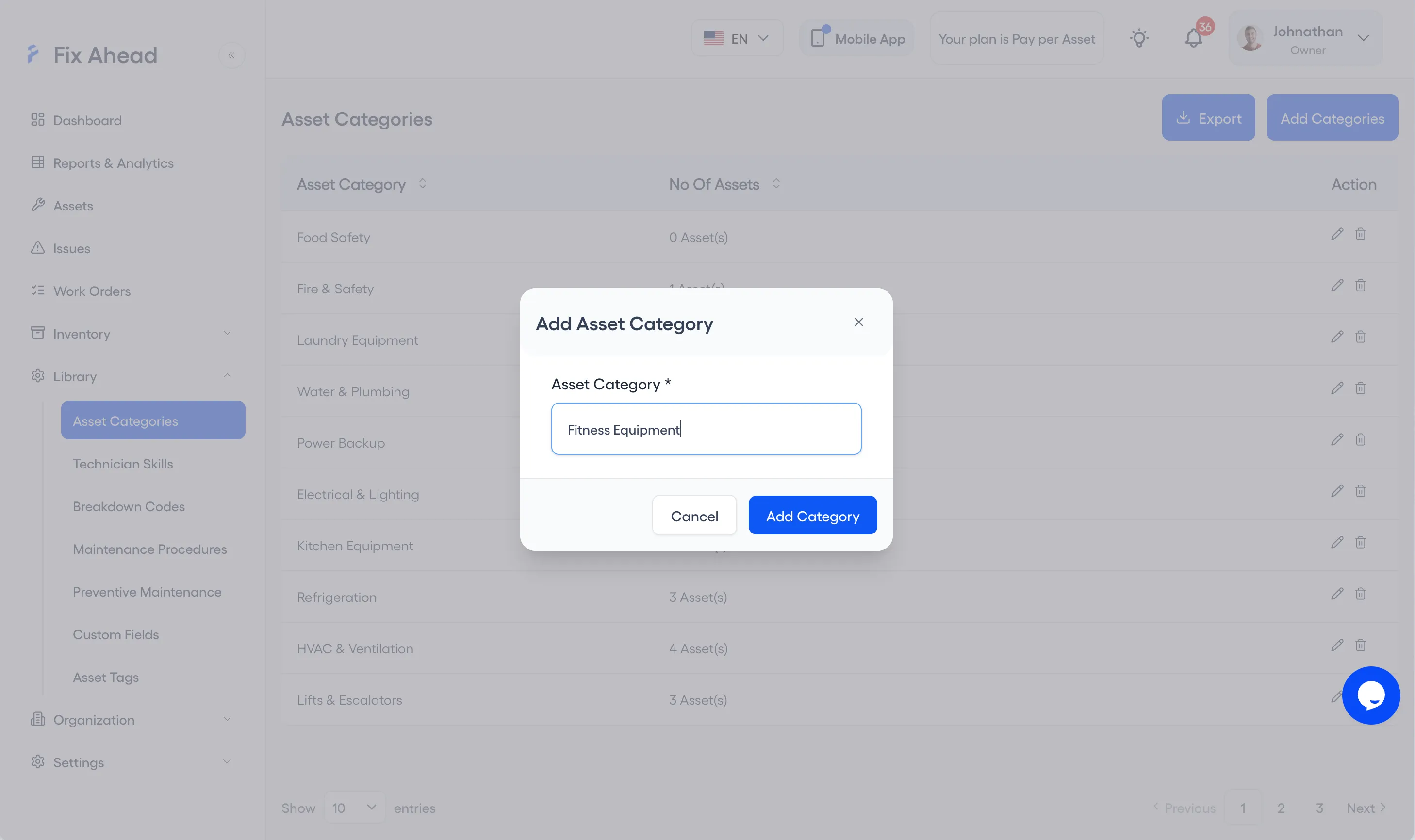
Each category in your file must exist too. Under Library, Asset Categories, press Add Categories, enter the Asset Category and press Add Category.
5. Upload your file
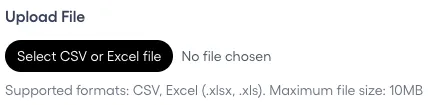
In Import Assets, press Select CSV or Excel file and choose your file. FixAhead reads CSV, .xlsx and .xls files up to 10MB.
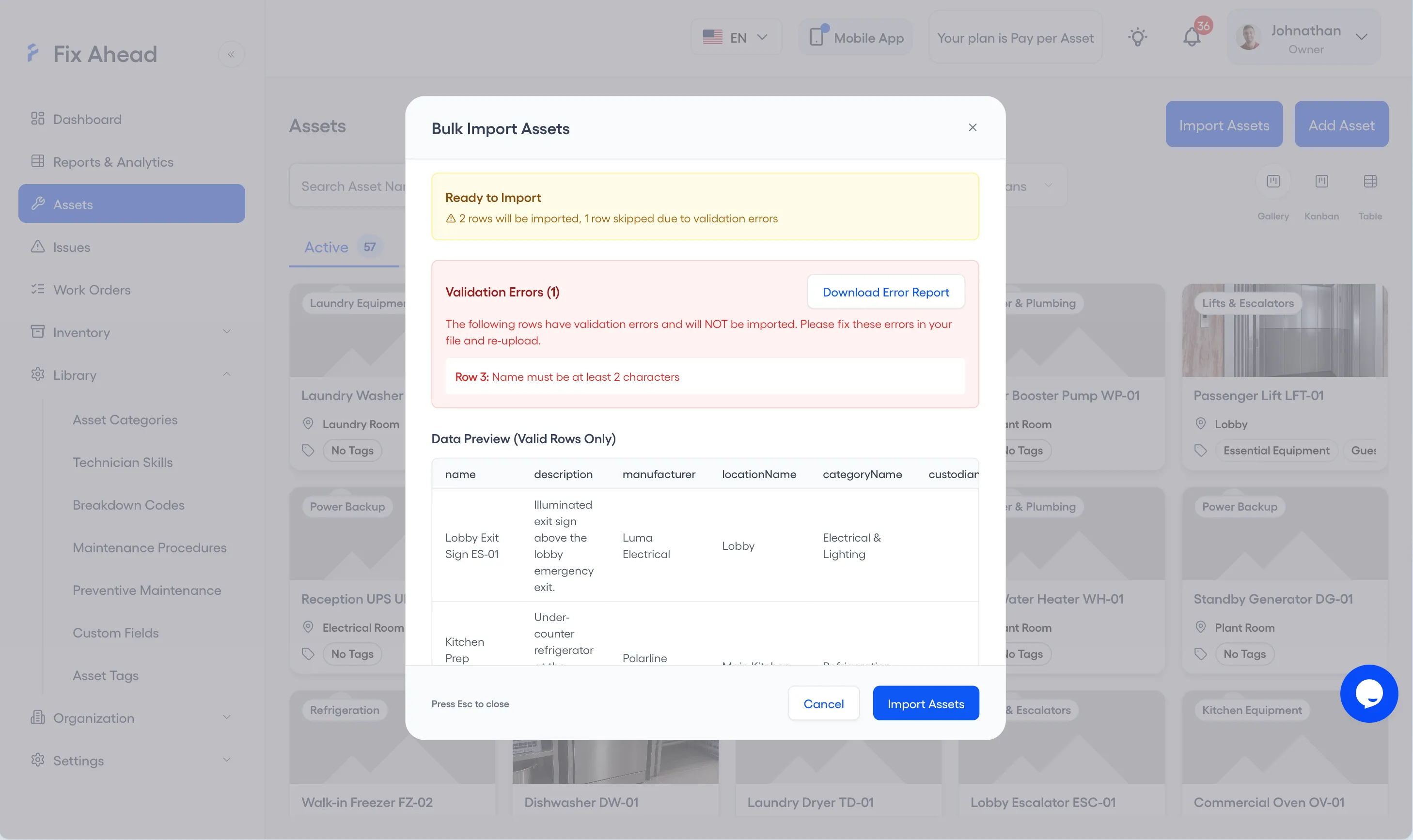
6. Fix the flagged rows
Ready to Import counts the rows that will be imported and the rows skipped for errors. Validation Errors lists each flagged row, and Download Error Report saves them so you can correct them in your file.
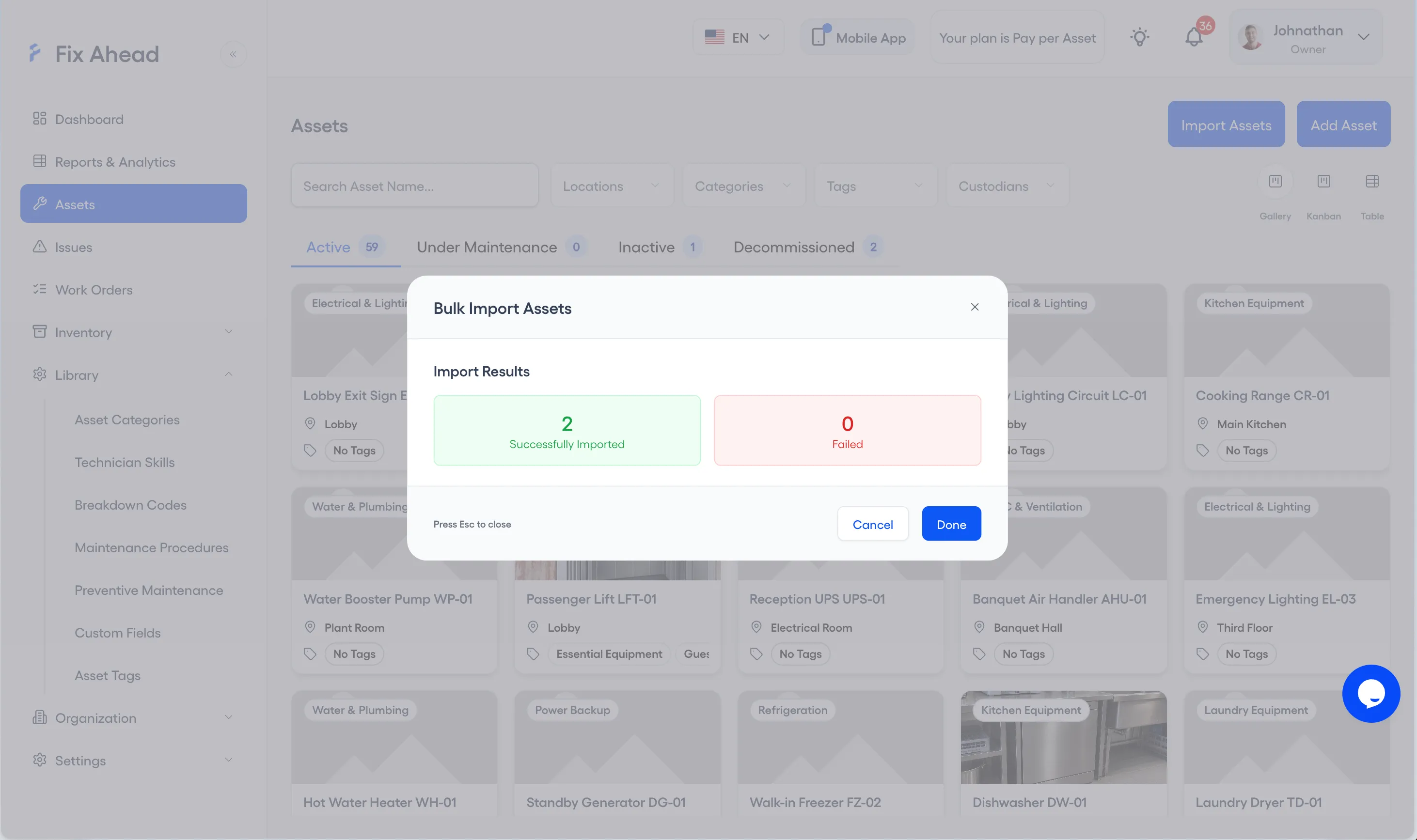
7. Confirm the import
Press Import Assets. Import Results shows how many assets were Successfully Imported and how many Failed; press Done to close it.
See what FixAhead connects to on the integrations page.
Frequently asked questions
Common questions when migrating from an older system.
What about regulatory compliance?+
FixAhead tracks full maintenance history per asset with timestamps, technician records, and procedure completion. Each work order keeps a timestamped timeline from creation to completion. For industries with specific compliance templates, custom fields and procedures can record what the requirement asks for.
Is my data secure?+
FixAhead is cloud-hosted with encrypted data at rest and in transit, access set by each user's role, and sign-up limited to your company's email domain. Your data is backed up daily.
What if FixAhead is missing a feature I need?+
Contact us. We ship fast and prioritize features based on customer needs. Many features in FixAhead today were requested by early adopters and shipped within weeks.