FixAhead vs Legacy CMMS
Legacy CMMS tools like Fiix, UpKeep, Limble, and MaintainX were built for a different era. Clunky interfaces, painful onboarding, and desktop-only workflows mean your team avoids the system — and you're paying for software nobody uses.
Feature-by-feature comparison
FixAhead vs legacy tools like Fiix, UpKeep, Limble, and MaintainX.
| Feature | FixAhead | Legacy CMMS |
|---|---|---|
| Modern, intuitive interface Designed for maintenance teams, not IT departments | ||
| Setup in under 5 minutes | ||
| Cloud-native (no installation) | ||
| WebSocket real-time notifications | ||
| QR code public issue reporting No account needed for reporters | ||
| Mobile-responsive (any device) | ||
| 5 languages with full Arabic RTL | ||
| Free plan available | ||
| Preventive maintenance scheduling | ||
| Work order management | ||
| Asset tracking with hierarchy | ||
| Inventory and parts management | ||
| Reporting and analytics FixAhead: 11 reports included, no add-on fees | ||
| Custom fields per category | ||
| Native mobile app (Android + iOS) Included free — checklists, photos, push notifications | ||
| Deep ERP integration FixAhead API available for custom integrations | ||
| 20+ year compliance templates Industry-specific regulatory templates built over decades |
Your team will actually use it
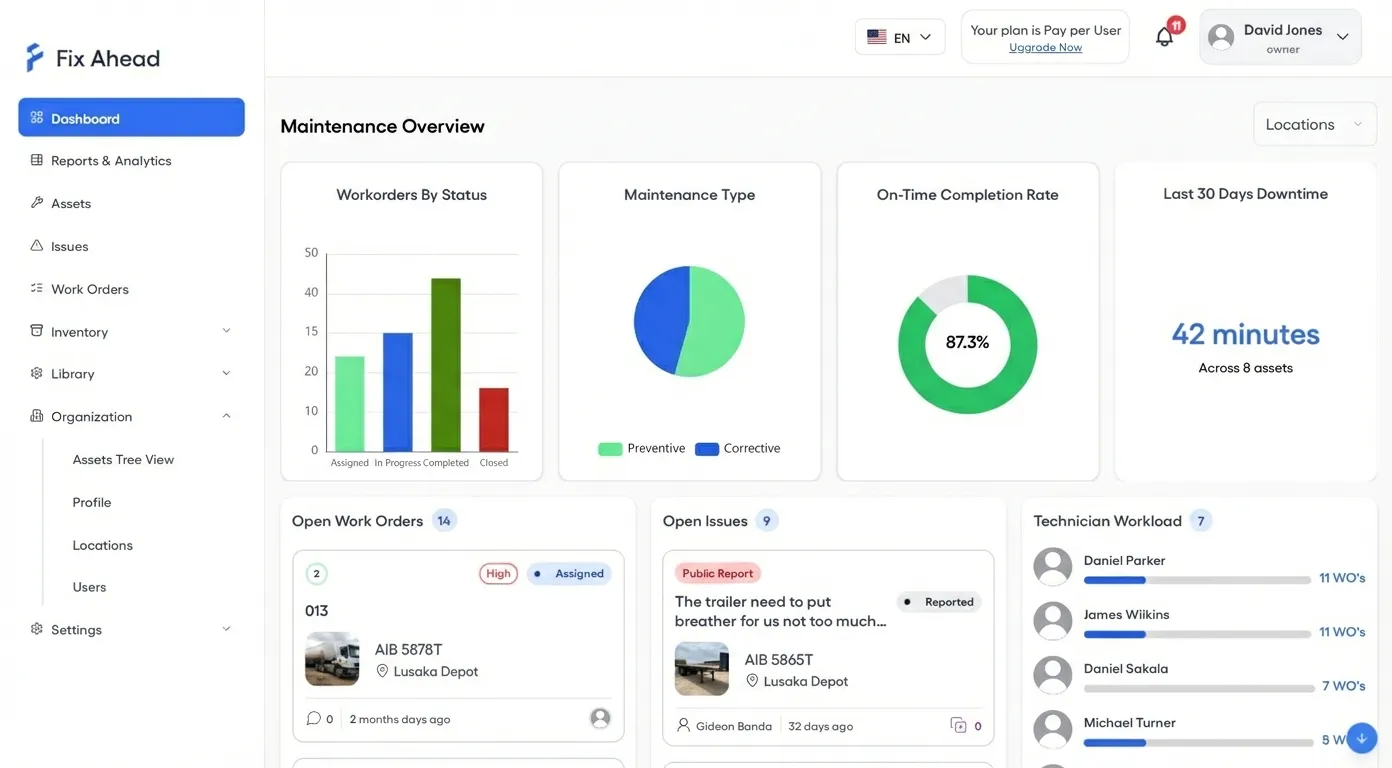
The best CMMS is one your team adopts. FixAhead's modern interface is designed for maintenance professionals — not IT departments. Work orders, PM schedules, and dashboards work the way your team thinks.
- Clean, intuitive interface with zero training required
- Real-time dashboard updates without manual refreshing
- Role-based views so everyone sees what matters to them
- WebSocket-powered notifications — no page refreshing
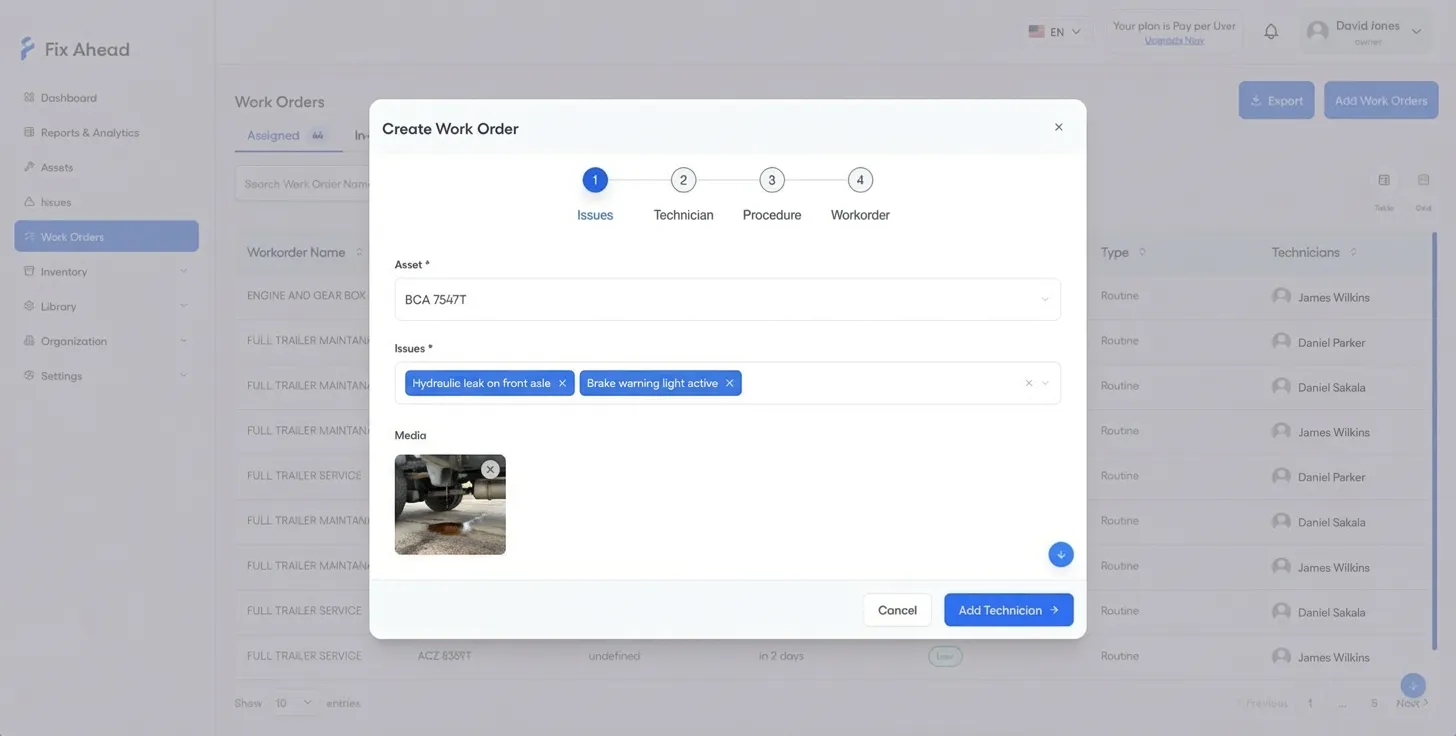
Create work orders in clicks, not clicks-and-clicks
Legacy CMMS tools bury work order creation behind multi-page forms. FixAhead's step-by-step wizard guides you through issue selection, asset assignment, and scheduling in one clean flow.
- 4-step guided wizard for fast work order creation
- Link issues directly to the work order being created
- Assign by technician skill and availability
- Attach procedures, set priority, and schedule — all in one place
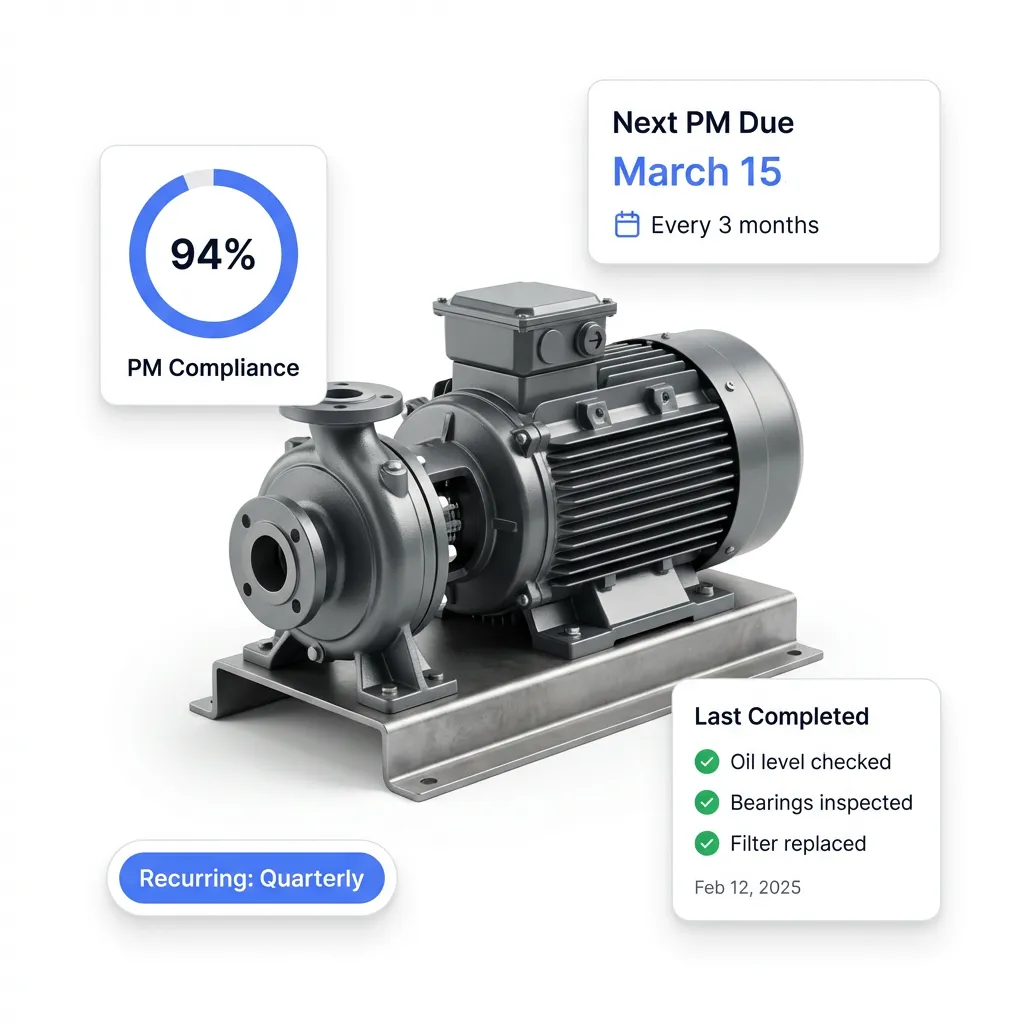
Deployed in minutes, not months
No installation. No IT tickets. No consultants. Create your account, import your assets, and start scheduling preventive maintenance — all in the same afternoon.
- Cloud-native: nothing to install or maintain
- Bulk import from CSV/Excel with validation preview
- Pre-built PM schedule templates
- Free plan to evaluate before committing
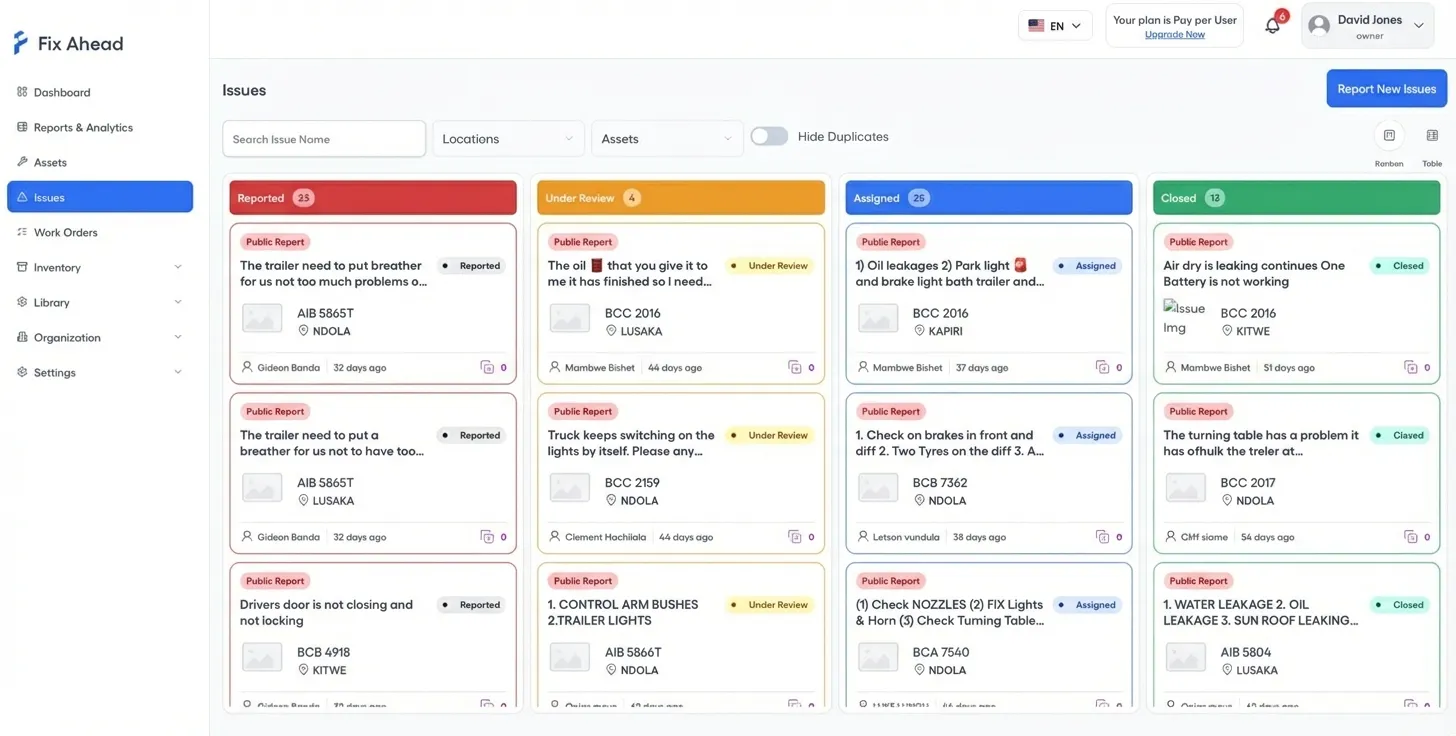
QR-powered issue reporting your legacy tool can't match
Legacy systems require every reporter to have an account. FixAhead lets anyone — tenants, guests, floor workers — scan a QR code to submit an issue. Triage on a visual Kanban board and convert to work orders instantly.
- Public reporting with zero login or training required
- Kanban board for visual issue triage and prioritization
- One-click conversion from issue to work order
- Email verification and domain restriction for security
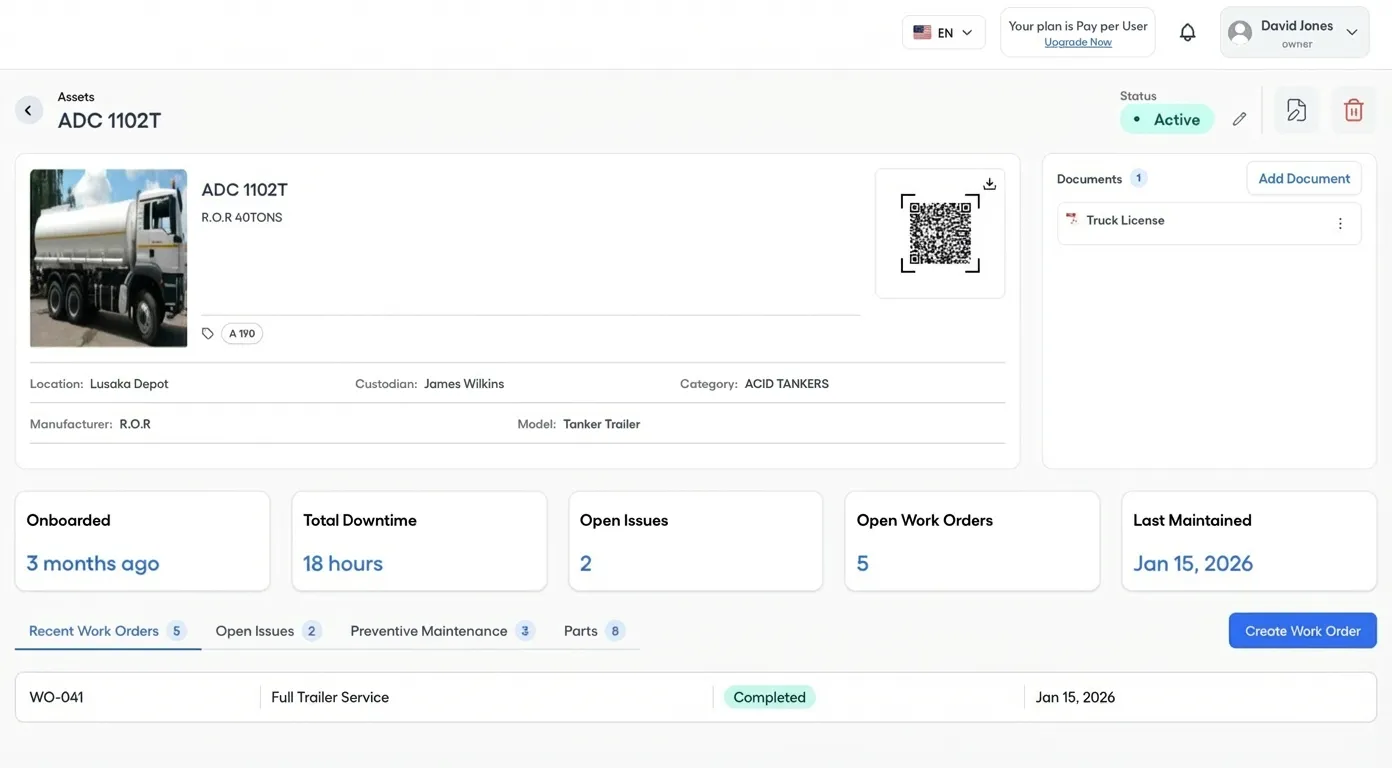
Modern asset management with QR codes and documents
Legacy tools show flat asset lists. FixAhead gives you a full asset detail page with QR codes, attached documents, maintenance stats, and category-scoped custom fields — all in one view.
- QR code generated per asset for instant identification
- Document attachments stored directly on the asset
- Maintenance history and stats at a glance
- 9 custom field types scoped per asset category
Analytics without add-on fees
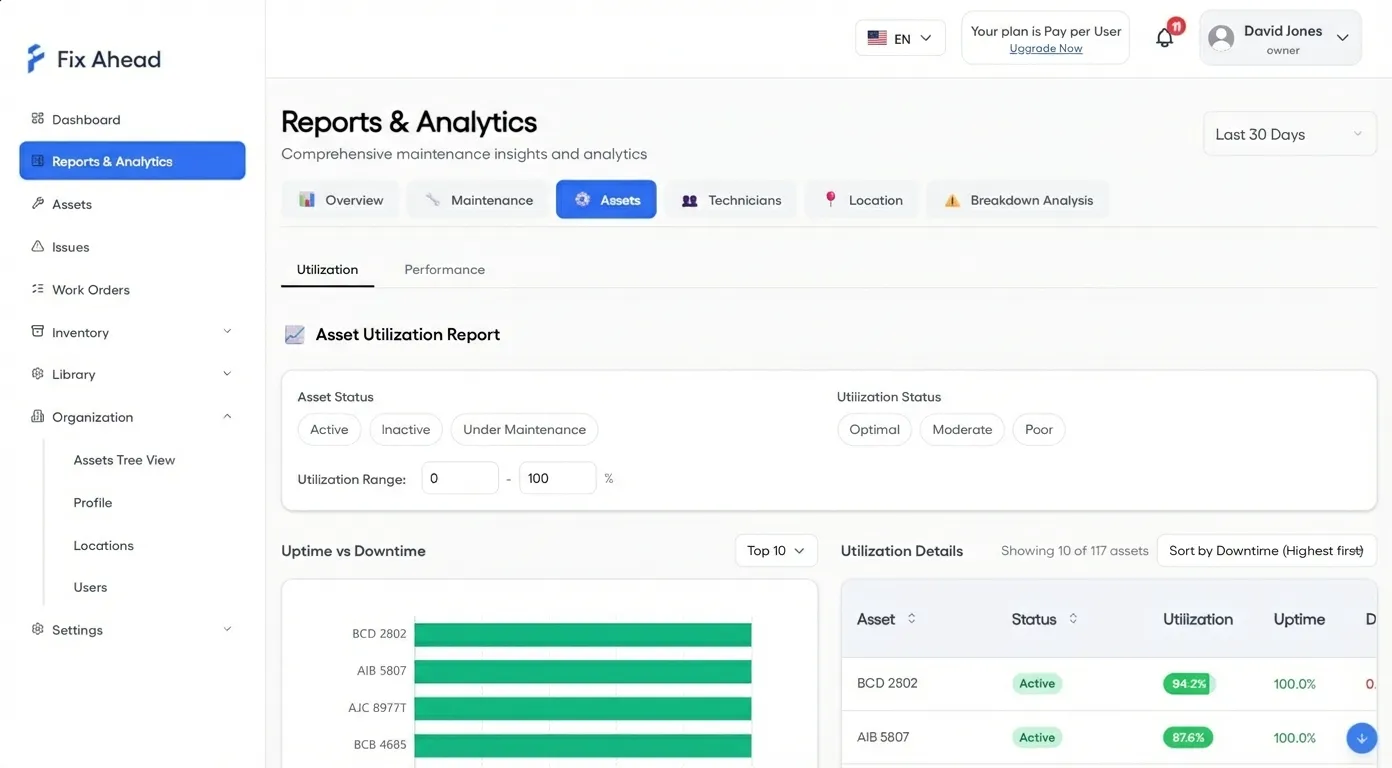
Legacy tools charge extra for reports. FixAhead includes 11 report types — MTBF, MTTR, PM compliance, cost analysis, technician workload — in every plan. Export to PDF, Excel, or CSV.
- 11 built-in reports included at no extra cost
- MTBF/MTTR reliability metrics per asset
- PM compliance and breakdown root cause analysis
- Export any report to PDF, Excel, or CSV
A native mobile app your legacy CMMS doesn't include
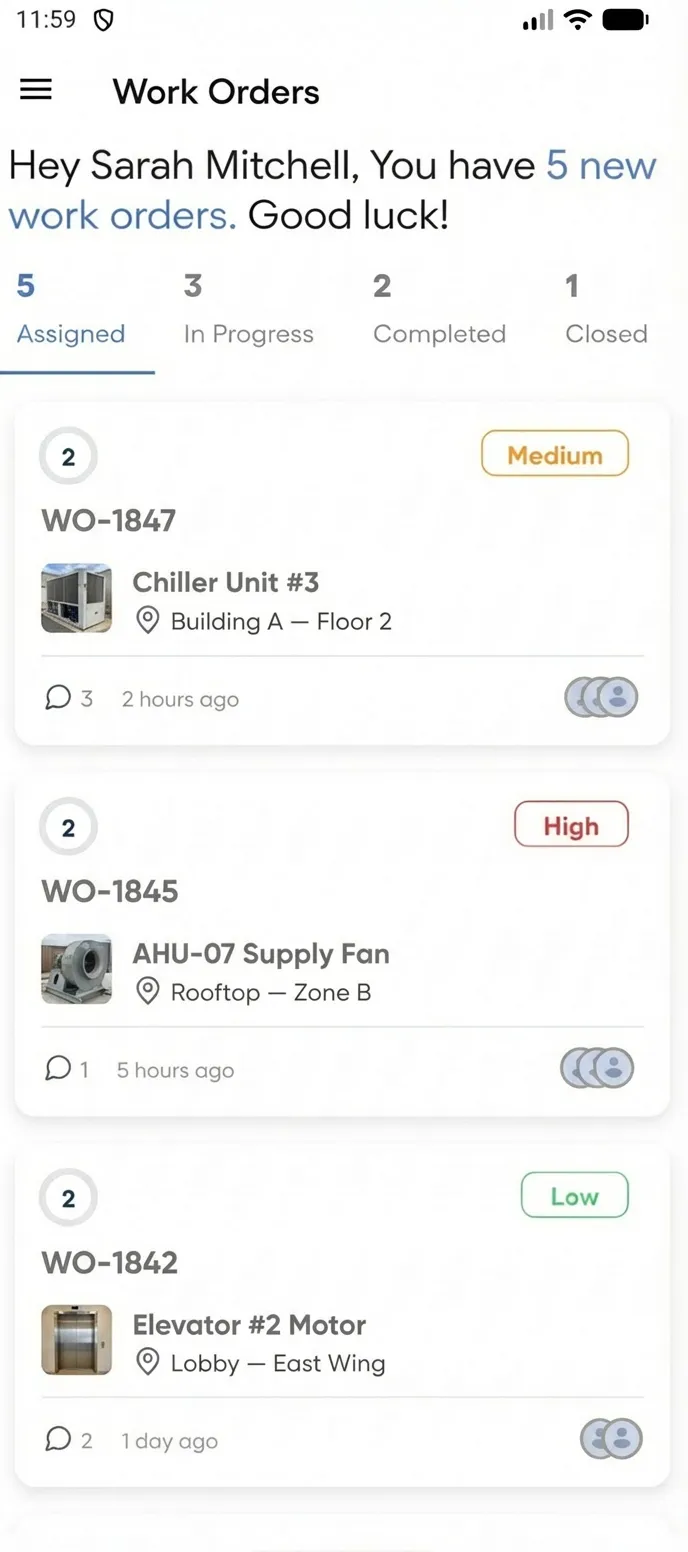
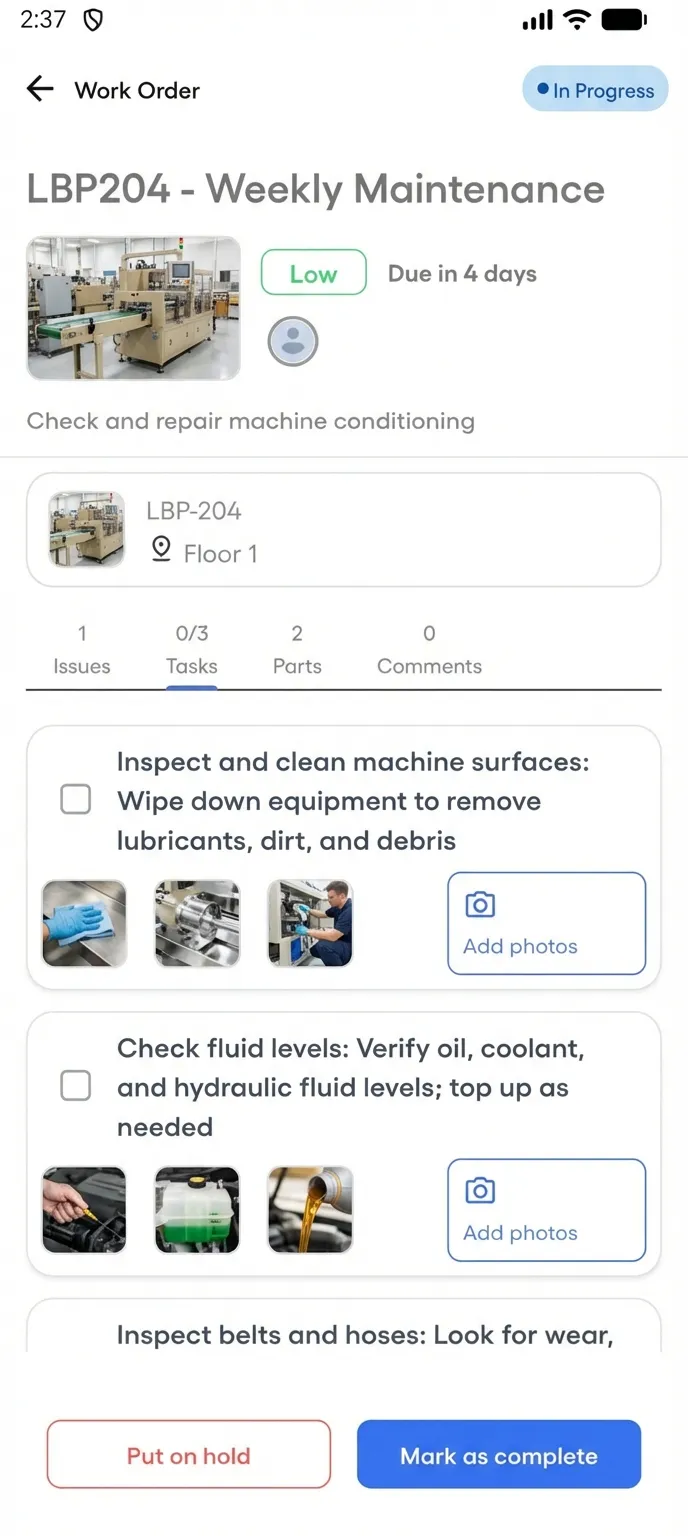
Legacy tools are desktop-only or charge extra for a clunky mobile add-on. FixAhead includes a native Android and iOS app — free with every plan. Technicians manage their full workload from the field.
- Push notifications the moment a job is assigned
- Procedure checklists with photo evidence capture
- Update status, log parts, and close jobs on-site
- Works offline-ready for areas with spotty connectivity
Frequently asked questions
Common questions when migrating from a legacy CMMS.
Can I migrate data from my current CMMS? +
Yes. FixAhead supports bulk import from CSV and Excel. Export your assets, work orders, and maintenance history from your current system, then import into FixAhead with full validation and error reporting.
Does FixAhead have an API? +
Yes. FixAhead provides a REST API for custom integrations with your existing systems — ERP, accounting, IoT sensors, or any other platform your operation depends on.
What about regulatory compliance? +
FixAhead tracks full maintenance history per asset with timestamps, technician records, and procedure completion. Every action is auditable. For industries with specific compliance templates, custom fields and procedures can model any requirement.
Is my data secure? +
FixAhead is cloud-hosted with encrypted data at rest and in transit, role-based access control, and domain-restricted user registration. Your data is backed up daily.
What if FixAhead is missing a feature I need? +
Contact us. We ship fast and prioritize features based on customer needs. Many features in FixAhead today were requested by early adopters and shipped within weeks.
When a legacy CMMS still makes sense
If your organization has deep ERP integrations that can't be replicated, massive historical compliance records that can't be migrated, or regulatory requirements tied to specific vendor templates — tools like Fiix, UpKeep, or Limble may still be justified. But if your team avoids the tool, you're paying for nothing. A CMMS only works when people use it.