FixAhead vs Spreadsheets
Spreadsheets work until they don't. When you're tracking hundreds of assets, coordinating a team, and trying to stay ahead of breakdowns — you need a system built for maintenance.
Feature-by-feature comparison
See exactly where spreadsheets fall short for maintenance management.
| Feature | FixAhead | Spreadsheets |
|---|---|---|
| Preventive maintenance scheduling Auto-generates work orders before due dates | ||
| Work order tracking with status workflow | ||
| MTBF / MTTR reliability analytics | ||
| QR code public issue reporting Anyone scans to report — no account needed | ||
| Role-based access control (4 roles) | ||
| Inventory and parts tracking | ||
| Multi-location hierarchy Unlimited depth with full-path filtering | ||
| Real-time notifications | ||
| 11 built-in report types | ||
| Custom fields (9 types per category) | ||
| Procedure checklists with photo evidence | ||
| Technician skill matching | ||
| Bulk import from CSV/Excel FixAhead validates every row with error reporting | ||
| Export to PDF, Excel, CSV | ||
| Free to start | ||
| Native mobile app (Android + iOS) Technicians manage work orders from the field | ||
| Zero learning curve FixAhead setup takes under 5 minutes |
Preventive maintenance on autopilot
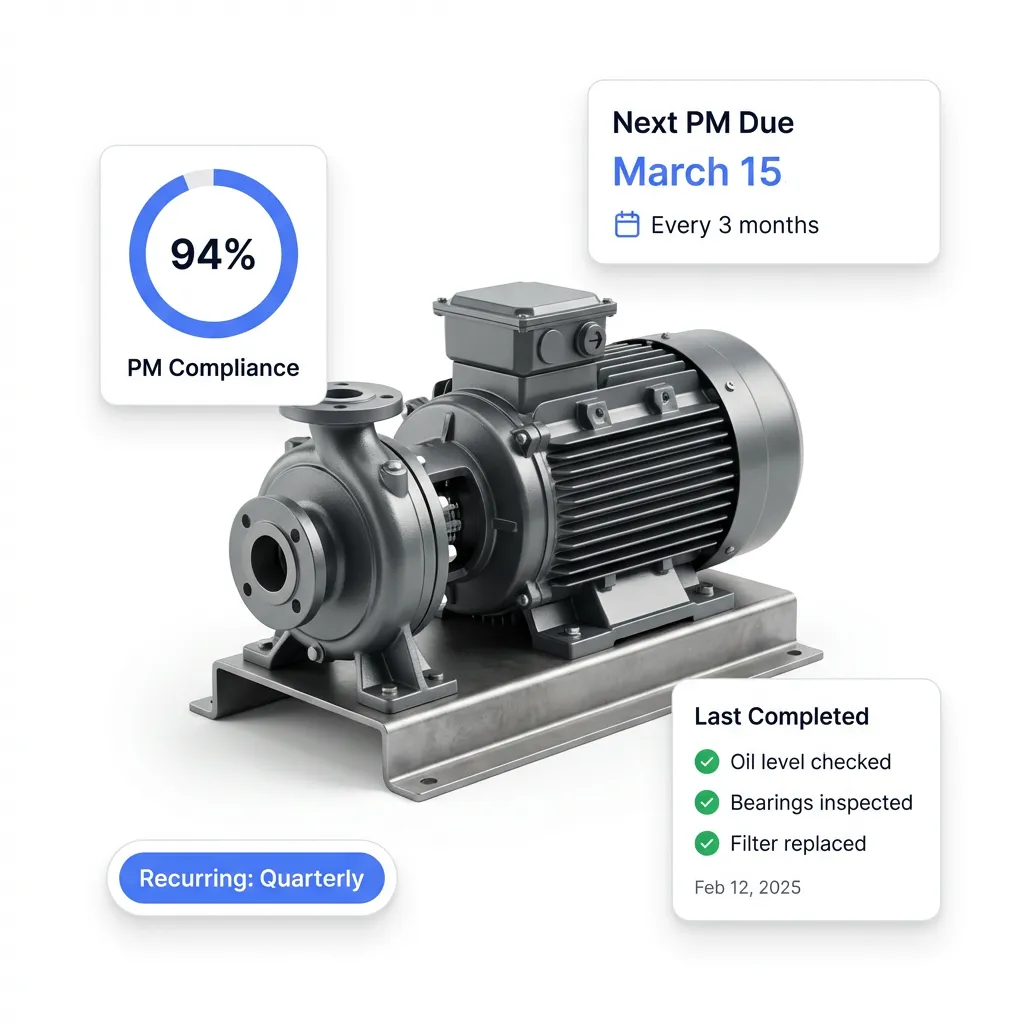
Spreadsheets can't remind you when a PM is due. FixAhead auto-generates work orders on recurring schedules — daily, weekly, monthly, or yearly — so equipment gets serviced before it breaks.
- Recurring schedules with flexible frequency options
- Auto-generated work orders days before the due date
- Procedure checklists ensure consistent execution
- PM compliance tracked per asset and schedule
Every work order tracked from start to finish
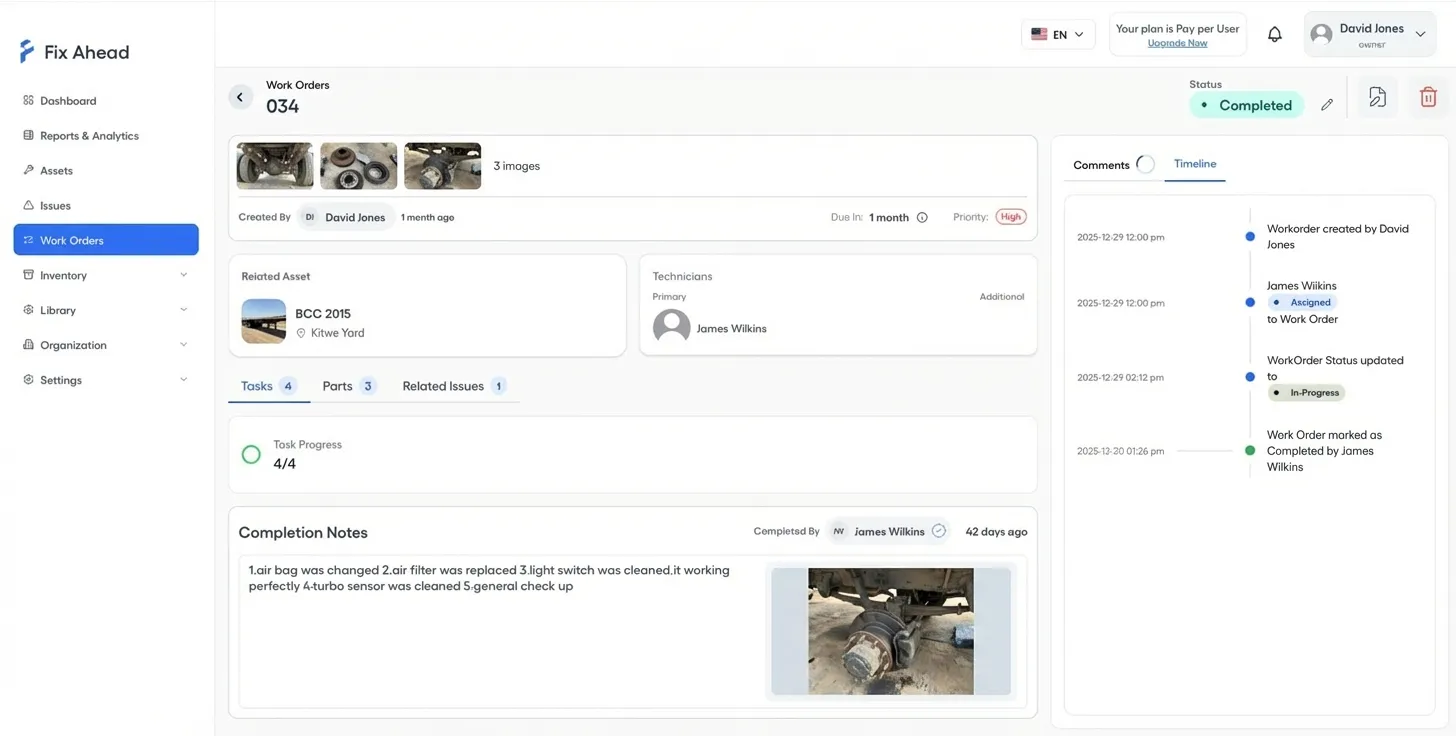
Spreadsheets lose work orders between tabs and email threads. FixAhead tracks every job through a clear workflow — assigned, in progress, completed, closed — with a full audit trail.
- Status timeline shows every action and timestamp
- Assign technicians by skill and availability
- Attach procedure checklists with photo evidence
- Parts used and costs recorded per work order
Your data works for you
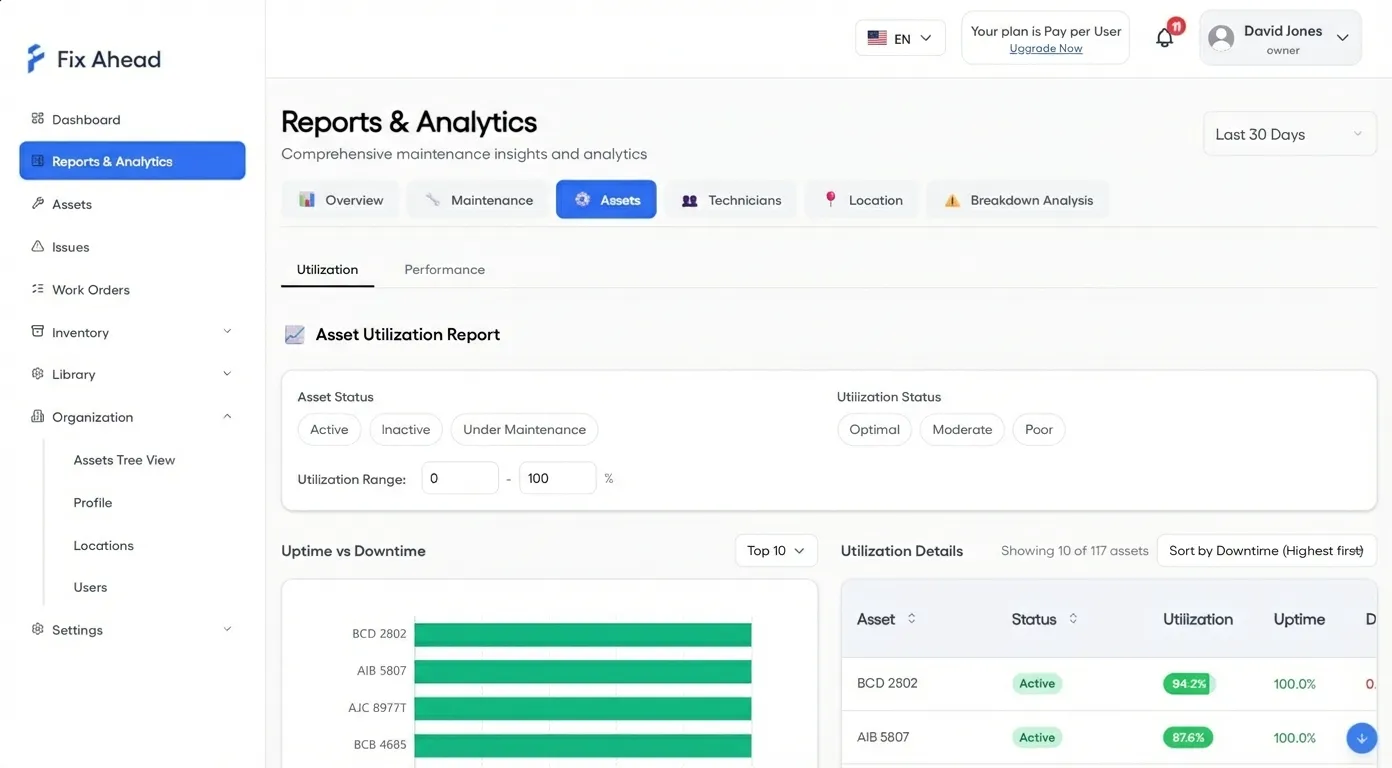
Spreadsheets store data. FixAhead turns it into answers. 11 built-in reports show you which assets fail most, what maintenance costs, whether PMs are on track, and how your team's workload is distributed.
- MTBF and MTTR reliability metrics per asset
- PM compliance tracking by schedule and asset
- Cost analysis by asset, location, or time period
- Export any report to PDF, Excel, or CSV
Accountability built in
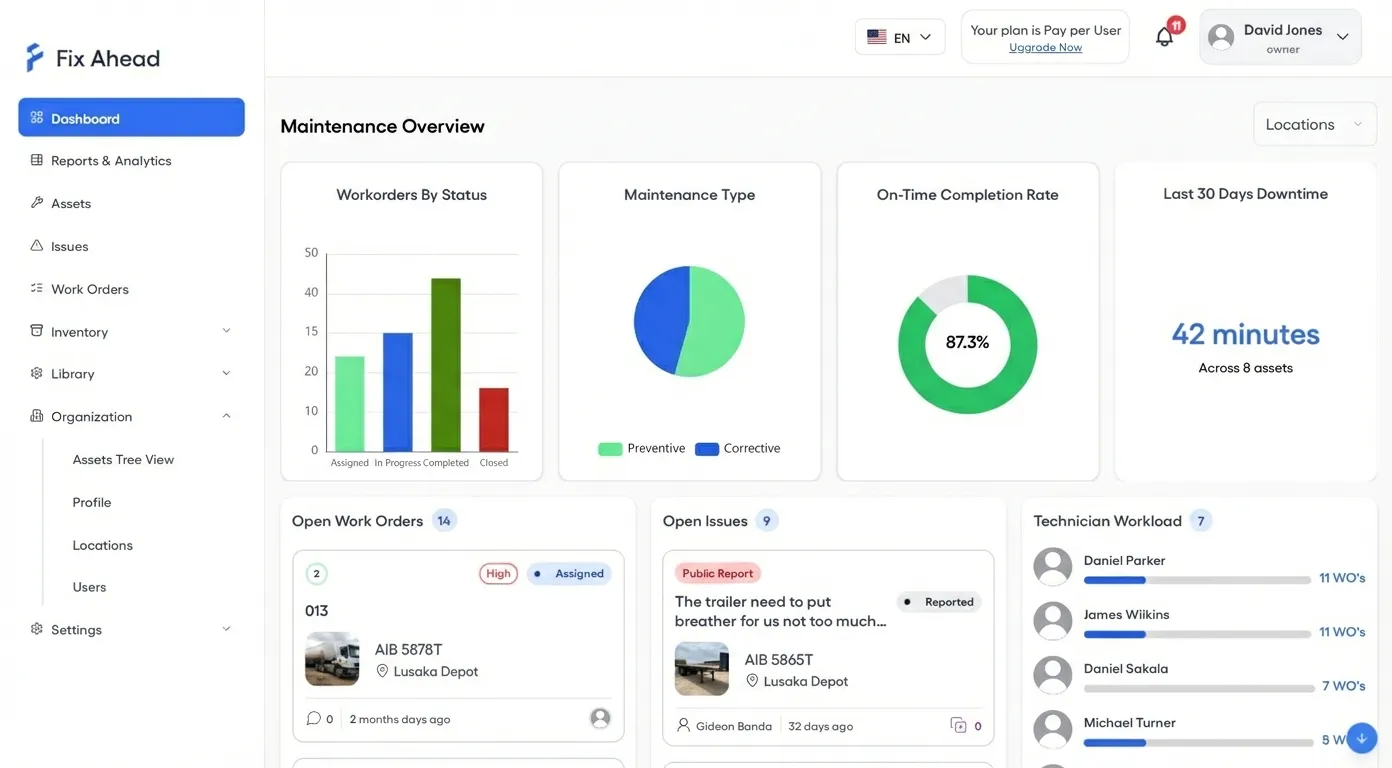
No more wondering who did what. Every work order is assigned, tracked, and timestamped. Your dashboard shows real-time status across the entire operation — no manual updates needed.
- Work order status visible at a glance
- Technician workload and completion rates
- On-time maintenance rate tracked automatically
- Filter everything by location for multi-site ops
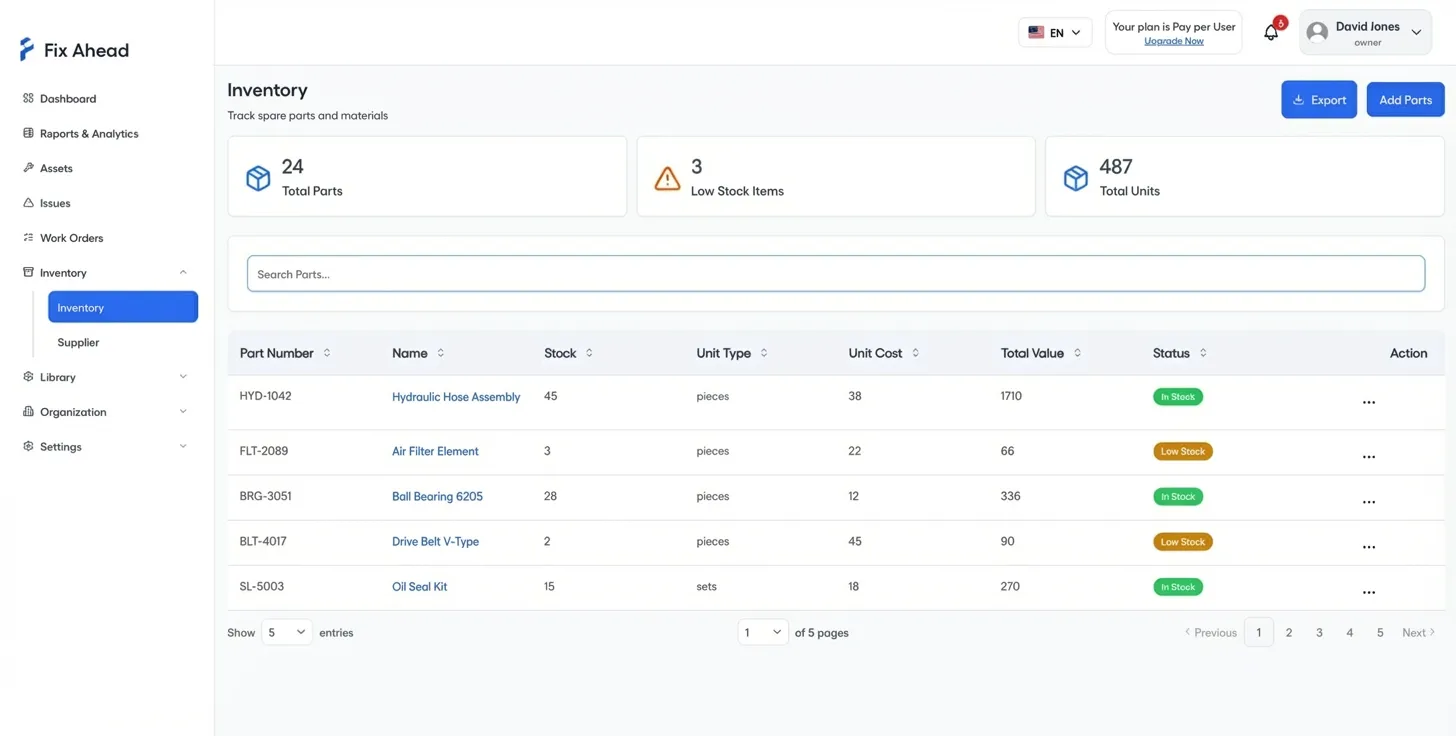
Track every spare part and supplier
A spreadsheet can't alert you when stock runs low. FixAhead tracks parts with 25 unit types, links suppliers, logs every transaction, and ties parts used directly to work orders — so you know exactly what maintenance costs.
- Real-time stock levels with low-stock alerts
- Full transaction history per part
- Supplier management with contact details
- Parts automatically linked to work order costs
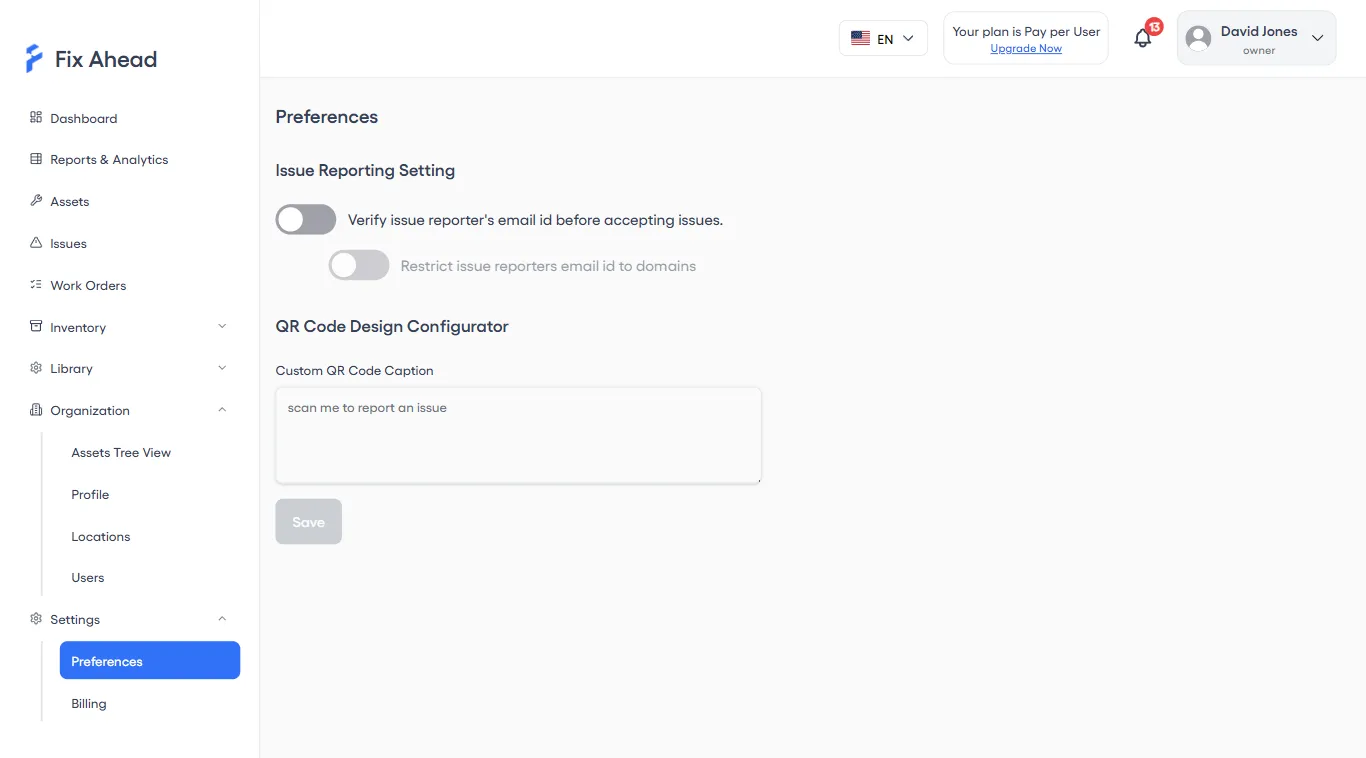
Anyone can report problems
With spreadsheets, only people with access can log issues. With FixAhead, anyone — tenants, guests, floor workers — scans a QR code and submits a report. No login, no training, no friction.
- QR code scanning for instant issue reporting
- Email verification and domain restriction for control
- Issues convert to work orders with one click
- Configurable captions and public form settings
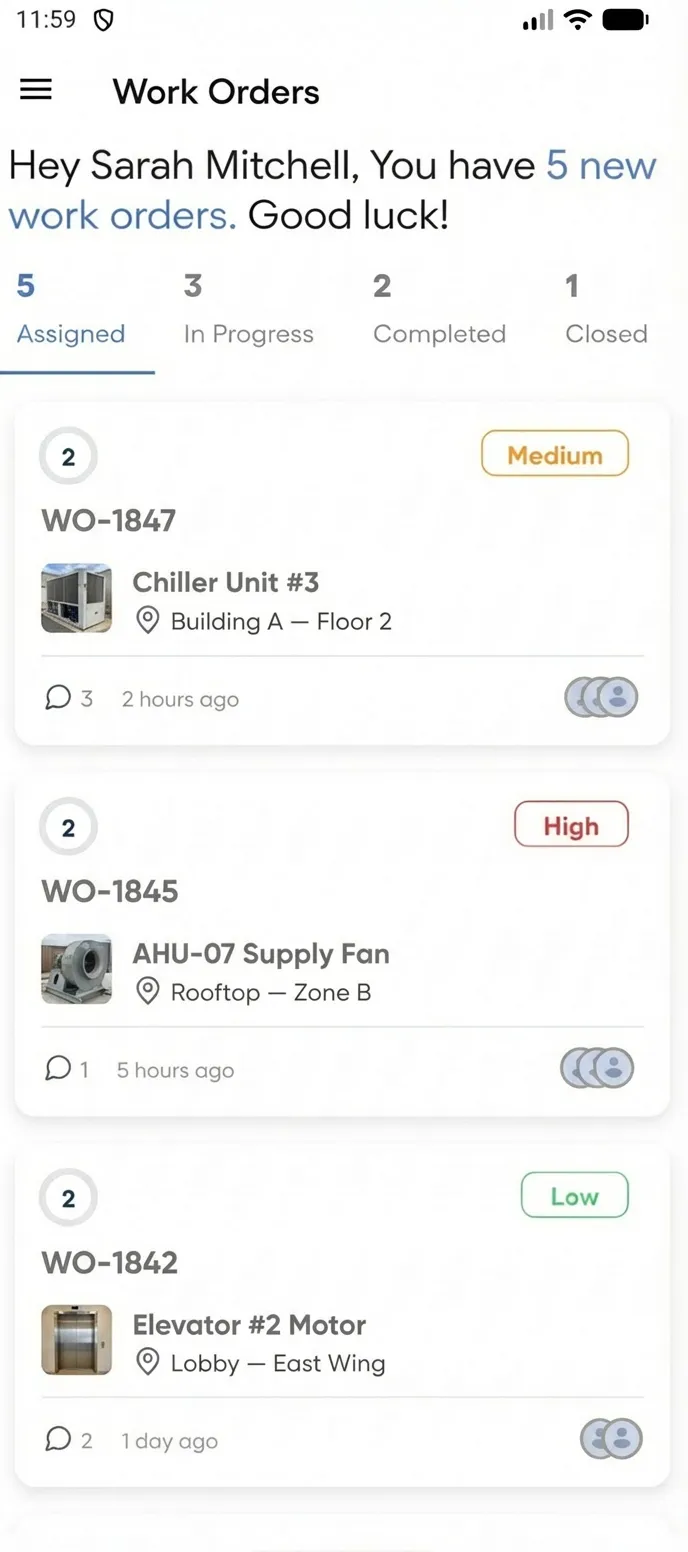
Manage maintenance from the field
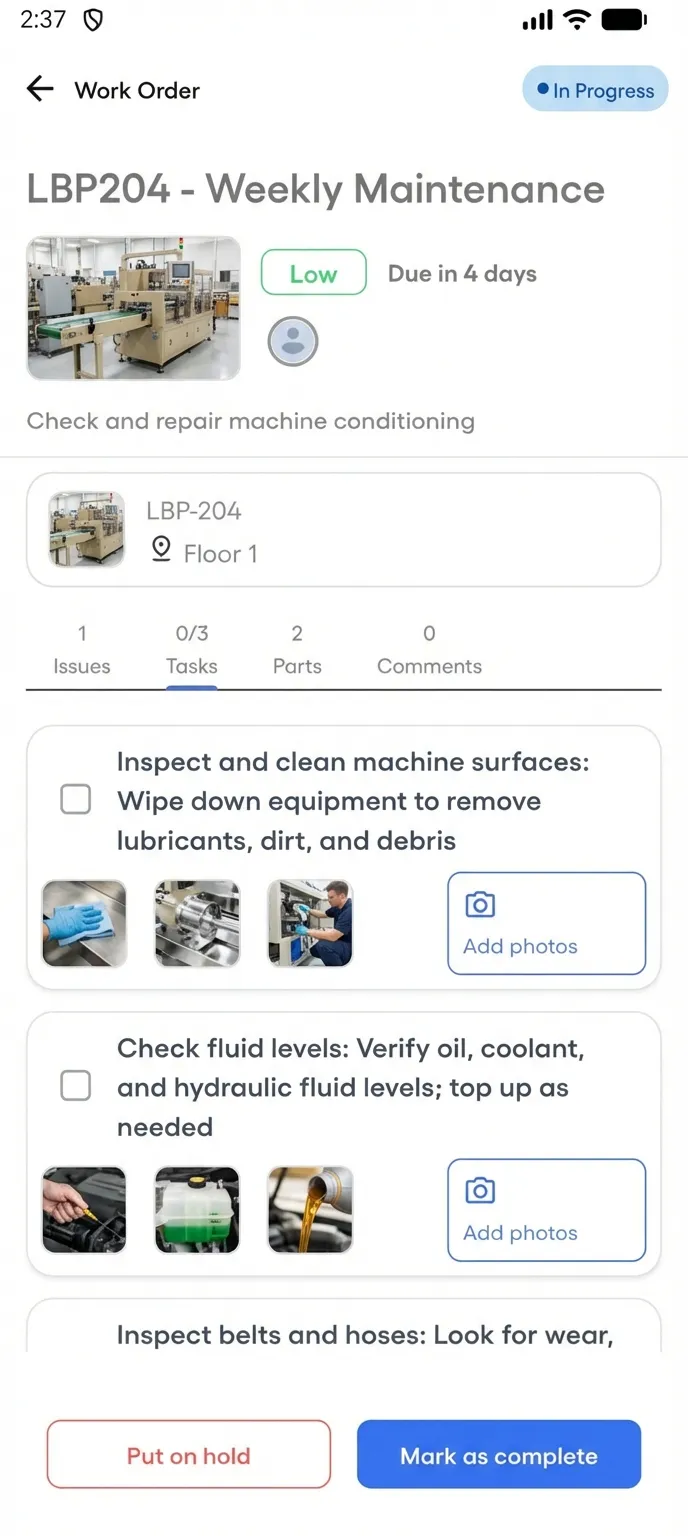
Your spreadsheet stays on the desktop. FixAhead goes where your technicians go. The native mobile app lets your team receive assignments, follow checklists, capture photo evidence, and close work orders — all from their phone.
- Push notifications the moment a job is assigned
- Procedure checklists with photo evidence capture
- Update work order status in real time from the field
- Works on Android and iOS — free with every plan
Frequently asked questions
Common questions when switching from spreadsheets to FixAhead.
Can I import my existing spreadsheet data? +
Yes. FixAhead supports bulk import from CSV and Excel files with a validation preview. Every row is checked before import — errors are flagged, not silently dropped. A template is provided to map your columns.
How steep is the learning curve compared to spreadsheets? +
Most teams are productive within an hour. The interface is designed for maintenance professionals, not IT specialists. Work orders, assets, and PM schedules follow intuitive workflows — no formulas or macros required.
Is FixAhead worth it for a small team? +
The Free plan includes unlimited assets, unlimited work orders, and 2 users — with no time limit. Small teams get preventive maintenance scheduling, issue reporting, and a real dashboard at zero cost.
Can I still export data to Excel? +
Absolutely. Every report, asset list, and work order summary can be exported to Excel, CSV, or PDF. Your data is never locked in.
How does FixAhead compare to Google Sheets or Airtable? +
Google Sheets and Airtable are general-purpose tools. FixAhead is built specifically for maintenance: PM scheduling, work order workflows, reliability analytics, and QR-based issue reporting are built in — not bolted on with formulas and add-ons.
When spreadsheets still work
If you manage fewer than 10 assets at a single location with one person responsible — a spreadsheet is fine. But the moment you add a second technician, a second location, or a preventive schedule, you need accountability, automation, and audit trails that spreadsheets can't provide.