
Manufacturing CMMS software to get lines running
Operators scan the machine's QR code and report with a photo, no app or login. Technicians and managers work assigned jobs, scan asset QR codes, and log hours on Android.
- Free forever plan, no card. Free data migration.
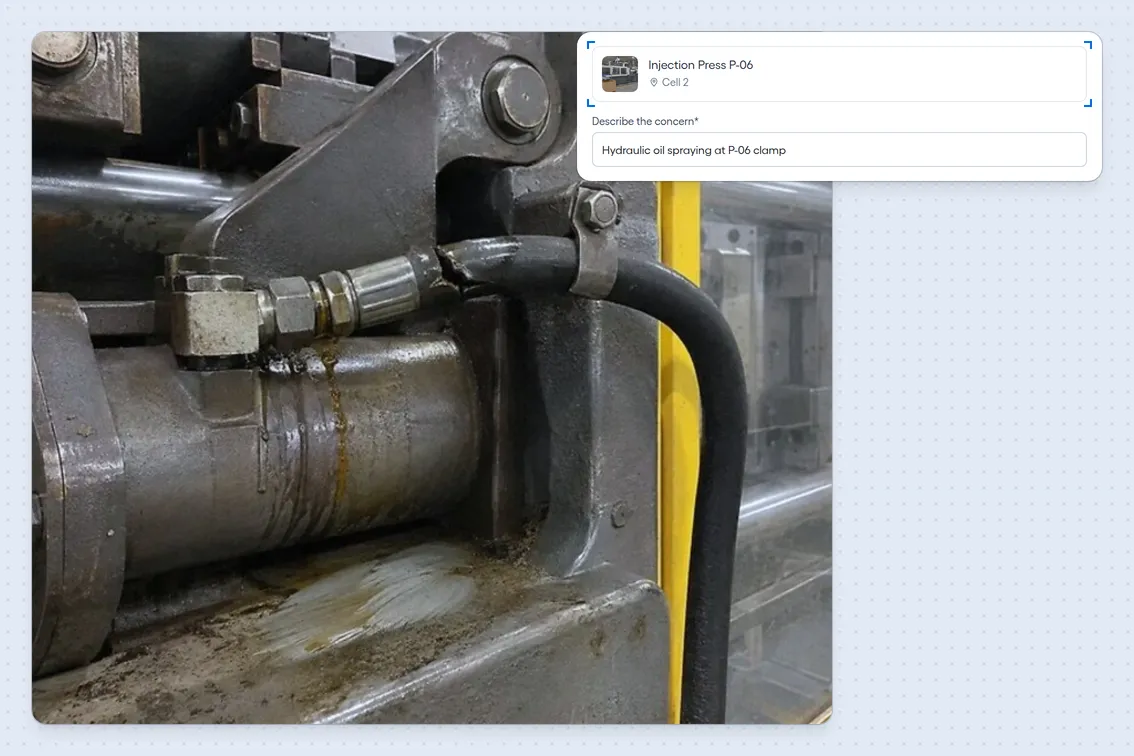
Show the PM record when an auditor asks
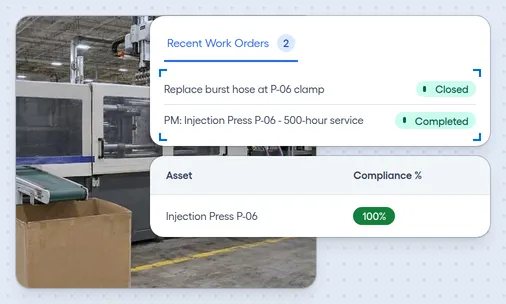
Each machine keeps its PM and repair history, photos, and signed reports, ready for an ISO 9001, IATF 16949, or food-safety audit.
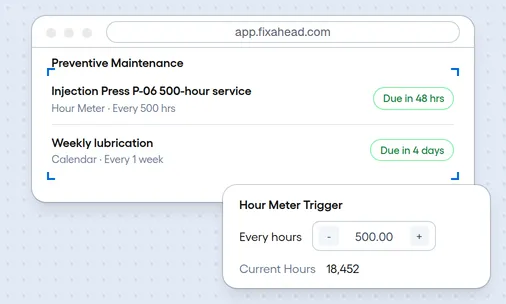
Service each machine by date or running hours
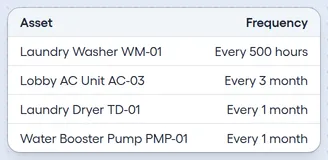
A calendar PM's work order arrives the days you choose before its due date; an hour-meter PM's, such as a 500-hour service, arrives when the reading reaches it.
- A procedure on every PM. Attach the procedure to the schedule, and each generated work order carries its tasks.
- Hour-meter readings. Log the machine's hours on Asset Health or directly from the Android app at the press, with the latest reading and hours remaining visible.
- Many machines, one schedule. Tag machines for one PM schedule in bulk, and a newly tagged machine picks it up.
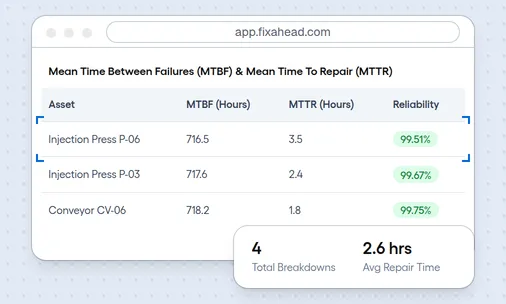
See which machines stop the line
MTBF and MTTR show repeat failures and repair times, while each machine's record shows total downtime from breakdowns.
- Breakdowns by root cause. Breakdown codes sort failures by type and cause in Breakdown Analysis.
- History across shifts. The work-order timeline records who created it and each status change, with its date and time.
- The dashboard by production area. Narrow work order status, downtime, and overdue work to one area of the plant.
How a twelve-press molder would run it
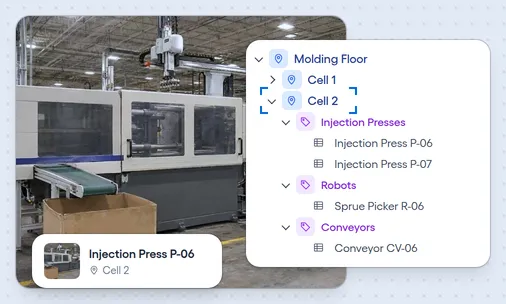
Say you run maintenance for a custom injection molder: one plant, 64 people on two shifts, and twelve presses in two cells, with four technicians, one of them on second shift. Each cell and its presses sit in the location tree, beside the robots, conveyors, resin dryers, chiller, and compressor that keep them running.
- Operators report on either shift. A first-shift press lead or a second-shift operator scans the press's QR code and reports with no account.
- Parts planned before the job. Plan the hose or heater band on the work order, or let the technician add parts directly from the Android app at the press.
- Critical spares marked. Flag the parts a press can't run without, and see which one is on order at zero stock.
From the maintenance blog
 Read the post
How do you know preventive maintenance is really being done?
A checklist can be signed without the work being done, so look for specific tasks, proof on the steps that matter, and spot checks in person.
How it works
A stopped machine goes from the operator who sees it to the technician who fixes it, and onto the machine's record.
Step 1
The operator scans the machine
They report the problem with a photo, with no app or login.
Step 2
You assign a technician
Turn the report into a work order, and it reaches their Android phone.
Step 3
The technician gets it running
They scan the machine's QR code, follow the procedure in glove mode or dark mode, add parts used, and complete it at the machine—even offline.
Step 4
The machine's record grows
The job, its breakdown code, and its downtime stay on the machine for the next audit.
Free maintenance templates
Checklists and forms for your trade's equipment, each ready to download and use.
 Open the template
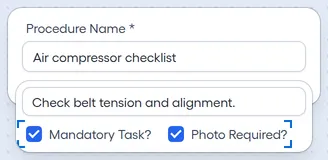
Air compressor checklist
An air compressor checklist grouped by frequency, with the receiver tank and pressure-relief checks made on each visit.
 Open the template
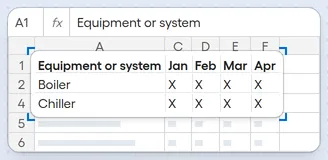
Annual maintenance schedule
Recurring maintenance for common building equipment, by frequency and month.
 Open the template
Asset register
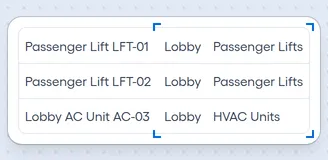
The equipment and assets a site holds, each by name and description, with its manufacturer, model, location, category and tags.
 Open the template
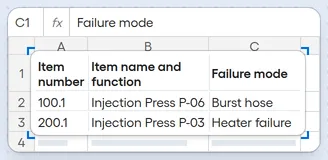
FMEA worksheet
Failure mode and effects worksheet, with its severity, occurrence and detection scales.
 Open the template
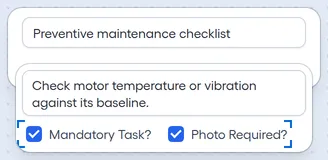
Preventive maintenance checklist
A preventive maintenance checklist for rotating equipment, such as motors, pumps, belts, and drives, grouped by how often each check is due.
 Open the template
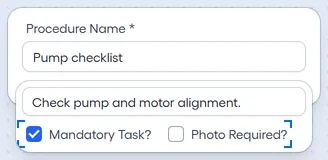
Pump checklist
A pump checklist grouped by frequency, covering seals, valves, bearings, alignment, and guards, with the bearing regrease by running hours.
 Open the template
Work order form
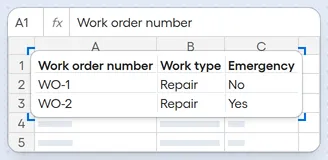
One work order from request to completion, with time, parts and any charge to the occupant.
 Open the template
Workplace safety inspection checklist
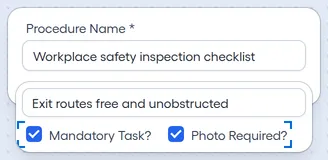
Walk-through, shift, monthly and annual checks of walking surfaces, exits, fire protection, electrical, machinery and postings.
Questions plants ask before they start
Do I pay for every technician on every shift?
Not when you pay by assets: users have no limit, so your whole maintenance team gets logins.
Can you load our machine list?
Yes. Send us your spreadsheet and we load it free, or import it from the asset template and see each row's errors first.