Get ahead of breakdowns
Reactive maintenance costs 3-9x more than preventive. If you're waiting for failures, you're already paying too much. FixAhead automates your PM schedules so equipment gets serviced before it breaks.
Flexible recurring schedules
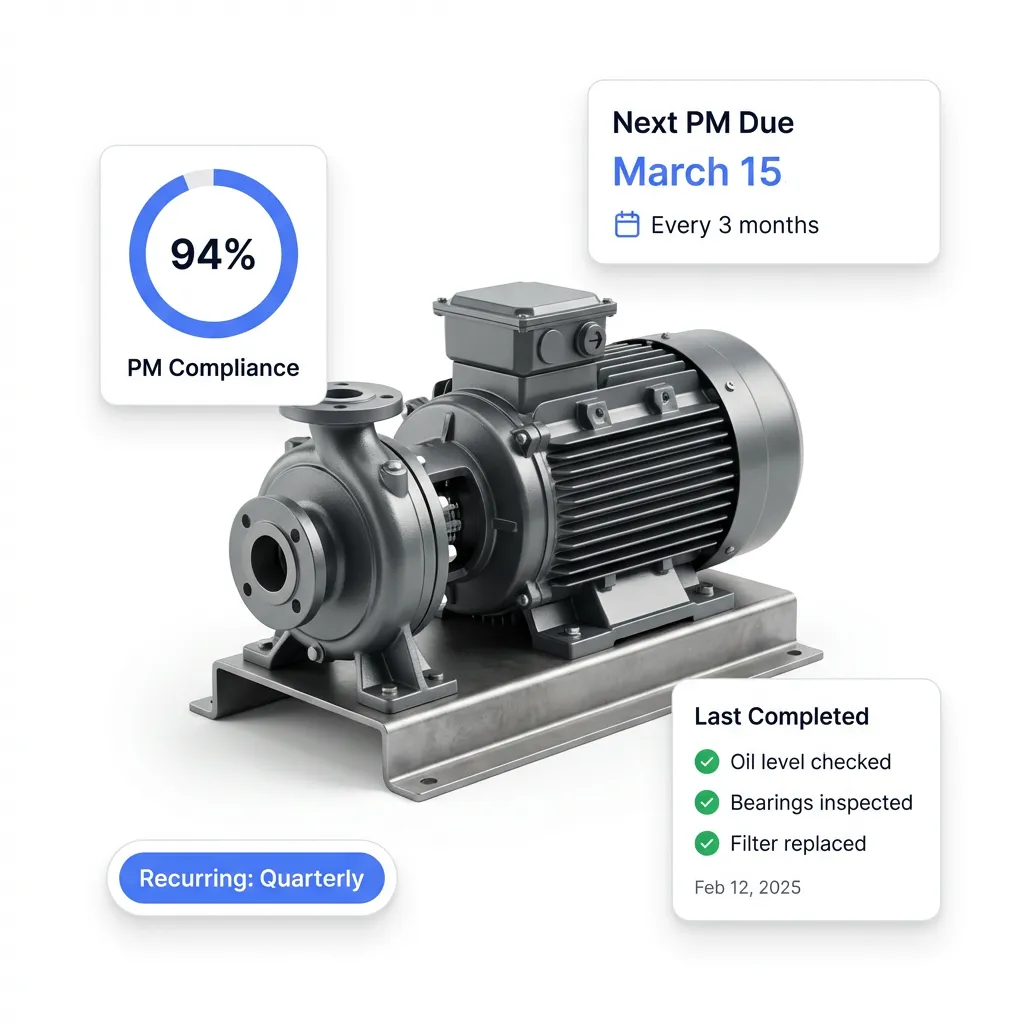
Set up preventive maintenance on any frequency — daily, weekly, monthly, or yearly. Define start dates, end dates (or never-ending), and work orders made ahead, so your team always has time to prepare.
- Daily, weekly, monthly, and yearly frequencies
- Never-ending or fixed-duration schedules
- Work orders made ahead, with the lead time you set
- Assign multiple assets per schedule using tags
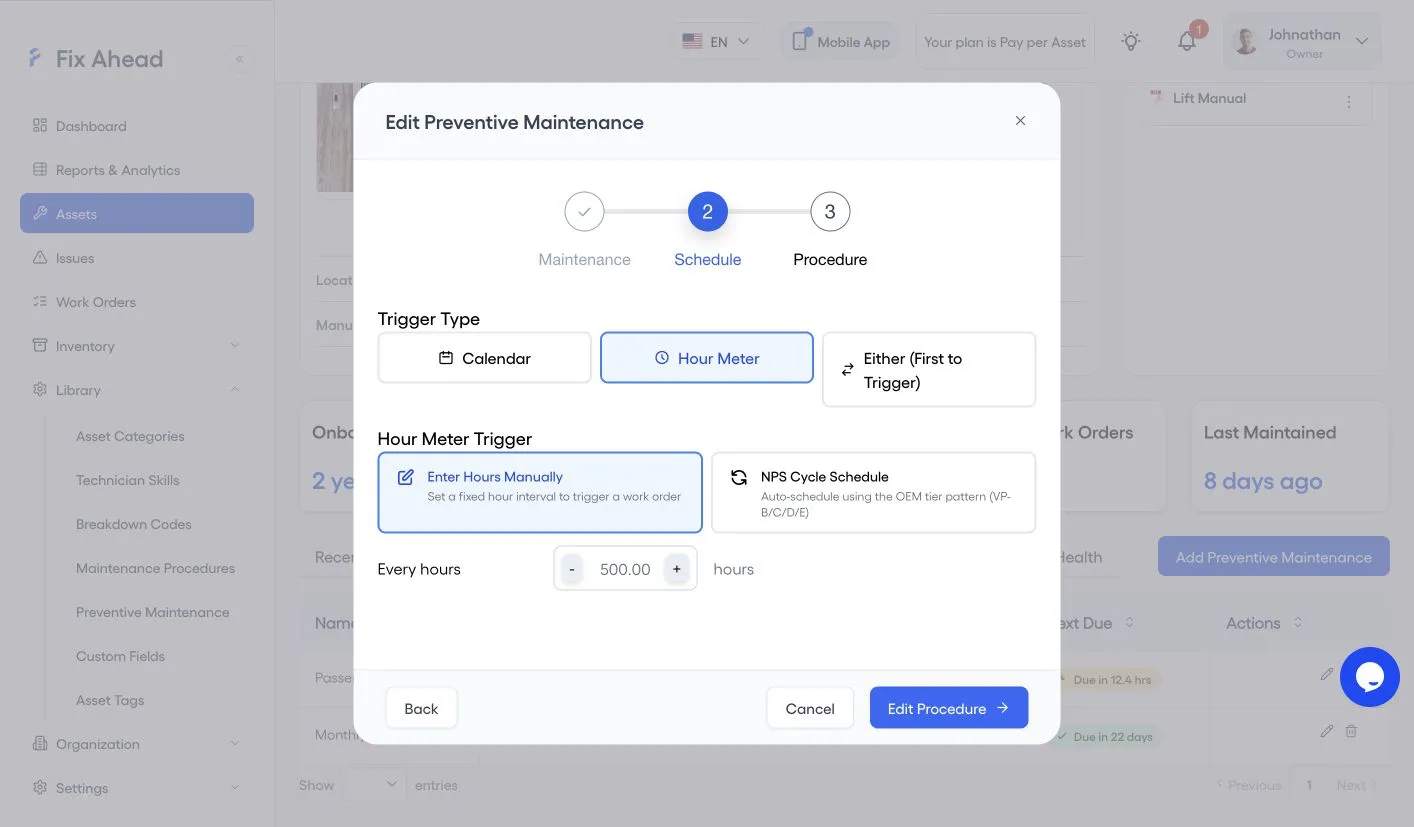
- Trigger a schedule by Calendar, Hour Meter, or Either (First to Trigger)
- Hour Meter: enter the hours between work orders, or follow an NPS Cycle Schedule
Put many assets on one schedule by tag
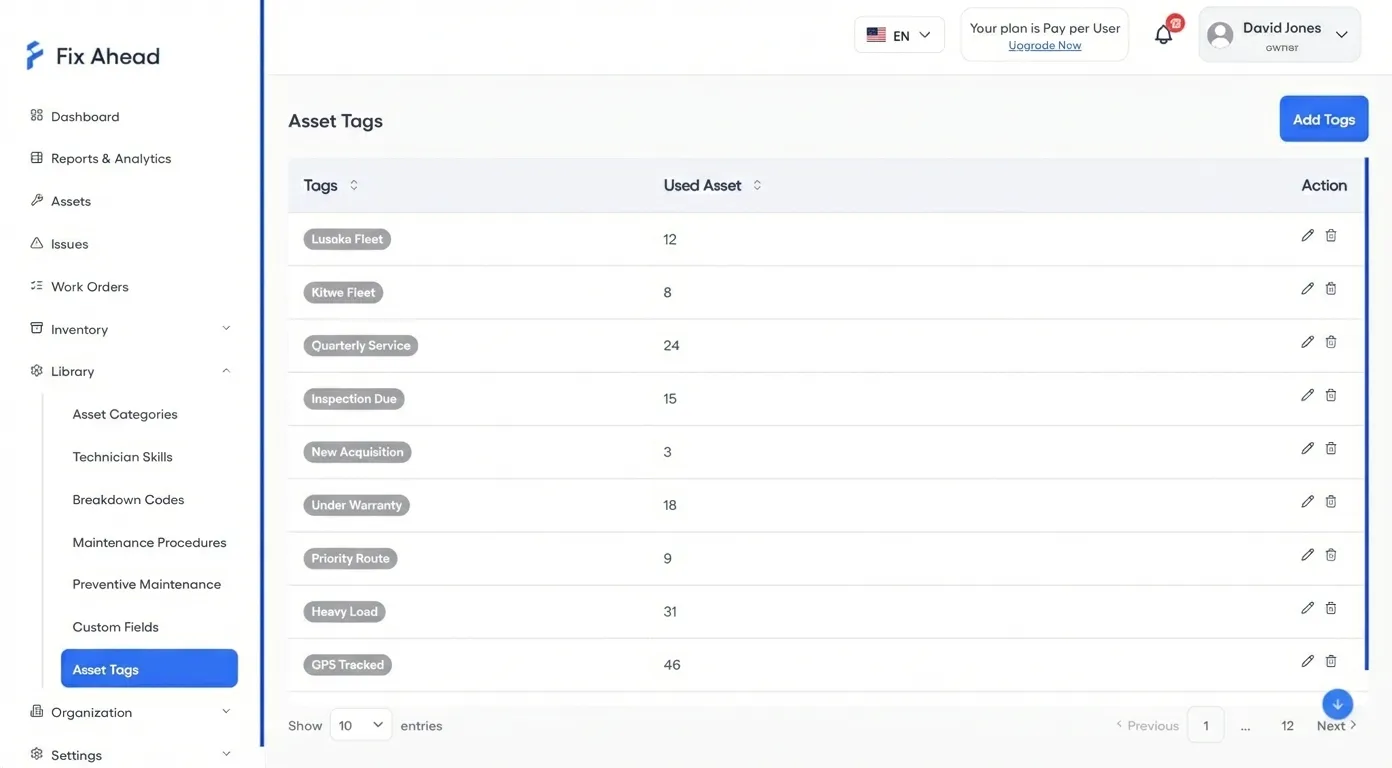
Tag groups of assets and assign them to PM schedules in bulk. When you add a new asset with that tag, it picks up the schedule automatically — no manual work required.
- Tags to group assets
- One schedule can cover dozens of assets
- New assets pick up schedules automatically through their tags
Procedure linking and skill matching (Pro)
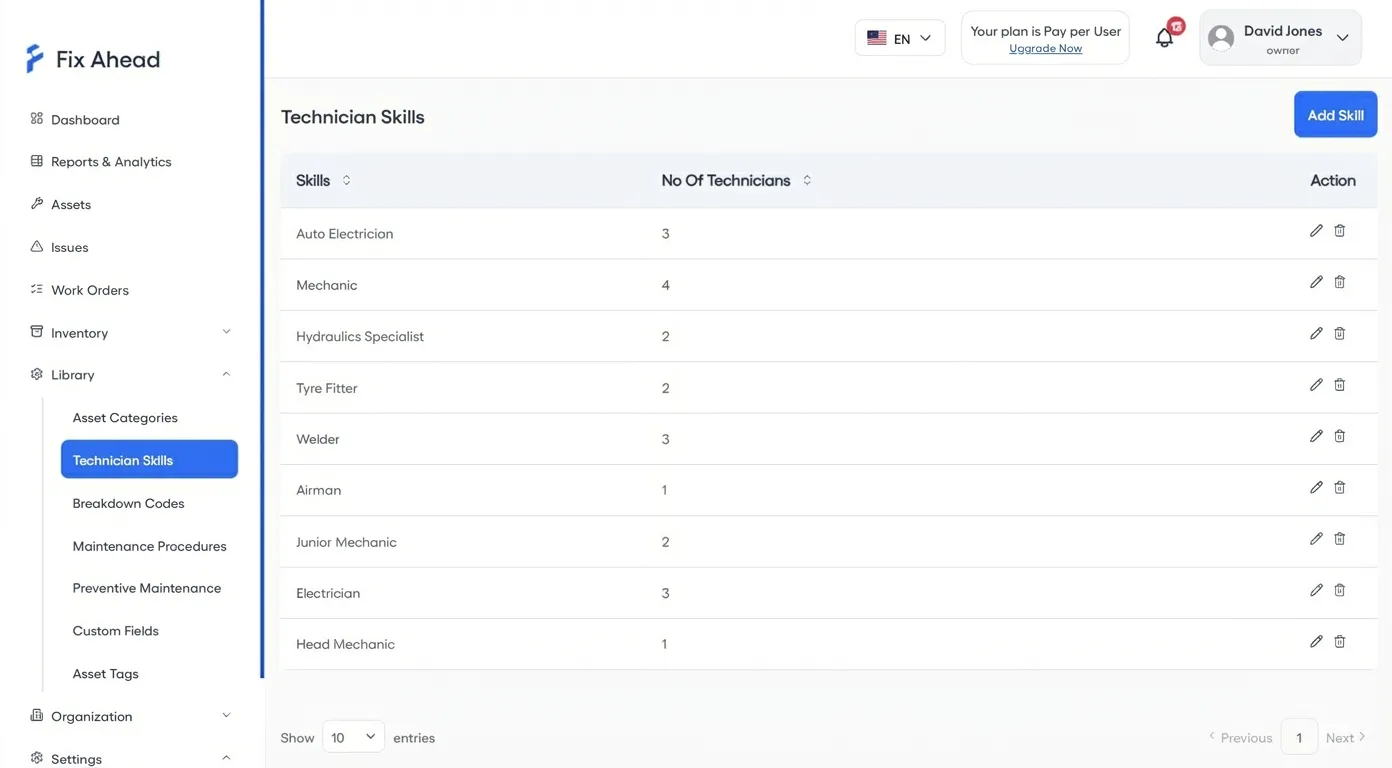
Link maintenance procedures to PM schedules so technicians know exactly what to do. Skill matching ensures the right technician is assigned — not just whoever is available.
- Link reusable procedures with step-by-step checklists
- Attach parts to a PM schedule
- 9 skill types to match technicians with
- Auto-suggest technicians based on required skills
Track PM compliance across your operation
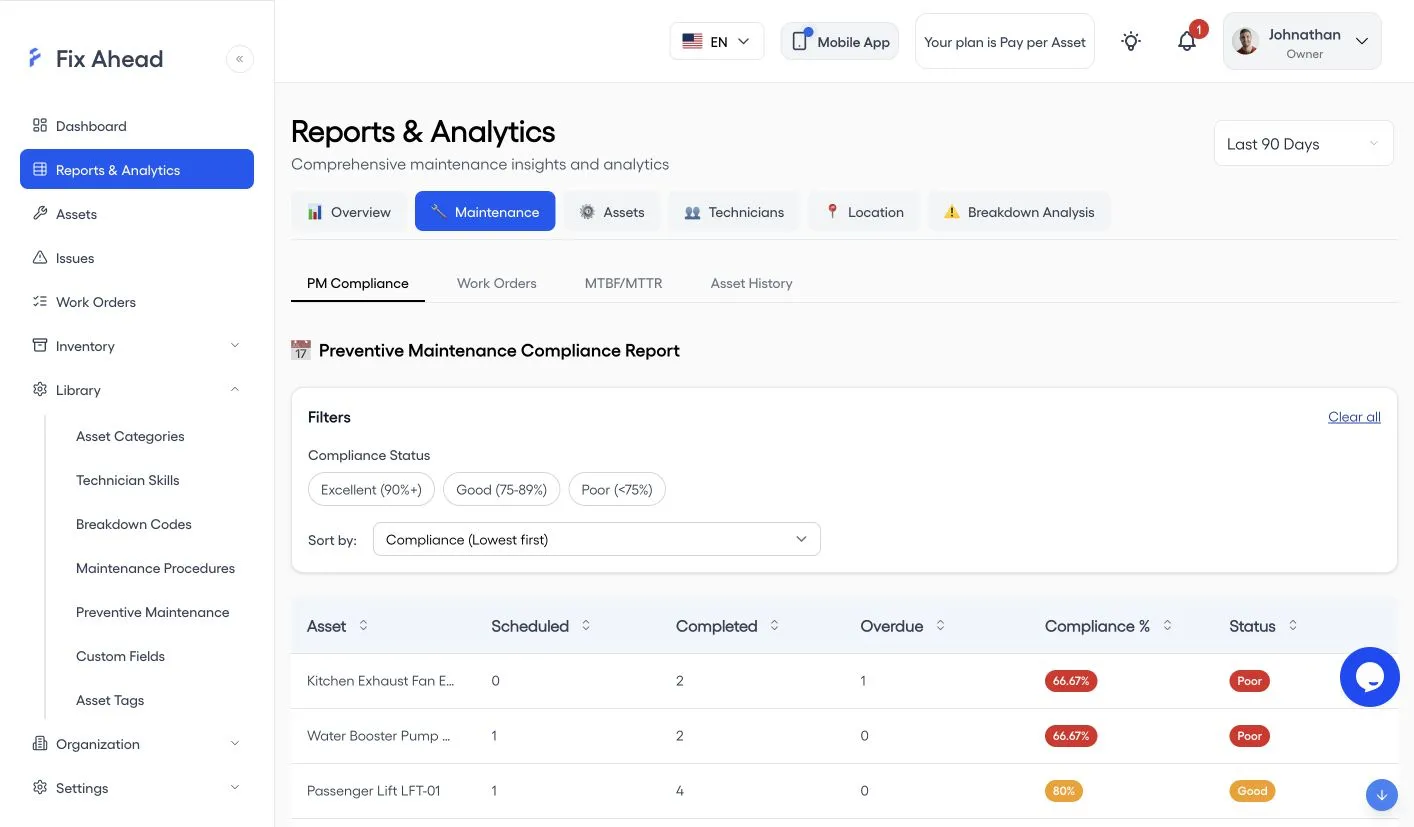
Know exactly which assets are on track, which have overdue PMs, and which are falling behind. PM compliance reports give you the data to hold your team accountable and prove audit readiness.
- PM compliance percentage for each asset, filtered by Excellent, Good, or Poor
- Alerts for overdue tasks, with escalation (Pro)
- Every completed PM shows when it was done, on its work order
- Trend analysis to spot declining compliance early
Do PMs in the field, on the mobile app
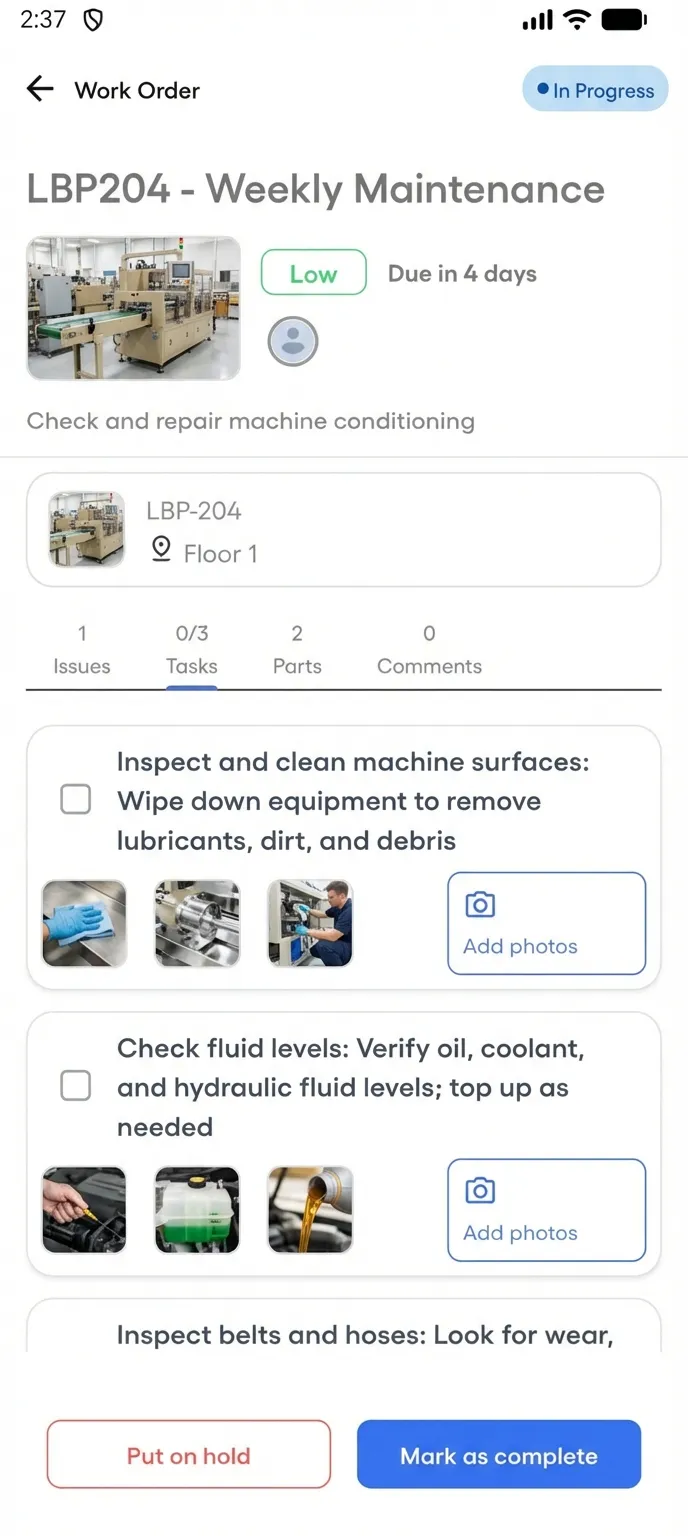
Technicians receive PM work orders on their phone, follow guided checklists (Pro) step by step, and capture photo evidence — all without returning to a desk. The Android app works offline for assigned work orders, and the work syncs when the connection returns.
- Push notifications when PM work orders are assigned
- Step-by-step procedure checklists on mobile
- Photo evidence attached to any task
- Mark complete with notes and a photo, once required tasks are done