Energy CMMS software where no request gets lost
Reports come in by QR code to one queue, and a plant billed on its equipment signs in every technician.
Free forever, no card needed
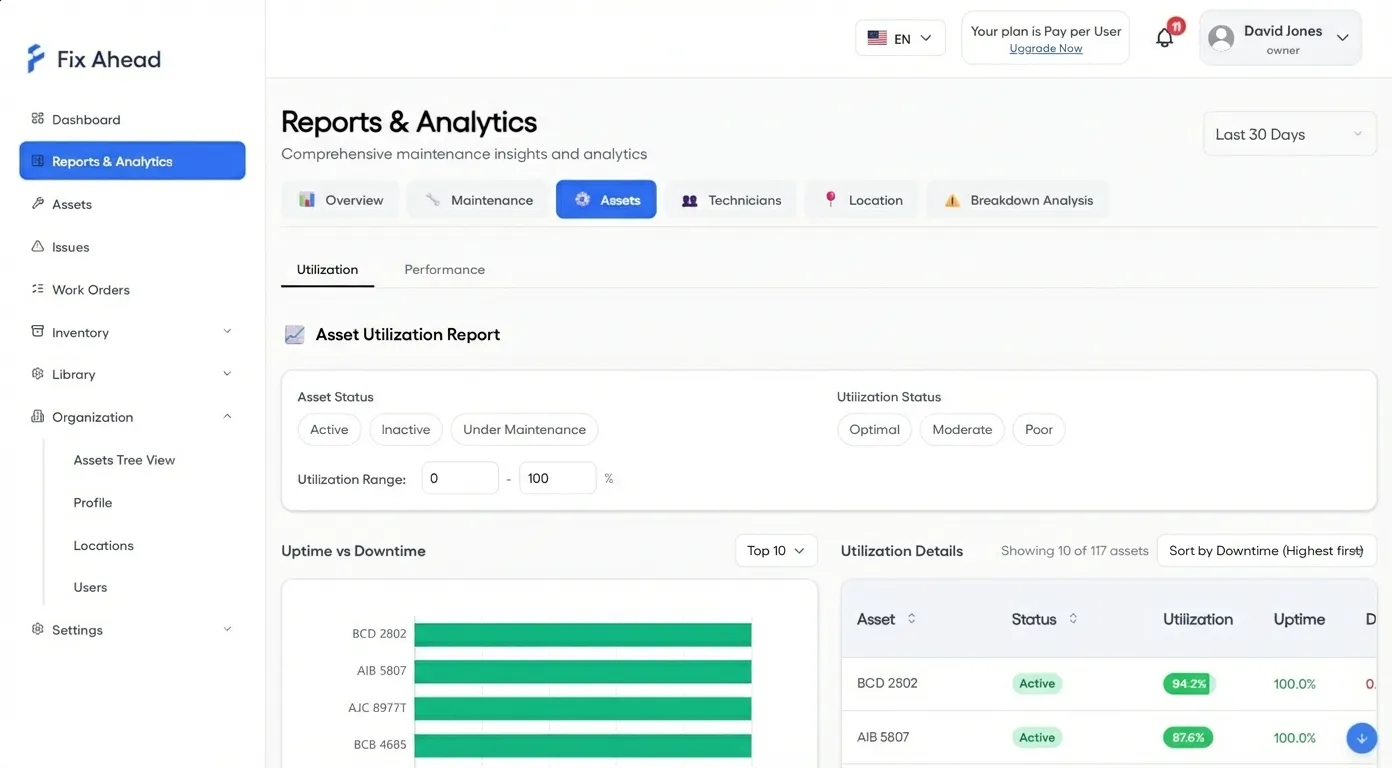
Reliability figures for each asset (Pro)
MTBF/MTTR, total breakdowns, uptime hours, and reliability percentage per asset. Use each asset's figures to decide which equipment needs replacement or increased maintenance investment.
- MTBF and MTTR per asset and category
- Uptime and downtime breakdown
- Criticality for each asset, worked out from its breakdowns and MTBF: Critical, High, Medium, or Low
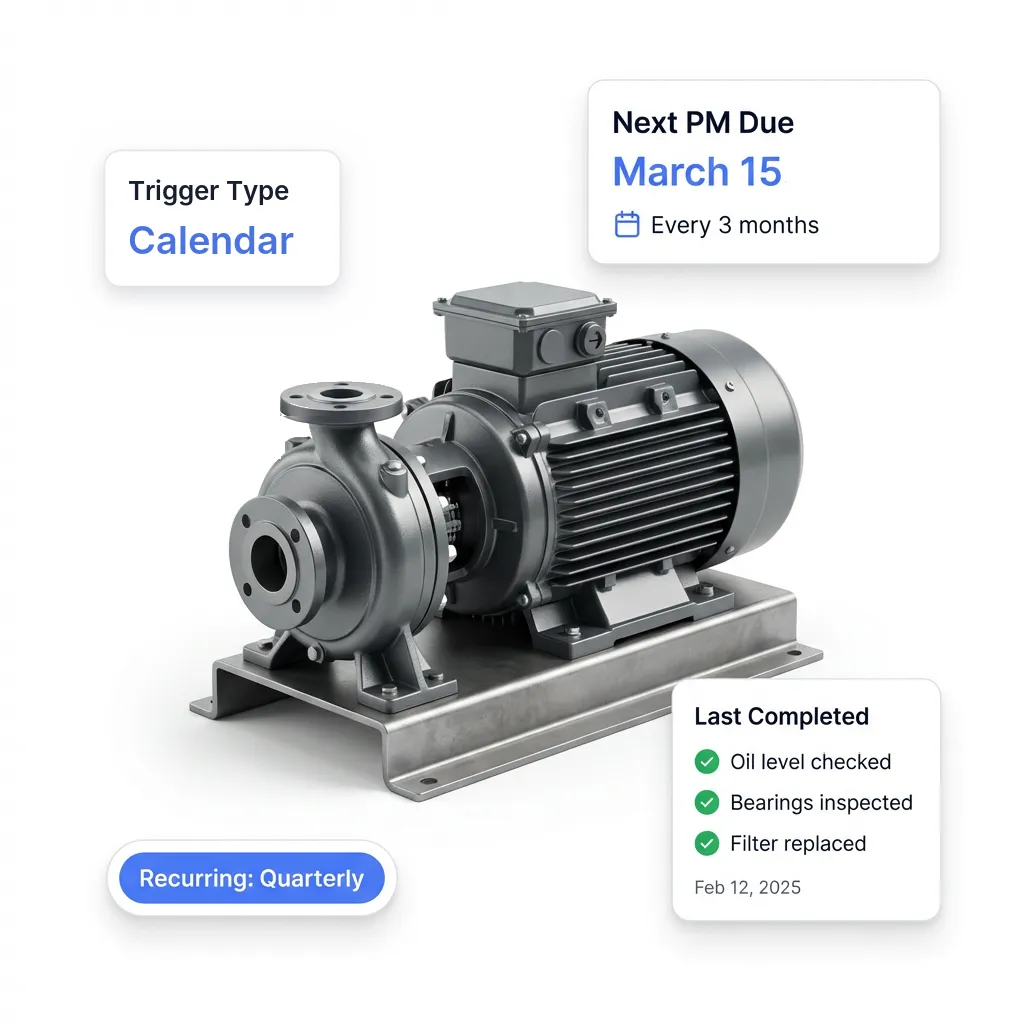
PM work orders at the maker's intervals
Schedule inspections, oil changes, filter replacements, and calibrations at manufacturer-recommended intervals. FixAhead creates work orders ahead of the due date, with procedure checklists (Pro).
- Manufacturer-recommended maintenance intervals
- Work orders created ahead of the due date, with linked procedures
- PM compliance tracking per asset and schedule
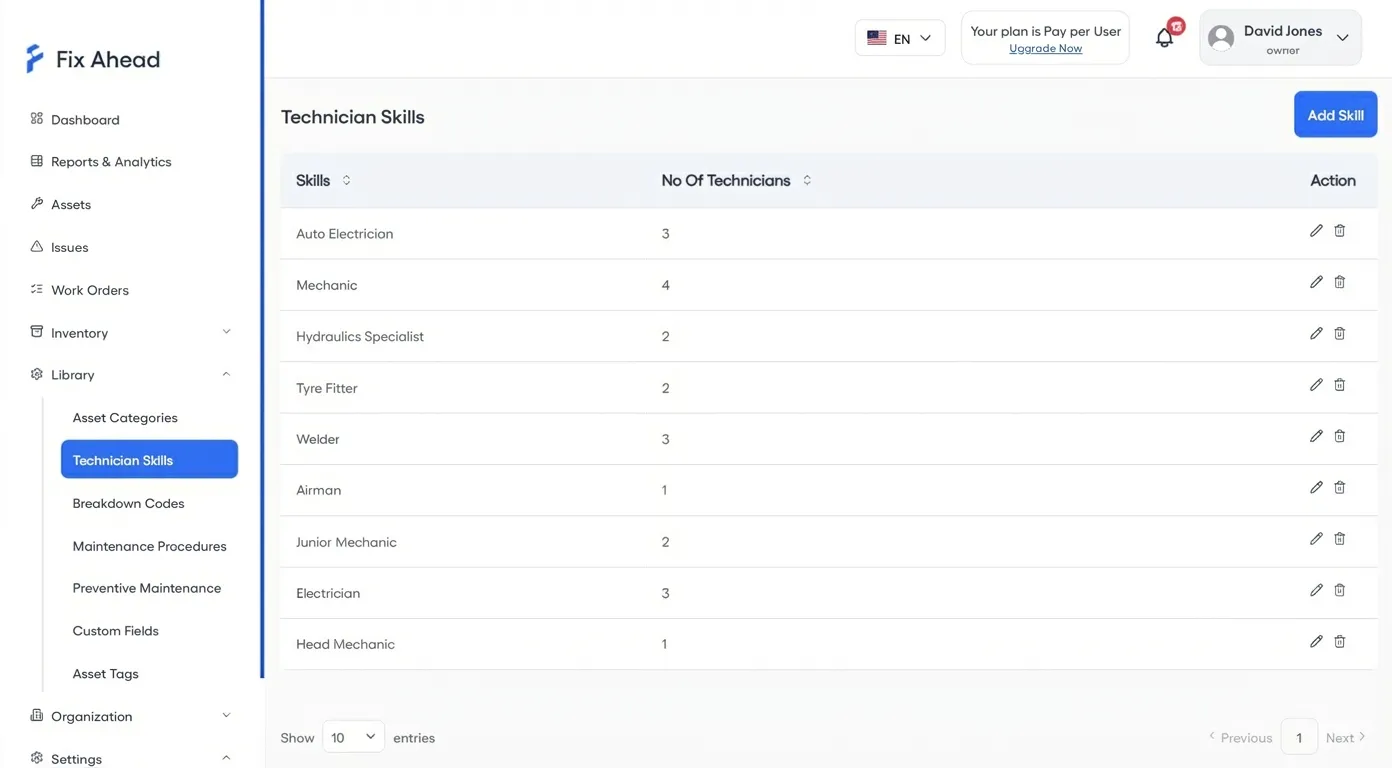
Technician skills matched to each PM (Pro)
Register technician skills (Pro), such as electrical, mechanical, instrumentation, and welding, and match them to PM schedules.
- 9 skill types to match technicians with
- Skill requirements per PM schedule
- Auto-suggest qualified technicians for assignments
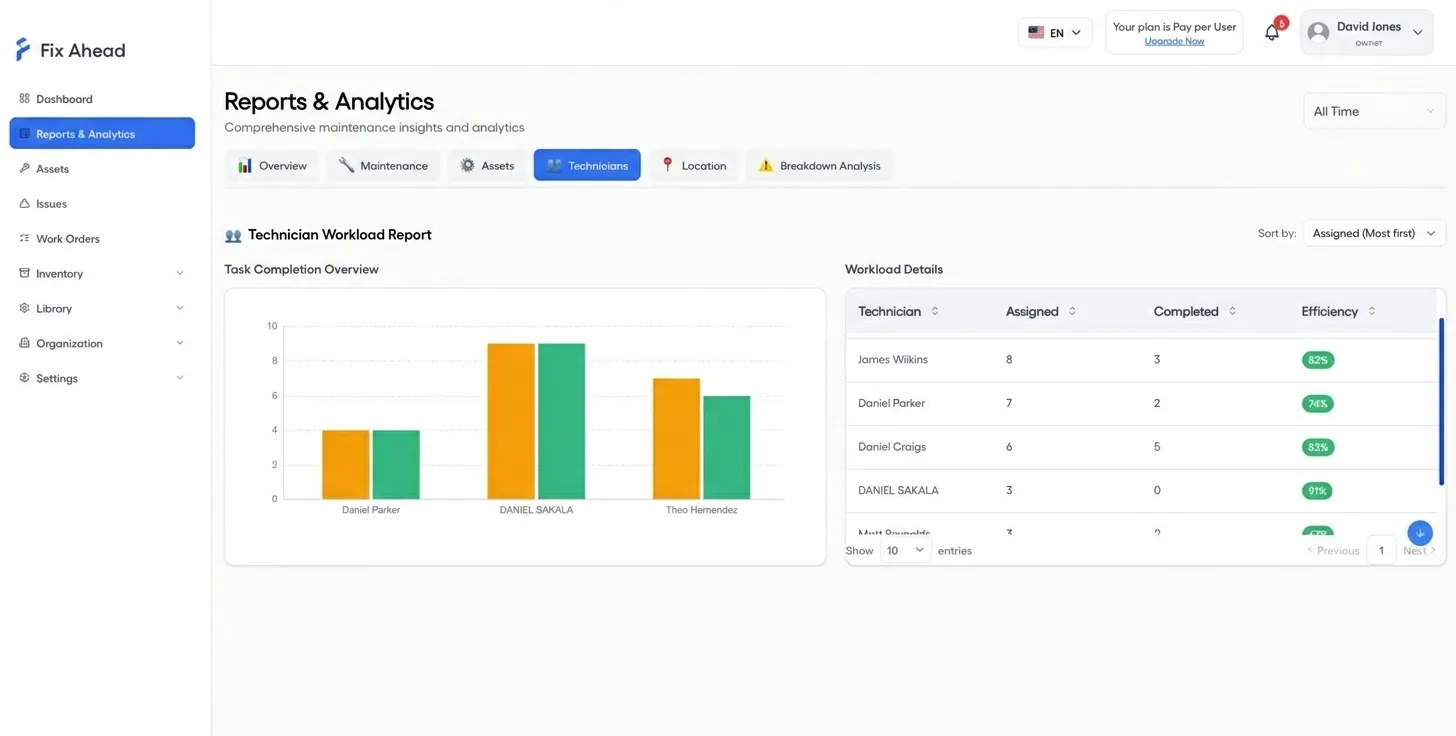
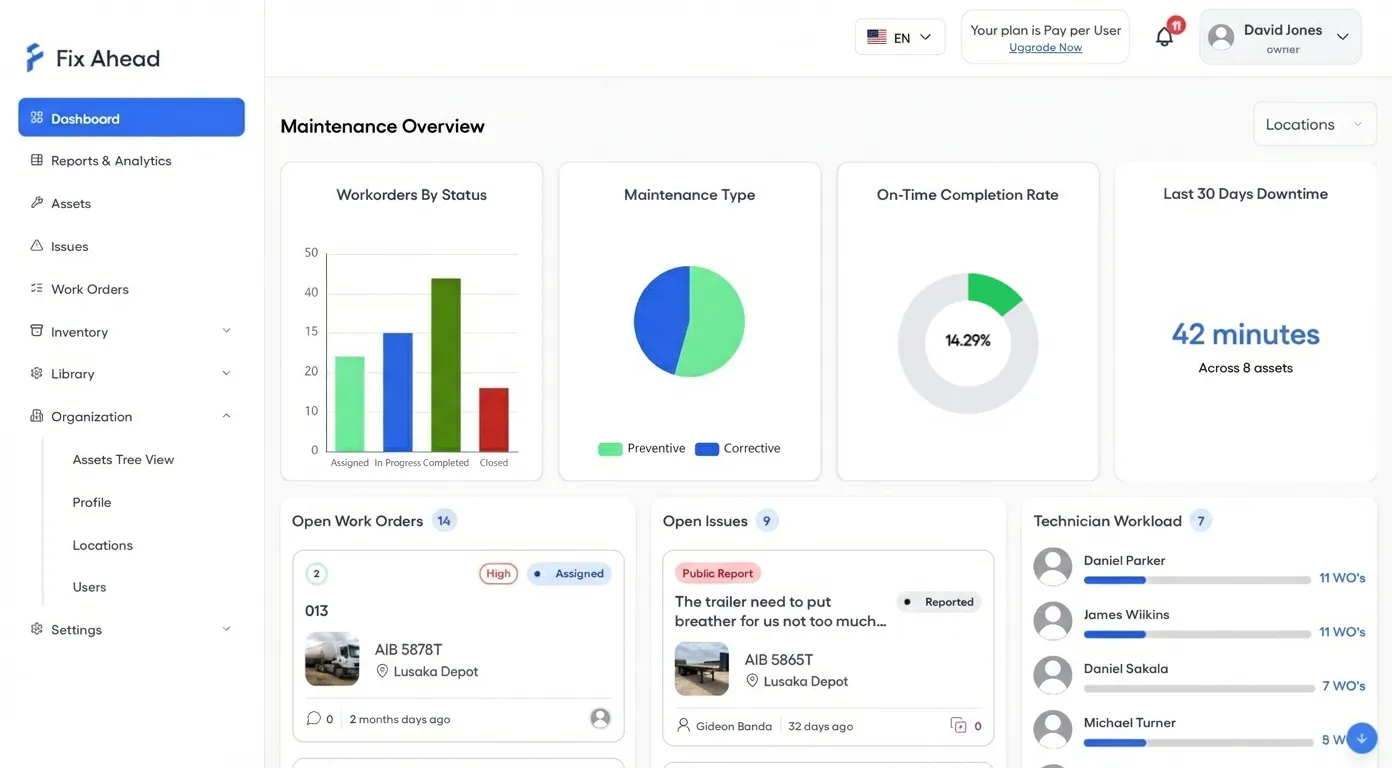
Each technician's workload (Pro)
See how work orders are spread across your technicians (Pro).
- Workload distribution chart per technician
- Completion rates and average resolution times
- Capacity planning for maintenance windows and shutdowns
Field inspections with guided checklists
Technicians conduct safety-critical inspections from their phones, following step-by-step procedures for turbine checks, valve inspections, and electrical panel reviews, with photo proof on any task. The Android app works offline for assigned work orders, and the work syncs when the connection returns.
- Guided checklists for safety-critical equipment
- Photo proof attached to inspection checkpoints
- Time shown on every completed task

Complete safety-critical work with documented proof
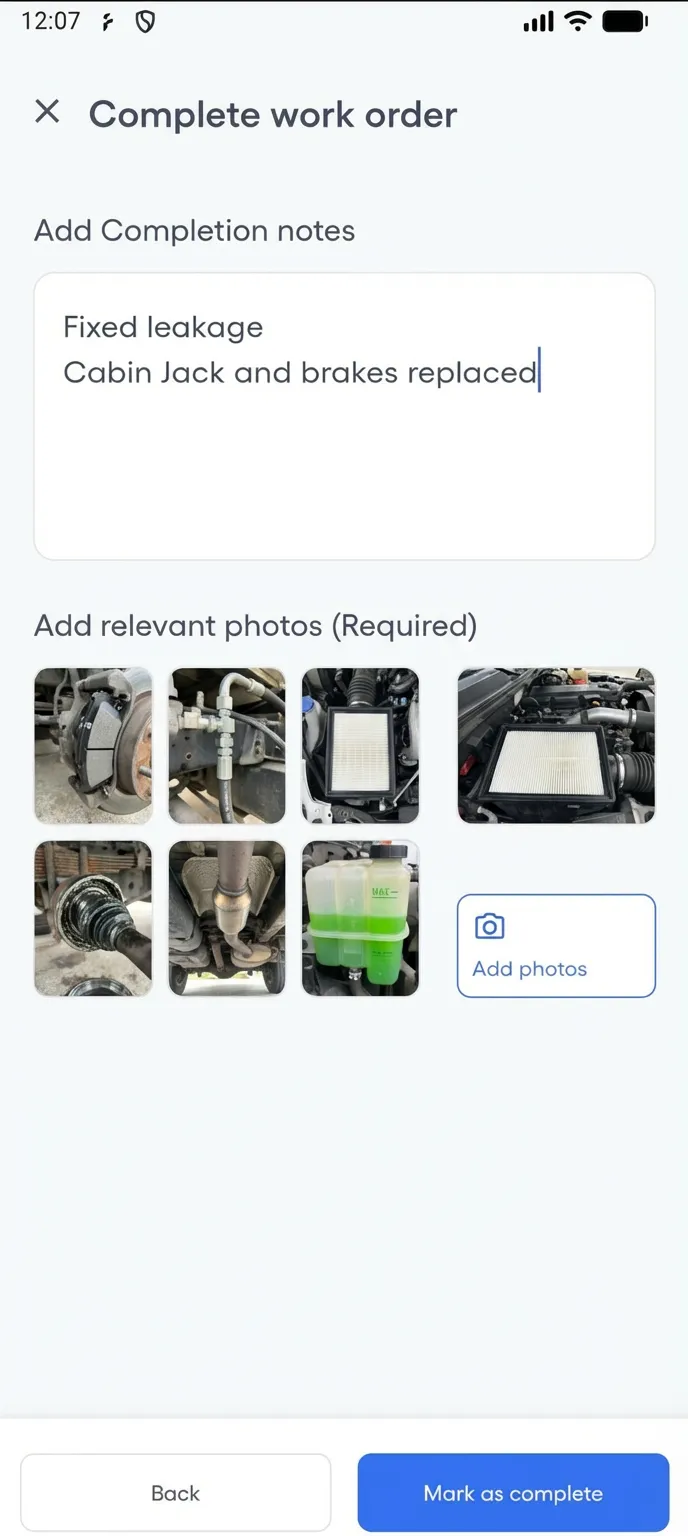
When a repair on high-voltage equipment or pressurized systems is complete, technicians submit completion notes and photo proof from the field. Supervisors review the work before closing it.
- At least one photo required before a work order is marked complete
- Completion notes document root cause and resolution
- Supervisor review workflow for critical equipment
Power Plant Equipment Reliability
A power generation facility sorts every equipment failure with breakdown codes — bearing failure, overheating, electrical fault, corrosion. Root causes are identified on work order completion.
- Breakdown analysis report (Pro) shows failures by type
- Asset reliability reports show MTBF, MTTR, and reliability percentage
- Critical spare parts tracked with reorder points
- Specialized parts linked to qualified suppliers with lead times (Pro)
Free maintenance templates
Annual maintenance schedule
Recurring maintenance for common building equipment, by frequency and month.
Asset register
The equipment and assets a site holds, with each one's location, category, custodian and tags.
Electrical panel inspection checklist
An external visual inspection checklist for electrical panels, with the covers left on, covering working space, enclosure, labelling, and breaker trips.
Work order form
One work order from request to completion, with time, parts and any charge to the occupant.
Free plan, then Pro from $99 a month
Pro covers 10 users or 100 assets, billed on whichever costs less. Free covers 2 users or 50 assets, with no card.