Know every asset, everywhere
Spreadsheets can't tell you which assets are overdue, where they are, or what they cost to maintain. Keep every piece of equipment your team manages in one place.
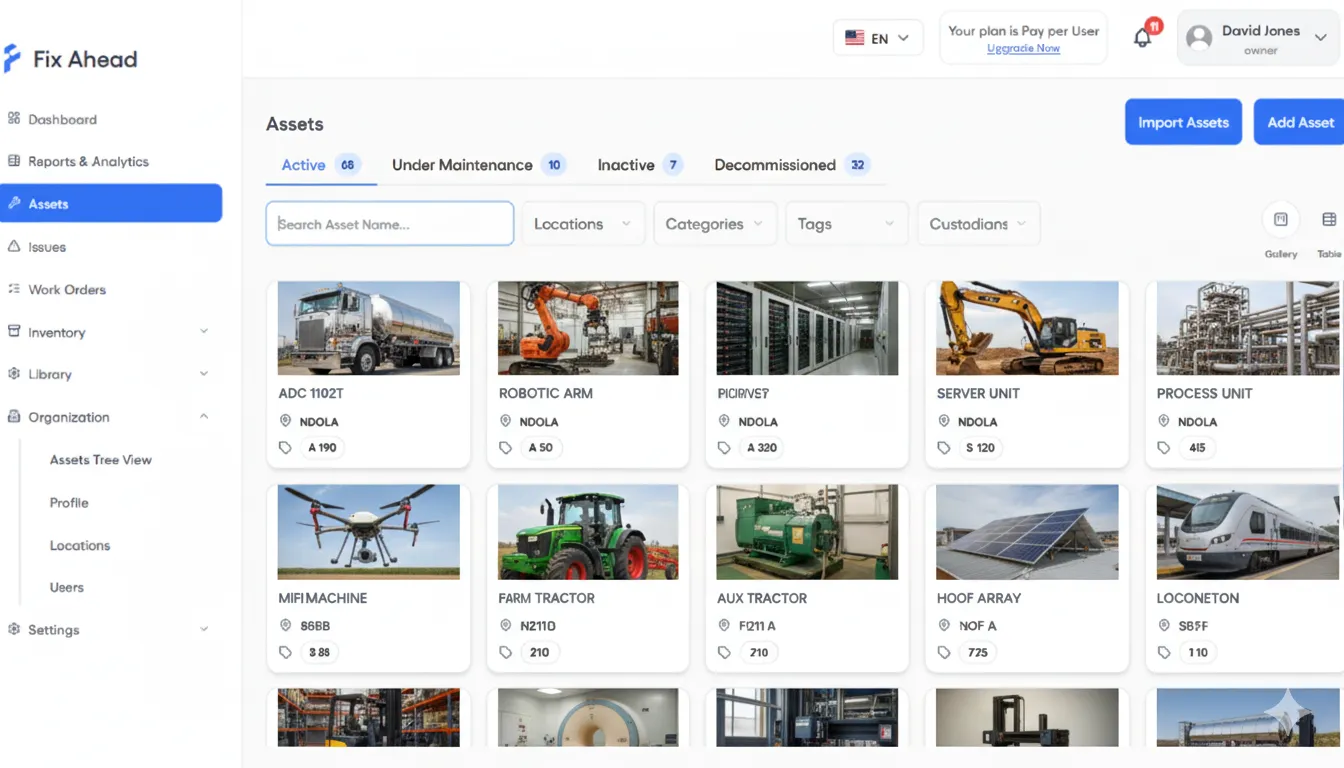
See every asset at a glance
Gallery view puts every asset on screen with visual cards — photo, status, location, and key details. Switch to table view for bulk operations and exports.
- Gallery view with asset photos and status badges
- Table view for sorting, filtering, and bulk actions
- Switch between views with one click
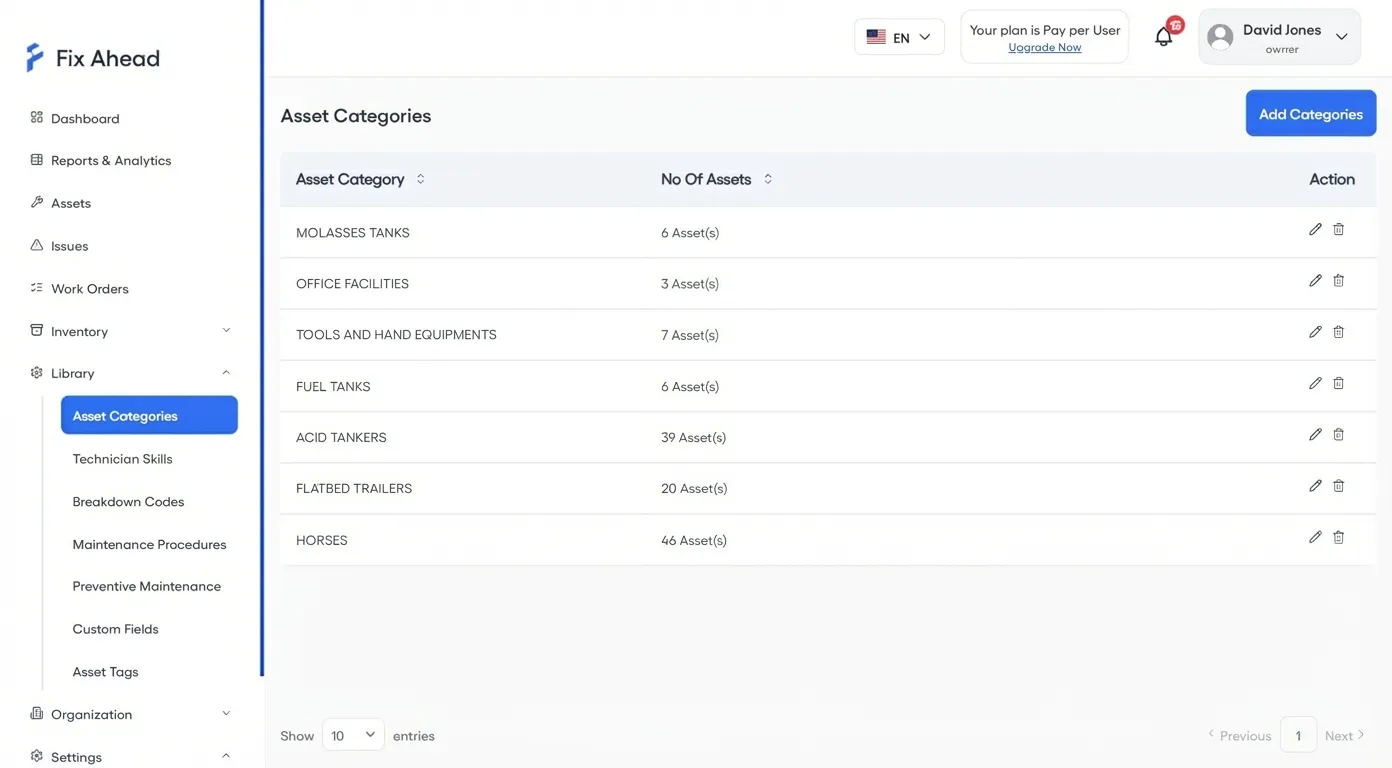
Complete asset registry with lifecycle tracking
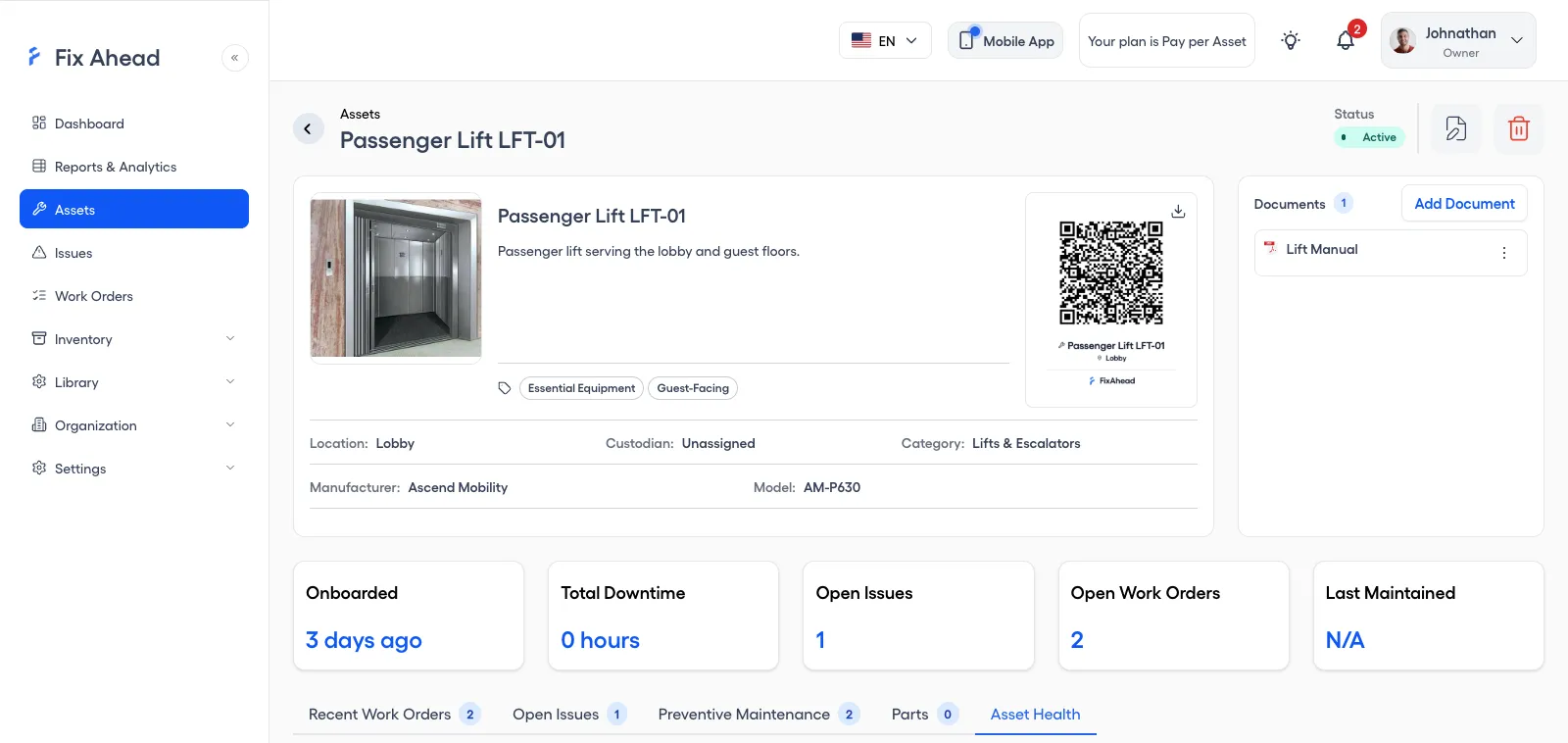
Every asset has a full profile: make, model, purchase cost, and current status, with documents such as warranties and their expiry dates. Track assets from commissioning through active service to decommission.
- Mark each asset Active, Inactive, Under Repair, or Decommissioned
- Gallery and table views for different workflows
- 7 asset categories with counts at a glance
- Create locations and categories from the asset form
- List the parts each asset uses; each part shows the assets it serves under Compatible Assets (Pro)
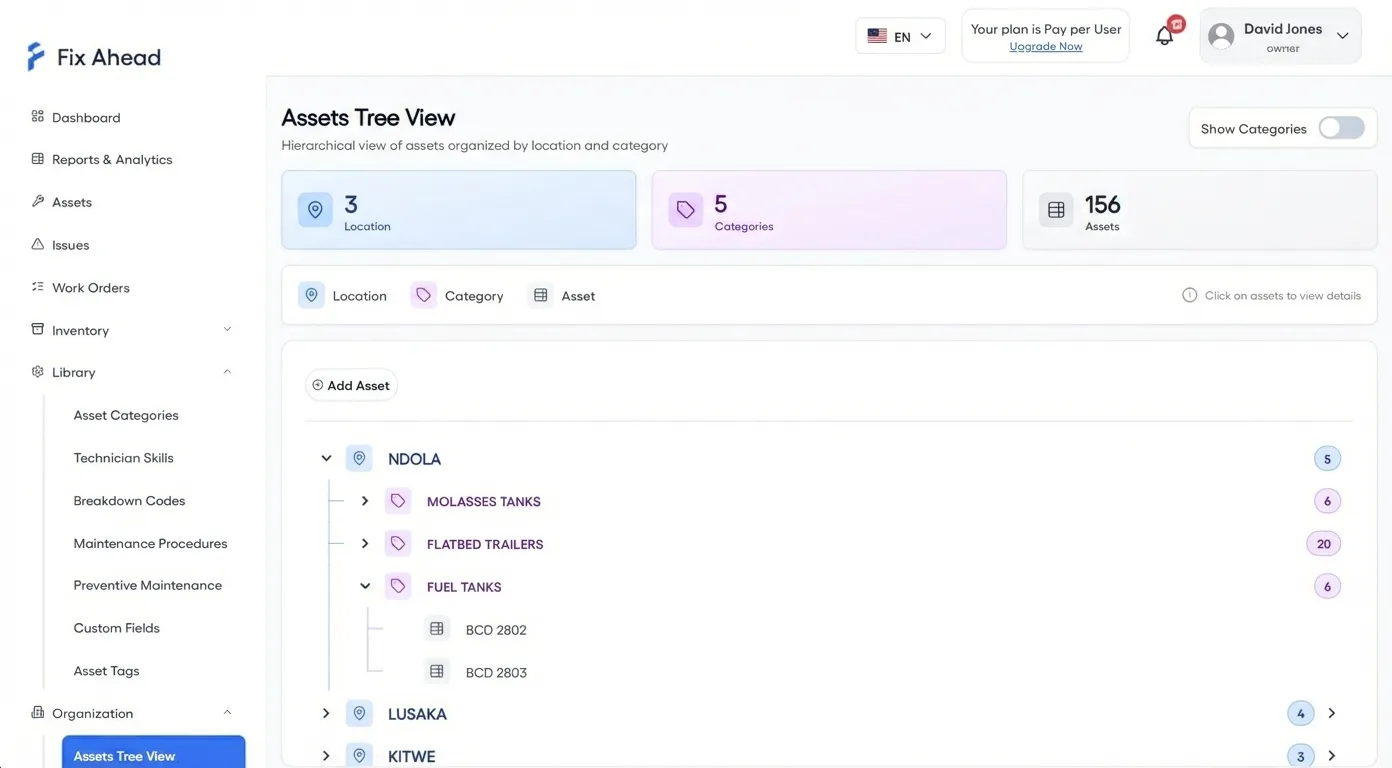
Location tree for any facility structure
Model your facility as deeply as you need — building, floor, room, zone. Every asset belongs to a location, and every report can filter by it.
- Any number of levels, with dropdowns that show the full path
- Tree view shows assets organized by location and category
- Filter work orders, reports, and dashboards by location
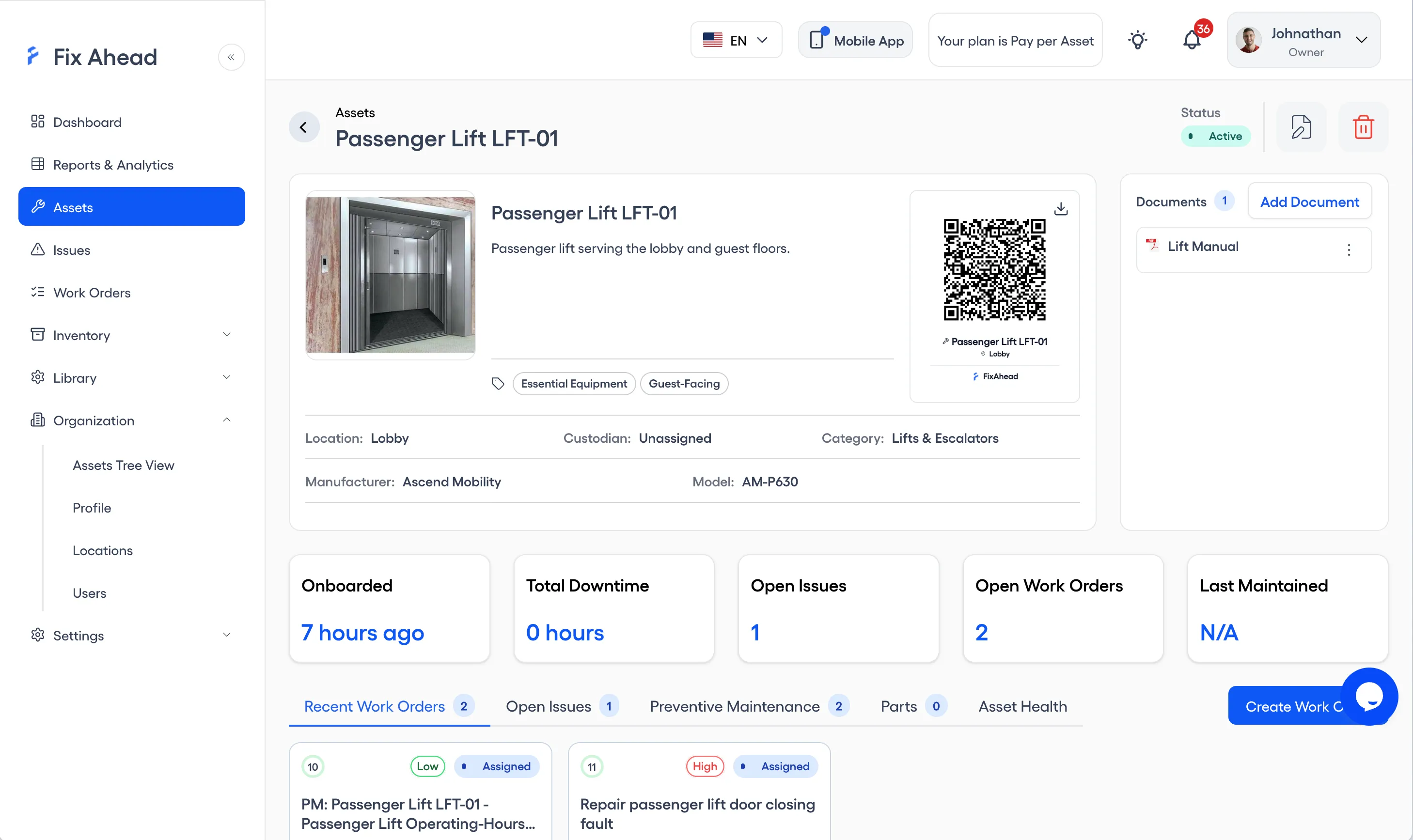
Document management (Pro) and QR codes
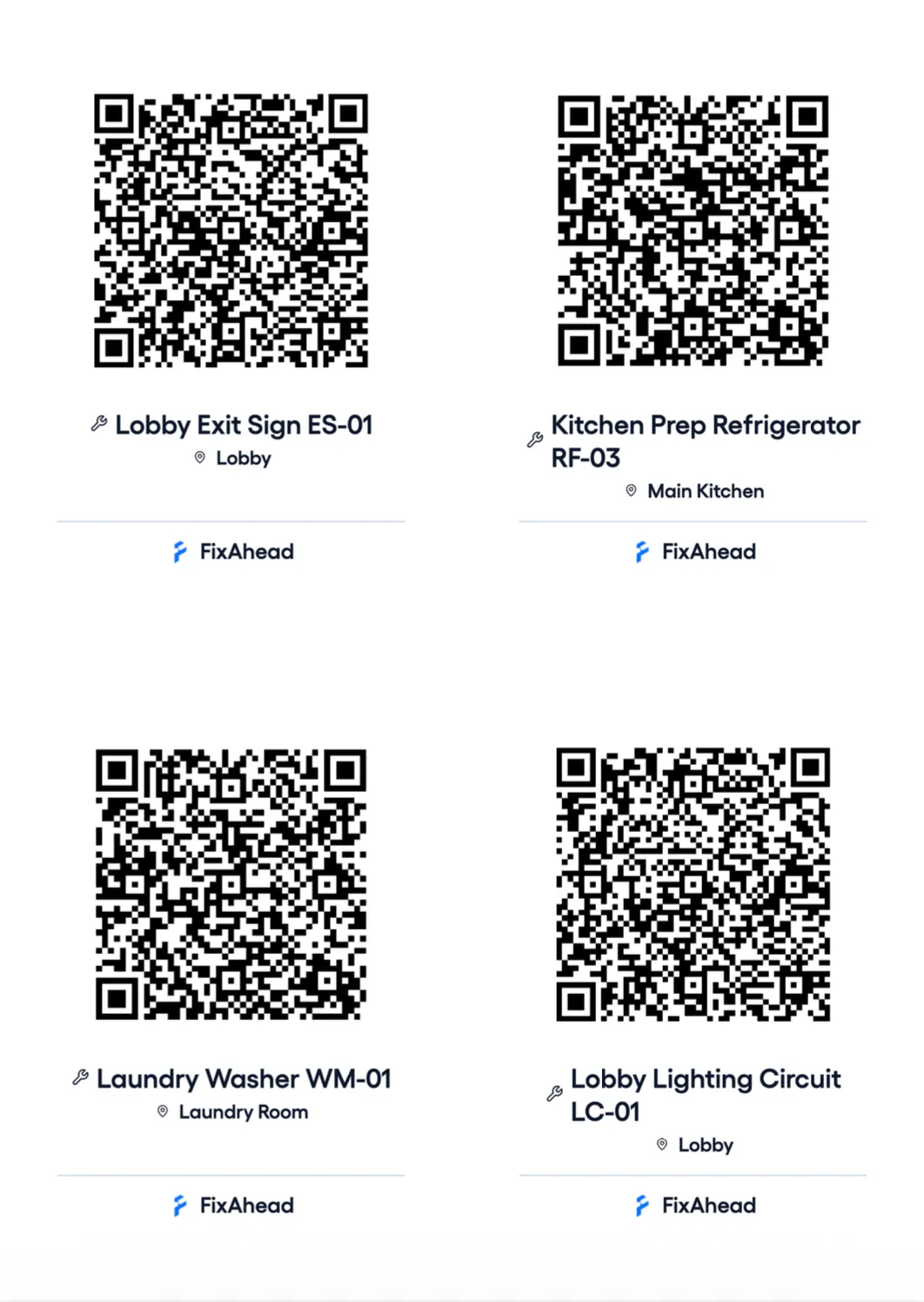
Generate QR codes for every asset. Scan to view details, report issues, or access maintenance history. Attach documents, manuals, and certificates directly to asset profiles.
- Auto-generated QR codes for every asset
- Scan to view asset details or report an issue
- Attach PDFs, images, and documents to any asset
- One PDF of QR codes for many assets at once
- Branded QR labels with asset name and location
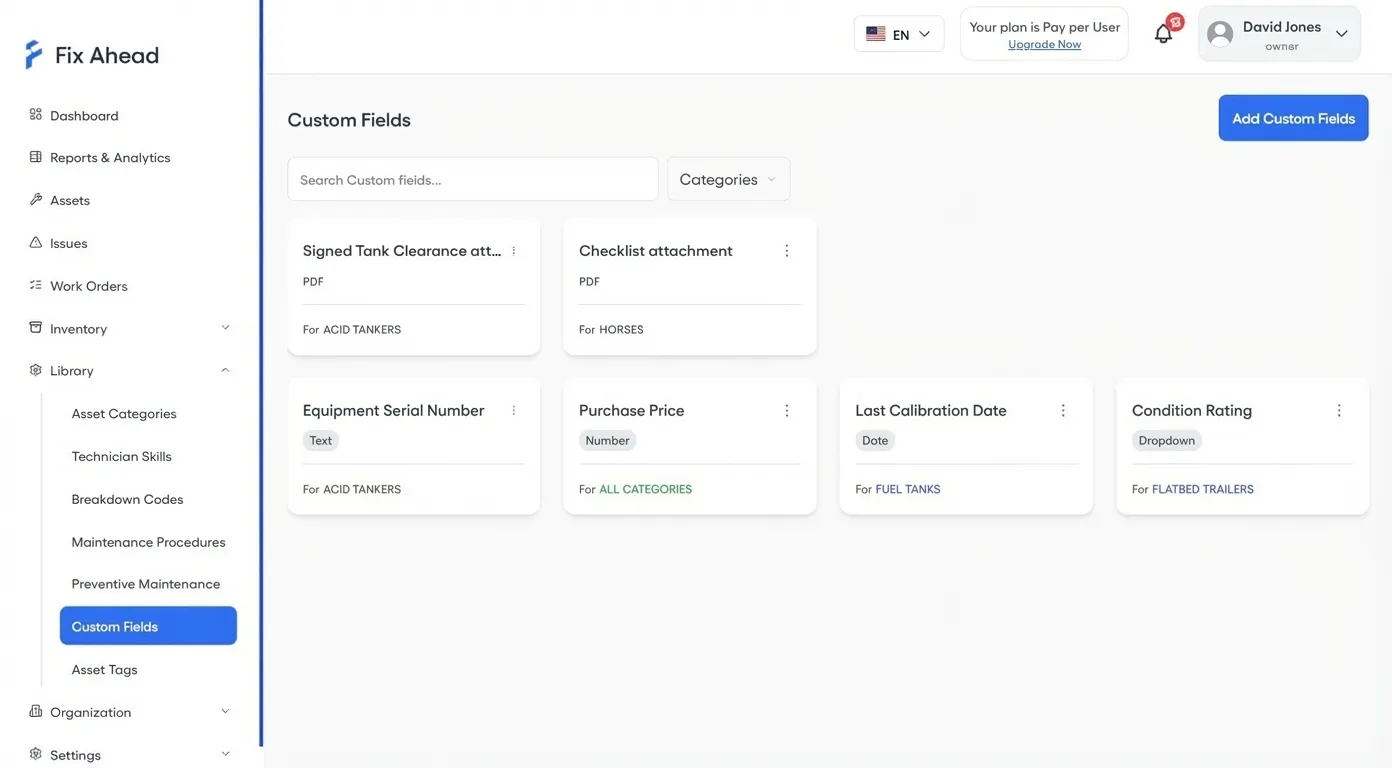
Custom fields for each asset category (Pro)
Every asset type captures exactly the data you need. 9 field types — including image and PDF uploads — set for each category so your forms stay clean and relevant.
- Field types include text, number, date, select, checkbox, image, PDF, and more
- Set for each category — only show fields relevant to that asset type
- Tags to group assets, managed in a list
Bulk import from CSV or Excel
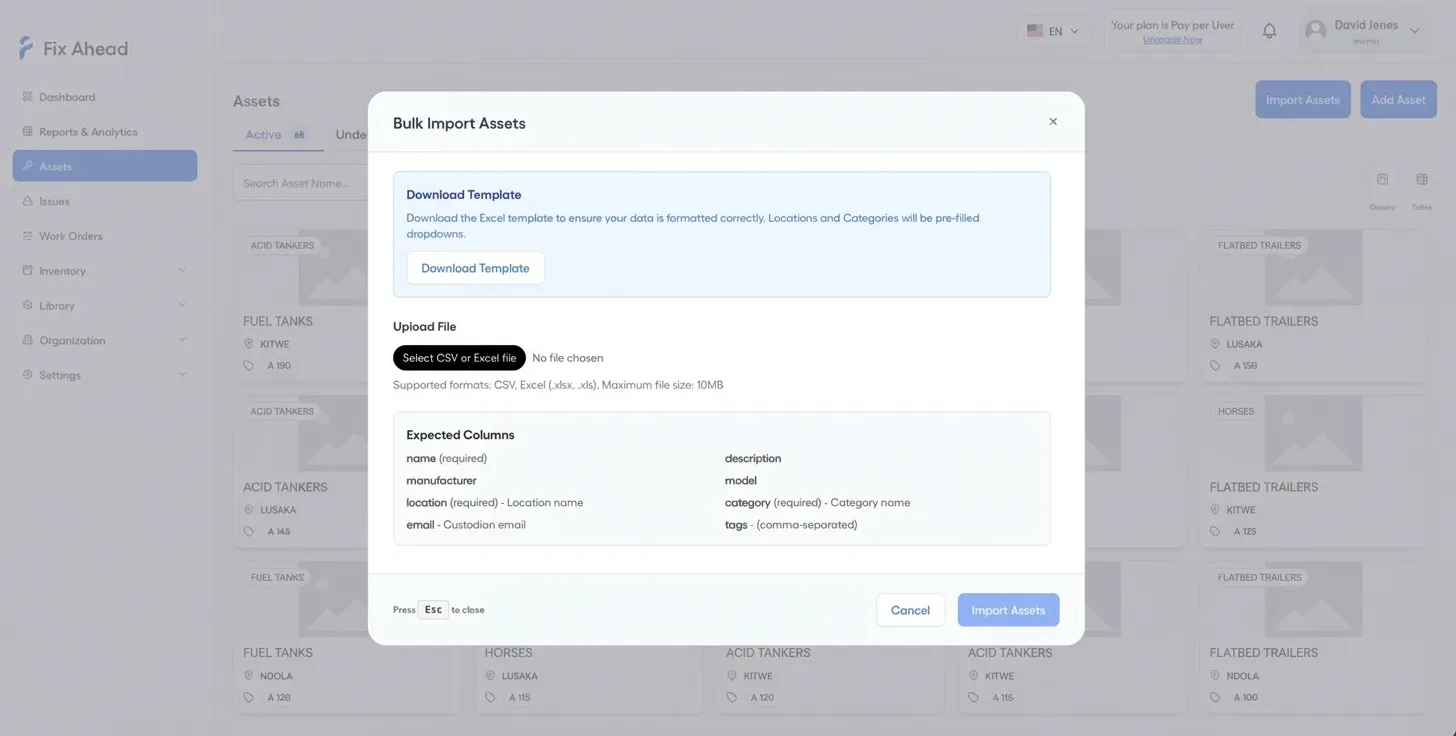
Import hundreds of assets in minutes. Upload your spreadsheet, check the preview, fix any errors right there, and confirm. Start from the template to keep the import clean.
- CSV and Excel files, with columns matched to asset fields
- Errors shown row by row before you import
- Download a template to fill in before you import
Hour-meter readings and the PMs coming due
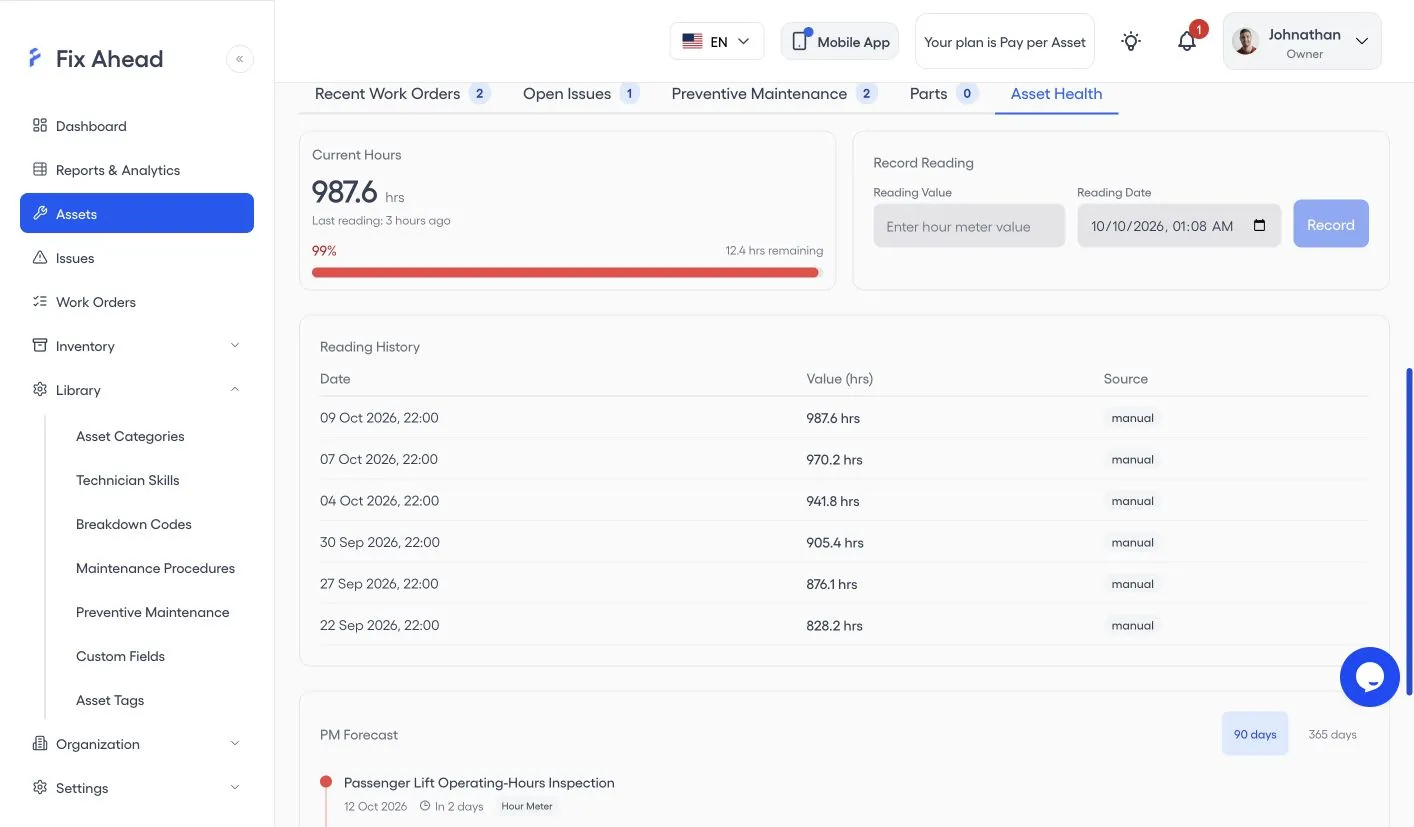
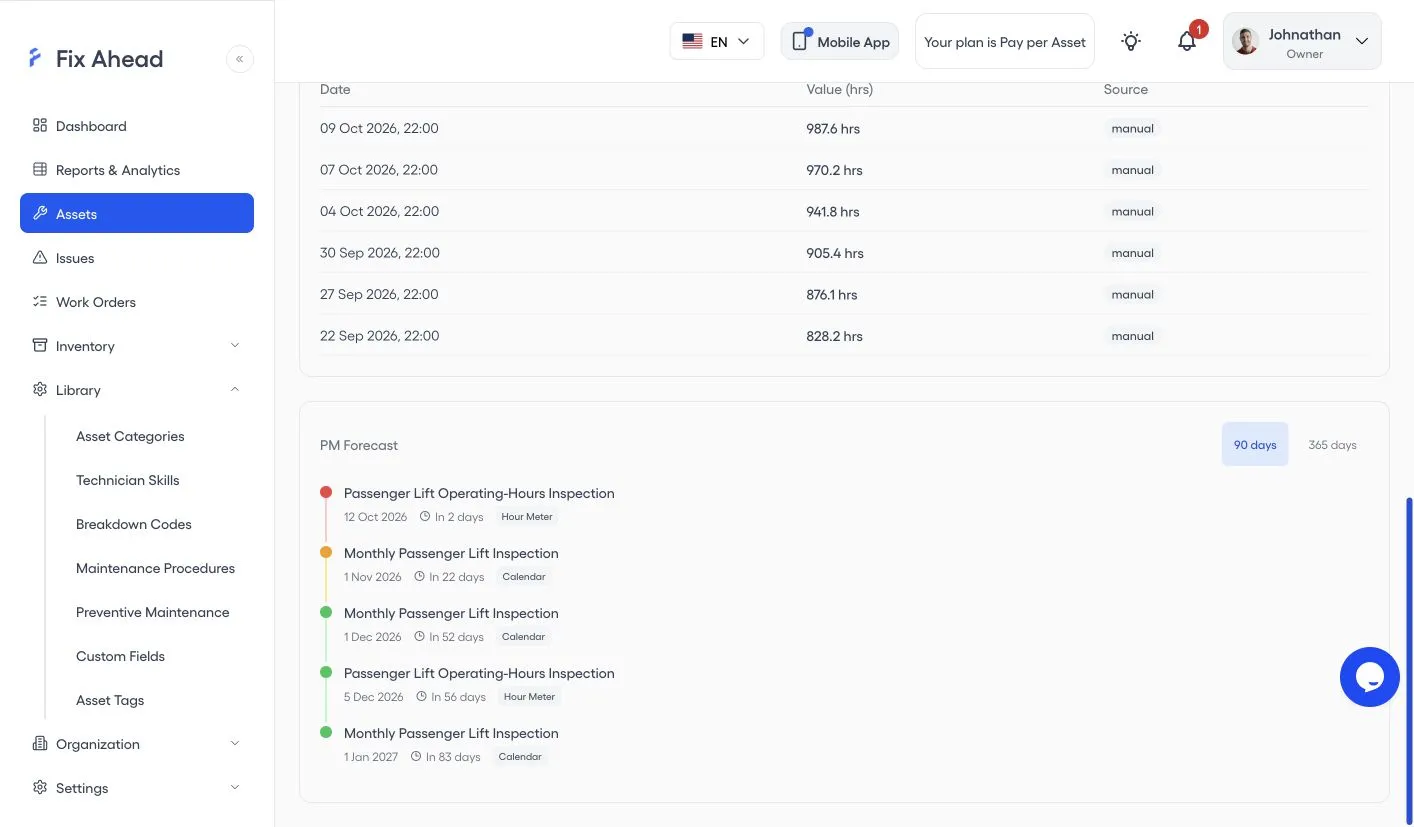
Record the hour meter on an asset's Asset Health tab. Current Hours shows the last reading and the hours remaining, and PM Forecast lists the PMs coming due over the next 90 or 365 days.
- Record a reading with its value and date
- Reading History lists each reading with its date, value, and source
- PM Forecast marks each PM as Hour Meter or Calendar, with the days until it is due
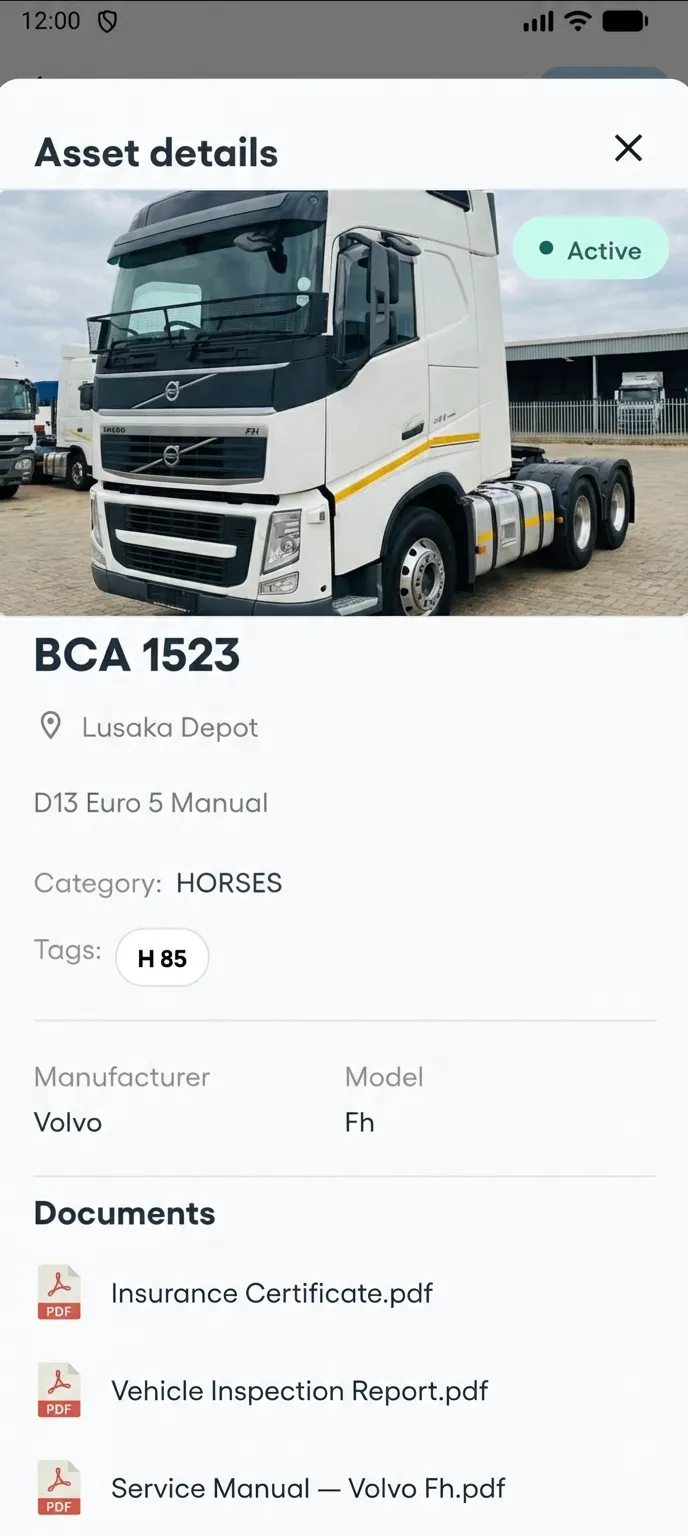
Access asset details from the field
Technicians open the asset from the work order: description, location, category, tags, custom fields, manufacturer, model and documents. No more calling the office to ask about equipment specs.
- Category, tags, and custom fields on mobile
- Description and location at a glance
- Manufacturer, model, and documents on the asset