Never run out of critical spares
Stockouts delay repairs. Unknown costs blow budgets. Inventory on Pro gives real-time visibility into every part, every supplier, every transaction — so repairs never wait on missing inventory.
Every part, with real-time stock levels
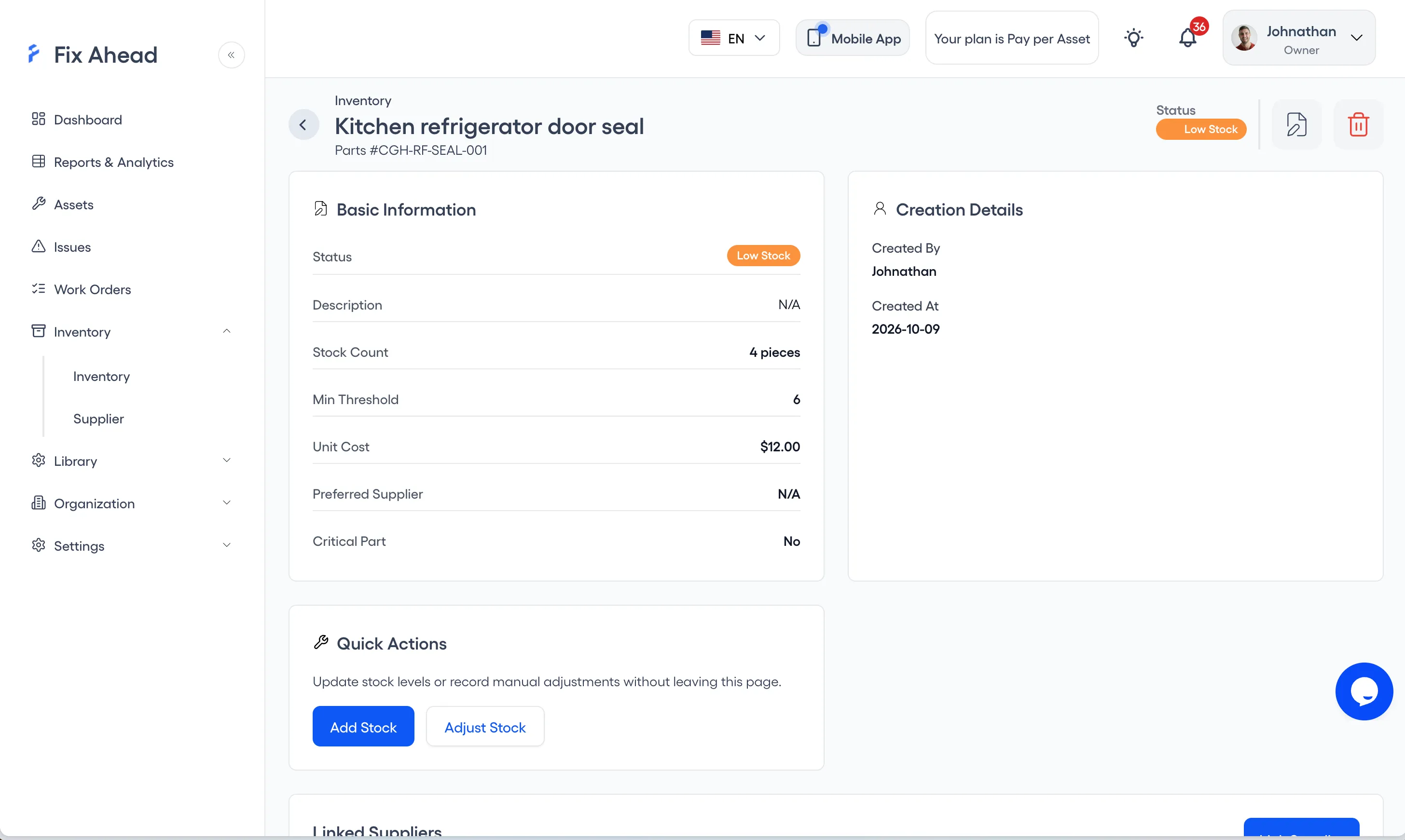
Each part has a name, part number, unit type, minimum stock level, current quantity, and unit cost. See stock levels at a glance and drill down into any part for full detail.
- 25 unit types, such as pieces, liters, and meters
- Minimum stock level, with low-stock flags set automatically
- Unit cost tracking for accurate maintenance cost reports
- Notes on each part
Reorder alerts when stock hits minimum levels
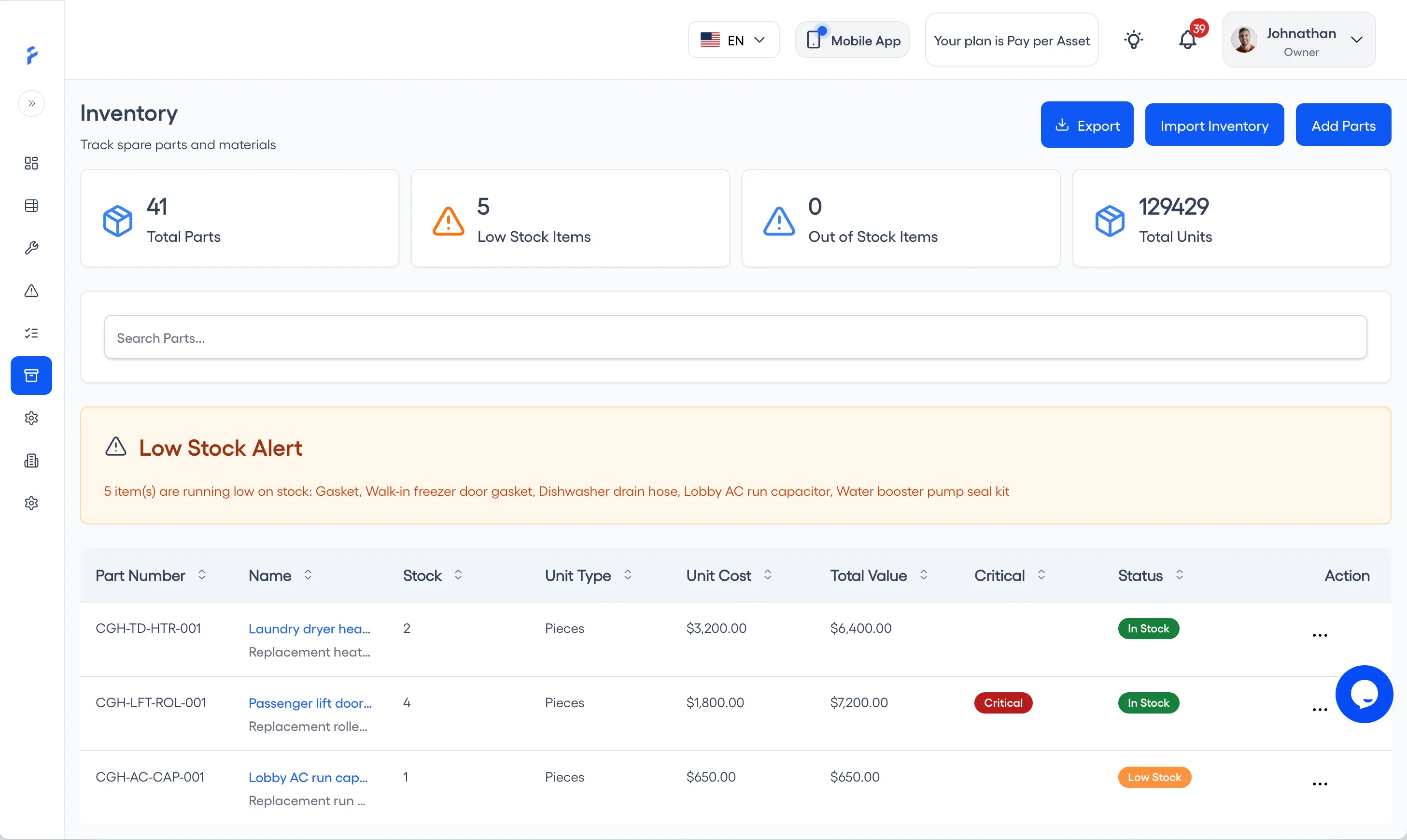
Set minimum stock levels for every part. When stock is at or below the minimum, FixAhead flags the item Low Stock, counts it in Low Stock Items and names it in the Low Stock Alert — so you reorder before a stockout delays a repair.
- Minimum stock level set for each part
- Low-stock marks on the inventory list
- Low Stock Alert naming the parts running low
- Flag a part as critical
Supplier management with contact details
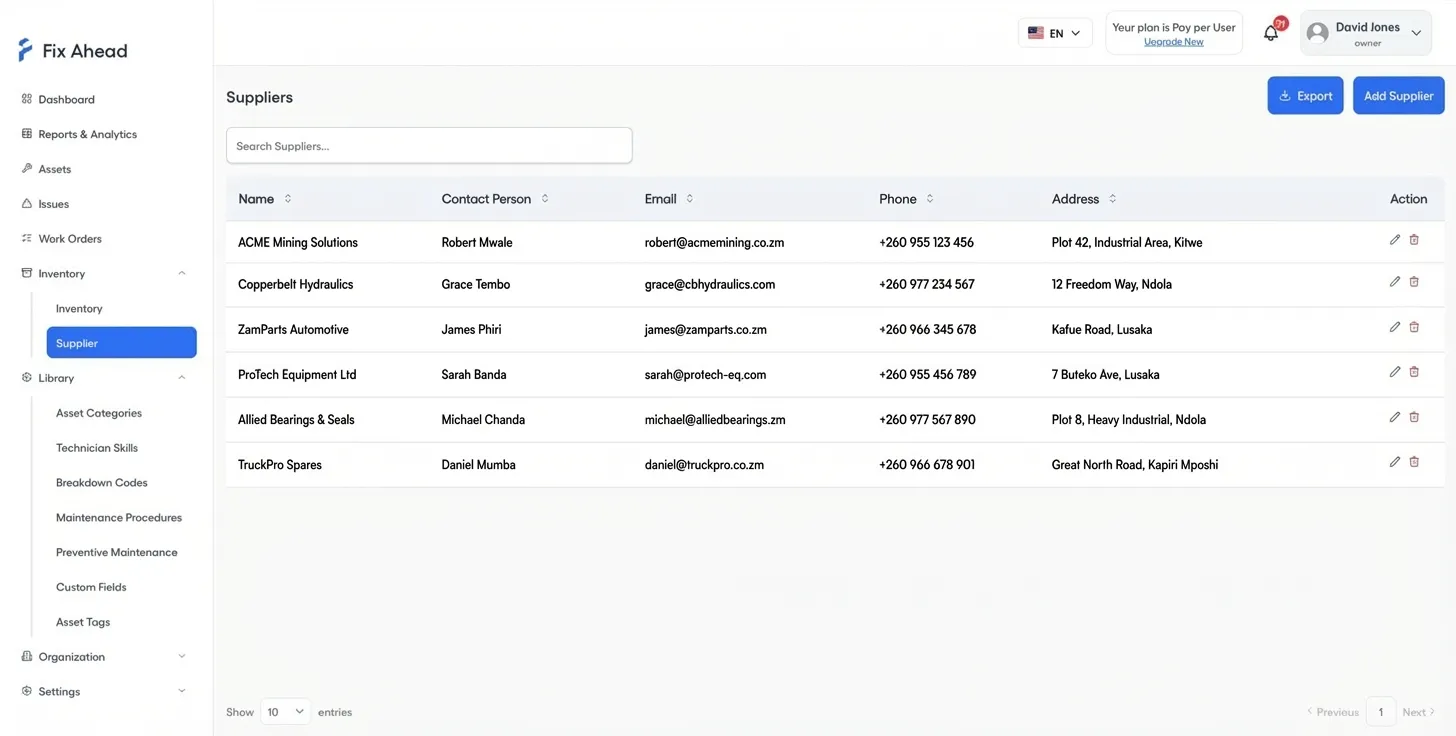
Link parts to suppliers with full contact details. When you need to reorder, supplier information is one click away — no digging through spreadsheets or email threads.
- Supplier profiles with name, contact, and address
- Link multiple suppliers per part for backup sourcing
- Quick reorder with supplier contact at hand
- Supplier codes on parts
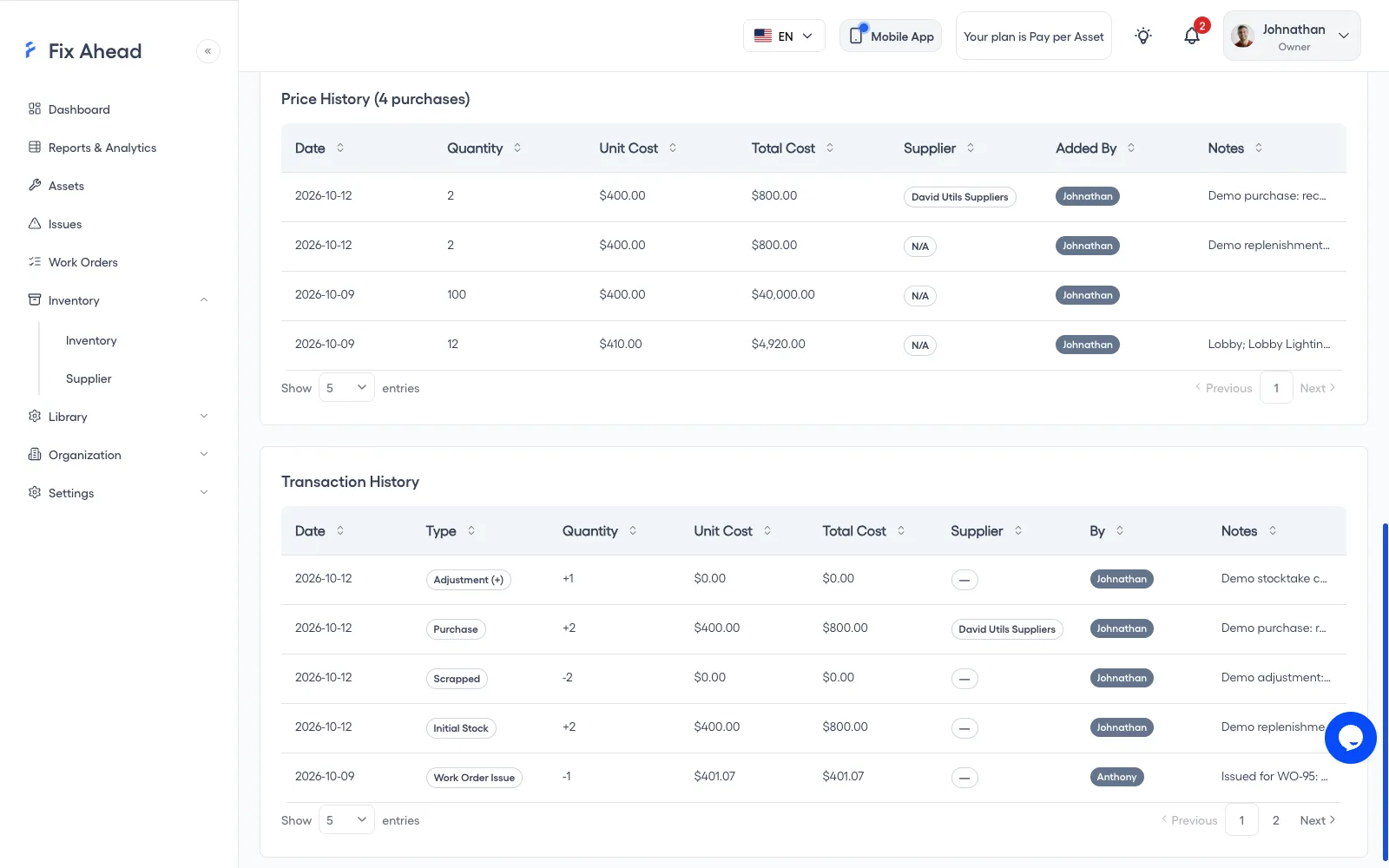
Full transaction history, linked to each work order
Every stock movement is tracked: initial stock, purchases, work order issues and returns, adjustments, and scrap. Parts recorded as used are deducted when a technician completes the job in the app, and linked — giving you complete traceability.
- Transaction types for initial stock, purchases, work order issues and returns, adjustments, and scrap
- 9 reasons to record an adjustment, for audits
- Parts recorded as used come off stock when the job is completed in the app
- See who used each part, on which work order, in the part's transaction history
Track parts used from the field
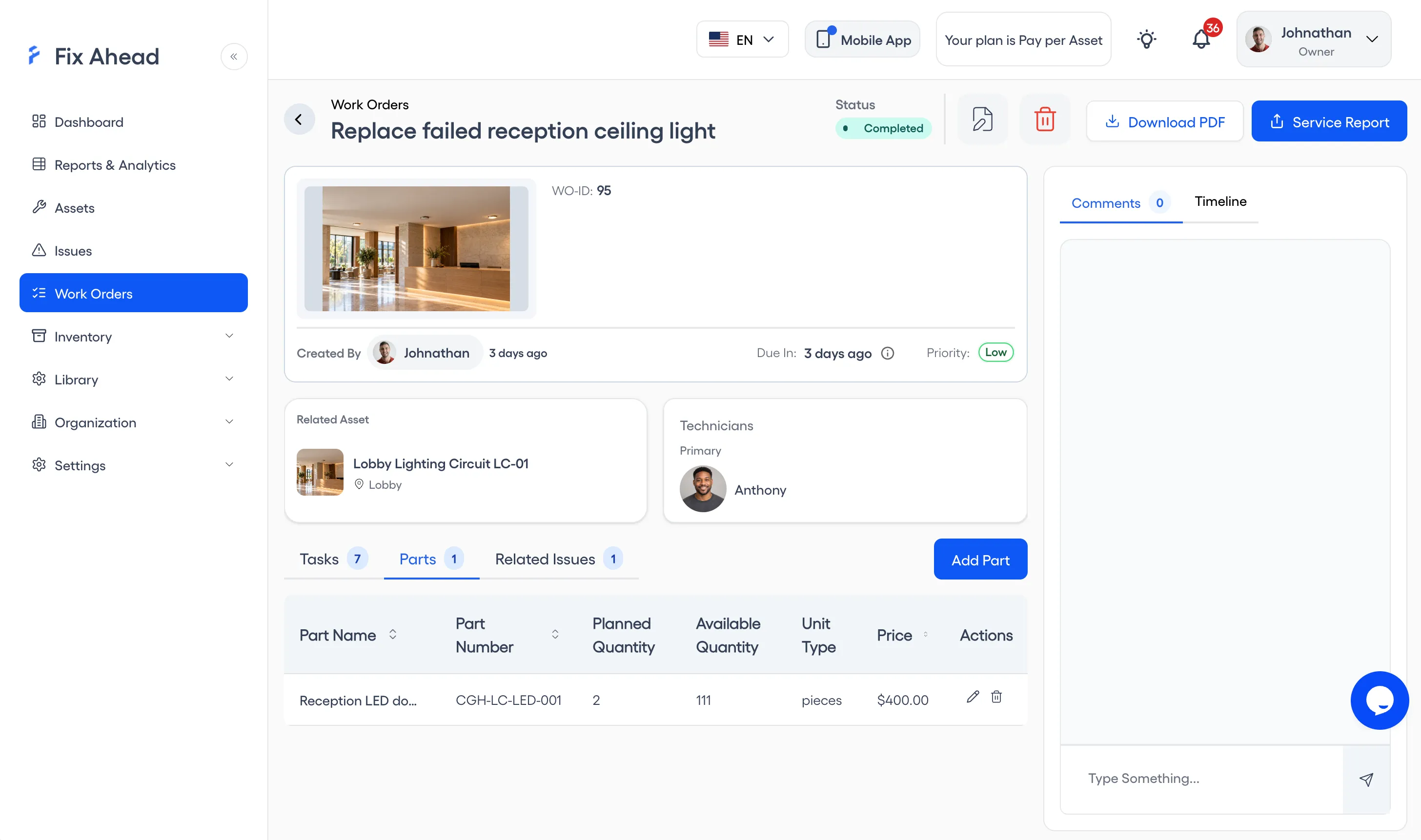
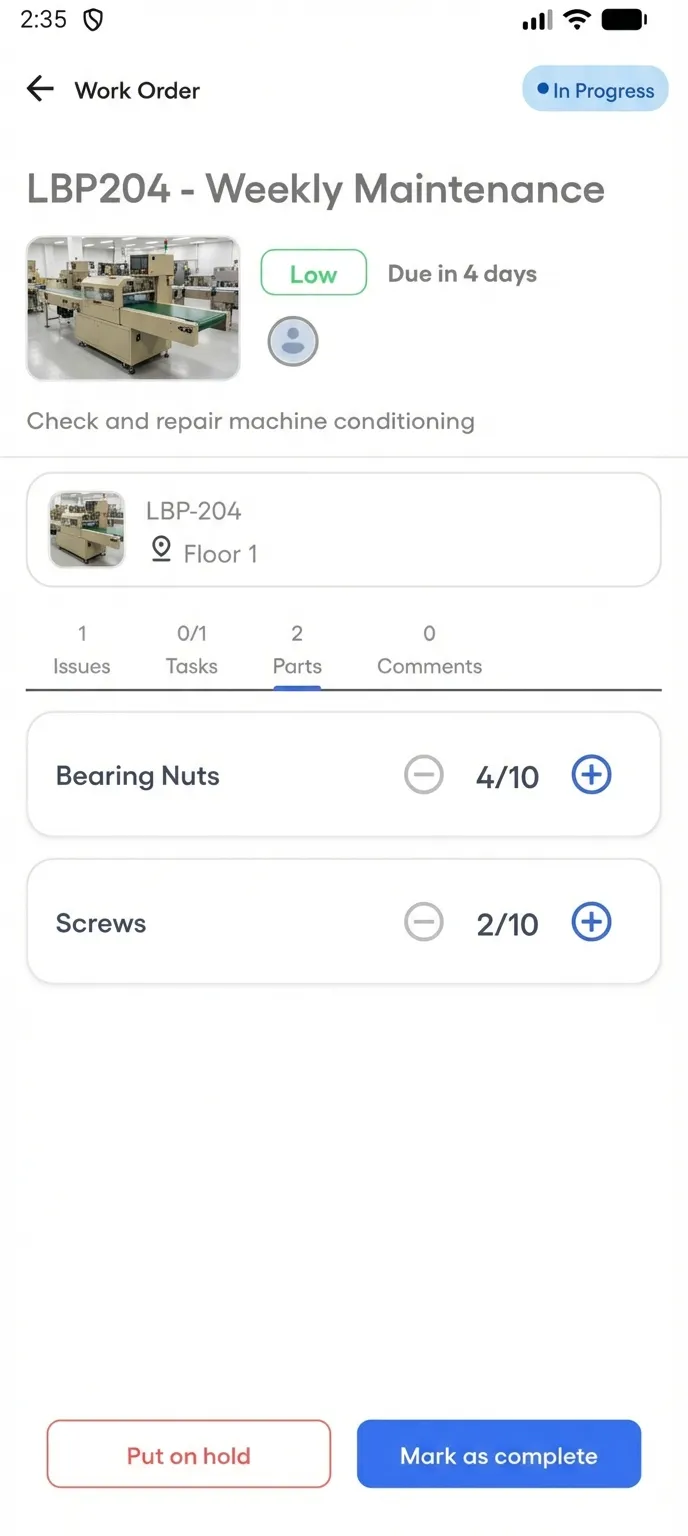
Technicians log parts consumed directly from the mobile app — right on the work order. Record the parts used, up to the quantity reserved; stock updates when the job is marked complete.
- Raise or lower part quantities on site
- Planned and actual usage on each work order
- Stock updates when the job is marked complete
Know exactly what parts cost your operation
Every part tracks unit cost, and every work order records which parts were used. Total costs by asset, location, or time period — so you know where your maintenance budget actually goes.
- Unit cost per part, with the total worked out automatically
- Cost per work order including labor and parts
- Cost totals by asset, location, or date range
- Spot high-cost assets before they drain your budget