
HVAC maintenance software: proof of every PM
Give the building owner a signed report for each unit's visit, backed by required checklist steps and photos from the rooftop.
- Free plan, no card. 14-day free trial with a card. Free data migration.
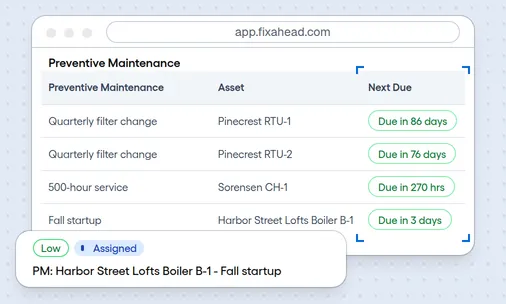
Schedule every unit under its maintenance agreement
Set recurring filter changes, coil cleaning, and seasonal inspections by calendar for each unit, and each work order arrives ahead of its due date.
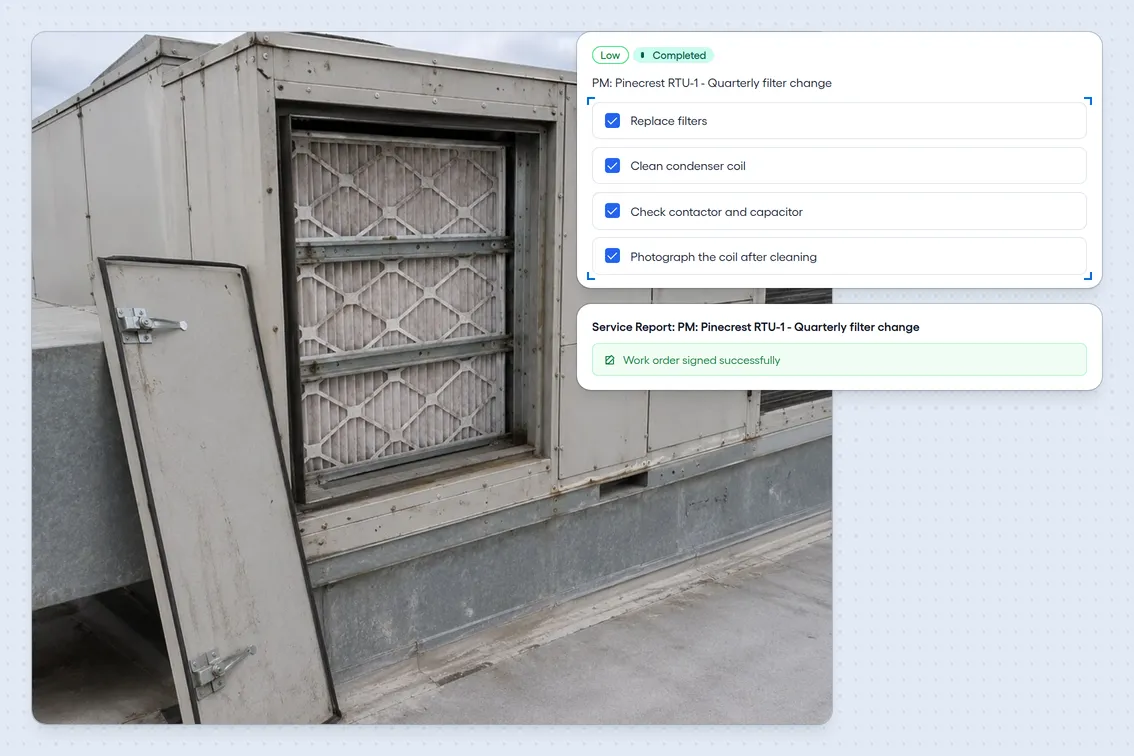
Prove what happened on each visit
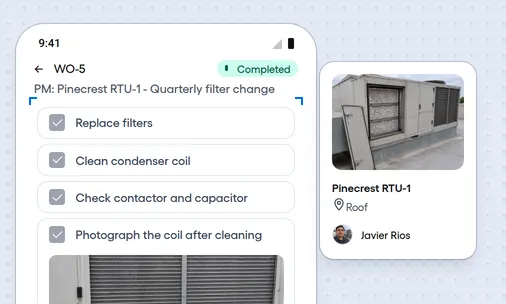
Document every service call on Android. Technicians get push notifications for new assignments and complete required checklist tasks and photos before marking the job complete.
- A checklist for the visit. Attach the procedure to the PM schedule, and every generated work order carries the same required tasks.
- Photos at the unit. Add several photos to a task from the phone, with a photo required on any check you choose.
- PM compliance by unit. See each unit's scheduled, completed, and overdue PMs with its compliance percentage.
Know each unit and what went into it
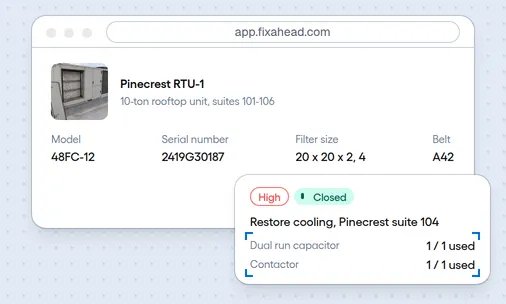
Each unit keeps the details your technicians need, and technicians log parts from the service call on their phone before leaving the site, updating stock when the work order is complete.
- Fields for each unit category. Choose from 9 field types for the details your technicians need at the unit.
- Parts and refrigerant logged on the call. Record filters, belts, and refrigerant used against the unit and its work order, up to the quantity reserved, with quantity and cost.
- Low Stock before the next visit. Get an alert at each filter, belt, or refrigerant part's minimum stock.
Let customers report from the unit
The site's contact scans the QR code on the unit and reports with a photo and no account, and the issue reaches you with its site and unit attached.
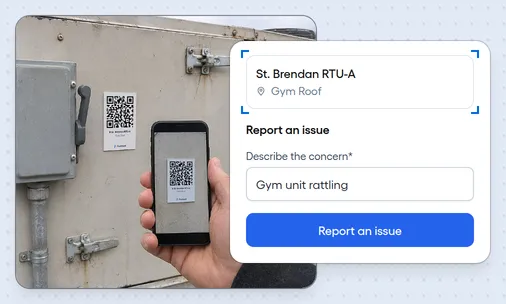
How a five-site HVAC contractor would run it
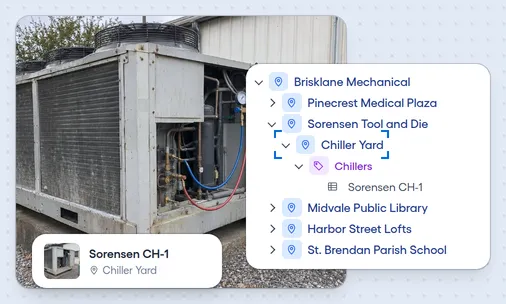
Say you run a commercial HVAC service company: you and four technicians, with service agreements on five customer sites, from a medical plaza's rooftop units to a tool shop's chiller and a school gym's unit. Each customer site and its units sit in the location tree, and each unit's PM work order arrives on time.
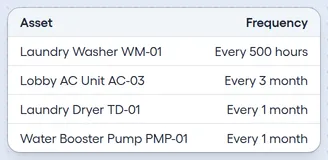
- Calendar or running hours. Quarterly filter changes by calendar, and the chiller's 500-hour service from the hours you enter.
- Work on the roof without signal. The technician completes the tasks and photos offline, and the record syncs from the van.
From the maintenance blog
 Read the post
How do you know preventive maintenance is really being done?
A checklist can be signed without the work being done, so look for specific tasks, proof on the steps that matter, and spot checks in person.
How it works
Each unit's PM comes due, gets done with proof on the roof, and goes to the building owner signed.
Step 1
The PM comes due
A calendar PM's work order arrives ahead of its due date, an hour-meter PM's when the reading reaches it, with its checklist attached.
Step 2
The technician works the unit
They tick the required tasks on Android and add the photos the checklist asks for.
Step 3
Parts go on record
Filters, belts, and refrigerant used are logged against the unit and the job.
Step 4
The owner gets the report
Share the signed report by link, or send the work order as a PDF.
Free maintenance templates
Checklists and forms for your trade's equipment, each ready to download and use.
 Open the template
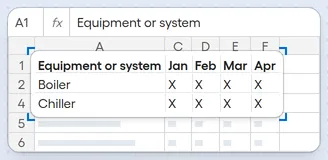
Annual maintenance schedule
Recurring maintenance for common building equipment, by frequency and month.
 Open the template
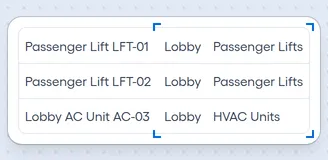
Asset register
The equipment and assets a site holds, each by name and description, with its manufacturer, model, location, category and tags.
 Open the template
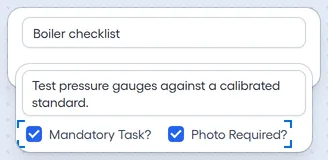
Boiler checklist
A boiler checklist grouped by frequency, from daily checks of the water, burner, and gauges to monthly interlock tests and annual inspection.
 Open the template
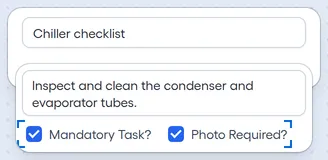
Chiller checklist
A chiller checklist grouped by frequency, covering operating readings, strainers, tube testing, annual inspection, and the refrigerant leak records.
 Open the template
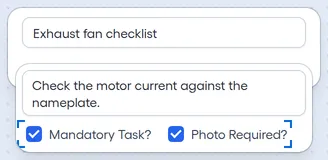
Exhaust fan checklist
An exhaust fan checklist grouped by frequency, covering belts, bearings, dampers, blades, airflow, and the checks made after a belt or speed change.
 Open the template
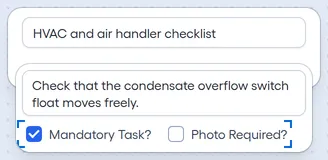
HVAC and air handler checklist
Monthly, quarterly, annual, and before-heating-season checks for rooftop units, split systems, and air handlers.
 Open the template
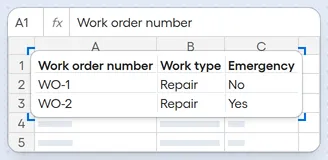
Work order form
One work order from request to completion, with time, parts and any charge to the occupant.
Questions HVAC teams ask before they start
Do I pay for every technician?
Not when you pay by assets: users have no limit, so all your technicians get logins.
Can you load our unit list?
Yes. Send us your spreadsheet and we load it free, or import it from the asset template and see each flagged row before it loads.