Campus Maintenance Software
Enable students and staff to report issues by QR code, from university email addresses.
Free forever, no card needed
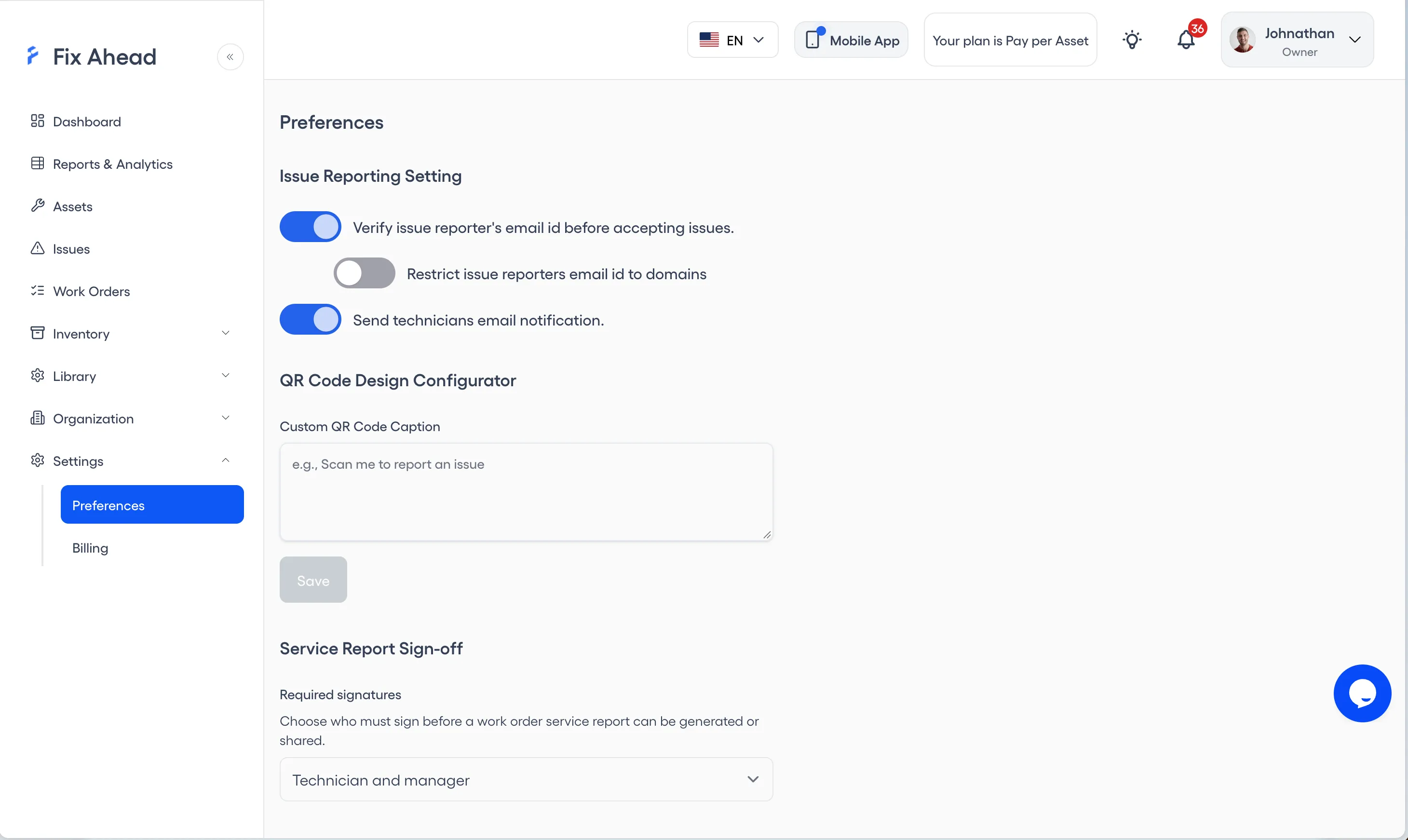
Student and staff issue reporting, limited to university email domains
Place QR codes across campus — in classrooms, dorms, libraries, and common areas. Once email verification is on, only @university.edu emails can submit reports, which keeps out spam.
- QR codes in every building for instant issue reporting
- Reports limited to university email domains, once verification is on
- No account or app needed for reporters
Organize assets by building and system type
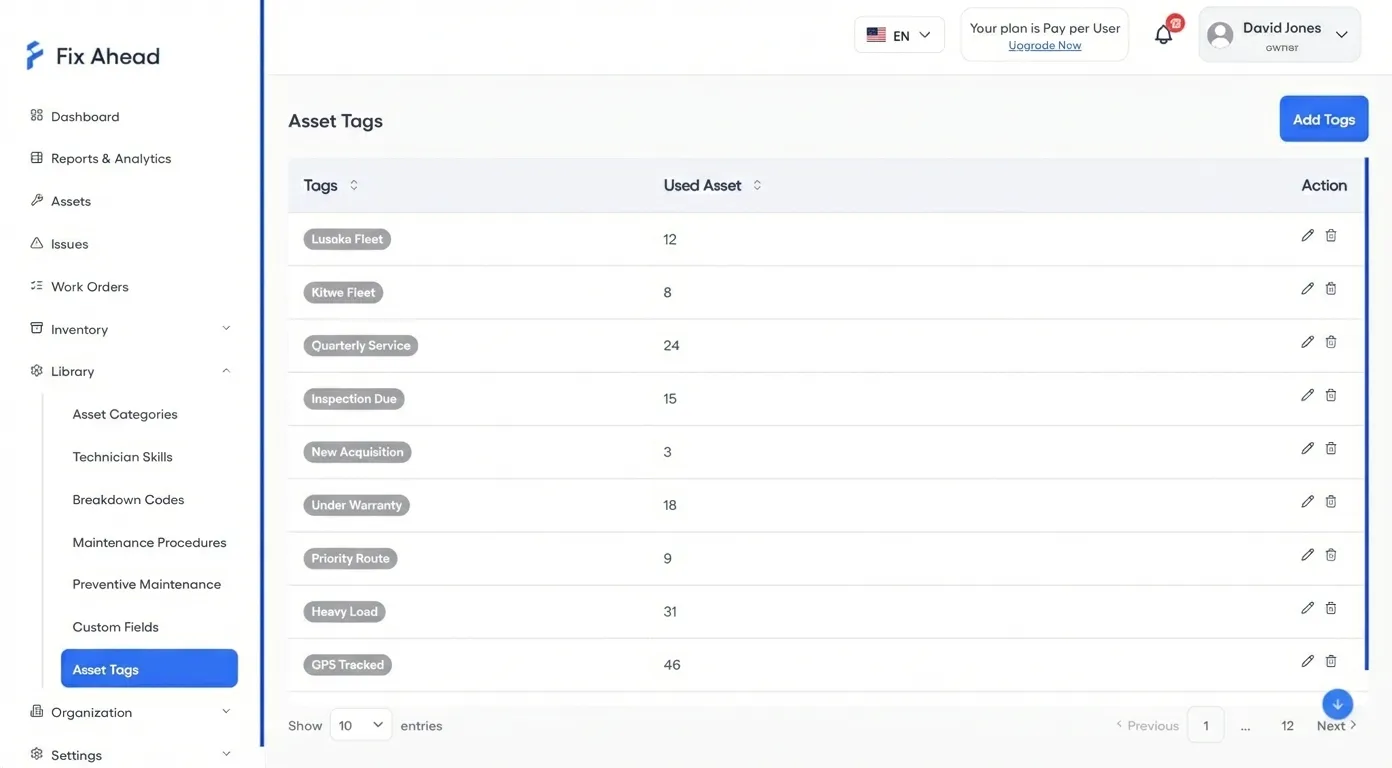
Tag assets by system type — HVAC, plumbing, electrical, fire safety — and assign preventive maintenance schedules in bulk. When seasonal work hits, every system is covered.
- Tags to group assets for bulk PM scheduling
- Campus, building, floor, and room levels
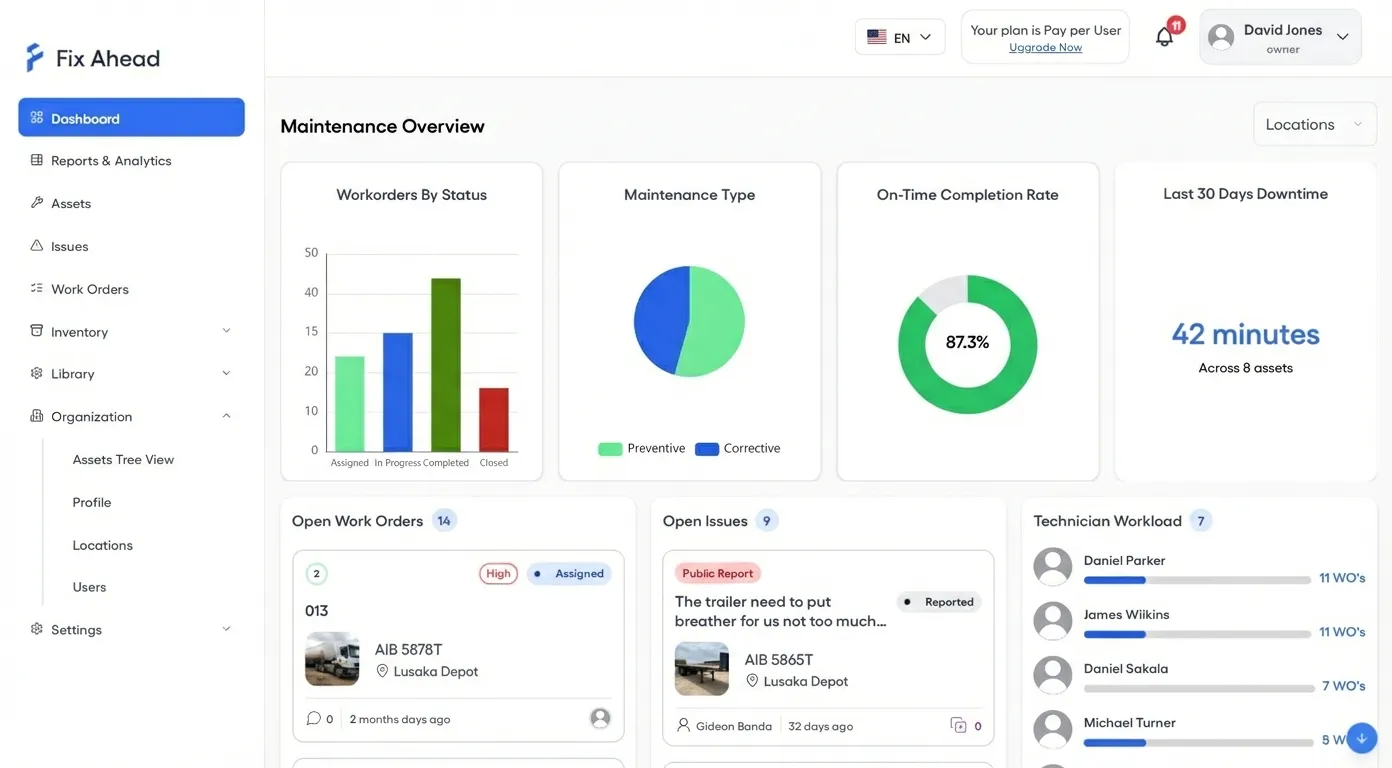
- Filter dashboards by building for targeted oversight
Track costs per building for budget reviews
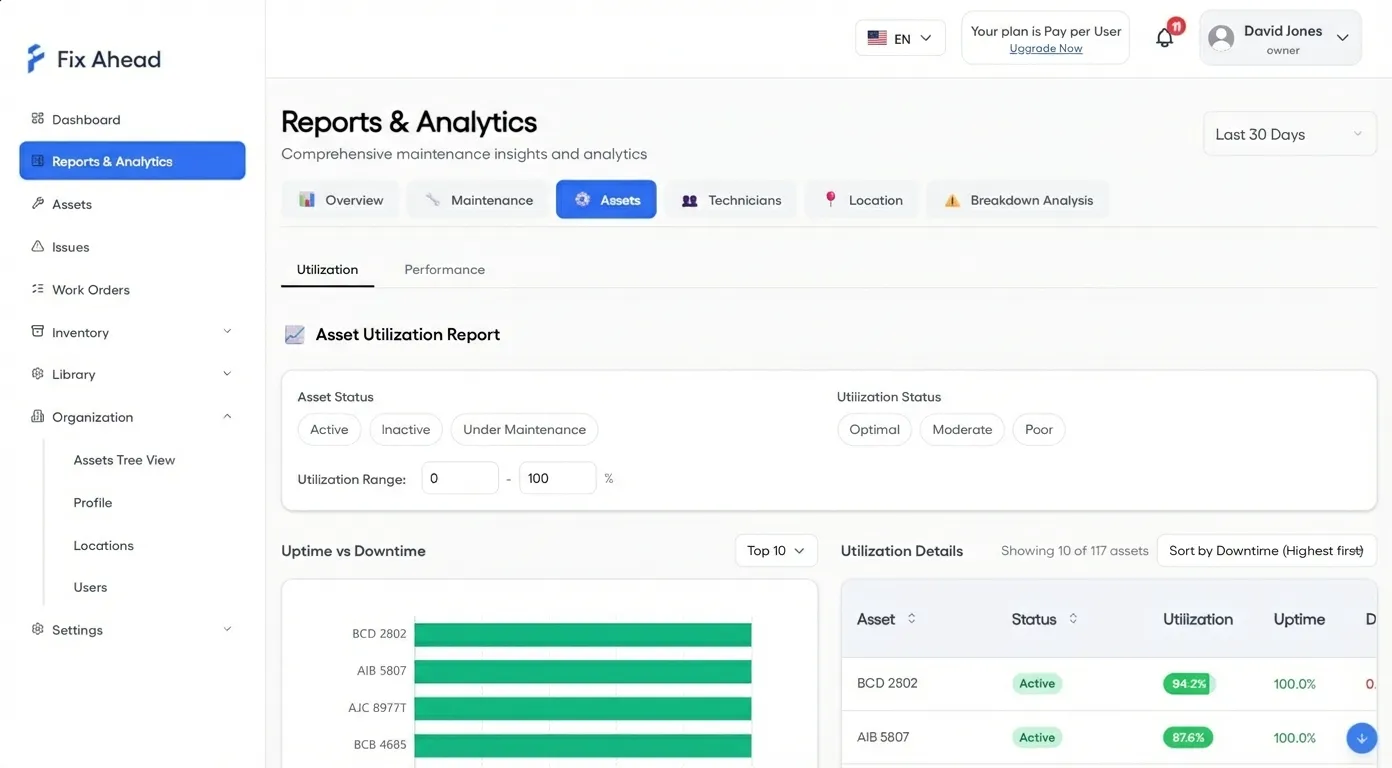
Know exactly what maintenance costs per building, per system, per period. Cost reports (Pro) feed directly into administration budget reviews — no more guessing how much the science building costs to maintain.
- Cost reports for each building, for administration
- Work order costs: labor hours and parts (Pro)
- Export reports (Pro) to PDF, Excel, or CSV for budget meetings
Your maintenance team works from their phones
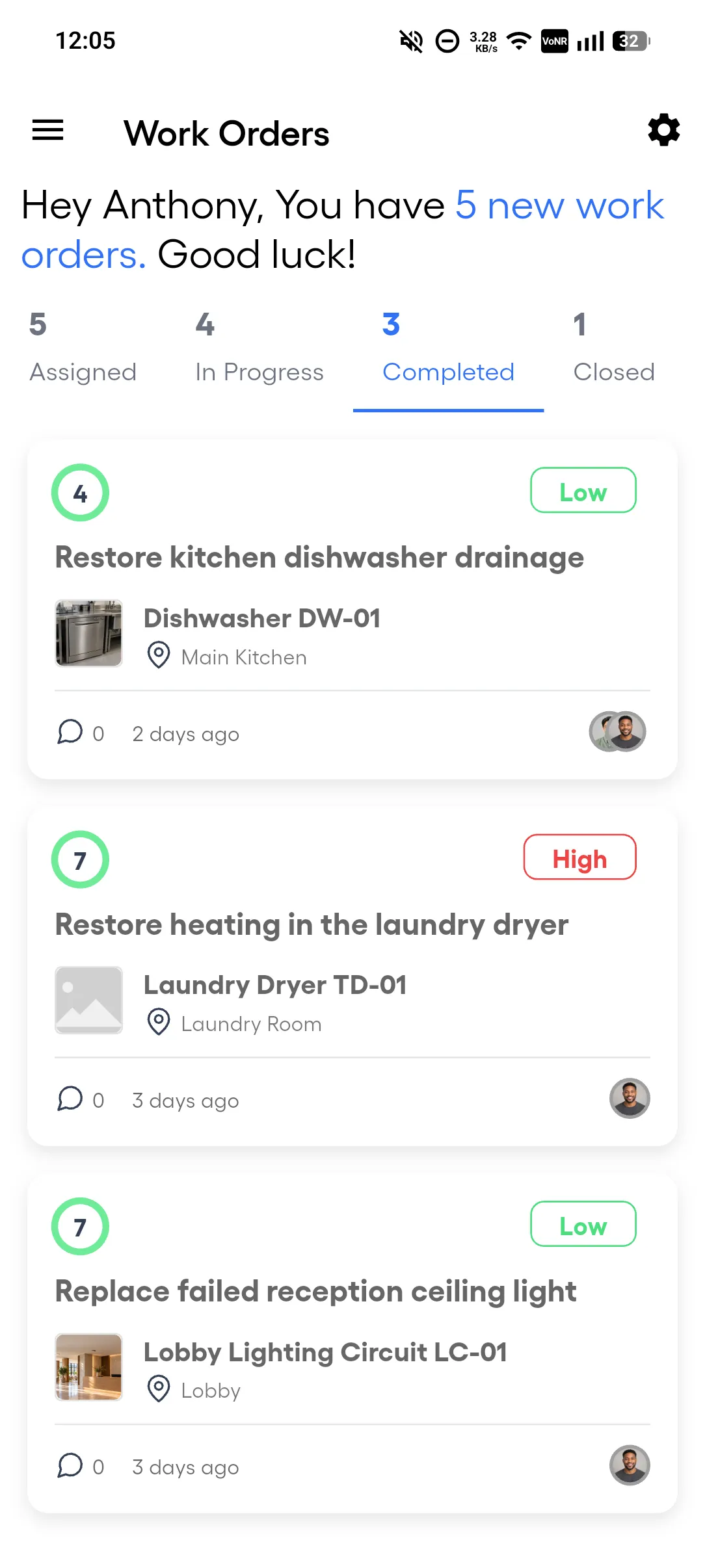
Campus maintenance staff receive work orders on their mobile devices — whether they're fixing a lecture hall projector or servicing rooftop HVAC units. No need to return to the office for the next assignment. The Android app works offline for assigned work orders, and the work syncs when the connection returns.
- View assigned work orders with priority and due date
- Push notifications when new work orders are assigned to them
- Start and complete jobs without returning to the office
Mark jobs complete with documented evidence
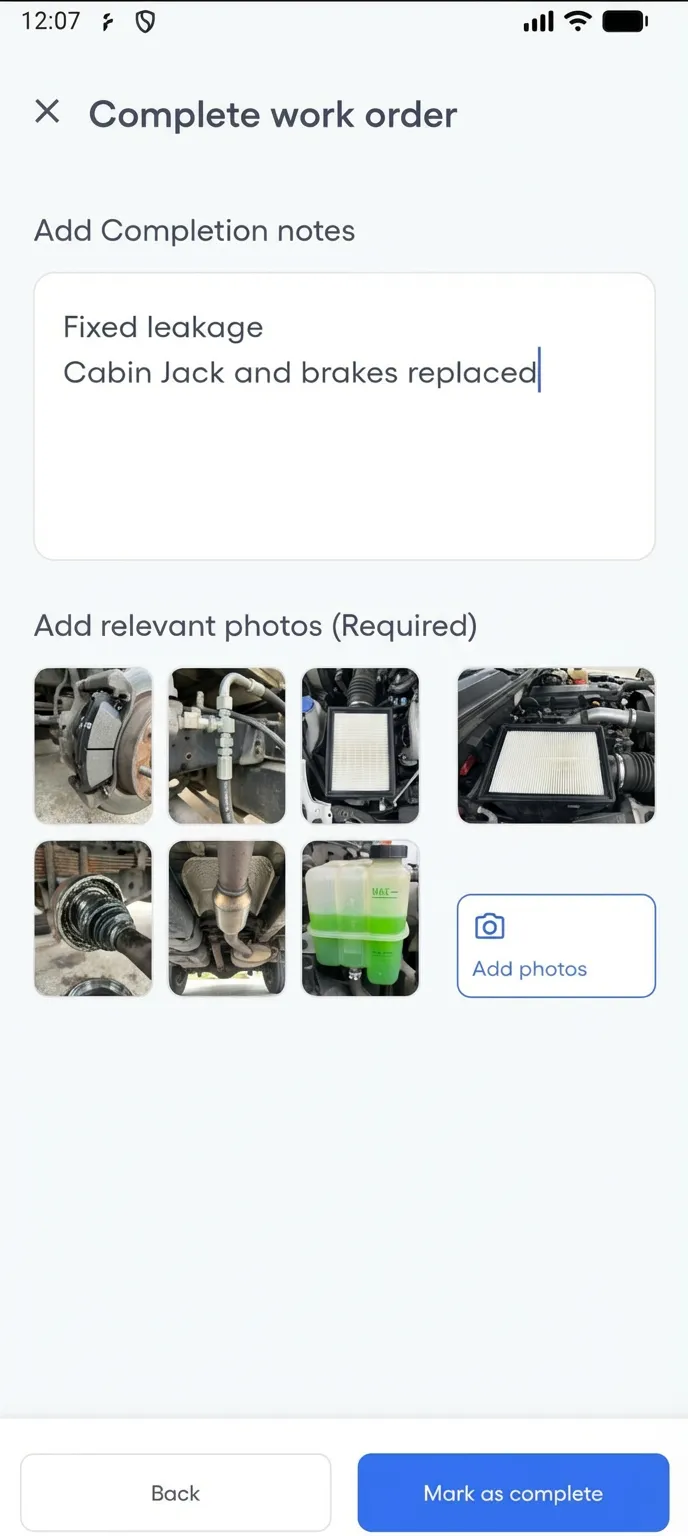
When a repair is done, the technician adds completion notes and photos from their phone. Facilities directors have a documented record of every resolved issue — useful for accreditation audits and board reporting.
- Photo evidence of completed repairs for accreditation
- Completion notes explain what was done and why
- Full history per building for facilities review boards
Campus Facility Maintenance
A university campus with dozens of buildings uses QR codes for student and staff reporting — limited to @university.edu emails, with reporter email verification on. The maintenance supervisor triages incoming issues on the Kanban board.
- Seasonal HVAC servicing scheduled as recurring preventive maintenance
- Fire system inspections quarterly, elevator maintenance monthly
- Cost reports track spending per building for budget reviews
Free maintenance templates
Annual maintenance schedule
Recurring maintenance for common building equipment, by frequency and month.
Asset register
The equipment and assets a site holds, with each one's location, category, custodian and tags.
Building maintenance checklist
A building maintenance checklist for fire extinguishers, emergency lights, fire doors, electrical rooms, HVAC, plumbing, and housekeeping, grouped by how often each check is due.
Cleaning checklist
Routine cleaning of a building's common areas, from each workday to once a year, by area.
Work order form
One work order from request to completion, with time, parts and any charge to the occupant.