Facility Management CMMS
Manage multiple buildings with reports for each location, public issue reporting, and cost tracking.
Free forever, no card needed
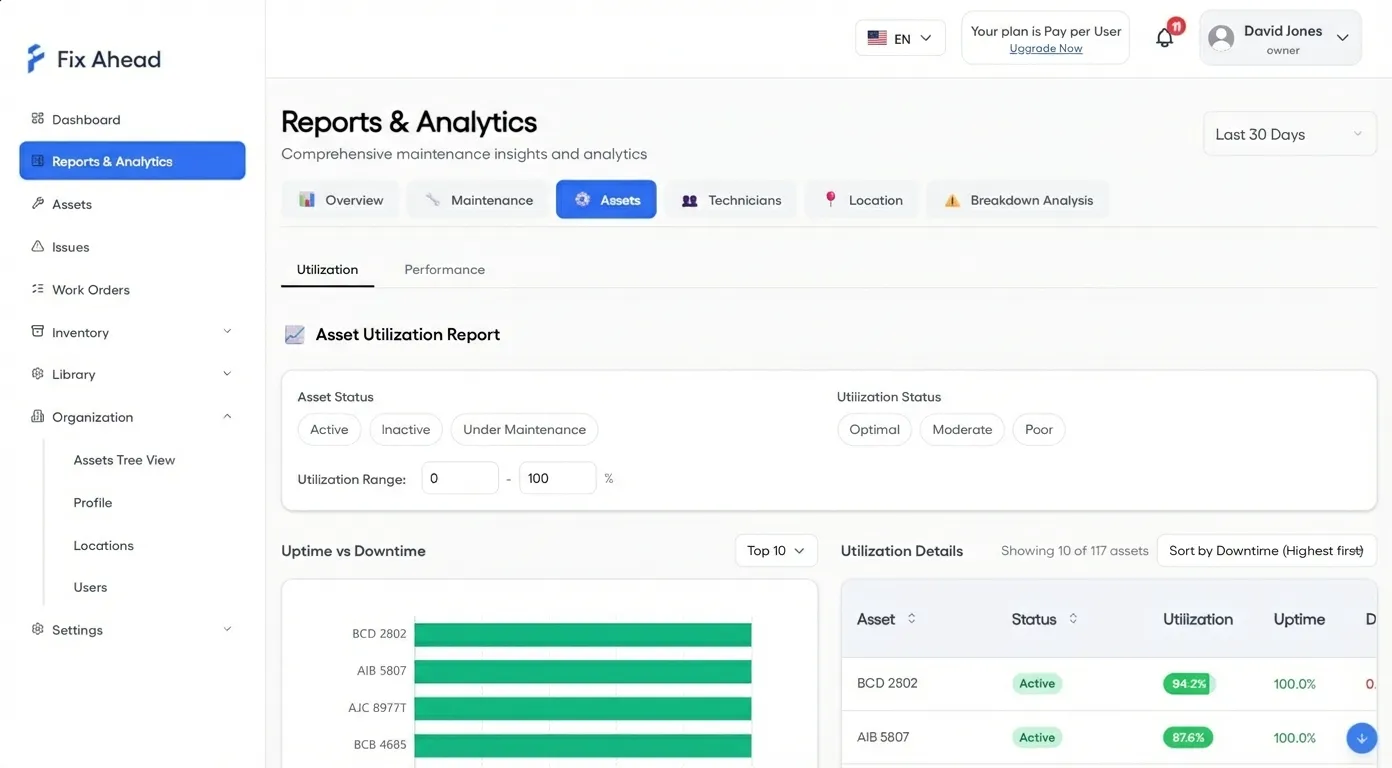
Dashboards for each building, for client reporting
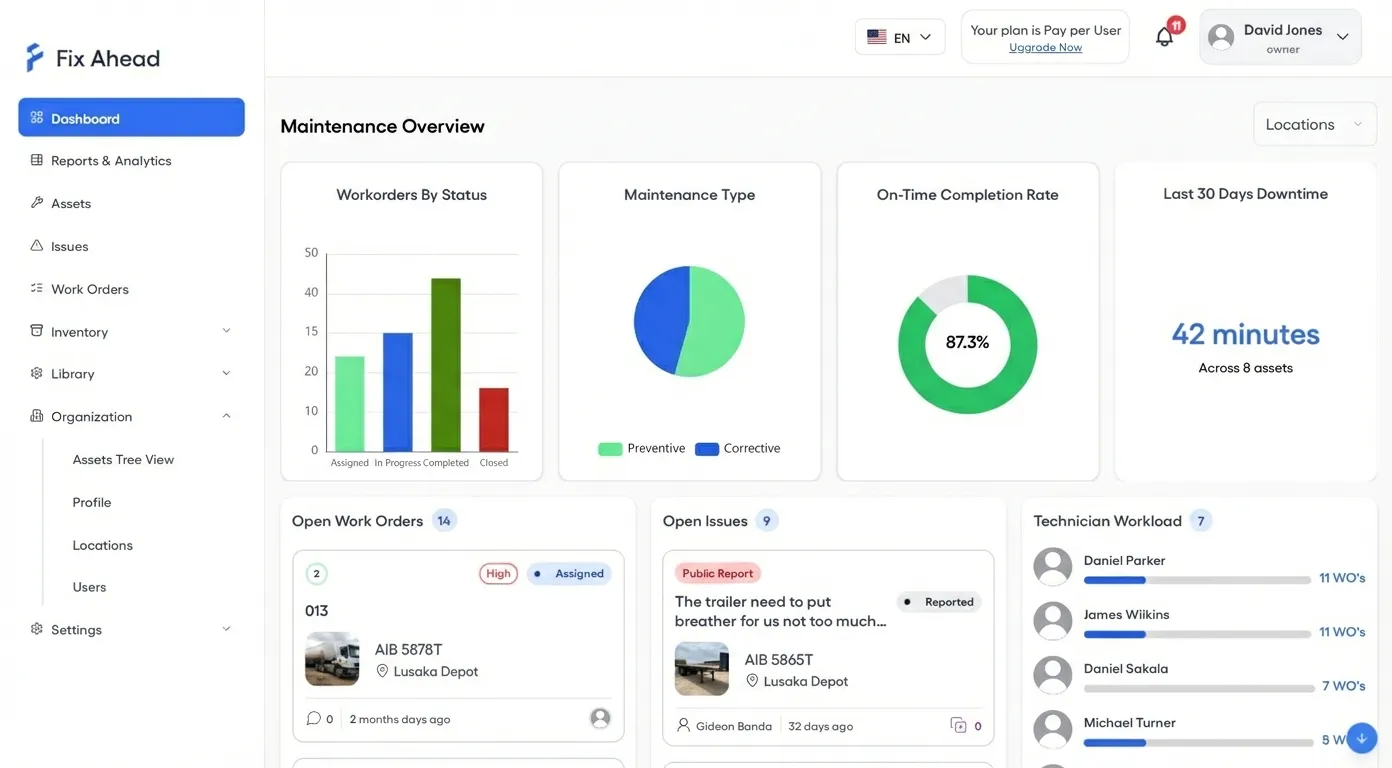
Filter the dashboard by location. Show Client A KPIs for their building in monthly reviews. Work order reports (Pro) by location track average resolution hours and maintenance costs.
- The maintenance dashboard, filtered by location
- Work order reports per location with average resolution hours
- Compare how much maintenance each building needs
Tenant issue reporting via QR codes
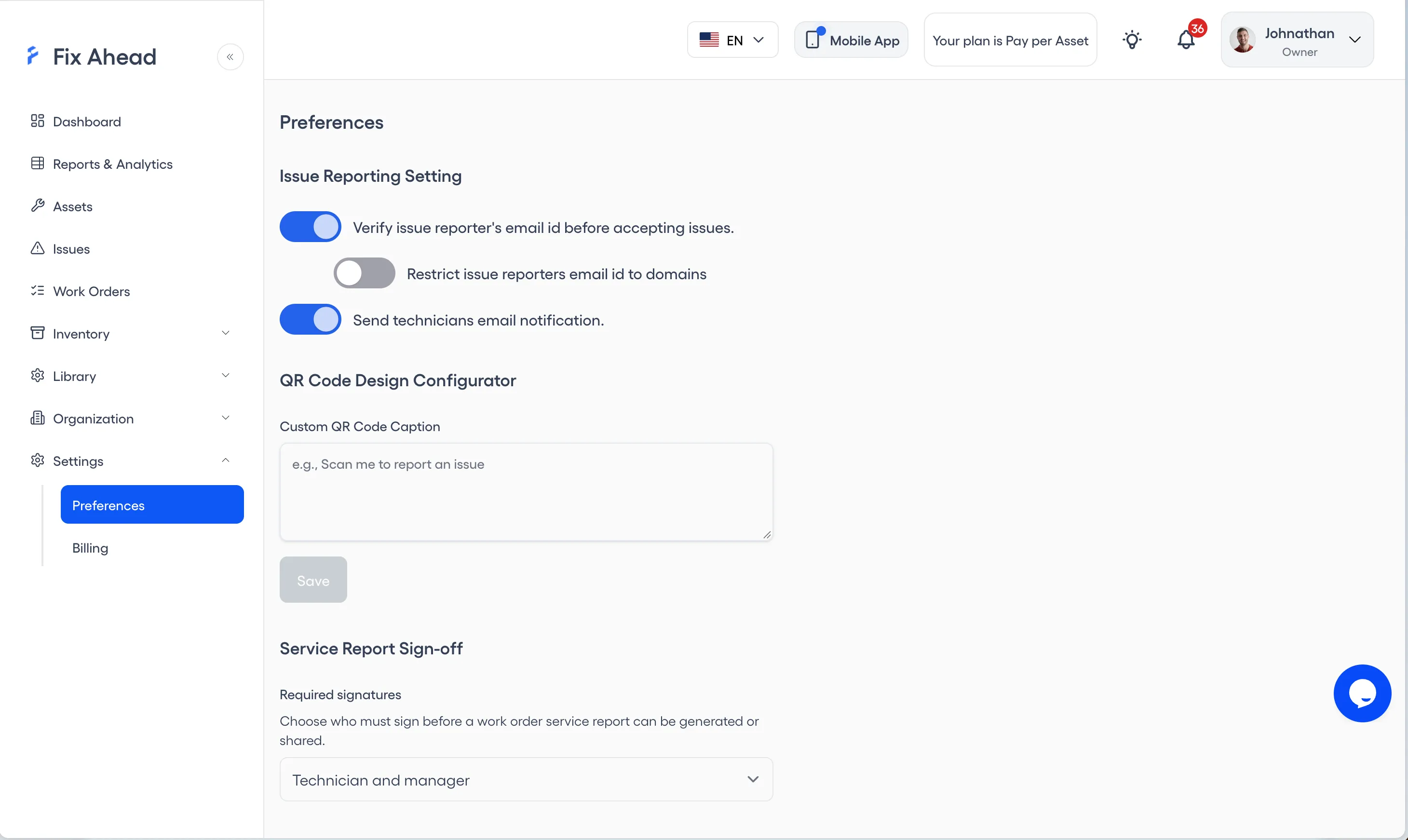
Place QR codes in common areas, lobbies, and restrooms. Tenants scan to report problems — no account needed, no app to download. You can switch on email verification, then limit reports to listed email domains, to keep them legitimate.
- Simple reporting for building occupants
- Reports limited to listed email domains, once verification is on
- Email verification, switched on or off, to confirm identity
Manage technician teams across properties
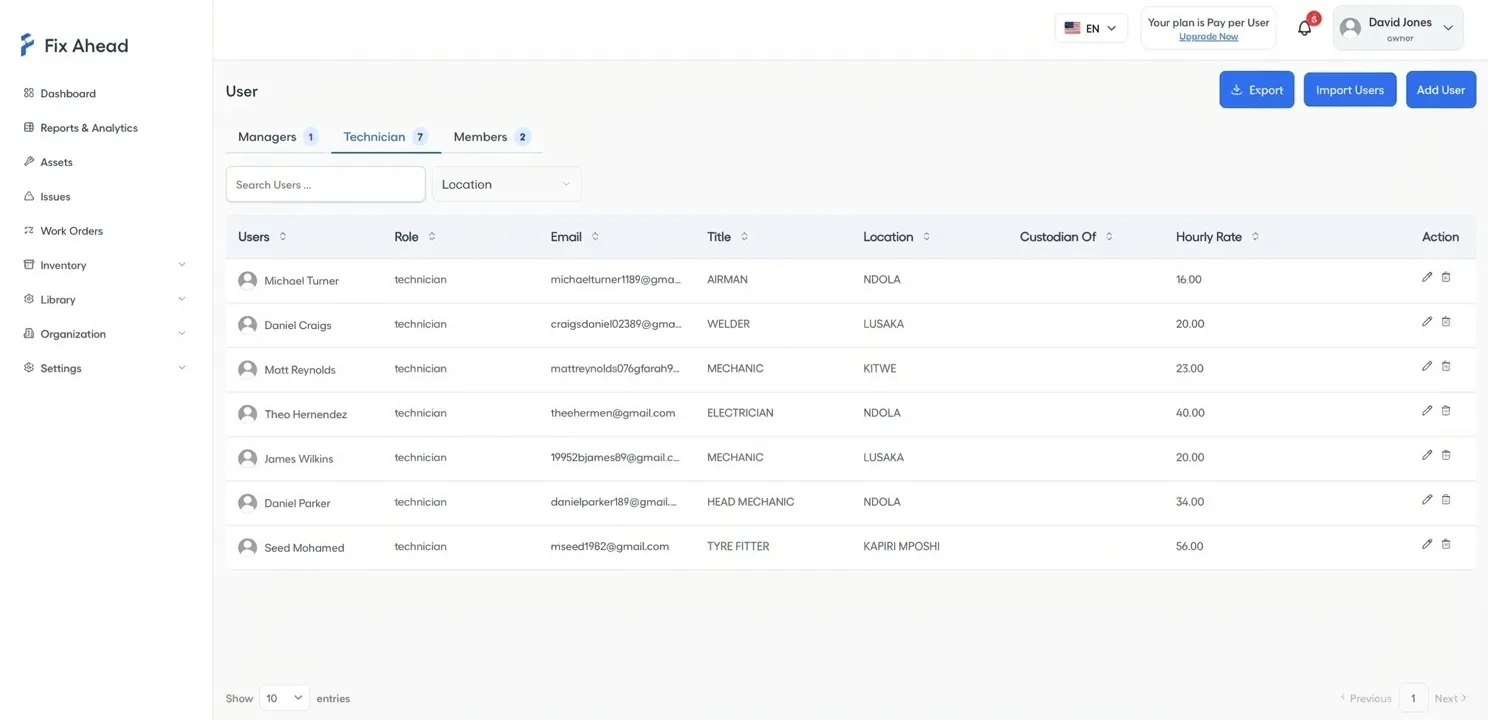
Balance workload across technicians. Track hourly rates for cost reporting, and bill clients accurately with labor and parts costs (Pro) per work order.
- Technician workload distribution across locations
- Hourly rates for accurate labor cost tracking
- Assign by skill (Pro), for the right technician at the right site
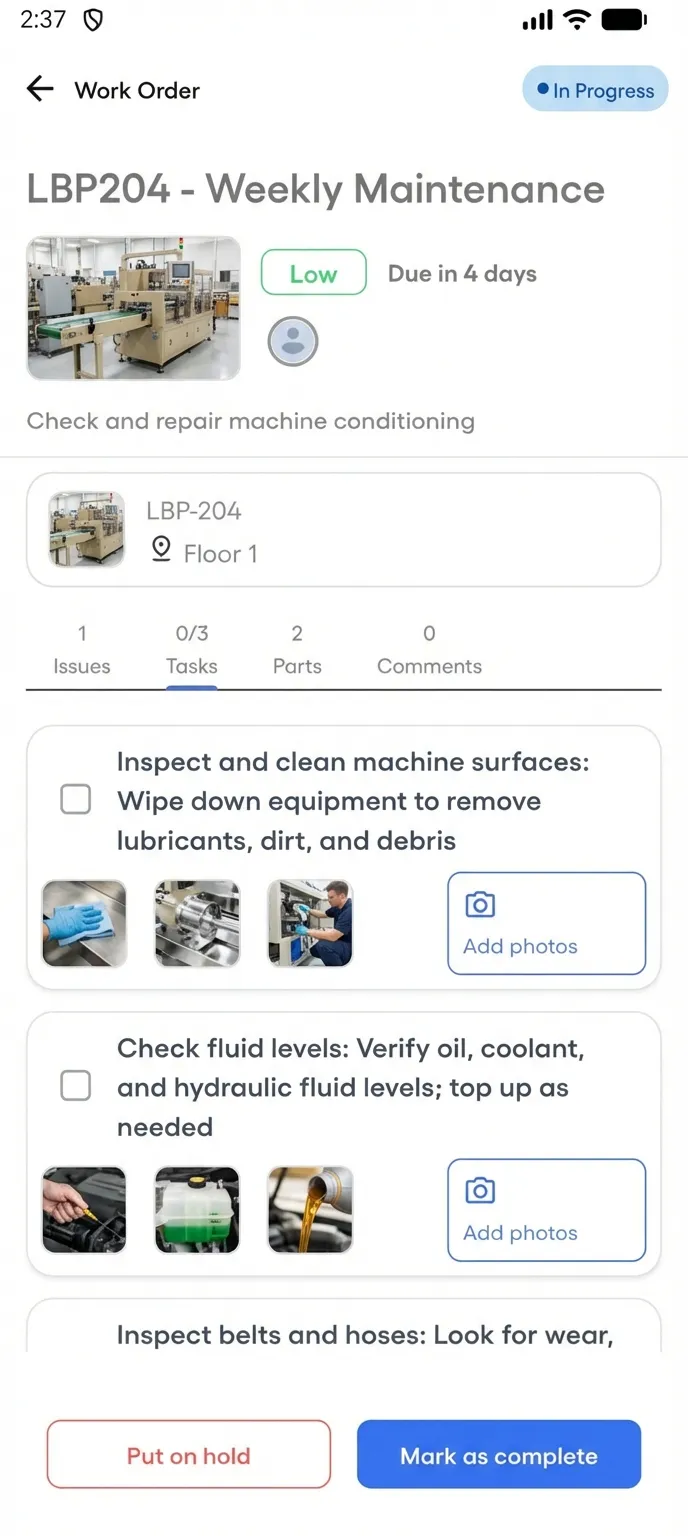
Technicians manage jobs across buildings from their phones
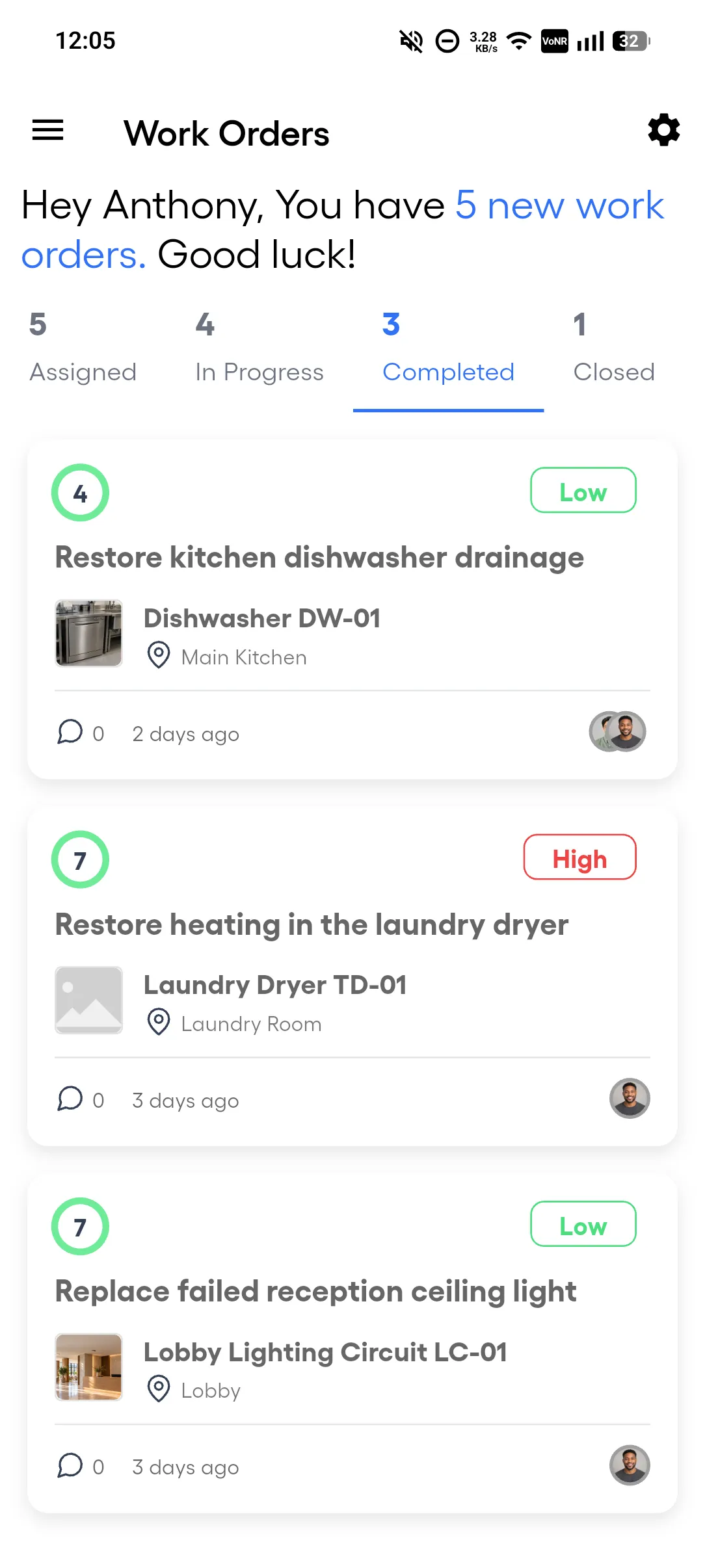
Field technicians see their assigned work orders with priority and due date on each. No more calling the office to check what's next. Start a job, follow the checklist (Pro), mark complete — all from the mobile app. The Android app works offline for assigned work orders, and the work syncs when the connection returns.
- Assigned work orders with priority and due date
- Start, put on hold, and complete jobs from the field
- Push notifications when new work orders are assigned to them
Document completed work with photo proof
Before marking a work order complete, technicians capture photo evidence of the repair. Facility managers share these with clients as proof of service — no more 'was it actually fixed?' conversations.
- Photo evidence captured on-site before marking the job complete
- Completion notes describe exactly what was done
- Client-ready documentation for service verification
Managing Multiple Client Buildings
A facilities management company services 20 client buildings. Each is modeled in FixAhead's location hierarchy, for example Client A, Building 1, Floor 1, Room 101. The dashboard filters by location for client-specific KPIs.
- Tenants report issues via QR codes placed in common areas
- Technician workload reports (Pro) balance assignments across teams
- Work order costs go straight into client billing exports
Free maintenance templates
Annual maintenance schedule
Recurring maintenance for common building equipment, by frequency and month.
Asset register
The equipment and assets a site holds, with each one's location, category, custodian and tags.
Building maintenance checklist
A building maintenance checklist for fire extinguishers, emergency lights, fire doors, electrical rooms, HVAC, plumbing, and housekeeping, grouped by how often each check is due.
Elevator checklist
An owner's checklist for the emergency communication test and the fire-service test, with the records to keep. Local rules govern the rest.
Preventive maintenance checklist
A preventive maintenance checklist for rotating equipment, such as motors, pumps, belts, and drives, grouped by how often each check is due.
Property inspection checklist
Room-by-room condition check of a rental unit at move-in and move-out.
Roof inspection checklist
A roof inspection checklist for spring and fall, covering the membrane, flashing, edges, drainage, penetrations, and signs of leaks inside the building.
Work order form
One work order from request to completion, with time, parts and any charge to the occupant.
Workplace safety inspection checklist
Walk-through, shift, monthly and annual checks of walking surfaces, exits, fire protection, electrical, machinery and postings.