From request to resolution — nothing gets lost
Paper work orders disappear. Email threads bury critical updates. You need a workflow that tracks every step, every part, every dollar — from the moment a request comes in until the job is verified complete.
Step-by-step creation with smart defaults
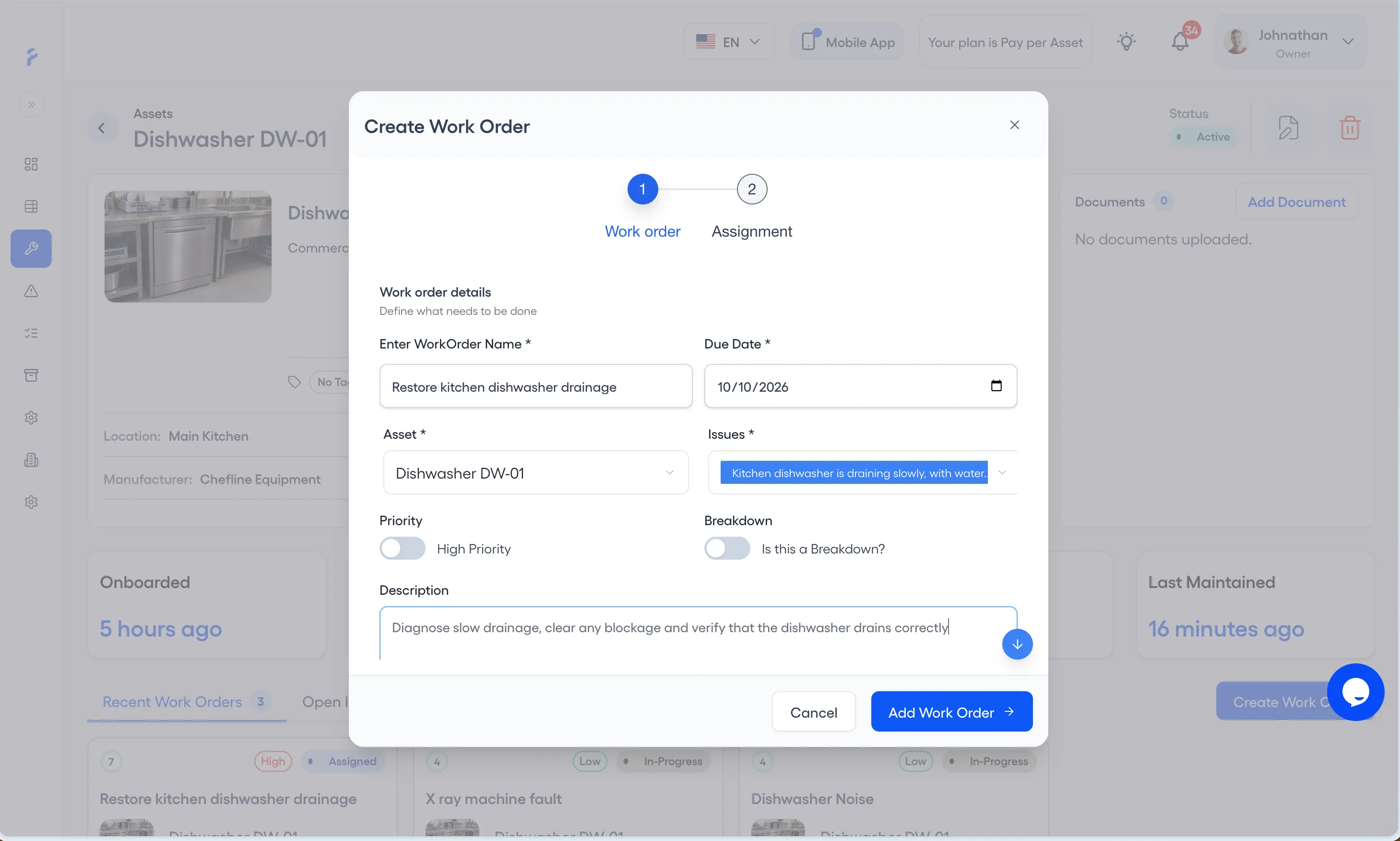
Create work orders in under a minute. The Work order step takes the name, due date, asset, issues, priority, and description — with smart defaults that speed up repetitive tasks.
- Select asset and due date in a guided flow, and switch on High Priority for urgent work
- Auto-suggest technicians based on skills and availability (Pro)
- Flag a work order as a breakdown
Technicians and procedure (Pro) in the same flow
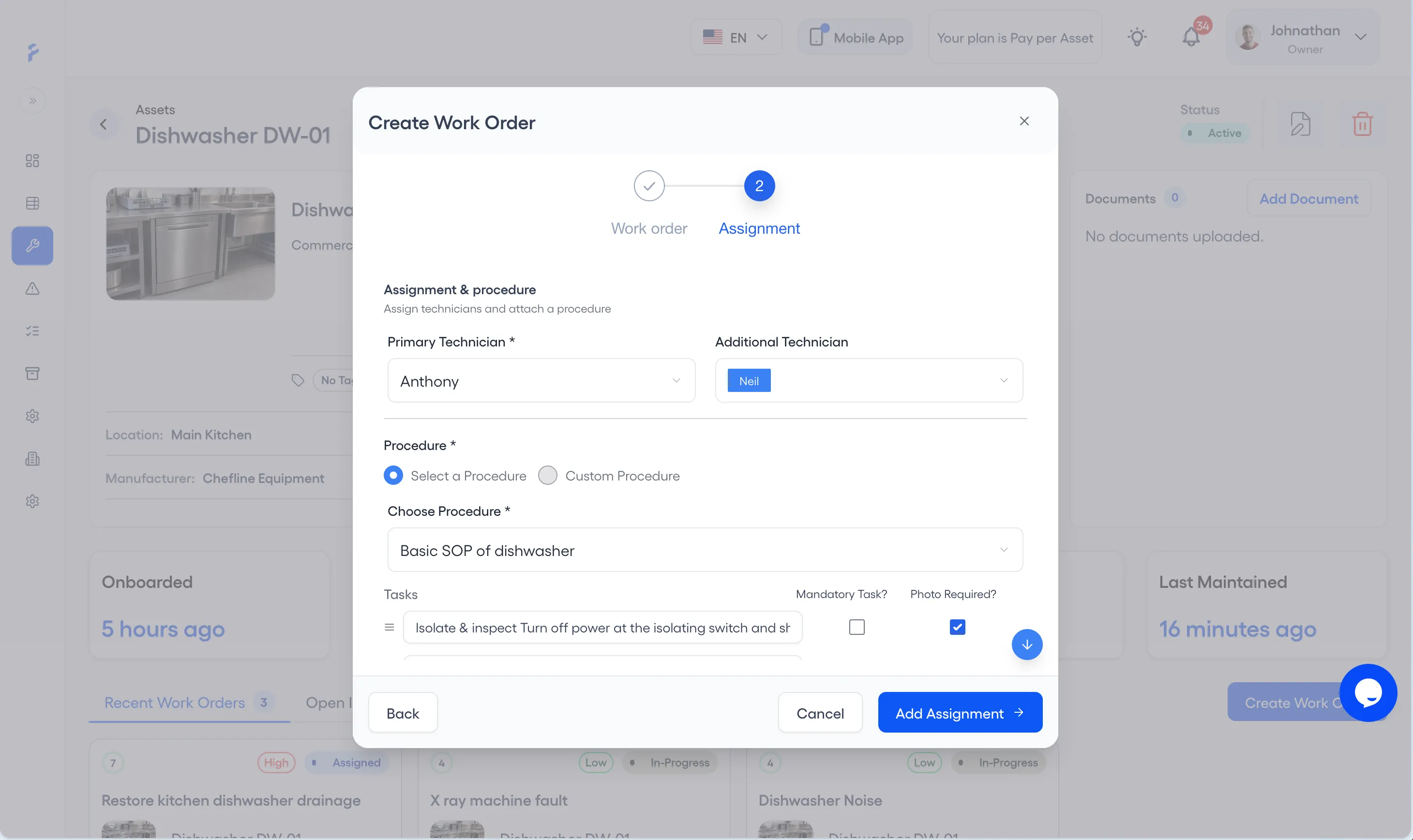
The Assignment step takes the technicians and the procedure to follow, in the same flow as the work order itself. No switching between screens to configure a work order.
- Assign primary technician and additional team members
- Mark each procedure task Mandatory or Photo Required
- Link maintenance procedures and pre-loaded parts lists
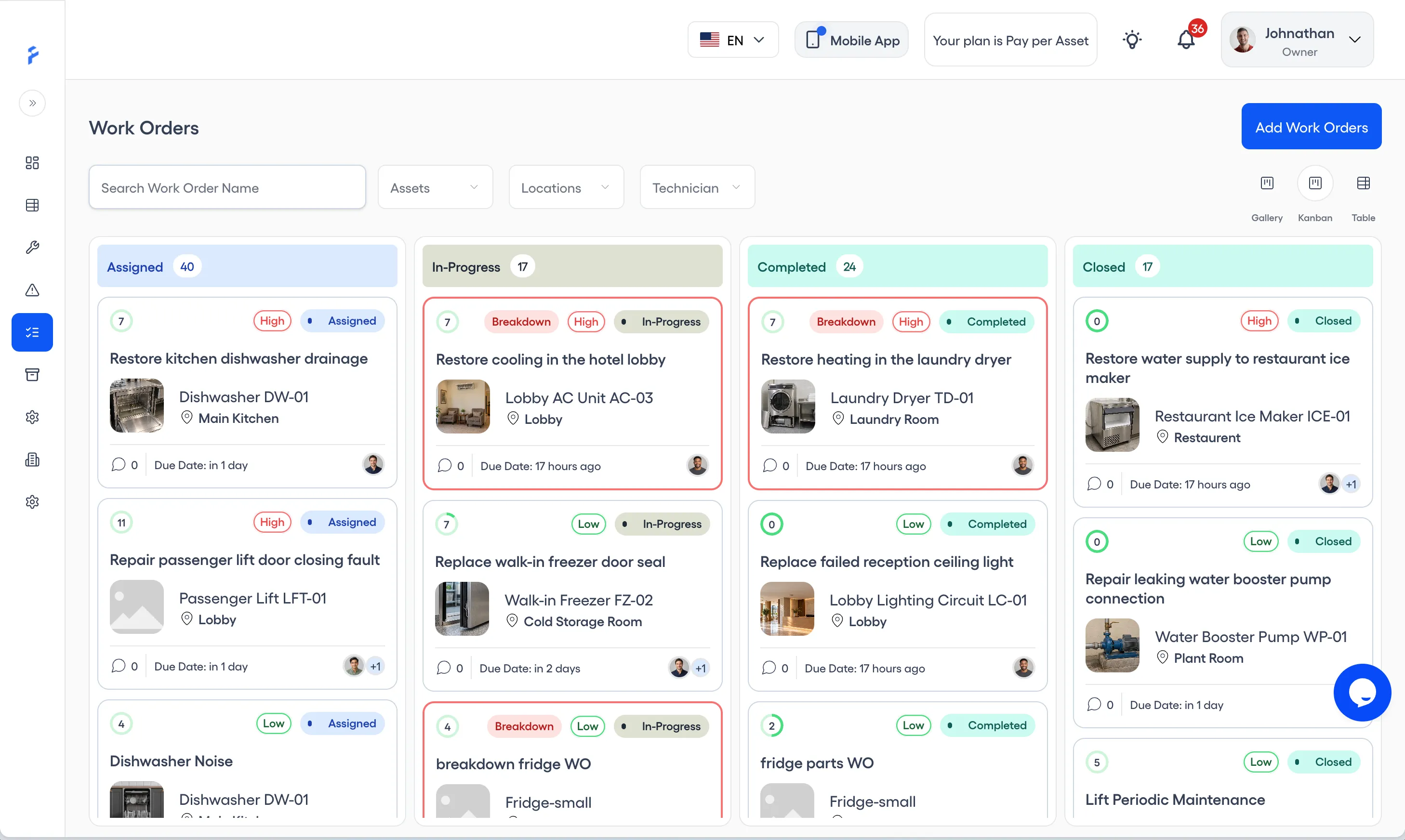
Clear status workflow with full timeline
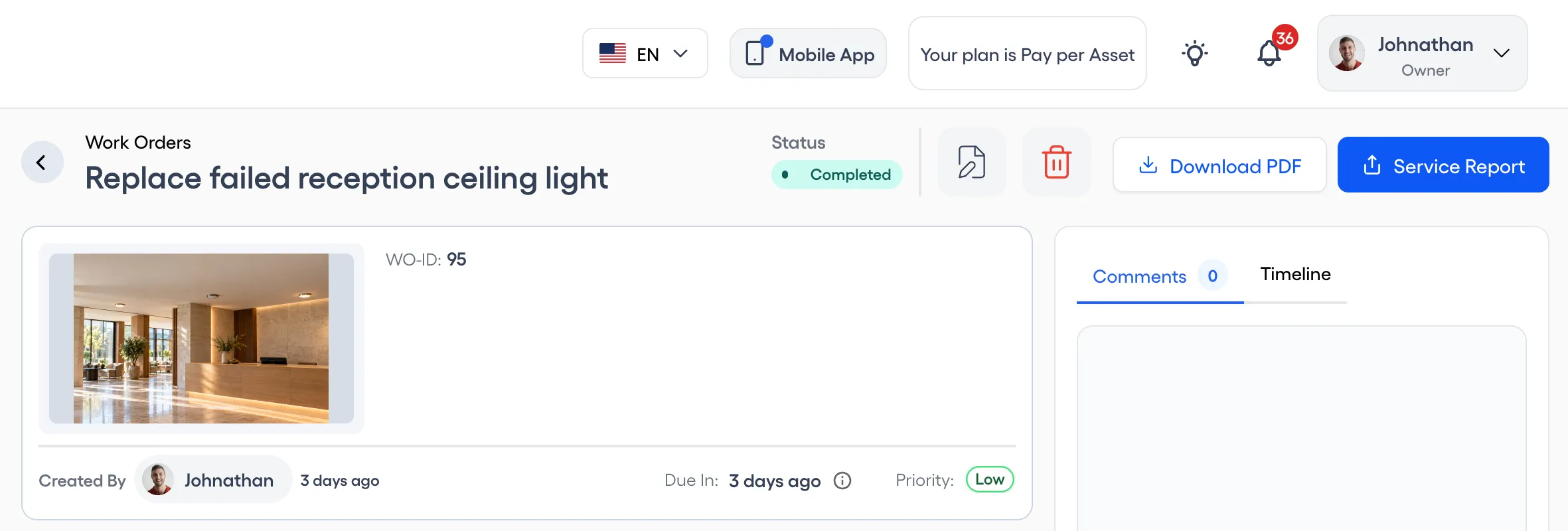
Every work order follows a defined path: Assigned, In Progress, Completed, Closed. The timeline captures every status change — so nothing is lost.
- 4 statuses, with clear rules for moving between them
- Timeline showing when and by whom each work order was created, who it is assigned to, and each status change with its date and time
- Flag urgent work as High Priority
- Kanban board with a column for each status, plus gallery and table views
- PDF record of each work order
Procedure checklists (Pro) with photo evidence
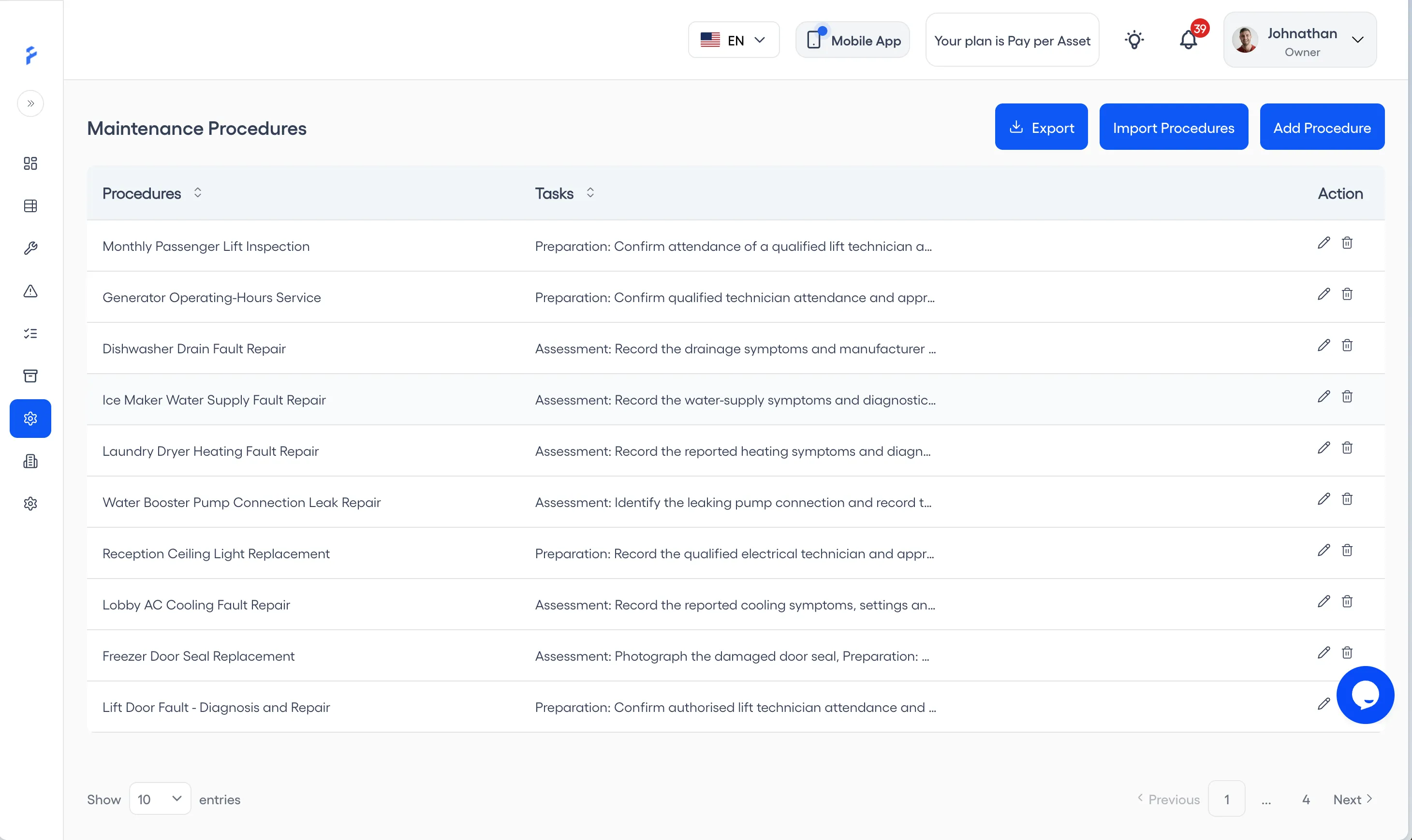
Attach standardized maintenance procedures to work orders. Technicians follow step-by-step checklists and capture photo evidence of completed work — ensuring quality and compliance.
- Reusable procedure templates with task steps
- Photo evidence capture per checklist item
- See how many tasks are done out of the total
- See which work orders use a procedure before you delete it
Service Reports to sign and share
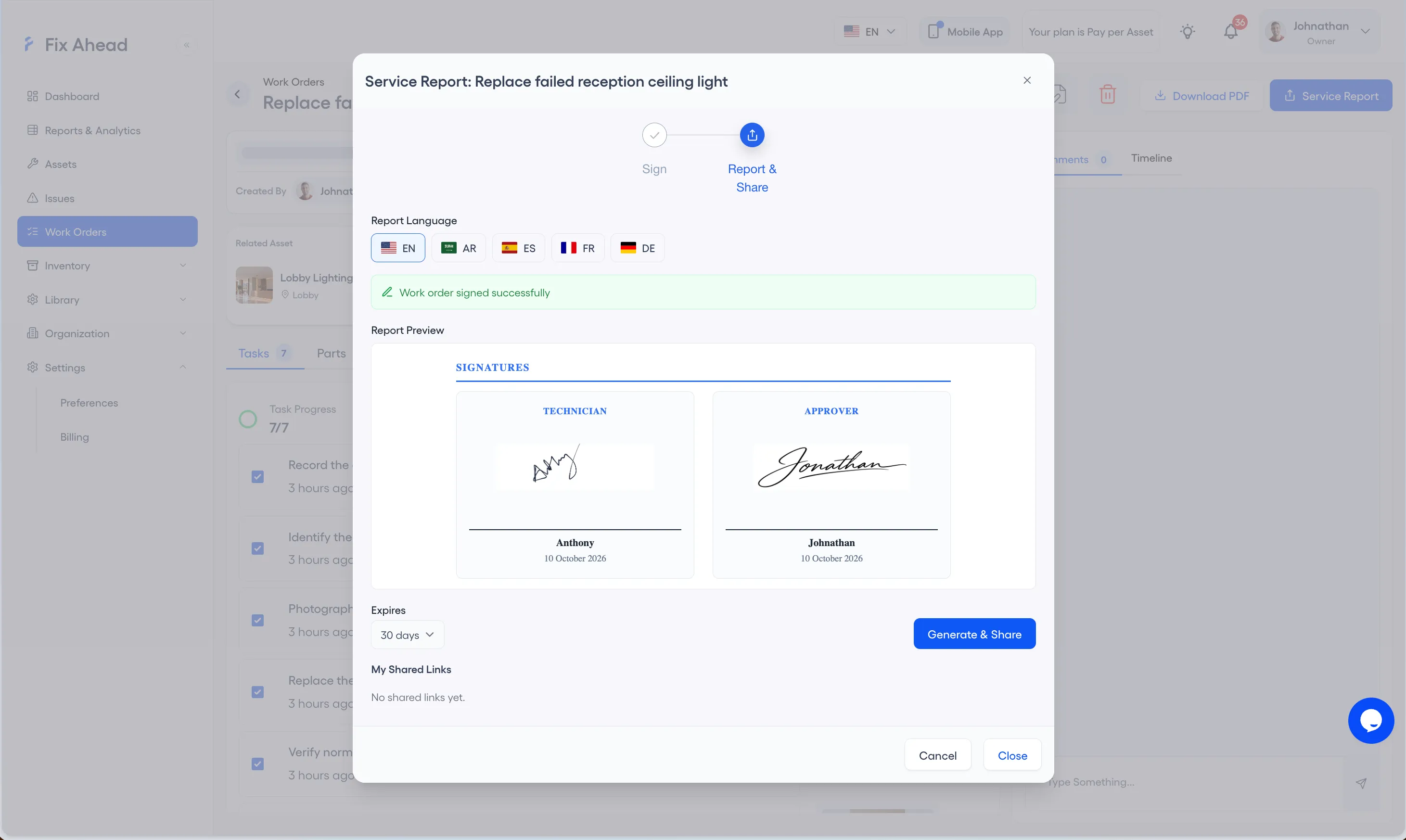
Open Service Report on a work order, sign it, and share the report from the same window. The preview shows the signatures before you share.
- Service Reports with sign-off by technician, manager, or both
- Signatures captured in the app, shown on reports
- Report in English, Arabic, Spanish, French, or German
- Generate & Share a link that expires, and find it again under My Shared Links
Parts tracking (Pro) with cost per work order
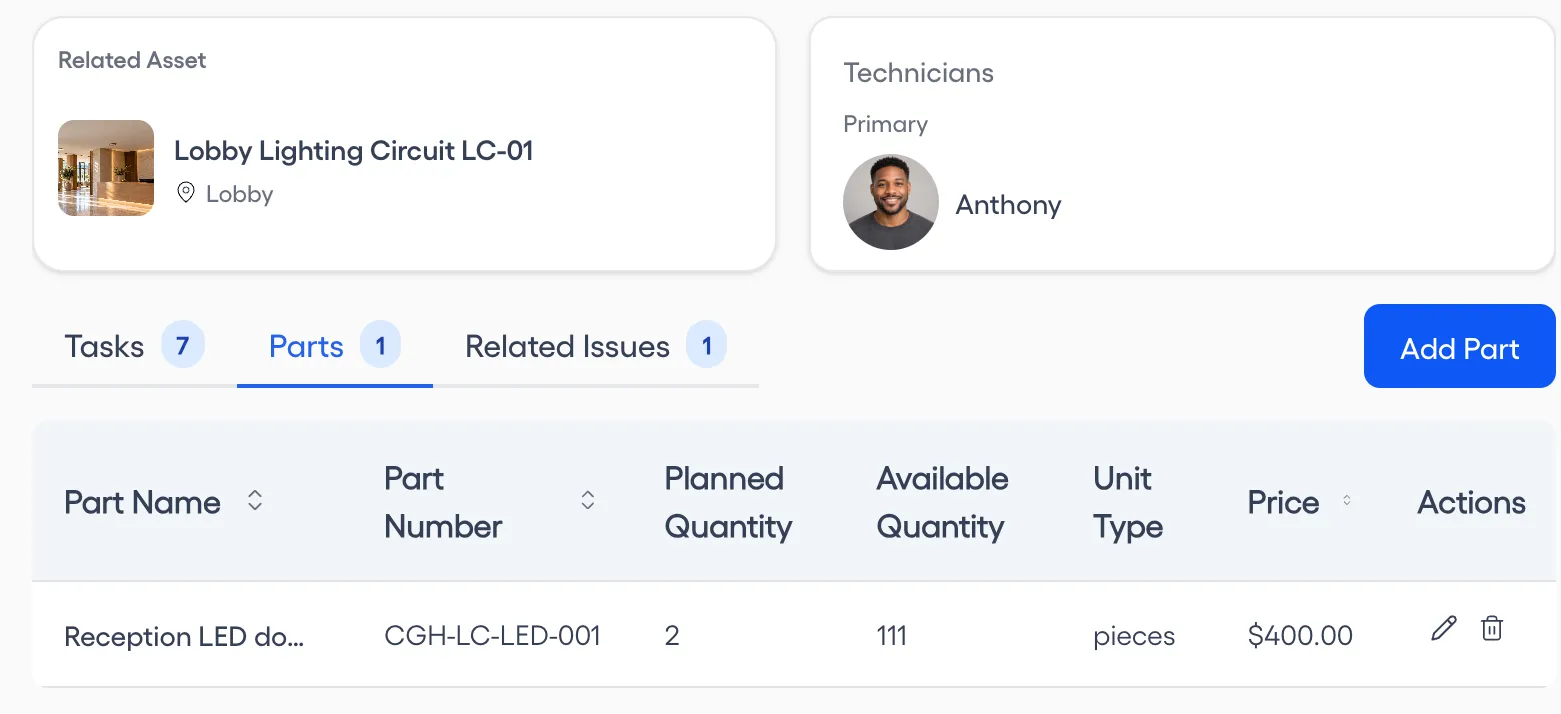
Plan parts for each work order. Know exactly which parts went where and what they cost. Never run out of critical spares because of poor tracking.
- Add planned and actual parts used per work order
- Costs filled in from each part's inventory price
- Parts reserved when a work order goes In Progress
- Time spent per work order
Do the work from your phone
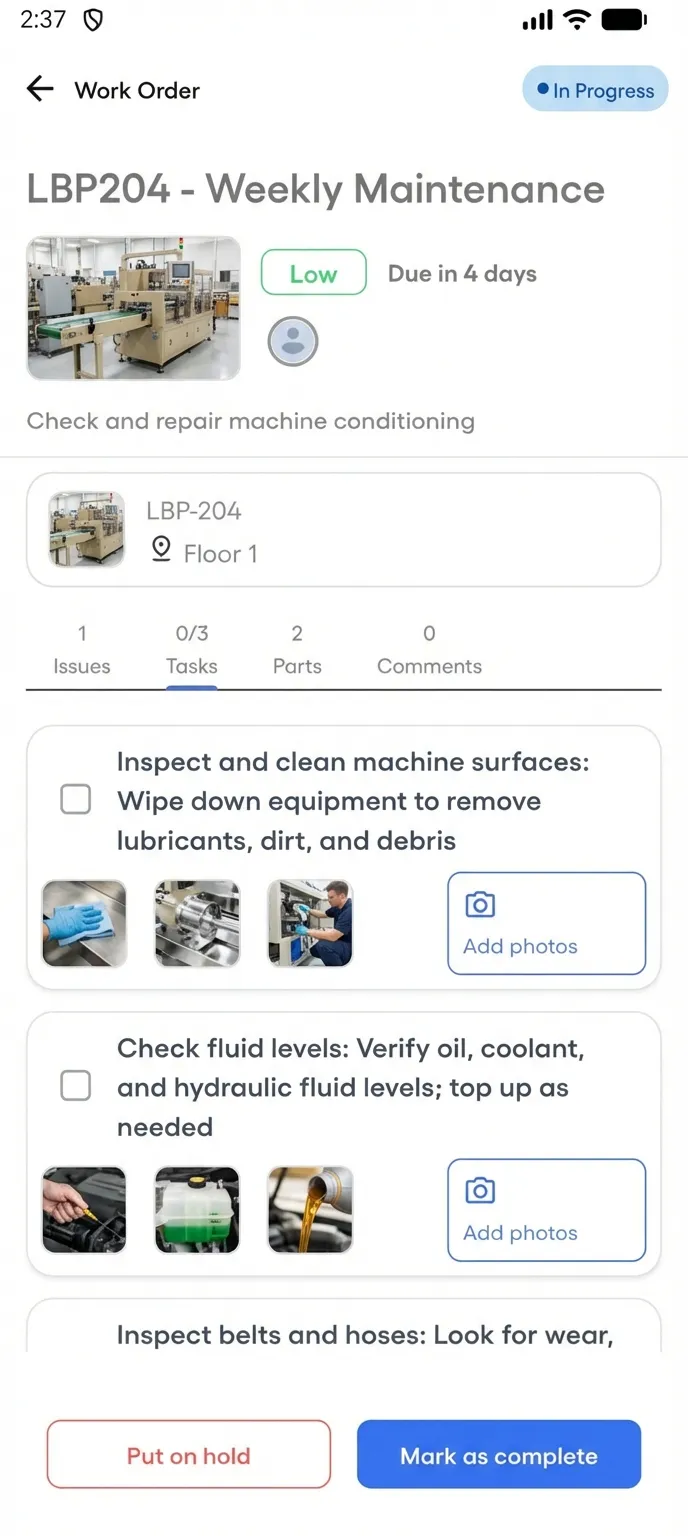
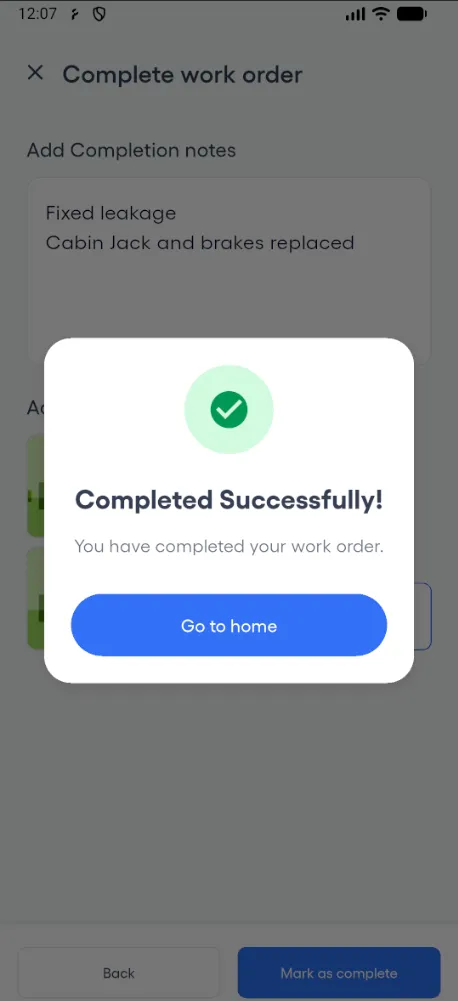
Your technicians manage work orders from the native Android app. Start jobs, follow checklists, capture photo evidence, and mark complete without returning to the office. It works offline for assigned work orders, and the work syncs when the connection returns.
- View assigned work orders in four status tabs
- Follow procedure checklists step by step on-site
- Add photo evidence from the camera or gallery
- Complete work orders with notes and images from the field