Everything your team needs — nothing it doesn't
From asset tracking to reliability analytics, FixAhead replaces spreadsheets and legacy tools with one fast, modern platform.
No credit card required
One platform for your entire maintenance operation
Seven modules working together to replace spreadsheets, paper forms, and legacy tools.
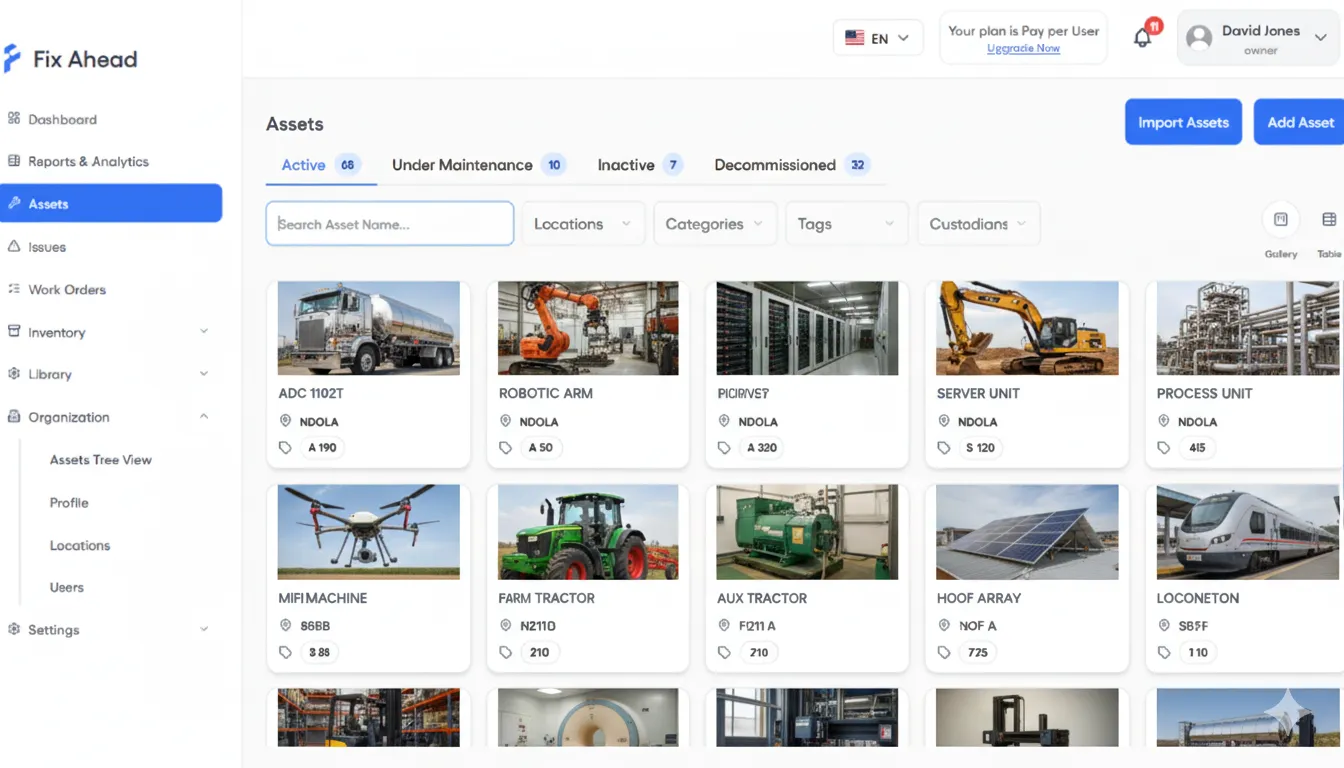
Know every asset, everywhere
Track every asset from commissioning to decommission. Organize with a location tree, custom fields (Pro), and QR codes — and import hundreds of assets in minutes.
- Full lifecycle tracking with 4 statuses
- Organize assets in a location tree.
- QR codes for every asset — scan to view details
- Bulk import from CSV or Excel, with errors shown before you import
From request to resolution — nothing gets lost
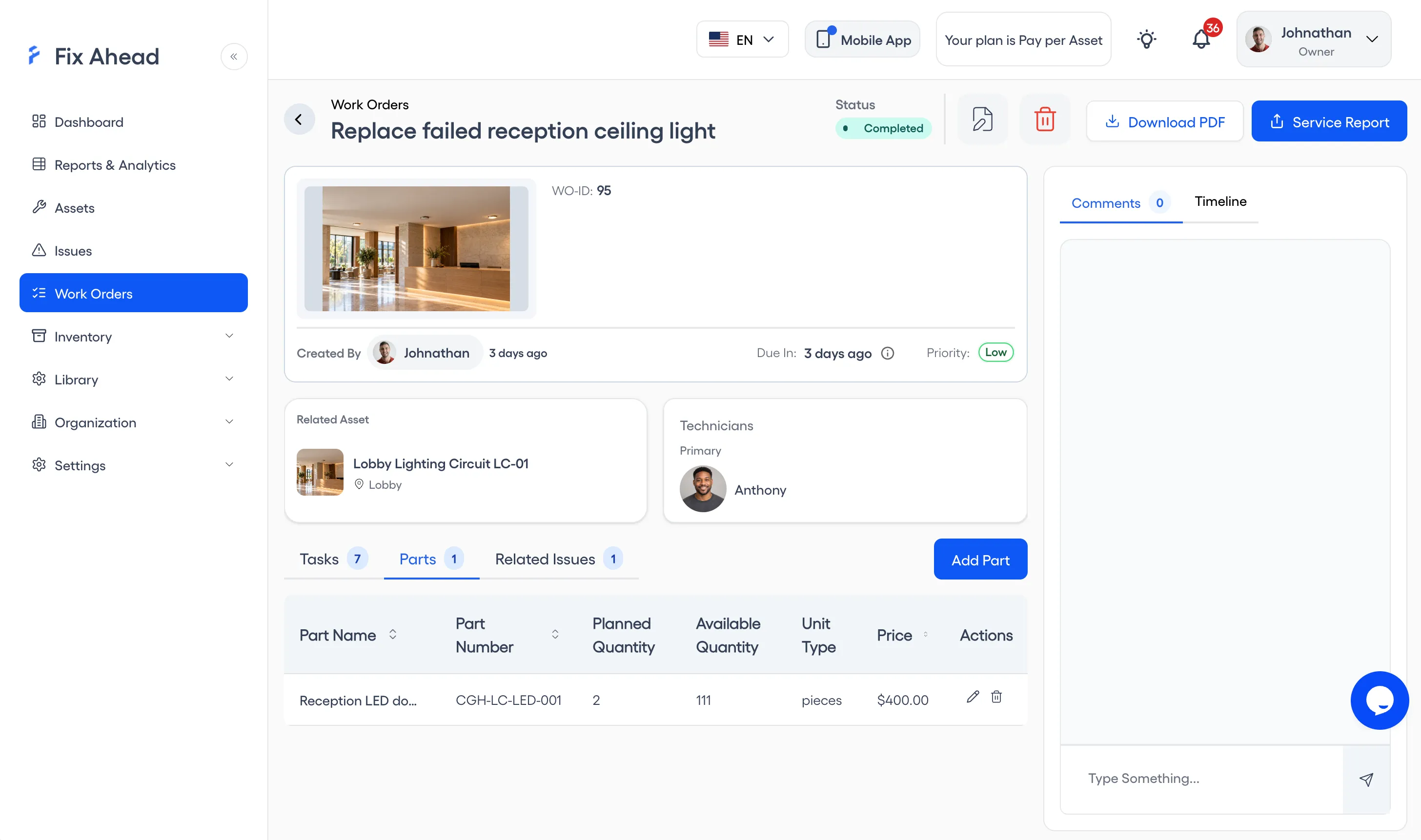
Create work orders in seconds with guided steps. Attach procedure checklists (Pro), track parts (Pro) and costs, and follow every step with a full timeline.
- Step-by-step creation with smart defaults
- Procedure checklists with photo evidence
- Parts tracking with cost per work order
- Full timeline with status history and notifications
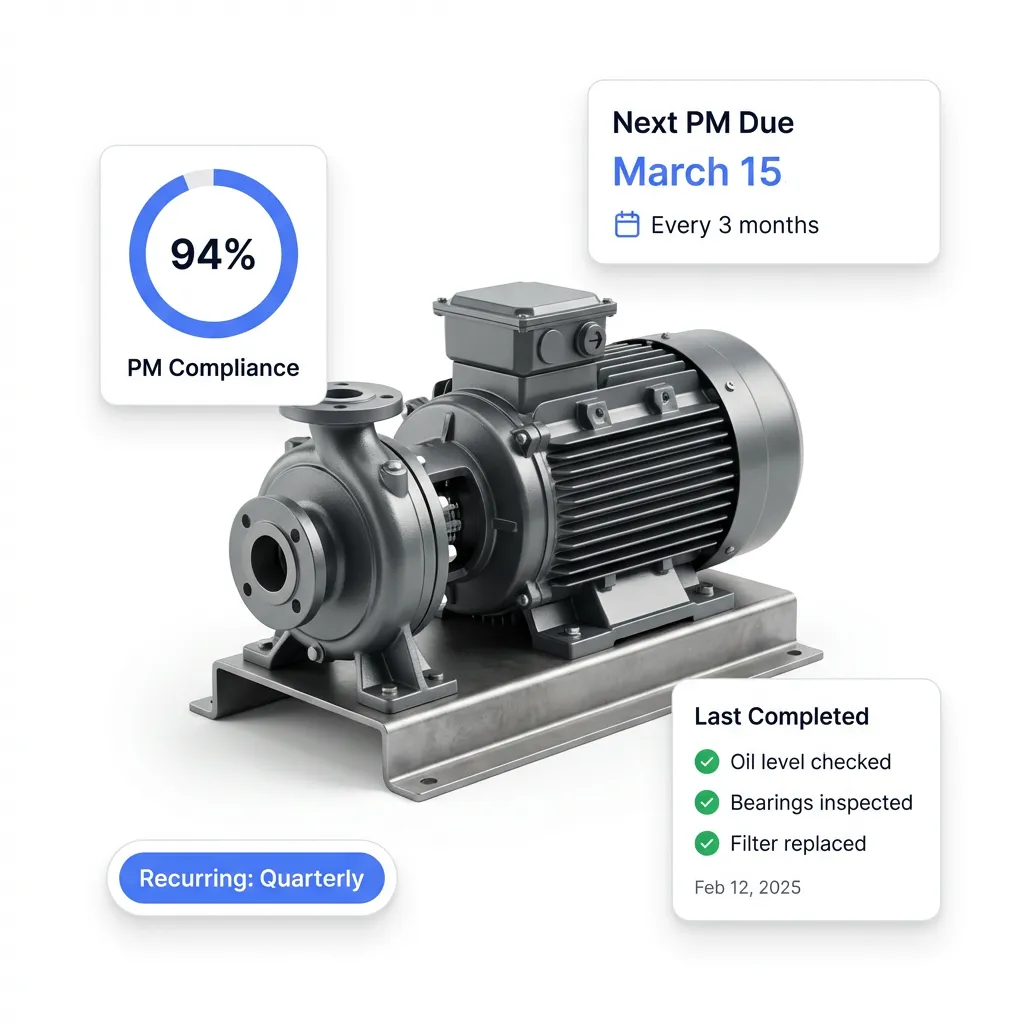
Get ahead of breakdowns
Preventive maintenance auto-generates work orders before due dates. Set recurring schedules, match technicians by skill (Pro), and track compliance per asset.
- Recurring daily, weekly, monthly, or yearly schedules
- Put many assets on one schedule by tag
- Work orders created ahead of the due date
- Skill matching for technician assignment
Let anyone report problems — no account required
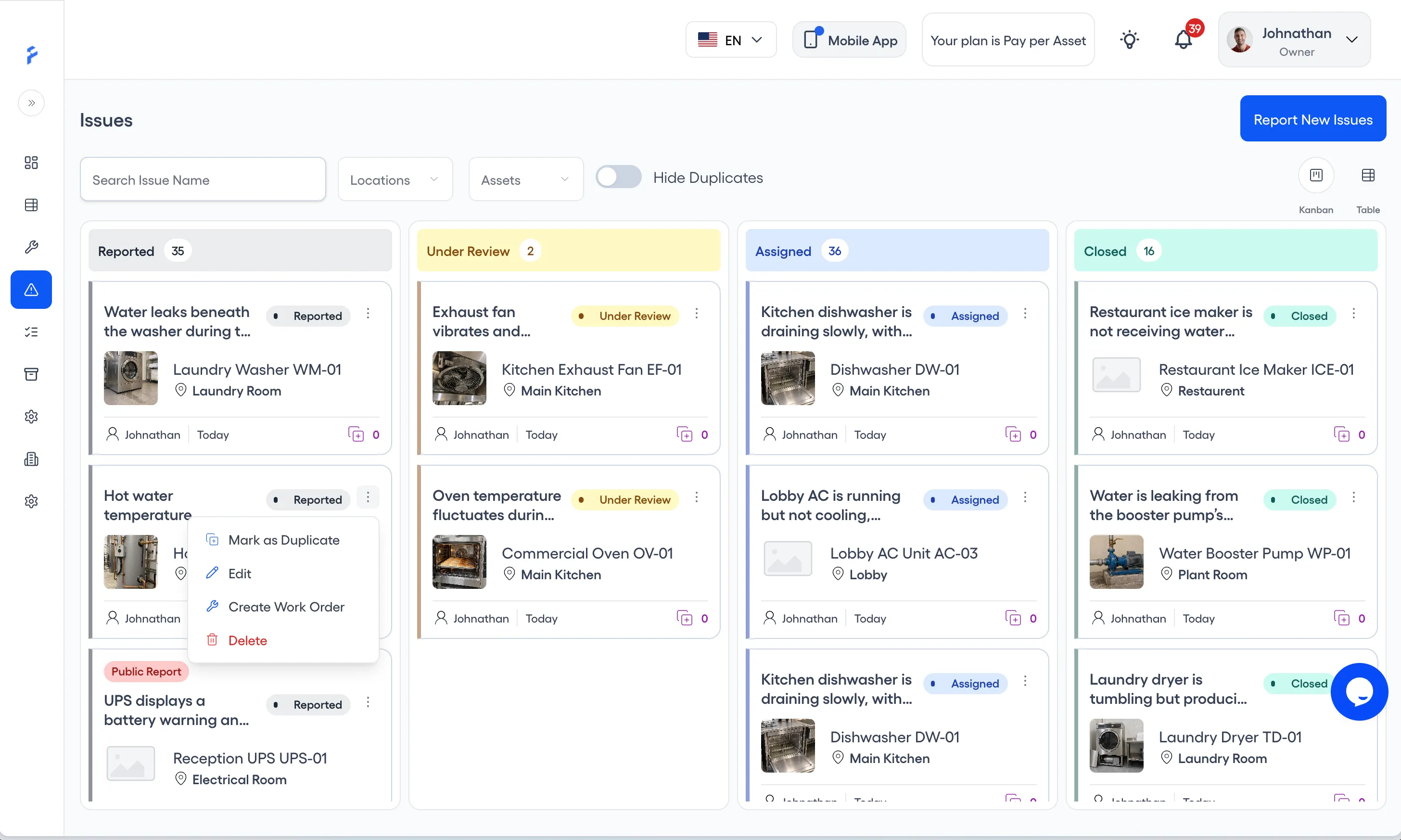
Anyone can scan a QR code to report an issue — no account needed. Triage on a Kanban board, manage duplicates, and create work orders from issues.
- Public QR code reporting — no account needed
- Kanban board for triage
- Duplicate management to reduce noise
- Create Work Order from an issue card
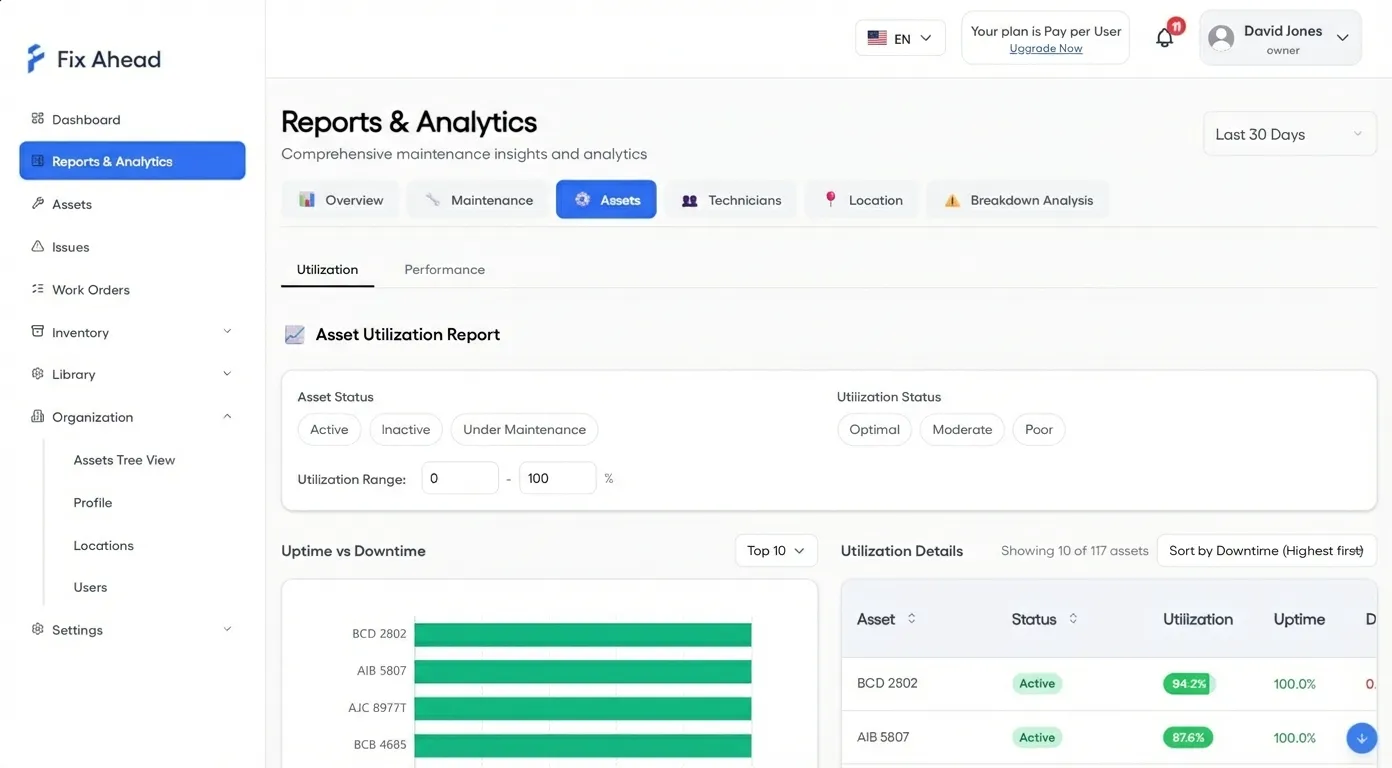
See what's really happening with your maintenance
11 report types (Pro) give you the data to make decisions — not guesses. MTBF, MTTR, PM compliance, breakdown analysis, cost reports, and more.
- 11 report types including MTBF and MTTR
- Interactive charts with drill-down detail
- Export to PDF, Excel, or CSV (Pro)
- Filter by location, asset, technician, or date range
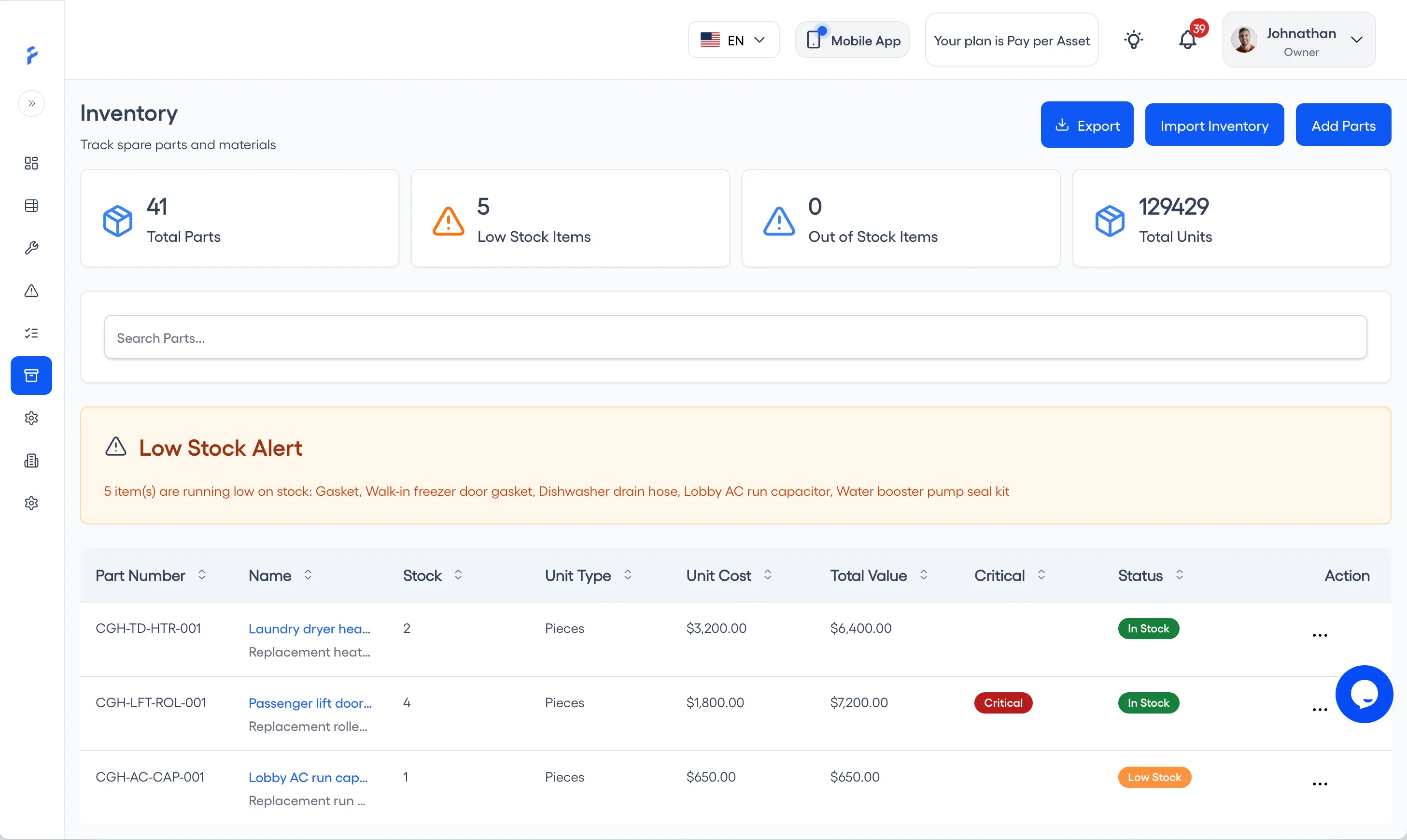
Never run out of critical spares (Pro)
Track spare parts with precise stock levels, reorder alerts, and full transaction history. Link parts to suppliers and work orders so you always know what went where.
- 25 unit types for precise stock tracking
- Reorder alerts when stock hits minimum levels
- Supplier linking with contact details
- Full transaction history, with 7 kinds of stock movement
Everything your field team needs — in one app
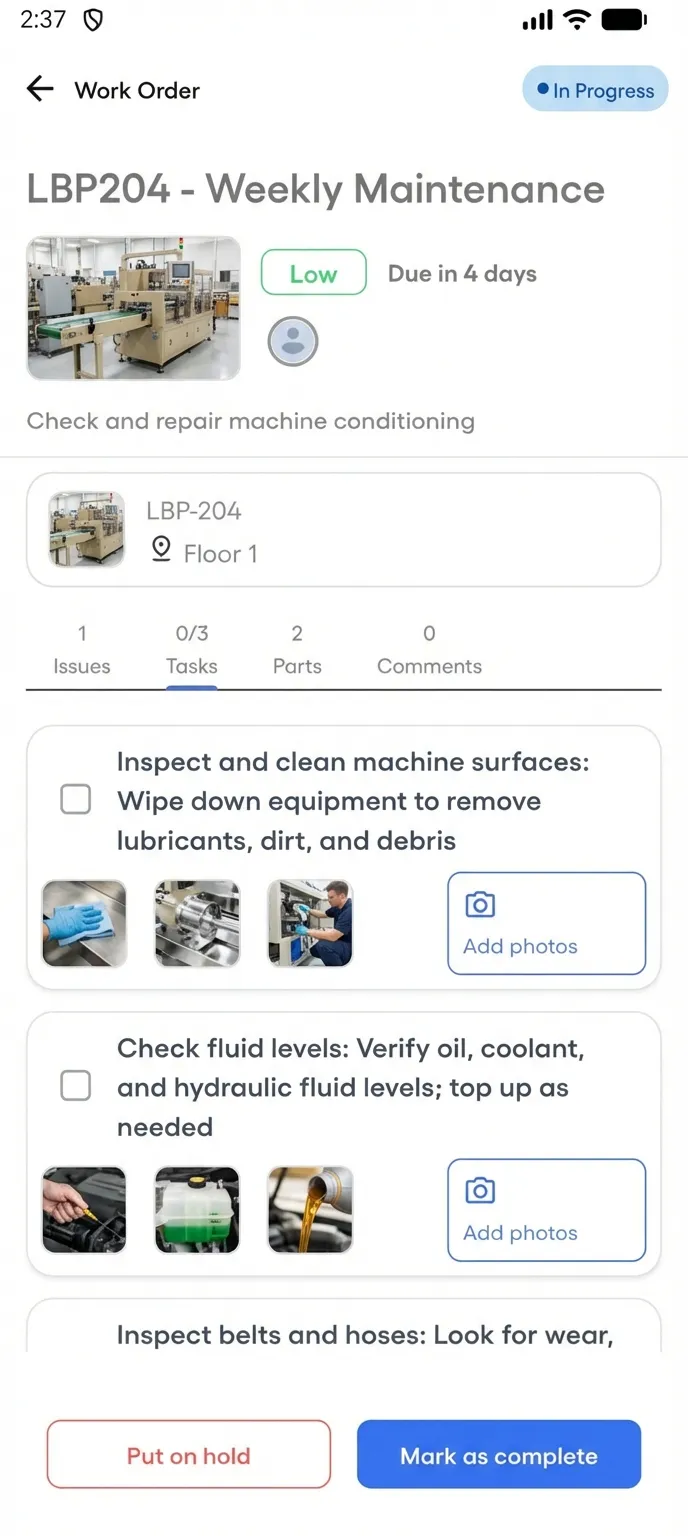
The native Android app puts work orders, checklists, photo capture, and real-time communication in your technicians' pockets. It works offline for assigned work orders, and the work syncs when the connection returns. iOS is coming soon.
- View and manage assigned work orders by status
- Follow guided procedure checklists step by step
- Document work with photos and completion notes
- Push notifications for new assignments and comments
Full transaction history (Pro), linked to each work order
Every stock movement is tracked: initial stock, purchases, work order issues and returns, adjustments, and scrap. Parts recorded as used are deducted when a technician completes the job in the app, and linked — giving you complete traceability.
- Transaction types for initial stock, purchases, work order issues and returns, adjustments, and scrap
- 9 reasons to record an adjustment, for audits
- Parts recorded as used come off stock when the job is completed in the app
- See who used each part, on which work order, in the part's transaction history