CMMS software where nothing falls through the cracks
Every request goes into one queue, and Pro on 100 assets has no user limit, so every technician works it.
No credit card required
Where PMs and requests get lost
PMs sit in Excel, and failures come in by call, text, or WhatsApp.
Missed PMs
A PM lives in someone's head or spreadsheet, and its date passes with no work order.
Lost requests
A failure reported by call, text, or WhatsApp never reaches a queue.
One person's asset list
The asset list sits in a file that only one person reads.
FixAhead makes each PM's work order before it falls due, by calendar or hour meter.
Bill on assets and stop policing licenses
Pro covers 10 users or 100 assets and bills on whichever costs less.
Every request lands in one queue
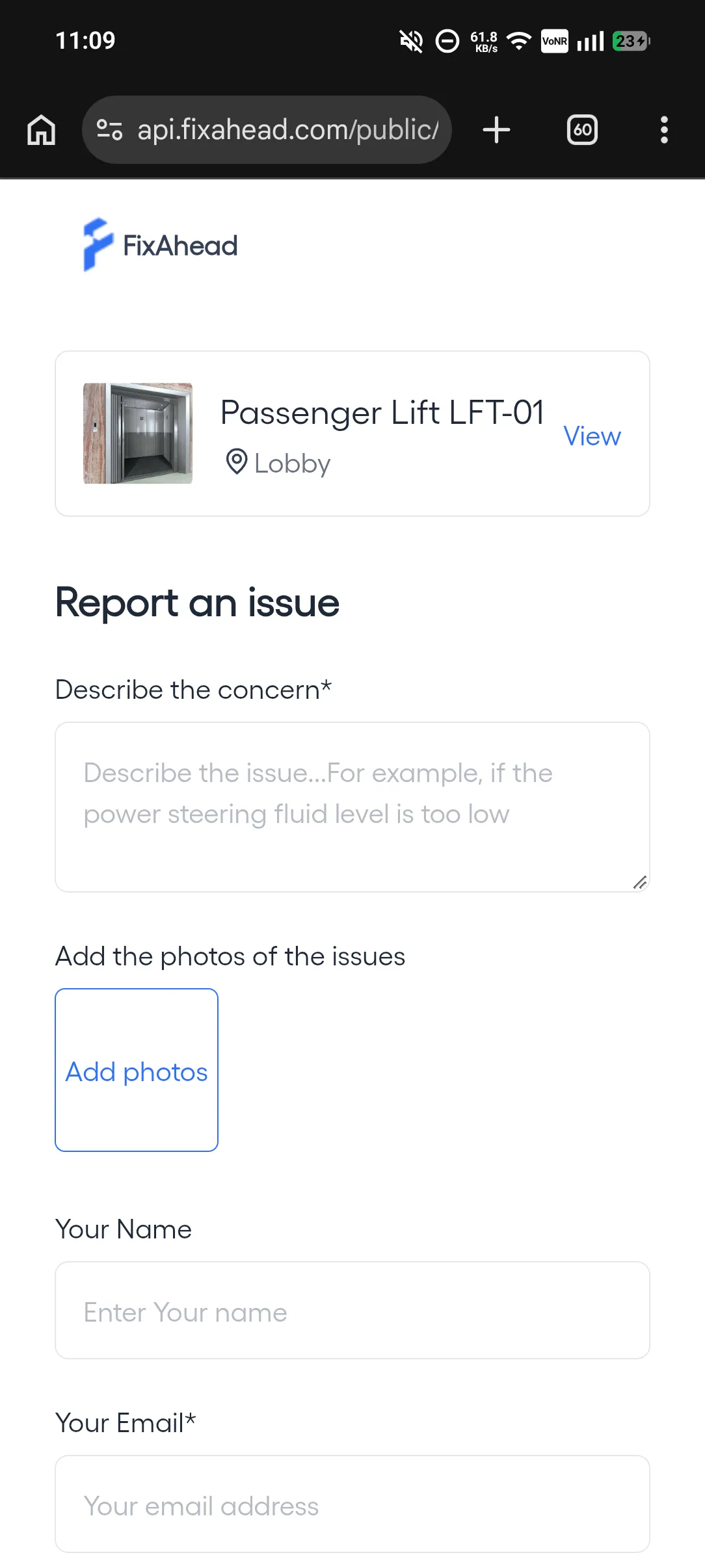
Anyone on the floor scans an asset's QR code and reports the issue with a photo, with no account.
- Public issue reporting via QR code
- Limit reports to listed email domains, once email verification is on
- Create a work order from an issue's menu, in two steps
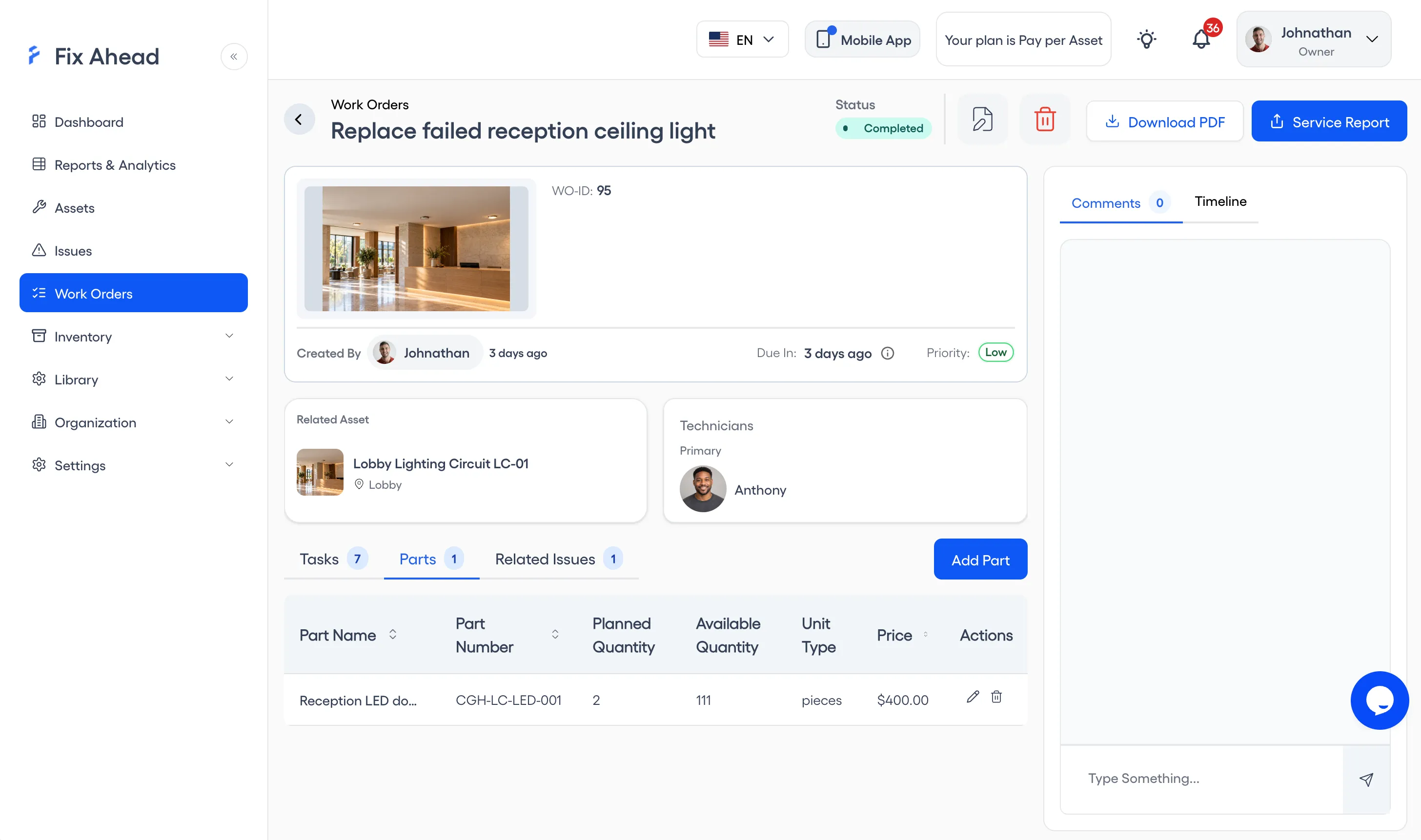
Turn a QR report into a work order
Create the work order from the issue's menu in a guided wizard, and assign it to a technician.
- Guided wizard: the work order, then its technicians
- Procedure checklists with photo proof
- Parts tracking with cost per work order
- Full timeline with status history and notifications
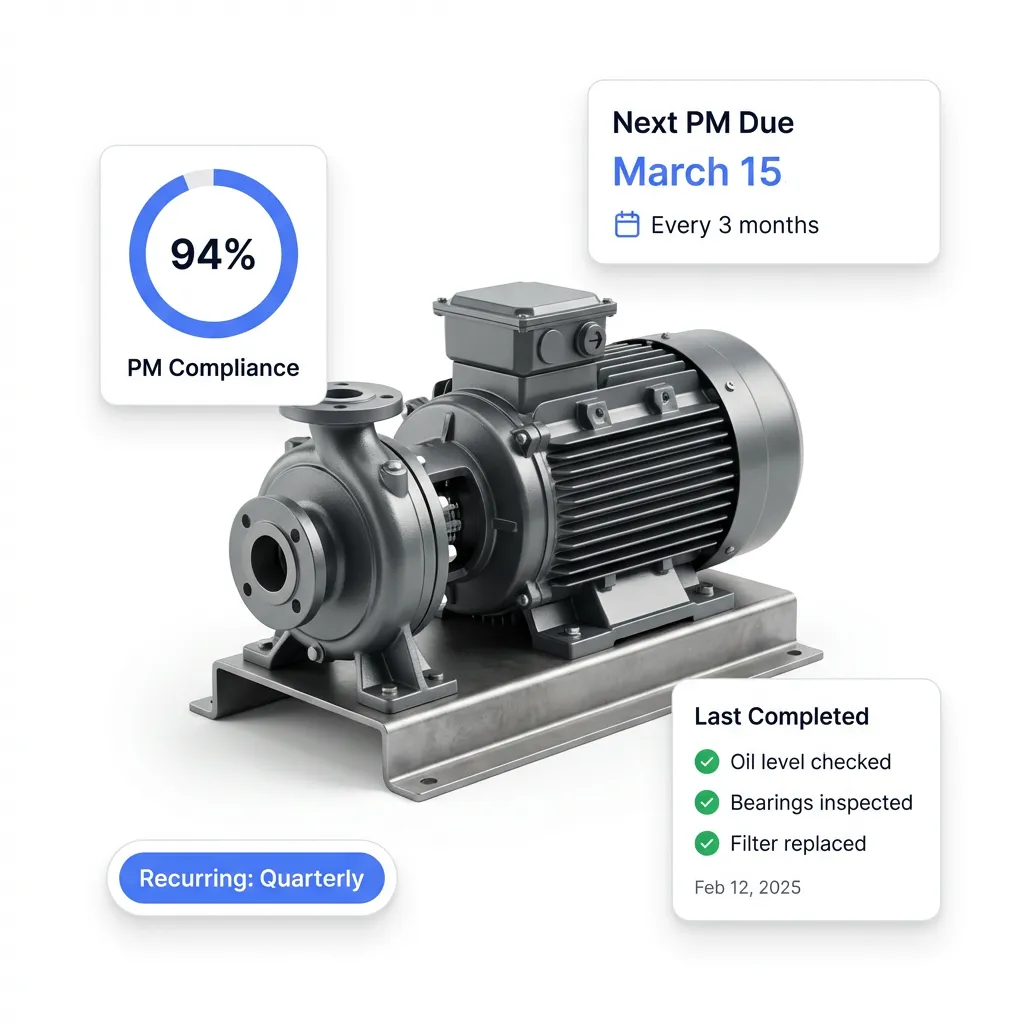
PM work orders arrive before each PM falls due
Work orders are generated before each PM falls due. Procedure checklists with photo proof are attached, and compliance is tracked per asset.
- Recurring daily, weekly, monthly, or yearly schedules
- Auto-assign by skill or availability (Pro)
- Track PM compliance rates across your operation
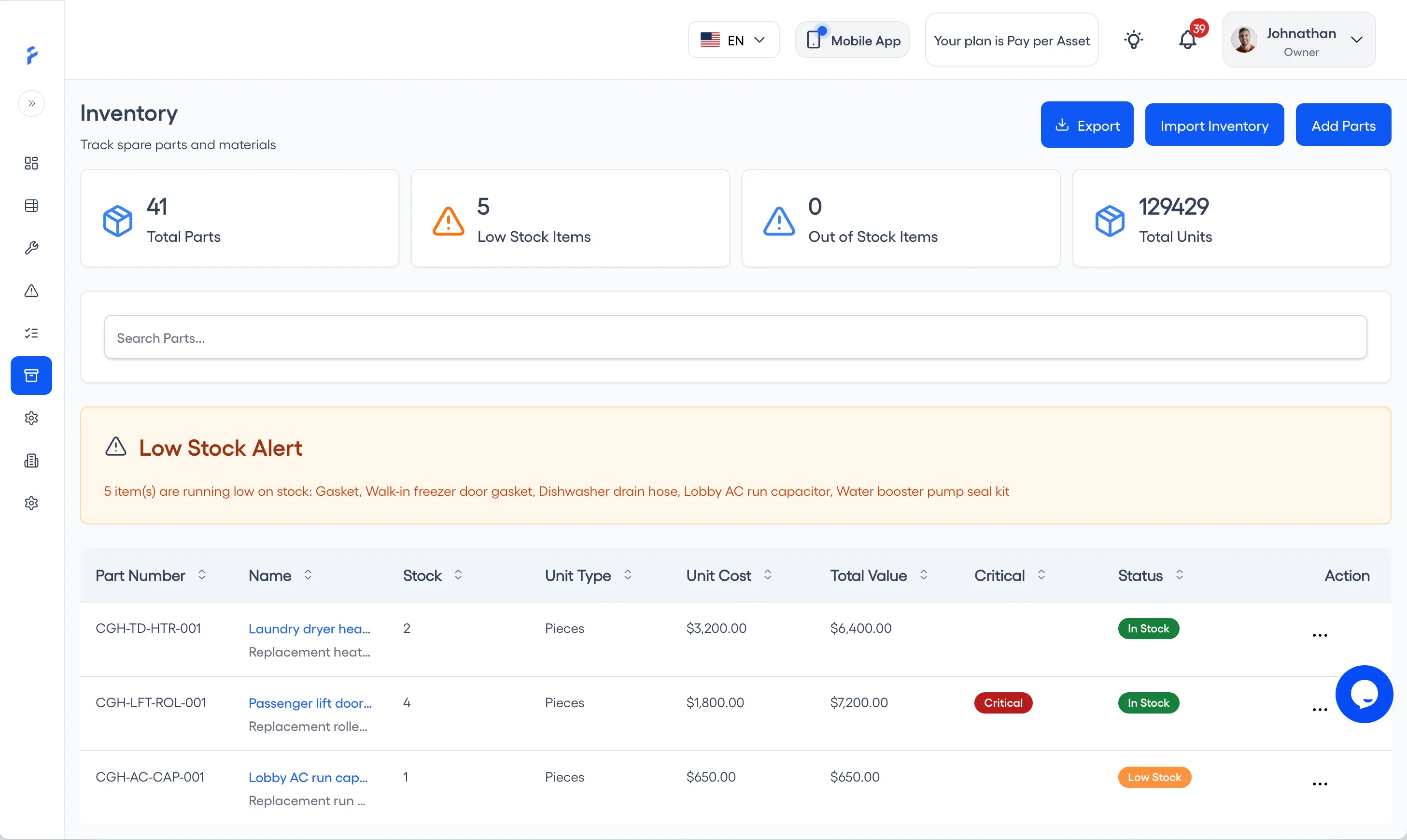
Spare parts in the one Pro plan
Track each part's stock level, reorder alert, and transaction history, linked to its supplier and to the work orders that used it.
- 25 unit types for precise stock tracking
- Reorder alerts when stock hits minimum levels
- Suppliers linked, with contact details
- Full transaction history with 7 transaction types
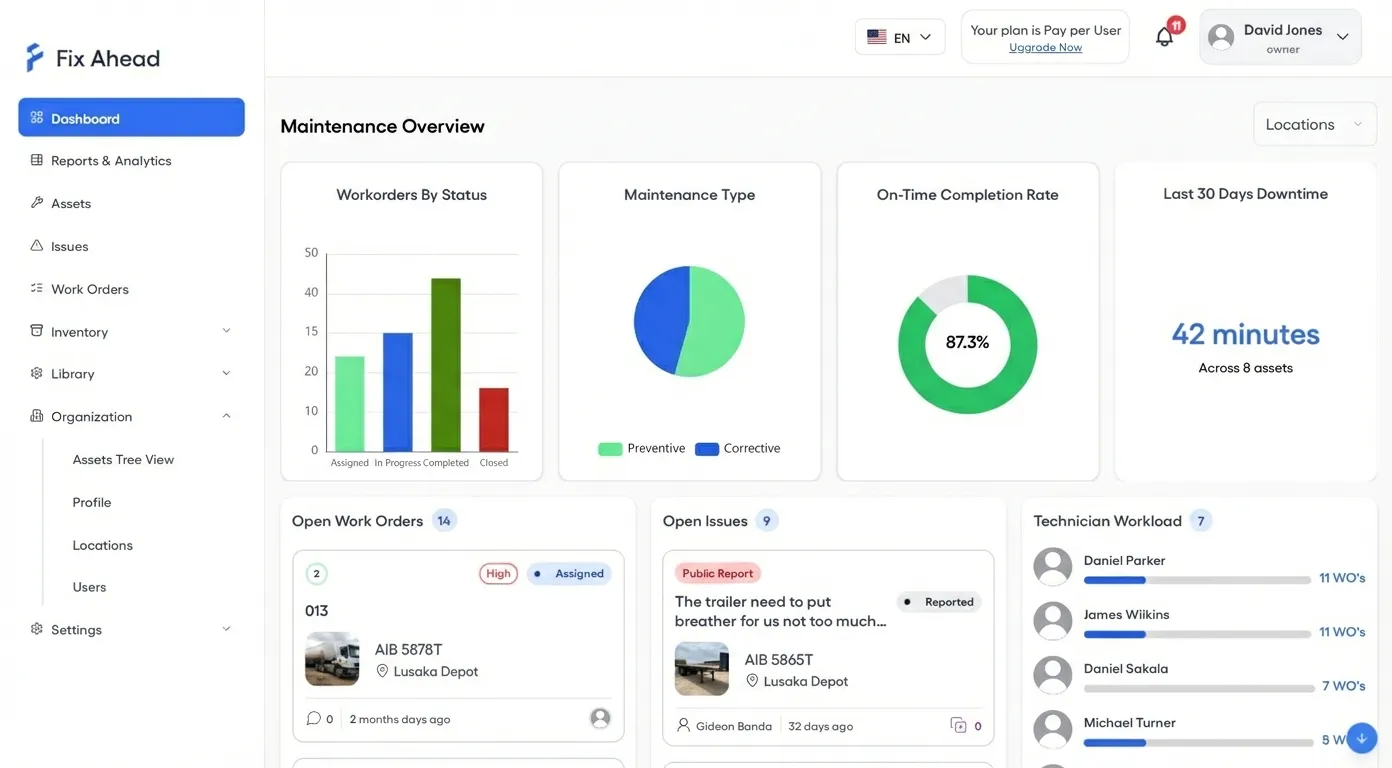
The dashboard comes on the Free plan
The dashboard shows work order status, on-time completion rate, technician workload, and open issues — all filterable by location.
- Work order status and on-time rate by location
- Track technician workload
- Filter by location across sites
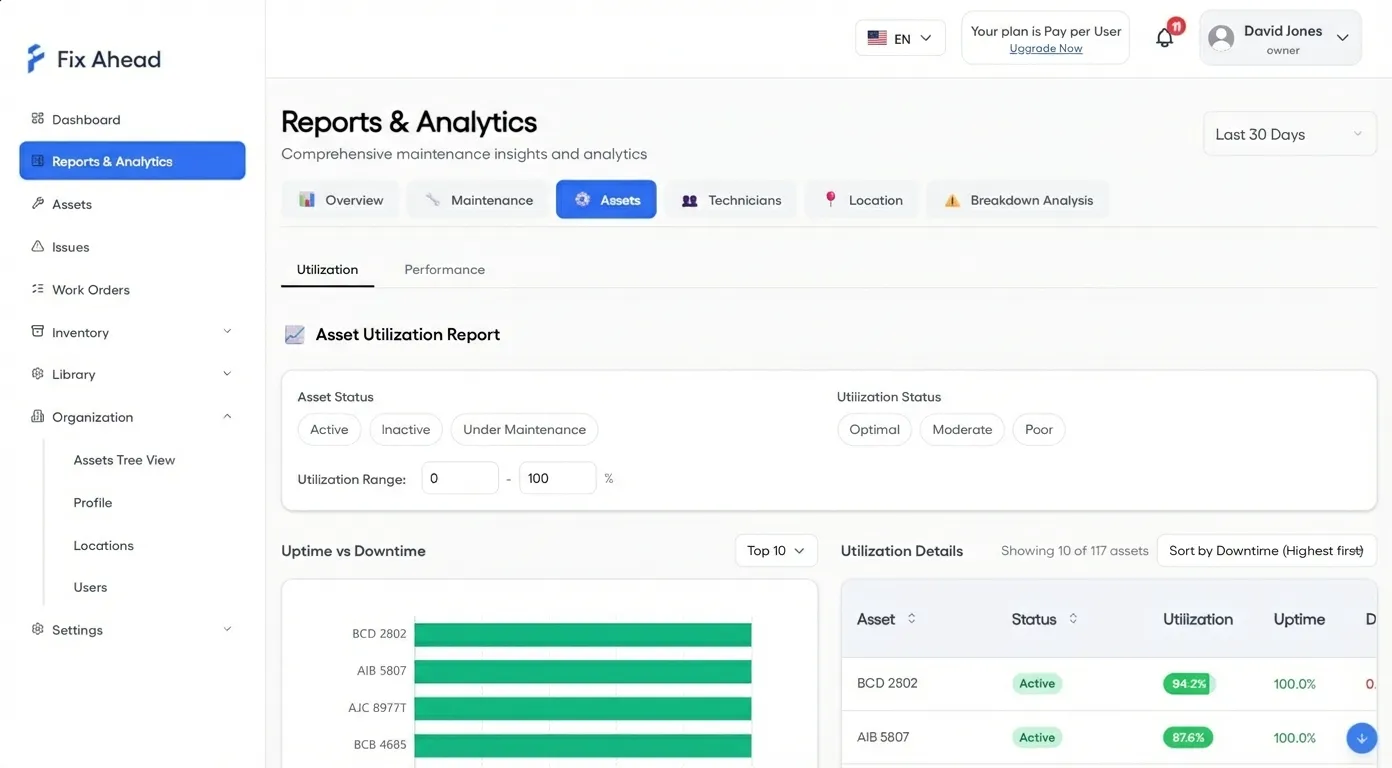
All 11 report types in the one Pro plan
Pro reports cover MTBF, MTTR, PM compliance, breakdown analysis, and costs.
- Charts you can drill into
- Export to PDF, Excel, or CSV (Pro)
- Filter by location, asset, technician, or date range
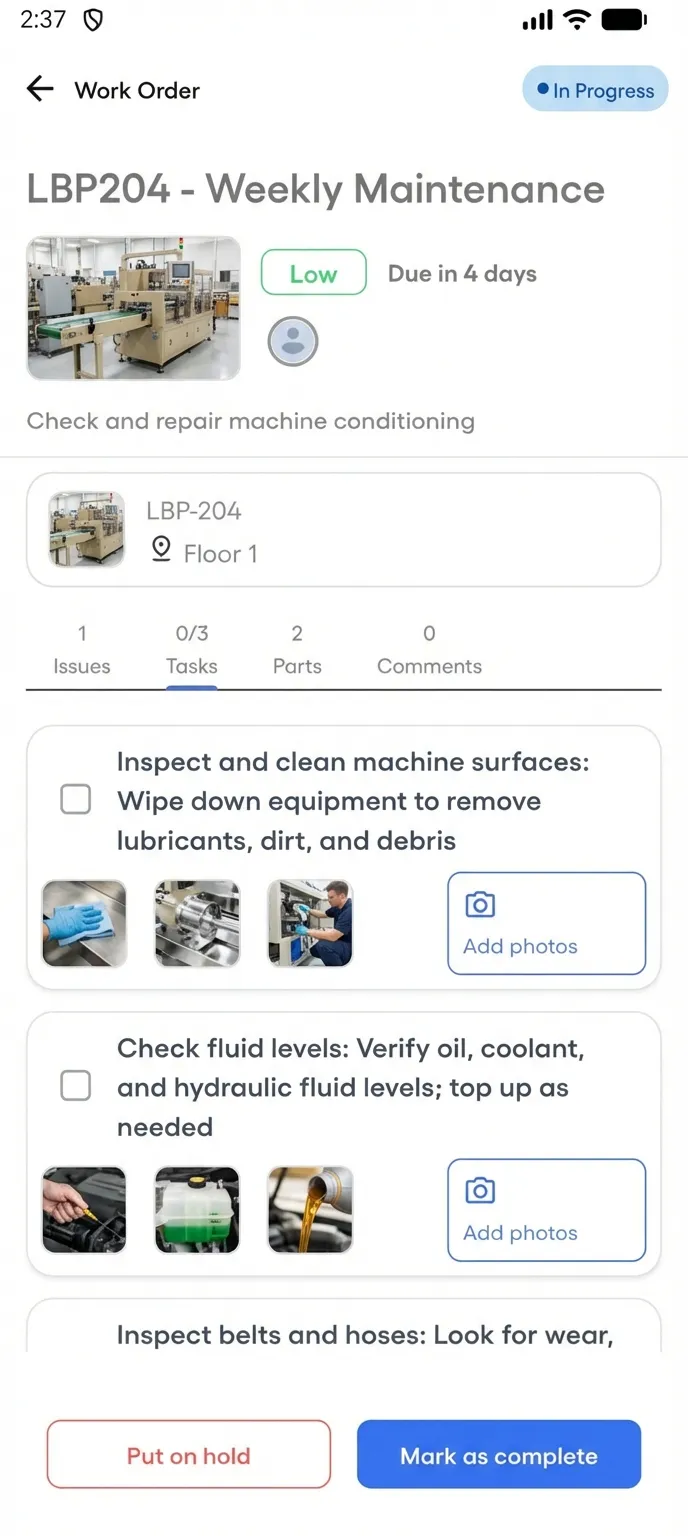
Technicians work offline on Android, on every plan
Technicians open assigned work orders, follow the checklist, and add photos at the job. With no signal, the work syncs once the connection's back.
- See assigned work orders in four status tabs
- Follow guided checklists with photo proof
- Complete work orders with notes and photos from the floor
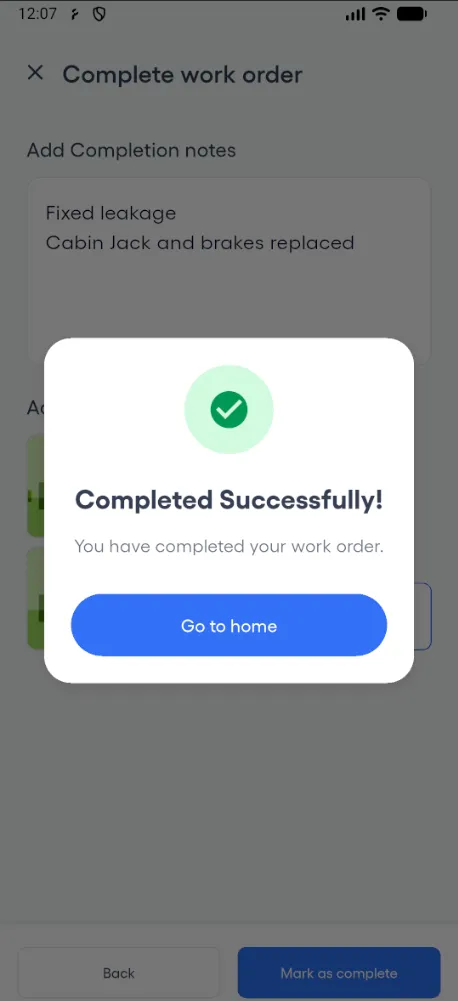
Work orders close with notes and a photo
When a technician marks a work order complete, its status is set to Completed at once.
- Mark complete with notes and a photo, once required tasks are done
- Work order status updated at once
- Timestamped timeline for every work order
One CMMS for your trade's assets
Each page shows FixAhead on that trade's assets and the people who report issues.
Manufacturing
PM work orders for each piece of equipment, by calendar or hour meter.
Healthcare
Each asset keeps its work history and PM compliance, ready for an audit.
Facilities Management
Occupants report issues by QR code with no account, and reports sort by location.
Hospitality
Staff report a room's issue by QR code with no account.
Free plan, then Pro from $99 a month
Pro covers 10 users or 100 assets, billed on whichever costs less. Free covers 2 users or 50 assets, with no card.