Who Creates Work Orders When Operators Call Maintenance for Everything?
FixAhead Team · October 8, 2026
A work order is created from a request that needs work, by the person who triages it.
Operators call maintenance for everything. A light is out, a guard is loose, a valve is weeping, and the call comes over the radio. The technician for that area drops what they are doing and goes. The job gets done, nothing is written down, and the planned work for the day slips.
The fix is a few decisions: what counts as a request, who may make one, and what has to exist before a technician moves.
Requests and work orders are different records
A request says that something looks wrong. A work order says that someone has decided the work will be done, and gives it an owner and a record. When the two are the same thing, a radio call sends a technician out with nothing written down, and the next person to look at that asset has nothing to go on.
Keep them apart.
Decide who may submit
Write down who can raise a request: the operators on each line, the shift leads, the office staff, or whichever groups your rule names. The list matters less than the agreement behind it. People raising requests and people reading them should agree on what a request is for. In FixAhead, Owners, Managers, and Members raise issues in the app, and anyone can report through an asset’s QR code; Technicians do not see Issues.
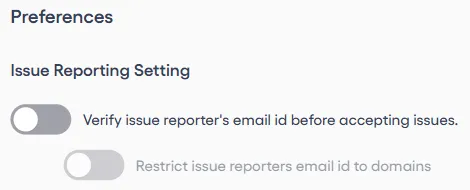
If requests come in through a QR code, the rule has to hold at the code. Print QR codes and place them on equipment, rooms, or common areas. In FixAhead, anyone scans to report an issue, with no account and no app download. You can accept reports only from the email domains your account lists, once reporter email verification is on. Each report arrives with its location and asset attached.
Triage before dispatch
Someone reads each request before any technician is sent. They decide whether it needs work, how urgent it is, and whether it repeats another request, so the same valve is worked once.
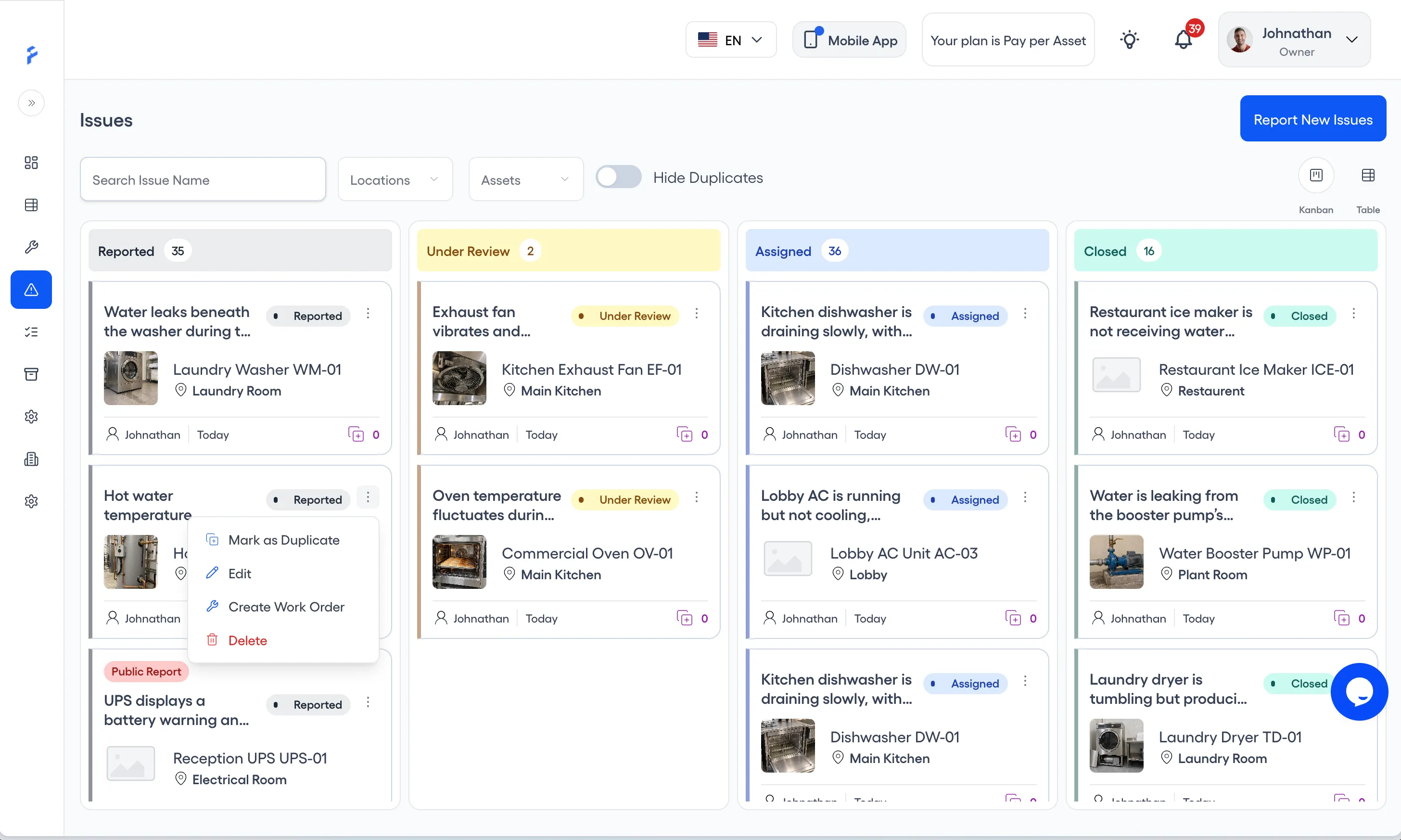
In FixAhead, the request is an issue. Issues sit in columns, and you drag each one between them. You can mark a report as a duplicate of another. When an issue needs work, the person triaging turns it into a work order in three steps. In FixAhead, an Owner or Manager does this; Technicians and Members cannot create work orders.
1. Choose Create Work Order on the issue
On the Issues board, open the menu on a Reported or Under Review card and choose Create Work Order. From an open issue, press Create Work Order under Related Work Order.
2. Say what needs doing and by when
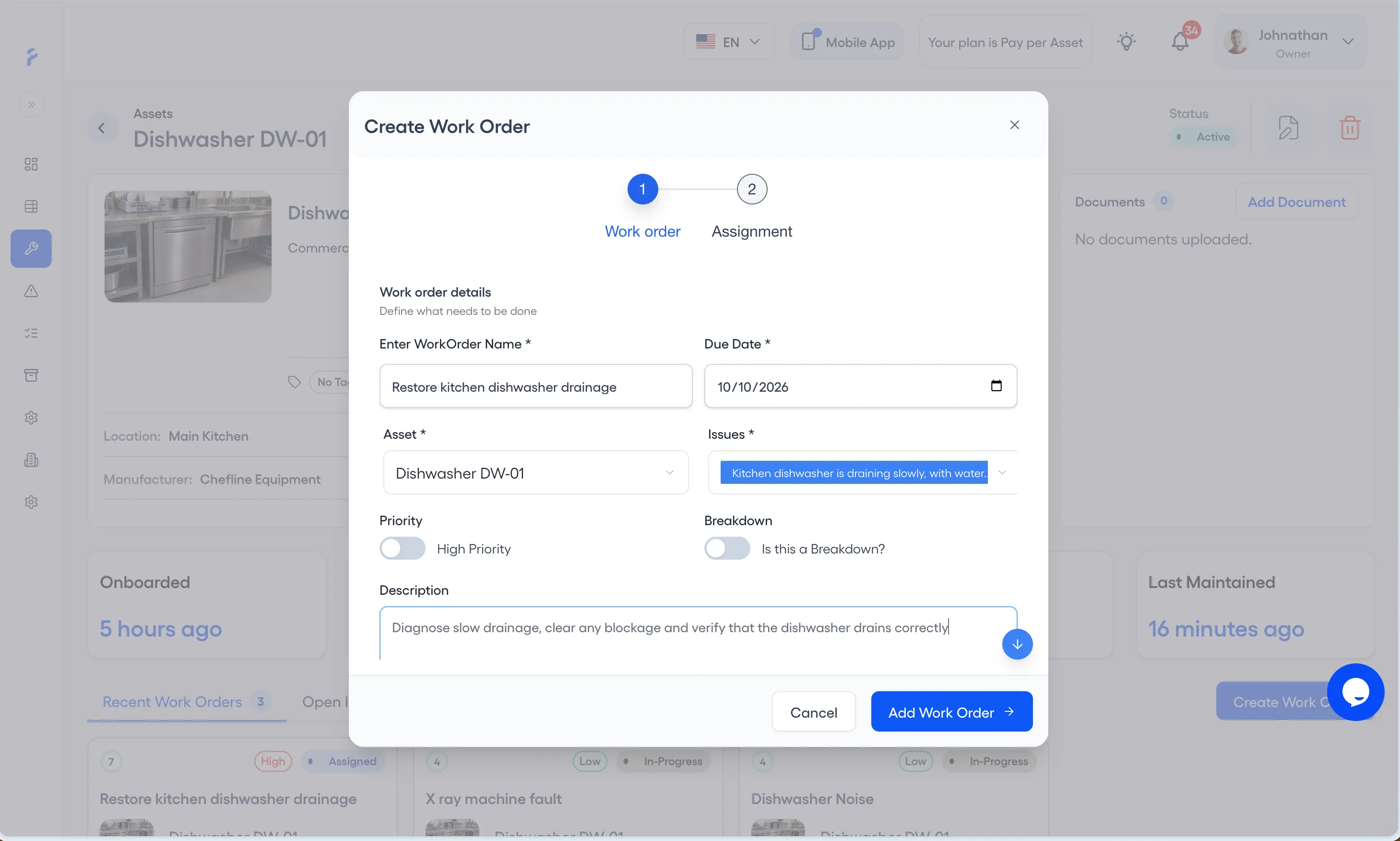
The Create Work Order form opens with the asset and the issue already filled in. Give the work order a name and a due date, switch on High Priority or Breakdown where they apply. Attach photos under Media, PNG or JPEG, up to 10 MB each. Then press Add Work Order.
3. Assign the technician and the procedure
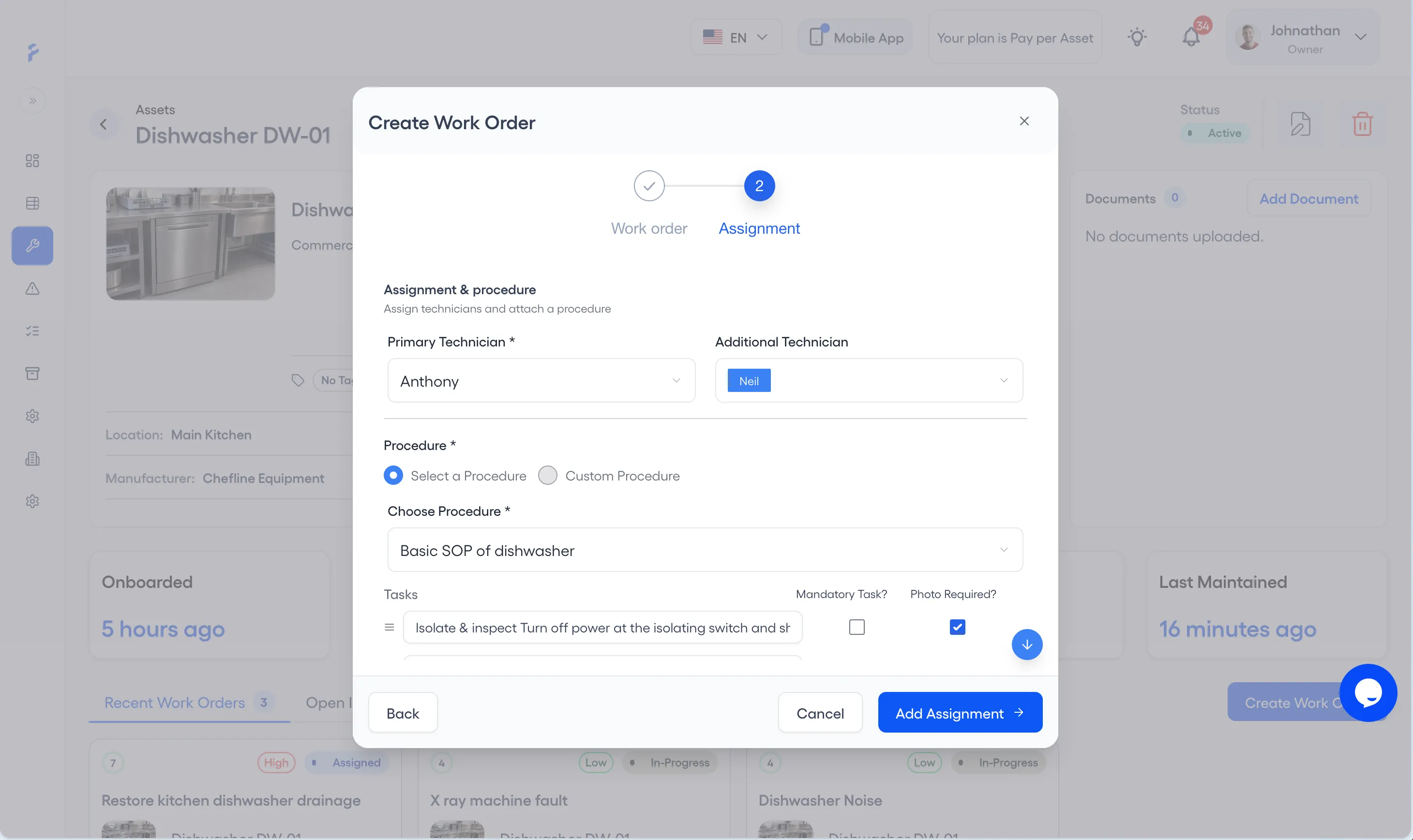
Choose the primary technician and any additional technician. Choose a saved procedure, or write the tasks, marking each one mandatory or photo required. Press Add Assignment to create the work order, assigned to that technician.
No work order, no work
A technician goes out only on a work order, even when the call came over the radio. The radio call gets a written record first: the request, the area, and what the operator saw. Triage follows, and a work order exists before anyone moves. Work nobody wrote down cannot be planned, reported, or traced back to the asset later.
A safety hazard or emergency is the one exception. It gets a response at once, and the work order is written right after, so the record still exists.
Where to start
Issue reporting with QR codes is included on the Free plan.