How Do You Know Preventive Maintenance Is Really Being Done?
FixAhead Team · October 8, 2026
A completed PM record tells you someone closed it. It does not tell you the filter was changed, the belt was checked, or the valve was tested. When preventive maintenance goes undone, the record is either left open or filled in as if the work were done. Maintenance people call the second one pencil-whipping. It is harder to catch, because the paperwork looks the same either way.
The fix is evidence on the work itself, checked by someone other than the technician. Five practices close that gap.
Write each task so someone else can check it
“Inspect pump” can be marked done by someone who never looked at the pump. Name the component, the action, and the result to record instead: “Measure drive belt deflection at the midpoint of the longest span, compare it with the value in the manufacturer’s manual, and write the reading in the task.” A person who has never seen the asset can now tell whether the task happened.
Require a photo or a reading on the steps that matter
Not every step needs proof. Put it on the steps where a skipped step causes a failure: a torque setting, a pressure test, a lockout, a safety device check. For each one, the record should hold a photo of the component after the work, or the value read off the gauge. A photo with the gauge reading in view tells you more than a checked box.
Spot-check the work in person
Pick completed PM records at random and go to the asset. Look for what the record says was done: the new filter in place, the lubricant at the mark, the guard back on. Set a regular schedule for this. Draw the records yourself. If the technician chooses which records you check, the check only tests the records they picked.
Rotate who does each PM
When one person closes the same PM every month, nobody else knows what the asset should look like. Rotate the work so a second person sees each asset regularly. That person is the one who notices when a filter looks the same as last time, or a reading has not moved at all.
Treat a record with no findings as a warning sign
Real equipment wears. A PM that comes back with nothing to note, on every asset, every month, deserves a closer look. Check those records first in your spot checks. A clean record may mean the work was done well. It may also mean nobody looked.
Where FixAhead fits
A compliance percentage counts PM records closed on time. It does not show the work was done. In FixAhead, the PM Compliance report shows each asset’s compliance as a percentage: its Completed PM work orders out of its Scheduled, Completed, and Overdue ones, for work orders created in the period. A late completion counts as completed.
In FixAhead the checks above take four steps: mark the tasks, complete them on the phone, read the timeline, and choose the technician.
1. Mark the tasks Mandatory and Photo Required
Library is open to the Owner and Managers. Under Library, open Maintenance Procedures and press Add Procedure. Tick Mandatory Task? on each task the job cannot be marked complete without, and Photo Required? on each task that needs a photo.
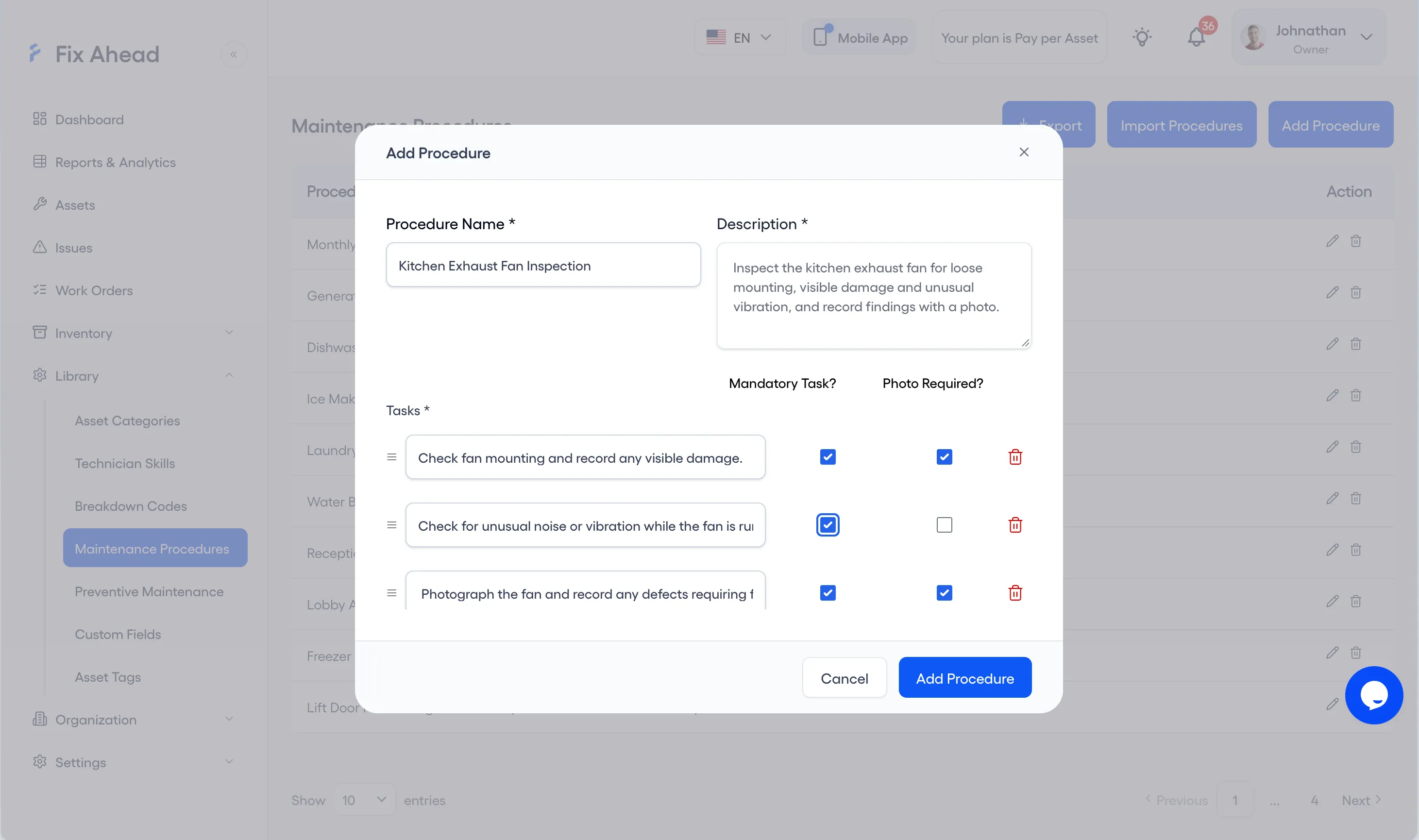
A task holds a tick and its photos. Write a reading in the completion notes, which Mark as complete asks for, or take the photo with the gauge in view.
2. Complete the tasks on the Android app
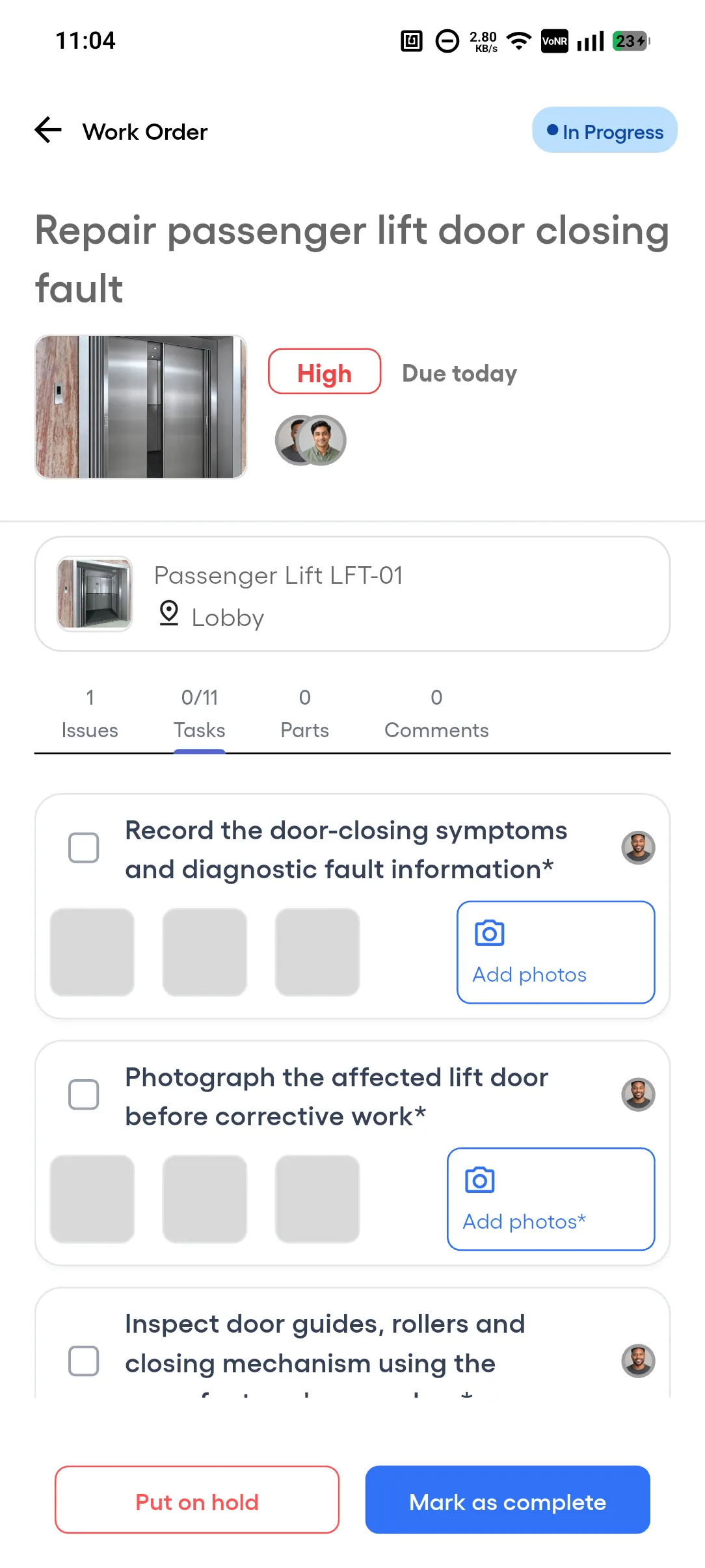
On the Tasks tab, a task whose name ends in * is mandatory, and an Add photos* button means the task needs a photo before it can be ticked. Mark as complete is refused until every mandatory task is done.
3. Read the timeline on the work order
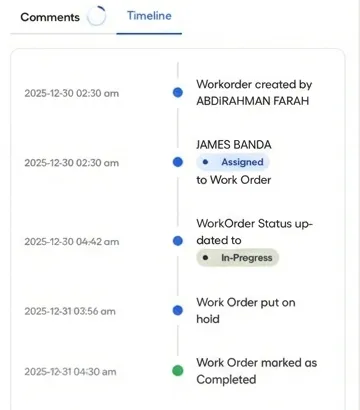
Open the work order’s Timeline tab. Each entry shows who created the work order and who it is assigned to, or a status change, with its date and time, through to Work Order marked as Completed.
4. Choose a PM’s technician under Assign to
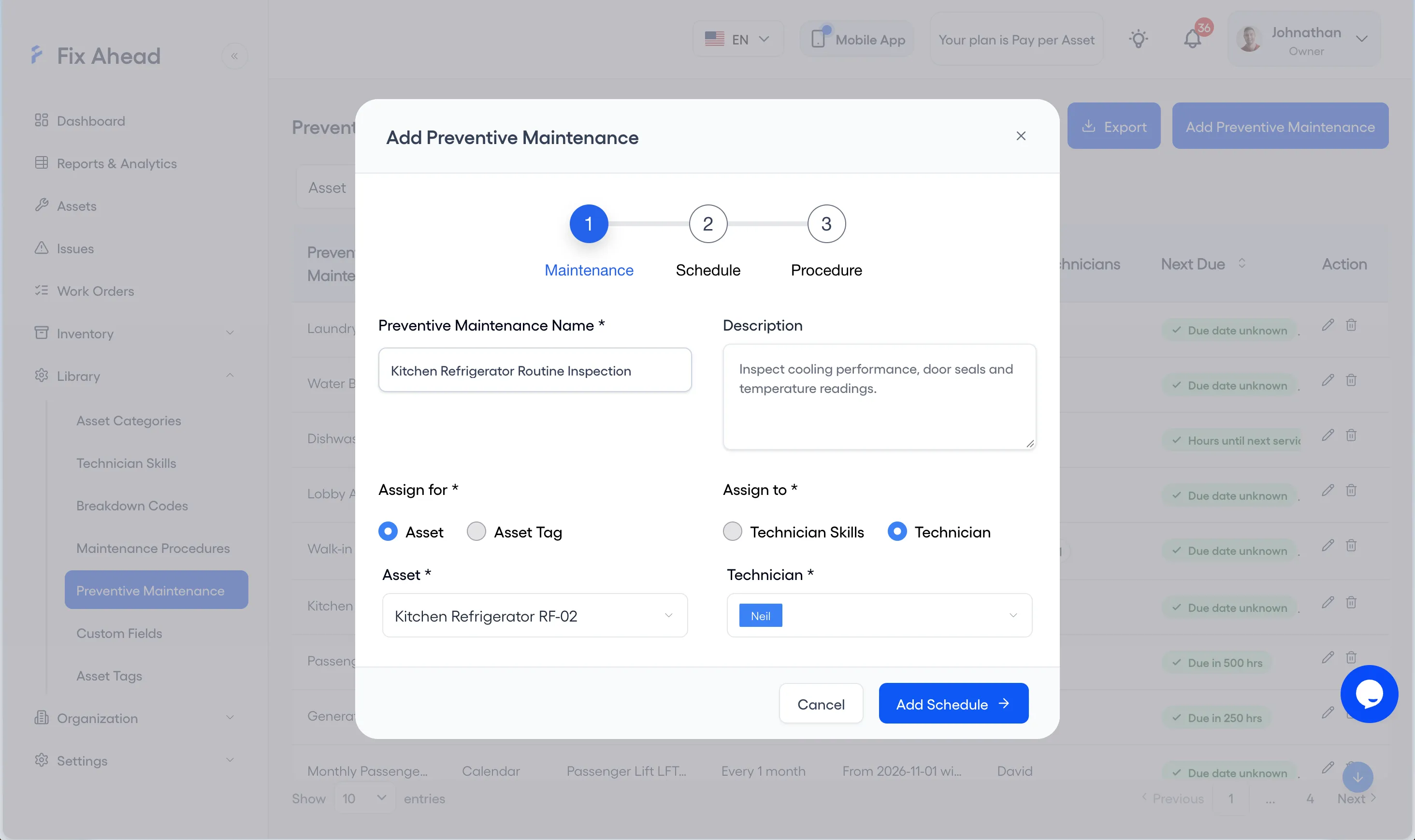
A PM’s technician is chosen under Assign to, on its Maintenance step.
The first two practices run through a checklist. In FixAhead, maintenance procedures and checklists are a Pro feature. The field app runs on Android, and iOS is coming soon.
Read the preventive maintenance page for compliance reporting, and the Android app page for work in the field.