Your CMMS needs a native mobile app, because the work happens in the field. A mobile-responsive website isn’t enough: field technicians work in basements, on rooftops, and in mechanical rooms with spotty connectivity, and they need an app that loads fast, works reliably, and fits the phone screen.
Your maintenance manager creates a perfect work order — detailed description, correct asset, procedure attached, parts planned. Then what? A text message with an address. The technician shows up with zero context, calls the office for details, takes photos on their personal phone, and scribbles notes on a clipboard.
The work order system worked perfectly for the office. It failed completely in the field.
Office Planning and Field Work
Most CMMS platforms focus on the manager’s workflow: creating work orders, scheduling preventive maintenance, generating reports. These are critical functions. But they only cover half the equation.
The other half happens on-site — and that’s where most systems fall apart. Technicians need to:
- See exactly what needs to be done before arriving
- Follow step-by-step procedures with specific tasks
- Document their work with photos as they go
- Record which parts they used
- Communicate with the office without phone calls
- Mark the job complete with notes and evidence
What a CMMS Mobile App Should Do
Work Order Visibility
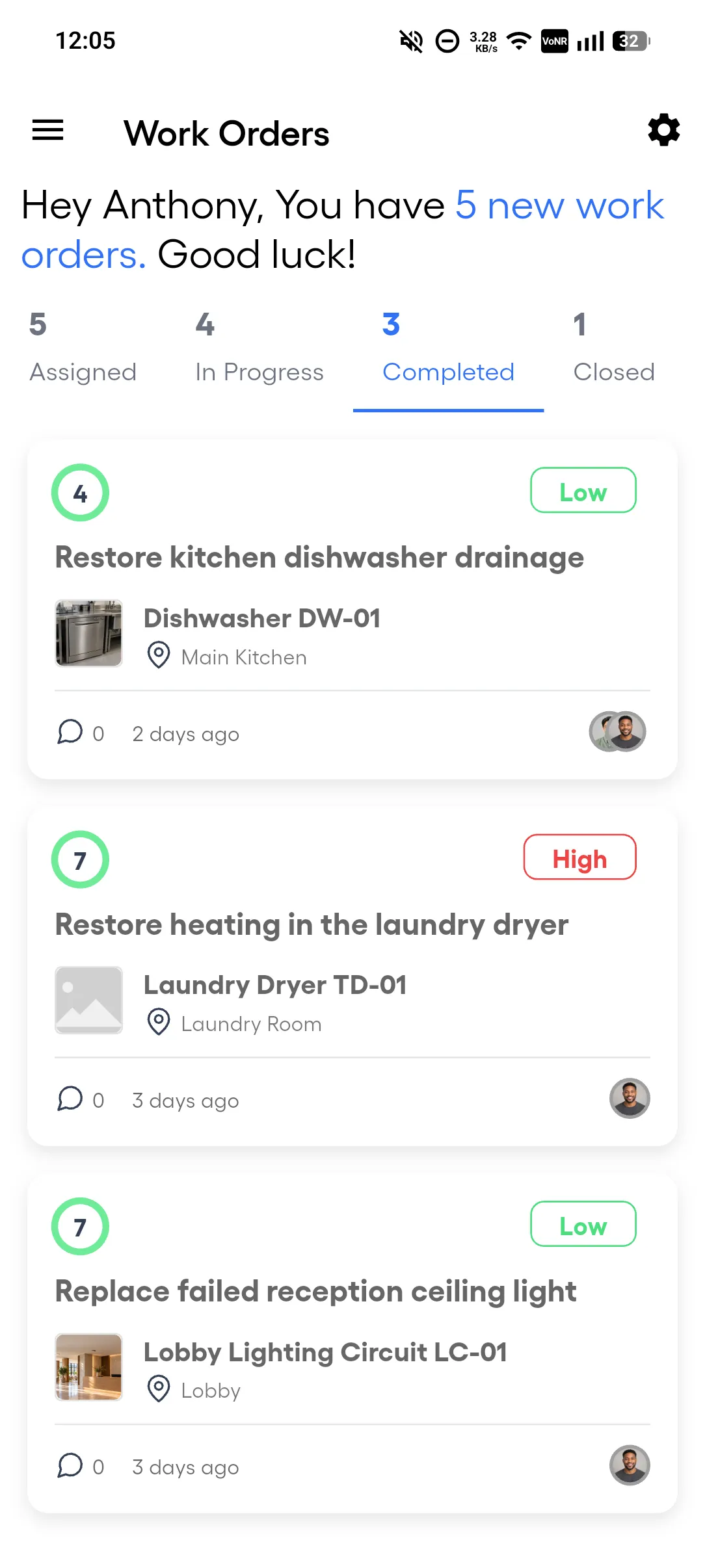
Your technician should open the app and see every assigned job, in status tabs. Tap any work order to see the full picture: asset details, location, priority, due date, and task list. No phone calls to the office for context.
Guided Checklists
Standardized procedures ensure consistent work quality. The mobile app presents each task in order, marks the required tasks, and requires a photo on each photo-required task. The Tasks tab shows 3/7, and the technician knows exactly where they stand.
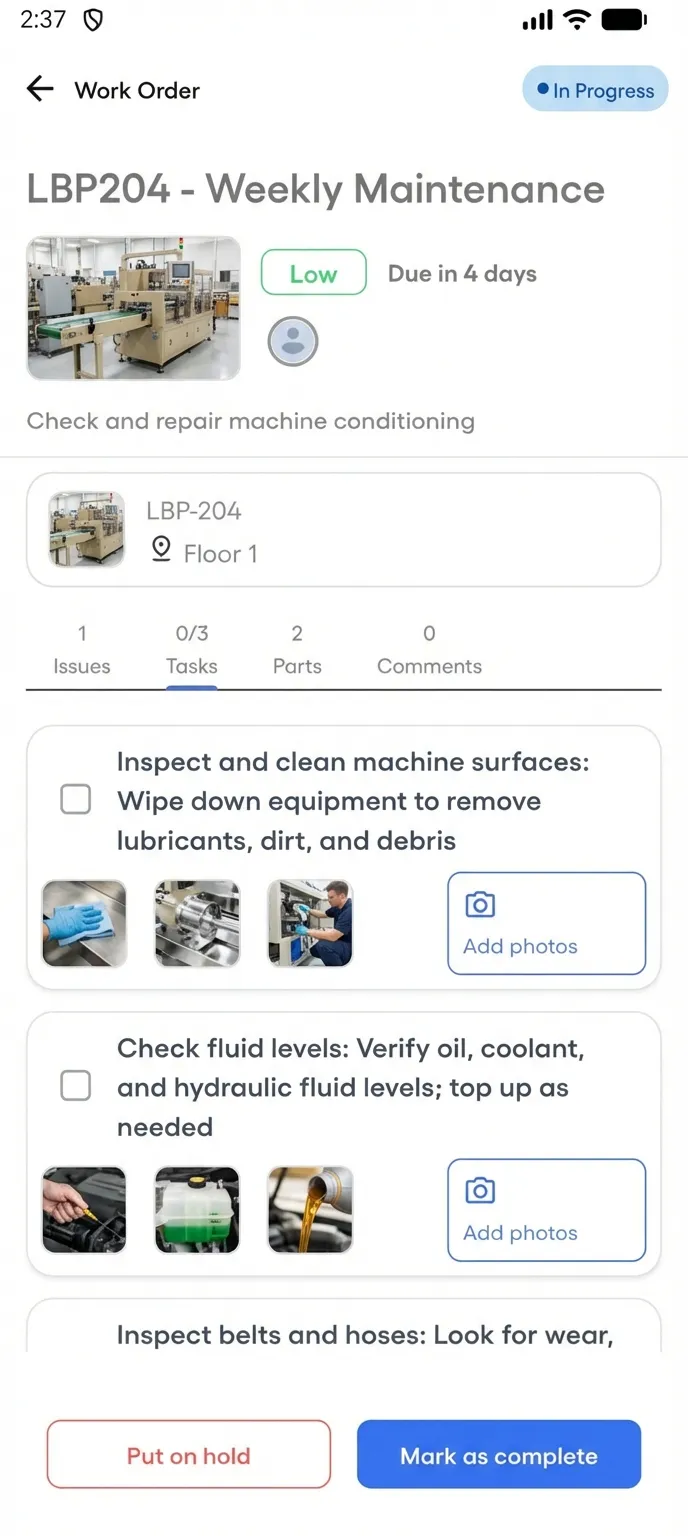
Photo Evidence
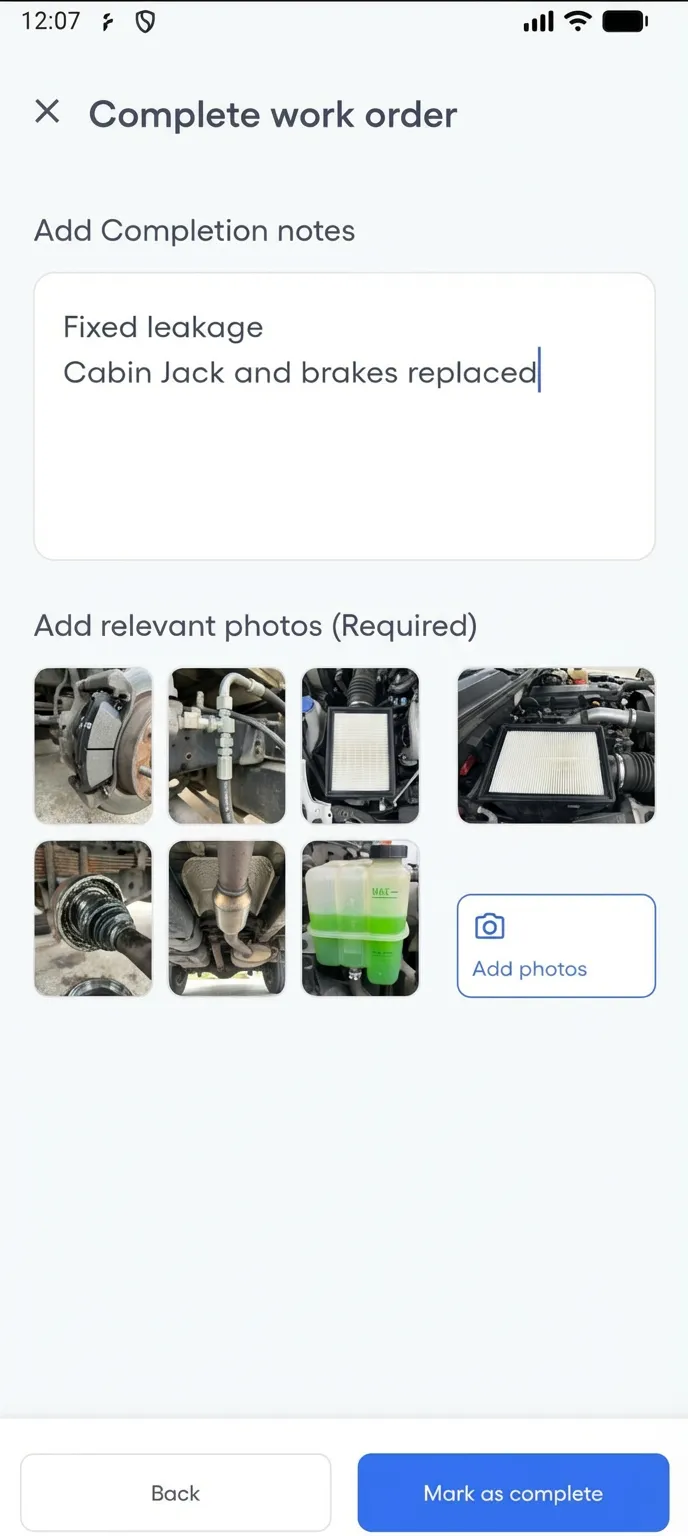
This is non-negotiable. Every completion should include at least one photo, every hold should record its reason, notes, and photos, and every task requiring documentation should include photos. These photos attach to the work order automatically — not sitting in someone’s camera roll waiting to be emailed.
Parts Tracking
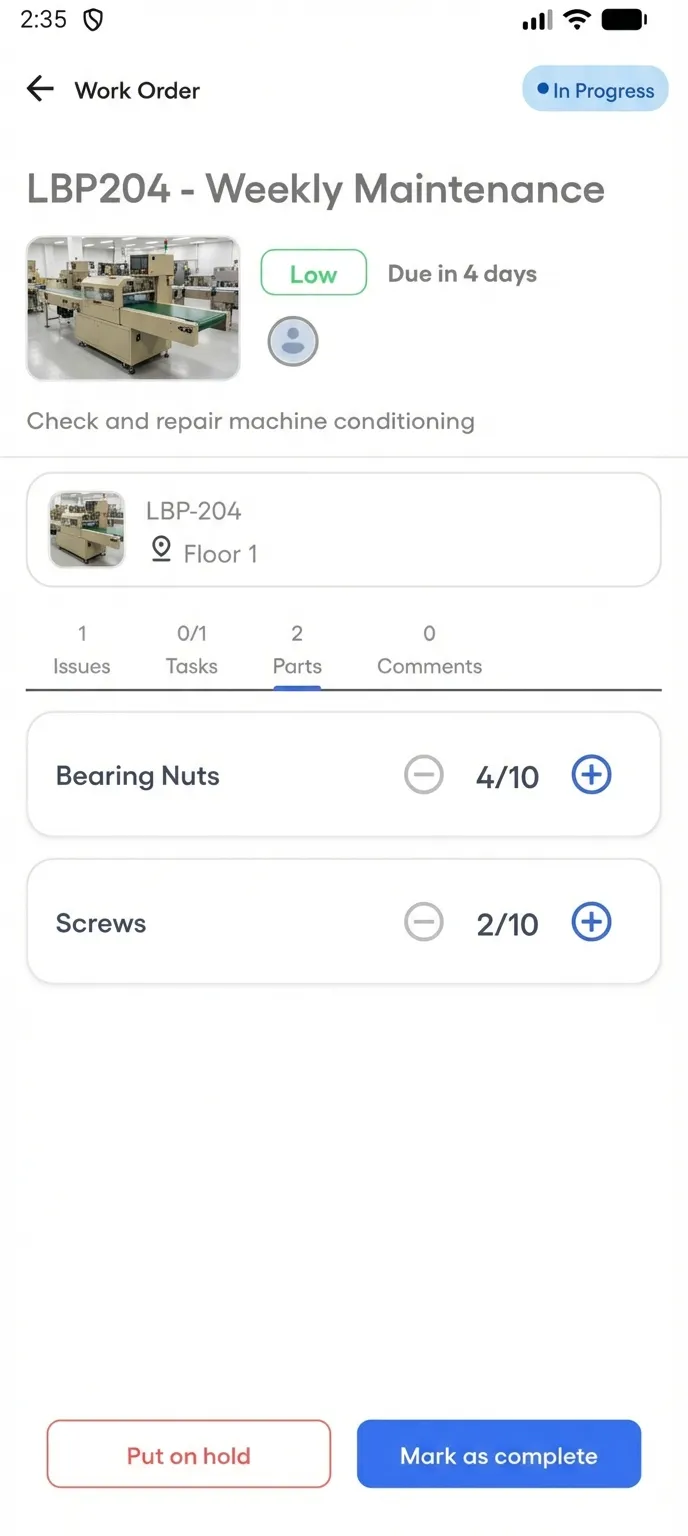
If a work order has reserved parts, the technician sees the list with quantities. They record what they actually used, up to the quantity reserved, and stock updates when the job is marked complete. No more end-of-day calls asking “what parts did you use on that job?”
Real-Time Communication
In-app comments on work orders replace the endless phone calls and text messages. Each comment shows its time and who wrote it. Your manager reads comments in the web platform; your technician posts them from the app.
Push Notifications
When a new work order is assigned, the technician knows immediately. Not when they check their email. Not when they call in for the next job. Immediately.
The ROI of Mobile CMMS
The benefits compound:
- Fewer repeat visits: Photo-documented checklists catch incomplete work before the technician leaves the site
- Faster close times: Technicians complete work orders from the field instead of waiting to get back to the office
- Accurate inventory: Parts used are recorded on the work order, and stock updates when the job is marked complete
- Reduced phone calls: In-app comments eliminate the back-and-forth between field and office
- Better compliance: Task and completion times prove work was performed — for auditors, customers, and warranty claims
What to Look for in a CMMS Mobile App
Not all mobile CMMS apps are equal. Here’s what matters:
- Native app, not just mobile-responsive: A native Android app loads faster and works more reliably than a browser tab
- Camera capture: on every checklist task, from the phone’s camera or the gallery
- Push notifications: Real-time alerts for new assignments and updates
- Included in the price: Some CMMS vendors charge extra for mobile access. The app should be part of the platform, not an add-on
FixAhead’s Mobile App
FixAhead includes a native mobile app for Android (with iOS coming soon) at no extra cost — on every plan, including Free (mobile app). Technicians manage work orders, follow guided checklists (Pro), capture photo evidence, track parts (Pro), and communicate with the team — all from the field (mobile app).
The web platform handles planning, scheduling, and reporting. The mobile app is where the technician does the work. Together, they close the gap between what your manager plans and what your technician delivers.
Try FixAhead free — the mobile app is included.